Imagine this: you have just bought your very first DVD-recorder, you come home and you want to start backing-up your expensive DVD titles so that you don't have to worry about your kids anymore, who seem to think that DVD discs make excellent Frisbees. So, you put your original DVD title in your recorder only to find out that;
- it's protected against ripping and thus copying the contents of the disc to your hard disk doesn't work, and
- even if you do succeed in ripping the contents of the disc, the files don't fit on your recordable DVD since the latter can only hold 4.4GB of data while the original DVD is more than 7GB in size.
Besides the ongoing DVD format war between DVD-RW (minus) and DVD+RW (plus), which is causing confusion amongst consumers, these two problems are very common and are causing even more confusion. The first problem is easily bypassed (we'll get back to this later on this page) but the second problem is more interesting. Since the original DVDs are often larger than 4.4GB (the maximum amount of data that a DVD-recordable disc can hold) you're left with three options:
- you can copy the main movie only, with only one audio stream and only one or even no subtitles, or
- you can split the original movie onto two (or even more) DVD-recordable discs, or
- you can copy the entire DVD but the movie will have to be compressed (transcoded) to fit on the DVD-Recordable disc.
In this article we're going to take a look at some of the software packages that are available today with which you can copy your DVD movies. We'll take a look at the produced video quality of each software package and at how much time the software needs to accomplish its task.
To make a more fair comparison we've split up this article into two sections: movie only and full DVD. Movie only means that only the main movie was copied, including the main audio stream and one subtitle. Full DVD of course means that we copied the complete DVD, including all audio streams, subtitles and extra's.
In this article we're going to compare the following software packages:
- CloneDVD version 1.1.7.1
- DVD2one version 1.2.0
- DVD Shrink version 2.3
- DVD X Copy Xpress version 2.5.2
- Pinnacle InstantCopy version 7.1.1
Ripping:
Almost every DVD disc is encrypted nowadays which prevents you from simply dragging and dropping its contents to your hard disk. There are several tools available which can easily bypass this problem simply by decrypting the DVD's contents. The most popular tools for this job are SmartRipper and DVD Decrypter.
Both tools are extremely easy to use so we won't go into detail on how you can decrypt you DVDs. For this article we used SmartRipper to rip the entire DVD to our hard disk using the program's File Mode (in this mode SmartRipper will simply rip and decrypt all the files on the DVD).
DVD9 vs. DVD5:
Before we get started it's important to clarify the terms 'DVD5' and 'DVD9'. As we already mentioned at the beginning of this article a normal DVD disc is normally larger in size than a DVD-recordable disc. A recordable DVD is a single-sided disc with a single layer that can hold up to 4.38GB of data. Recordable DVDs and original DVDs of a size smaller than or equal to 4.38GB are also referred to as DVD5.
As said, commercial DVDs are often larger in size and they can be up to around 8GB in size maximum. These single-sided, double-layered DVDs are also referred to as DVD9. DVD-recorders, as of yet, do not support DVD9 discs and can only record to DVD5 discs.
Test Machine:
For the tests we'll be using the following hardware configuration:
- Motherboard: GigaByte GA-7VAXP
- Processor: AMD AthlonXP 2100+ (1.74GHz)
- RAM: 512MB (PC2700)
- GFX: ASUS V8200 (GeForce 3 Ti200)
- Hard Disks: DiamondMax 40+30GB (7200rpm)
- DVD-Recorder: Plextor PX-504A
- Monitor: Iiyama VisionMaster 1451 19" (1280*1024@85Hz)
The Windows XP Professional operating system is installed on our test machine. Let's continue with an overview of the speeds each program needed to compress our DVD titles, on the next page.
The first thing we're going to check is how long each software needs to compress our test DVD titles. As we said during the introduction, we've split up the article into two sections: movie only and complete DVD. Below you can see the results of both tests in two separate tables. Keep in mind that the times below do not include the time it took for burning the ripped files:
| Compression Time/Size Movie Only | Gladiator | Goonies, The | ||
| Software | Time | Size | Time | Size |
| CloneDVD | 22m:38s | 4.31GB | 17m:26s | 4.12GB |
| DVD2one | 20m:27s | 4.36GB | 14m:27s | 4.35GB |
| DVD Shrink | 24m:34s | 4.18GB | 16m:56s | 4.35GB |
| InstantCopy | 1h:57m:36s | 4.24GB | 2h:09m:05s | 4.27GB |
| DVDXCopy XPRESS | 27m:09s | 4.35GB | 21m:03s | 4.34GB |
| Compression Time/Size Complete DVD | Gladiator (6.85GB) | Goonies, The (7.23GB) | ||
| Software | Time | Size | Time | Size |
| CloneDVD | 26m:23s | 4.36GB | 25m:57s | 4.36GB |
| DVD2one | 26m:54s | 4.36GB | 28m:53s | 4.36GB |
| DVD Shrink | 38m:12s | 4.22GB | 40m:26s | 4.31GB |
| InstantCopy | 1h:51m:36s | 4.31GB | 2h:03m:58s | 4.30GB |
Compression Time:
From the table you can see that the different software packages are very close to each other when it comes to compression time and thus it's hard to identify a clear winner. DVD2one was often the fastest software, closely followed and sometimes beaten by CloneDVD. DVD Shrink was a little slower but not much.
One software package that stands out in our results is Pinnacle's InstantCopy software. While most other software packages needed less than 30 minutes at most to compress our tests DVDs, InstantCopy needed around or even more than two hours. When we contacted Pinnacle to ask them some questions about their InstantCopy software they send us part of an interview with some interesting questions and answers:
Q: Your InstantCopy product is slower than competing products like DVD2one or DVDShrink?
A: You are comparing apples and peaches. While InstantCopy is a full featured transcoder with highest quality output, both programs you are naming do only a quick 'requantization" and ignore the lower quality and signal errors in the resulting stream.
Q: I don't understand. Can you explain the difference in detail?
A: Well, basically MPEG Video is encoded in groups of pictures called GOPs. In every GOP is a reference frame followed by several difference frames. While the reference frame is encoded as a full picture the difference frames contain only the differences to the 'last" frame. While encoding every frame is 'quantitized" '“ this means that small, almost unnoticeable differences in the signal are removed. Both InstantCopy and competing programs change the quantization process. However, InstantCopy is the only program that takes the changes done into account for the following frames. This means that additionally to the 'quantization" the whole frames needs to be decoded two times and encoded one time which is indeed very time consuming. However, if you only do the quantization the picture quality gets worse with every frame until the next reference frame is decoded '“ which is the famous annoying 'pumping".
While the above explanation sounds interesting, it doesn't really explain why InstantCopy is so much slower than the competition. The real difference in compression time is because InstantCopy uses a directshow filter for compression while the other software packages use direct stream processing. Later on in this article we'll of course see if this makes a difference when comparing the produced video quality of the competing software packages.
File Size:
When it came to achieving the maximum output file size we again had the best results with DVD2one, closely followed by DVDXCopy XPRESS (which can only copy the main movie from a DVD). CloneDVD also performed well here but DVD Shrink and InstantCopy were sometimes a bit off target. We'll see if the lower output file sizes have an effect on produced video quality later on in this article.
Let's continue with an overview of each software package on the next few pages.
As you could already see on
the previous page, Elby's CloneDVD can copy complete DVDs or only the main
movie. Using a very simple user interface with scrolling screens, the user can
easily select which titles he/she want to keep and which ones he/she wants to
remove:


From the screenshots above you can see that CloneDVD can also handle ISO/UDF
Images. For the main movie only tests we used the "Copy DVD Titles" option while
we used the "Clone DVD" option for our complete DVD
tests.
DVD2one was one of the first software packages
available that could compress a DVD9 movie to DVD5 size, in less than half an
hour. DVD2one has two modes when compressing a movie. You can either go for only
the main movie and select which audio streams and which subtitles you want to
keep or you can go for the 'full disc mode' to compress the entire DVD (which
does allow you to choose from several audio streams (when available on the DVD
of course)).

From the screenshot you can see the two copy modes
that DVD2one has. Since DVD2one version 1.2.0 the program also has an option
that allows you to select a compression mode (variable or constant ratio).
Unfortunately it's hard to say which mode works best. The DVD2one website has a
some more information on
this:
Unfortunately it is difficult to say which mode
results in the best visible image quality. It depends the most on the way the
encoder of the original movie works. In general the constant ratio mode works
better on long (2 1/2 hours and more) movies than the variable mode, because
excesses in compression ratio will be more visible at lower bit rates. However,
in most cases both modes will work fine, so you can choose the mode you
prefer.
Since both our test movies (Gladiator and The
Goonies) are around 2½ hours in length we used the constant ratio for both our
tests.
The DVD Shrink software was released recently
and became very popular because of its attractive price; the software is
completely freeware! The latest version at the time of writing this article,
v2.3, has undergone some changes when compared to previous versions:

As you can see from the screenshot you can easily
select the streams you want to keep and want to remove. You can also see that
DVD Shrink uses predetermined compression levels (ranging from 1 to 10) for the
video stream. Each level increases the compression level by 5 percent. As you
can imagine this can sometimes lead to wasted space when a certain level is just
over the maximum size.
For our movie only tests we used compression level
1 while the complete DVD tests were performed with compression levels 9 and
10.
321 Studios' DVDXCopy XPRESS software is a
little different than the other software packages we're taking a look at.
DVDXCopy XPRESS has no option to copy an entire DVD with all its extras and can
only be used to back-up the main movie with one audio stream and one subtitle.
All this using a very simple user interface:

If you've followed the news lately you will
probably know that 321 Studios is currently fighting a legal battle against
Hollywood because their software has a built-in DVD ripper which can decrypt
protected DVDs on-the-fly (something that the other packages we're testing
cannot do). As a result of this legal battle 321 Studios has done a lot of
things to make sure that people who use their software are informed about the
legal issues concerning their DVD back-ups.
Some of these measurements include a couple of
questions you have to answer when you start the software (questions like if the
DVD you're using is a borrowed one or rented one) and a Copyright Agreement.
Since these questions and agreement are easily bypassed by simply answering 'No'
and 'I Agree', 321 Studios has also added some more anti-piracy measurements.
When you burn the compressed DVD files with the XPRESS software, the following
text message will be burned to your DVD-back-up:
 Warning: This is an archival backup copy of a DVD,
 Warning: This is an archival backup copy of a DVD,

  created solely for the private and personal use of the owner of the DVD from

  which it was made. Federal copyright laws prohibit the unauthorized

  reproduction, distribution, or exhibition of copyrighted materials, if any,

  contained in this archival backup copy. The resale, reproduction,

  distribution, or commercial exploitation of this archival backup copy is

  strictly forbidden. We ask you to respect the rights of copyright

  holders.

Archived by 321Studios DVDXPress version [] on Tue May 20

  16:23:02 2003

xxxxxxxx-xxxxxxxx
The text message, including a unique serial, can,
for example, be used to track down someone who's releasing pirated copies
online. As a final anti-piracy measurement each DVD title you back-up will also
display the following message when you play it on your DVD-player:

On page two of our article you could already see
that Pinnacle's InstantCopy (IC) software needs far more time to compress DVDs
than the other software packages we're testing. According to Pinnacle this is
because IC uses a different technique to compress the movie and should therefore
produce better video quality. During this article we're of course going to check
if this is indeed the case.

The IC software has a lot of possibilities. The
software can not only be used to compress and burn your DVDs with, it can also
handle (audio/data) CDs and, besides that, is has some options to copy protected
CDs with, using Laser/PSX/Safe/Safe2/Secu/Secu2 Profiles. Last but not least it
can also convert your DVD movies to (S)VCDs.
IC has some disadvantages when it comes to
backing-up your DVDs. Some settings are hidden and some settings simply do not
function very well (the slider for maximum file size only goes to 4.32GB for
example). To tweak IC's performance we used a small tool called InstantCopy
(Hidden-) Settings Editor version 1.3.1. We used the default recommended
settings.
Now that we've taken a brief look at the software packages that are competing in this article it's time to look at the produced video quality. For our movie only tests we copied the main movie and the main (6 channel) audio stream. We included one (Dutch) subtitle and removed the all the menu's. Please note that the InstantCopy software did not allow us to remove the menu's.
After the software had finished processing the movie we played the files using PowerDVD XP PRO. Screenshots were then taken of a paused scene. The original screenshots (bitmaps) were enlarged to 300 percent in order to see if there was a difference in video quality. Below you can see the results:
Note: You can click on the screenshots to view the original image.
Movie Only Results - Gladiator:

Original DVD

CloneDVD

DVD2one

DVD Shrink

DVDXCopy XPRESS

InstantCopy
The first screenshots show us that DVDXCopy XPRESS and InstantCopy did a very good job. The DVDXCopy XPRESS screenshot is slightly better though as it has a little more detail and comes very close to the original image. The CloneDVD, DVD Shrink and DVD2one screenshots are smoother than the original image. The CloneDVD screenshot has slightly more detail though. Let's continue with screenshot two:

Original DVD

CloneDVD

DVD2one

DVD Shrink

DVDXCopy XPRESS

InstantCopy
The differences in video quality are harder to spot in this screenshot. If you look closely though, you can see that we have the same result as in our first screenshot. The DVDXCopy XPRESS and InstantCopy images are very good while the CloneDVD, DVD2one and DVD Shrink images are slightly smoother than the original scene.
Movie Only Results - The Goonies:

Original DVD

CloneDVD

DVD2one

DVD Shrink

DVDXCopy XPRESS

InstantCopy
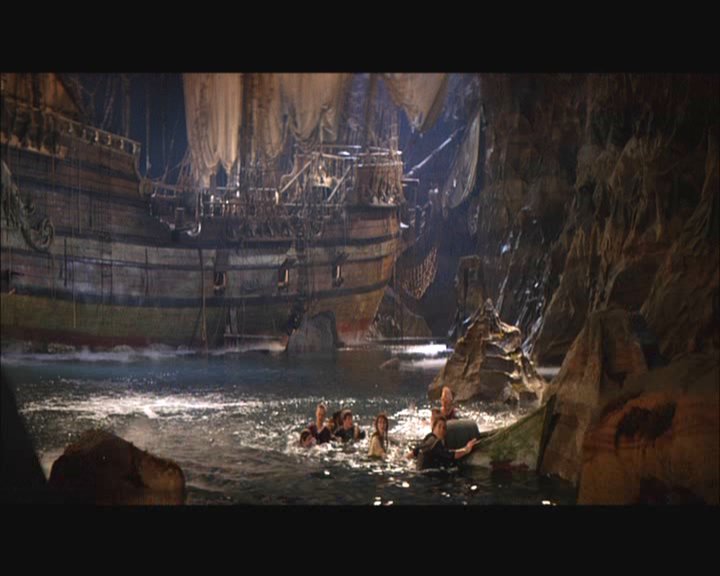
It's impossible to spot any differences in the first screenshot. All software packages created a perfect image that looks identical to the original one.

Original DVD

CloneDVD

DVD2one

DVD Shrink
DVDXCopy XPRESS

InstantCopy
The next screenshots gave us the same results as the previous ones. All software packages created a perfect looking image and it's impossible to spot any differences.
The differences between the various software packages were quite small in
movie only mode. This is of course not surprising since the software only has to
do a little compression to make the main movie fit on a DVD-recordable disc. Now
we're going to see how the software packages perform when they need to compress
an entire DVD, including all its extra's. The original size of the Gladiator DVD
was 6.85GB and the original size of the The Goonies DVD was 7.23GB.
Note: You can click on the screenshots to view the original
image.
Complete DVD Results - Gladiator:

Original DVD

CloneDVD

DVD2one

DVD Shrink

InstantCopy
This time the CloneDVD screenshot was much better than we saw in the movie
only results. Although both the CloneDVD and InstantCopy screenshots clearly
have less detail than the original images, they are both better than the DVD2one
and DVD Shrink images. DVDXCopy XPRESS of course didn't compete as it can only
copy the main movie and not a complete DVD.

Original DVD

CloneDVD

DVD2one

DVD Shrink

InstantCopy
In the next series of screenshots was have the same results as in our first
series above. Although the differences are hard to spot, the CloneDVD and
InstantCopy images have just a little more detail than the DVD2one and DVD
Shrink images.
Complete DVD - The Goonies:

Original DVD

CloneDVD

DVD2one

DVD Shrink

InstantCopy
Finally we have a result in which we can clearly identify a winner. While the
CloneDVD, DVD2one and DVD Shrink images have a lot of artefacts (squares), the
InstantCopy image is clearly a lot better.

Original DVD

CloneDVD

DVD2one

DVD Shrink

InstantCopy
Once again the InstantCopy image has more detail than the other images. The
CloneDVD image comes in second, closely followed by DVD Shrink and
DVD2one.
Our objective with this DVD back-up article was to give you some insights in
which software packages are available today and what you can expect from each
software package.
It's hard to identify a clear winner in this article. Each software package
had its advantages and disadvantages and it's hard to judge the quality the
software delivers, just by looking at some enlarged still images. Nevertheless,
we can take a look at some separate aspects that could be important to you.
We'll leave it up to you to decide which aspect you find most important:
Speed:
 When it came to compressing our movies, the DVD2one and
CloneDVD software were the fastest, closely followed by DVD Shrink and DVDXCopy
XPRESS. Pinnacle's InstantCopy was by far the slowest software we've tested
(around two hours compared to 20 minutes for the other software packages).
Video Quality:
 When looking at the movie only results we got with our
first test DVD, Gladiator, the DVDXCopy XPRESS and InstantCopy software produced
the best video quality. When looking at the movie only results we achieved with
the second DVD, The Goonies, we cannot identify a clear winner. All software
packages created a very good result here.
The images that were produced in the complete DVD tests, were clearly less
detailed than we saw in the movie only tests. The InstantCopy software, overall,
produced the best results. CloneDVD came in second, closely followed by DVD2one.
The DVD Shrink software was not far behind but did produced the lowest quality.
The DVDXCopy XPRESS didn't compete in the complete DVD tests as it can only copy
the main movie from a DVD.
Possibilities:
 The InstantCopy software has the most possibilities. The
software can not only be used to compress and burn your DVDs with, it can also
handle (audio/data) CDs and, besides that, is has some options to copy protected
CDs with, using Laser/PSX/Safe/Safe2/Secu/Secu2 Profiles. Last but not least it
can also convert your DVD movies to (S)VCDs. InstantCopy cannot copy
(CSS-)encrypted DVDs. We must also note that all these possibilities come at a
price. The Instantcopy software was by far the most difficult software to use.
We had to use extra software (InstantCopy (Hidden-) Settings Editor) to make the
software do what we wanted it to do.
 The CloneDVD software has a little more options than the
DVD2one and DVD Shrink software packages. All three allow you to select which
items you want to keep from the original DVD and of course also allow you to
copy the complete DVD. CloneDVD however has a built-in write engine, something
that's missing in DVD2one and DVD Shrink. CloneDVD can also create ISO/UDF
images.
DVDXCopy XPRESS has the least amount of options but, on the other hand, it's
the only software that has a built-in DVD ripper/decrypter. The software also
has a burn engine but one 'problem' here is that the software will add
disclaimer messages to your back-ups. An advantage of the DVDXCopy XPRESS
software is that it's by far the easiest software to use.
Price:
 The clear winner when it comes to price of the software is
of course DVD Shrink since it's completely free. The other software packages we
tested all cost about 40 to 50 USD. The CloneDVD, DVD2one and DVDXCopy XPRESS
software are also available in trial versions.
Overall:
As said at the beginning of this page, it's hard to identify a clear winner.
However, we can give you some advice. For example, when you're looking for the
easiest to use software and you have no experience whatsoever with backing-up
DVDs, we would recommend DVDXCopy XPRESS. This software is by far the easiest to
use software (insert original DVD, select main movie, audio stream, subtitle and
hit start). DVDXCopy XPRESS can however only be used to copy the main movie from
a DVD.
If you're looking for software that produces the best video quality we'd say
go for InstantCopy. We do however feel that InstantCopy has some disadvantages
that need to be improved. For one, it's by far the slowest software when it
comes to compressing your DVDs. Besides that, it's also the hardest software to
use and you'll need to use extra software to tweak the InstantCopy software.
The CloneDVD, DVD2one and DVD Shrink software are very close to each other.
CloneDVD has by far the nicest looking interface and of these three, it's the
only software that has a built-in write engine. During our tests the video
quality of CloneDVD was slightly better than DVD2one. DVD Shrink produced the
lowest quality although it wasn't far behind. DVD Shrink is however a clear
winner when it comes to price of the software packages as it's the only software
that's completely free.
More information on each software used in this article can be found via the
following links: