
 |
Review: ASUS DRW-1814BLT |
ASUS USA was kind enough to send us their latest Multi Function (X Multi) DVD Burner: the ASUS DRW-1814BLT internal SATA drive. ASUS' newest DVD burner incorporates DVD-RAM recording, creating a true DVD Multi drive. Single layer 4.7GB DVD burning is supported at 18X max. Double Layer and Dual Layer recording speed is 8X max. DVD Rewritable speeds are 8X max for DVD+RW and 6X max for DVD-RW respectively. DVD-RAM recording is supported at 14X max. CD-R is recorded at a very fast 48X max and CD-RW at 32X max.
In this review we will test the performance of the DRW-1814BLT by running the drive through many tests with a considerable amount of various CD/DVD media.
Company Information

ASUS, a technology-oriented company blessed with one of the world’s top R&D teams, is well known for high-quality and innovative technology. As a leading provider of 3C (computers, communications and consumer electronics) total solutions, ASUS offers a complete product portfolio to complete in the new millennium.
In 2006, the company shipped 55 million motherboards, which means one in three desktop PCs sold last year was powered by an ASUS motherboard. Our 2006 revenues reached US$16.5 billion, and is expected to garner US$23 billion in 2007.
ASUS product’s top quality stems from product development. It’s like learning Chinese Kung-Fu; one must begin with cultivating the “Chi” and inner strength. Besides innovating cutting-edge features, ASUS engineers also pay special attention to EMI (electromagnetic interference), thermal, acoustics and details that usually go unnoticed to achieve complete customer satisfaction. ASUS notebooks are the first TCO’99- certified notebooks worldwide. The requirements for this honor include radiation emission control, energy (batter consumption), ecology (environment friendly) and ergonomics.
To succeed in this ultra-competitive industry, great products need to be complimented by speed-to-market, cost and service. That’s why all 100,000 over employees of ASUS strive for the “ASUS Way of Total Quality Management” to offer the best quality without compromising cost and time-to-market while providing maximum value to all customers through world-class services.
With unyielding commitment to innovation and quality, ASUS won 2,168 awards in 2006, meaning on average, the company received over 5 awards everyday last year. BusinessWeek ranked ASUS amongst its “InfoTech 100” for the 9th straight year. The readers of Tom’s Hardware Guide, the world’s largest IT website, selected ASUS as the best maker of motherboards and graphics cards. Furthermore, the company is ranked as No.1 in quality products and services by the Wall Street Journal.

Drive Specifications
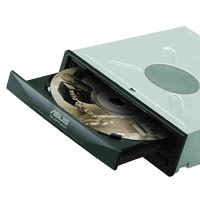
Multi Function: (X MULTI+LightScribe)
Max Write: 18X DVD+R/8X DVD+RW/6X DVD-RW/8X DVD+R (DL)
Max Write: 48X CD-R/32X CD-RW
Max Read: 16X DVD-ROM/40X CD-ROM
Max Write: 14X DVD-RAM

Over-Speed Burning
Burn 2.4X DVD+R (Double Layer) Disc at 8X Speed
FlextraLink™ Buffer Under-run Errors Prevention Technology
Built-in FlextraLink prevents users from buffer under-run problems and eliminates the creation of unusable discs. Throughout the recording process, FlextraLink consistently monitors the data buffer status to ensure best recording quality under high-speed operation.

FlextraSpeed™
Built-in FlextraSpeed and AI Auto Speed Adjustment Tech. enhance accuracy and reliability when reading/writing/re-writing across a broad range of certified media in different formats. FlextraSpeed continuously monitors the recording media and sets the optimal writing speeds to ensure best recording quality. The ASUS proprietary FlextraSpeed occupies minimal system resources so the PC remains full operational and available for other applications even during recording process.
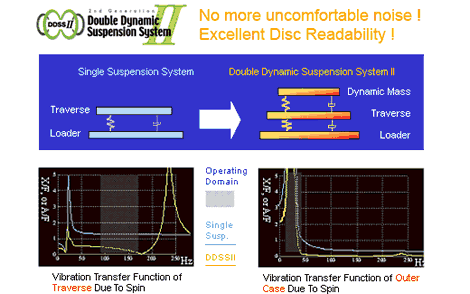
Superior Stability with DDSSII
The DDSSII technology is designed to minimize the vibration caused by the spindle motor and resonance between components as well as the drive and PC cases. The ASUS patented DDSSII stabilizes, both horizontally and vertically, the pick-up head, achieving more precise tracking and focusing, while reducing vibration and noise caused by high-revolution spindle motors.
LightScribe
The ASUS DRW-1814BLT as a LightScribe drive enables images to be burned onto LightScribe Discs, both CD and DVD. Make a label whenever and wherever you want with your PC and burner. It is Simple, Compatible and Flexible.



Book type (bitsetting):
Automatic bitsetting is supported by the ASUS DRW-1814BLT. DVD+R, DVD+RW and DVD+R DL will burn with the DVD-ROM booktype; the drive will remember these settings so once you have them set you won’t need to change them unless you want to make future changes.
Using Nero CD-DVD Speed we can see that the BookType settings are now set to DVD-ROM.

We can ensure that our discs were truly written with DVD-ROM book type by checking the “Disc Info” section from within Nero CD-DVD Speed. The information should look like this:

What’s inside the box?
The drive we received was an OEM Drive; the Internal SATA Drive ASUS DRW-1814BLT
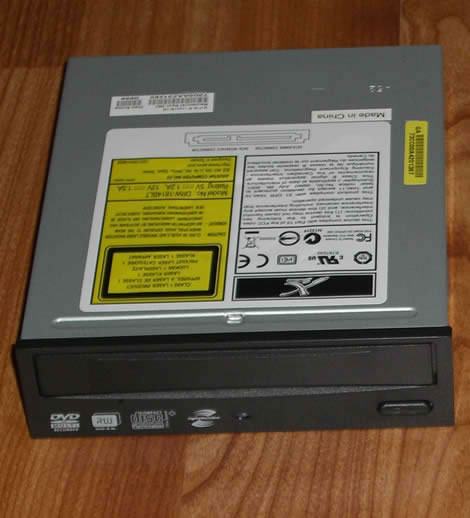
Now let’s take a closer look at the drive itself:
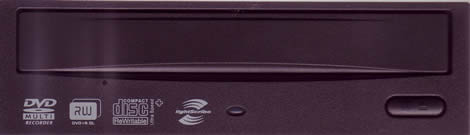
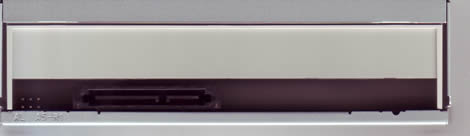
Drive Front
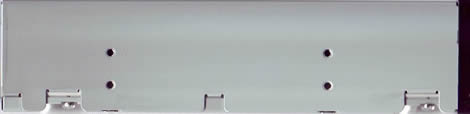
Drive Rear
Drive Left

Drive Right
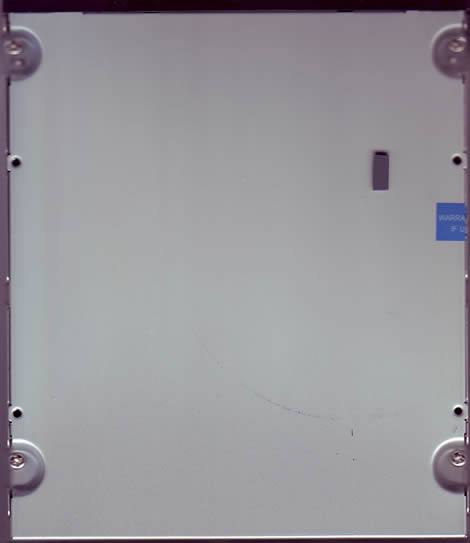
Drive Bottom
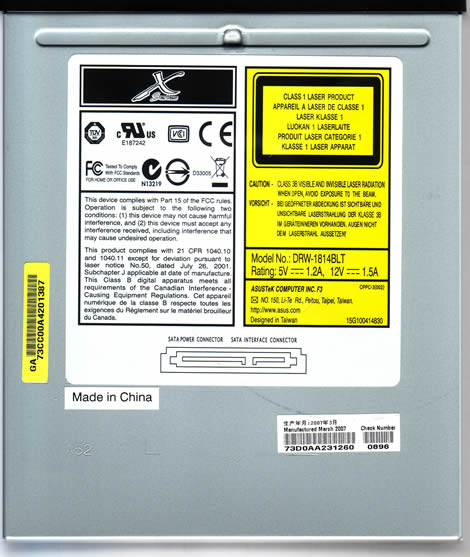
Drive Top
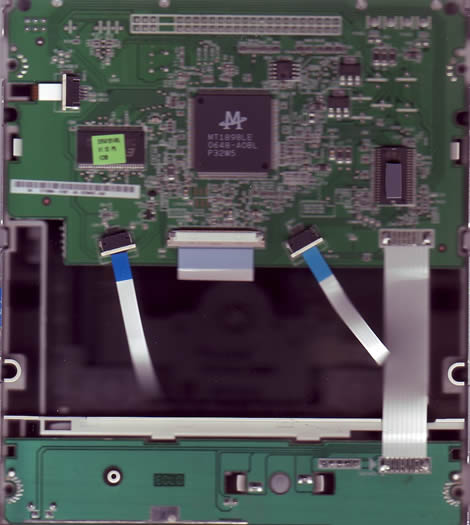
Drive Insides
Test machines
For this review we are testing the ASUS DRW-1814BLT mounted inside of our Intel based system with the following components:
-
Motherboard: ASUSTek, Basswood
-
Processor: Intel Core 2 Duo E6300, 1.86GHz
-
Memory: 2GB, DDR2-533
-
Video: Integrated NVIDIA, GeForce 7500LE
-
Sound: Realtek High Definition Audio, onboard
-
Hard Disks: 320GB Western Digital Caviar SATA-II
-
Optical Drives: Lite-On SHW-165P6S, Pioneer DVR-212D, Memorex DVD+RAM v1, BenQ DW1650 and the ASUS DRW-1814BLT
We will also be doing some comparison burns and scans on our second system; AMD based:
-
Motherboard: Abit, KN8
-
Processor: AMD 64X2 4400+
-
Memory: 2GB, 4X512MB
-
Video: NVIDIA GeForce 6800XT
-
Sound: Realtek AC97 (onboard)
-
Hard Disks: 250GB Seagate X2
-
Optical Drives: Lite-On SHM-165H6S, Lite-On SOHR-5239V, Plextor PX-760A, ASUS DRW-1814BL, Sony DRU830A, BenQ DW1655.
System set-up:


The drive identifies itself as: ASUS DRW-1814BLT and is installed SATA, with firmware 1.10 with a 2MB buffer.
Software
Windows Vista Ultimate 32-bit installed on the Intel system and Vista Business 32-bit is installed on the AMD system; we will also be using the following software for this review:
-
Nero Burning Rom 7 Ultra Enhanced
-
Nero CD-DVD Speed 4.7.5.0
-
Nero InfoTool 4.4.0.0
-
Slysoft CloneCD 5.3.0.1
-
K-Probe 2.5.2
Since we received the OEM version of this drive it did not come with any software. Most consumers will purchase the Retail Version which will have this software disc included; we have included a scan of the disc and outlined its contents for you below:

The ASUS DVD Software CD will install the powerful ASUS Nero 7 Essentials; ASUS version number 7.5.13.1. This suite of software will allow you to create and copy digital audio, data, photo, and video programs on both CD’s and DVD’s. The package includes:
-
Nero StartSmart 3 Essentials: This is the command center of the Nero 7 product family and makes it easier to find, identify, and use the comprehensive software programs. Once you have launched Nero StartSmart all you have to do is select the desired task and the corresponding software starts automatically.
-
Nero Express 7 Essentials: Nero Express 7 provides a simple, uncluttered interface to powerful recording programs on both CD and DVD discs.
-
Nero Vision Express 4 Essentials: With Nero Vision Express you can record video and edit or burn existing video files. You can also use Nero Vision Express to create convenient slide shows and even use your own music as a soundtrack for them.
-
InCD 5 Essentials: InCD 5 is a packet-writing program that formats rewritable discs allowing you to copy files onto the disc by simply Dragging and then Dropping the files you have chosen on to your new DVD Recorder drive in Microsoft Windows Explorer or save them to a disc quickly and easily using Nero Express 7 Essentials.
-
Nero BackItUp 2 Essentials: Nero backItUp 2 is a convenient, easy-to-operate program for backing up and restoring data. It allows you to archive your back-ups on either CD or DVD discs and even USB TravelDrives.
-
Nero ShowTime 3: ShowTime allows you to play back nearly all digital recordings with excellent picture and sound quality. ShowTime also enables you to play back audio tracks. It supports most current formats; including MP3, WAV, and AAC just to name a few.
-
Nero Cover-Designer 2 Essentials: Cover-Designer Essentials is a user-friendly program for creating individual covers and labels.
-
Nero Recode 2 Essentials: Recode 2 Essentials allows you to make a DVD video from many short DVD videos or from a larger DVD video that you need to fit on a 4.7GB disc. This also works great for converting your videos to iPod, PSP, and other portable video players.
-
Nero MediaHome Essentials: MediaHome allows you to stream video, music and images to all your UPnP (Universal Plug and Play) enabled devices and to Nero ShowTime 3.
-
Nero PhotoShow Express 4: PhotoShow Express allows for storing and editing digital photos and images with professional quality tools and ease.
-
Nero ToolKit: Includes the following tools; Nero CD-DVD speed, Nero Drive-Speed, and Nero InfoTool.
-
InCD Reader: This a program that allows you to read discs written in MRW (Mount Rainier ReWritable) format on systems that do not support MRW.
-
DVD-Video Plug-in: In conjunction with the Nero Vision Essentials, the DVD-Video Plug-in allows the encoding of video files in DVD/SVCD format. You can then play back the video on nearly any DVD player.
-
HE-AAC Plug-in: This plug-in allows you to encode audio files in MP4 format and also to decode them into other formats.
Writing technique
Let’s take a closer look at the write technology used by the ASUS DRW-1814BLT:
These tests were done using CD-Speed and we wrote a full disc at the drive’s maximum speed.
CD Recordable
Specification on the ASUS DRW-1814BLT state it should be able to write CD-R media at a maximum speed of 48X; let’ take a look and see how it did.

The ASUS DRW-1814BLT uses CAV, (Constant Angular Velocity), to write at its maximum speed of 48X. This gives an average speed of 35.77X and a total writing time of 2 minutes and 46 seconds.
For comparison we provided the following table:

As we can see, the ASUS DRW-1814BLT was the fasted compared to our other drives when writing CD-R media.
CD Re-writable
According to the specifications of the ASUS DRW-1814BLT it should be able to write CD-RW media at a maximum speed of 32X.

The ASUS DRW-1814BLT uses Z-CLV, (Zoned Constant Linear Velocity), to write at its maximum speed of 32X. This gives an average speed of 23.94X and a total writing time of 3 minutes and 42 seconds.
For comparison we have made the following table:

As we can see, the ASUS DRW-1814BLT performed on about average with our other drives when writing CD-RW media.
18x DVD+R/-R writing speed
According to the specification of the ASUS DRW-1814BLT, it should be able to write DVD+R/-R media at a maximum speed of 18X.

DVD+R
The ASUS DRW-1814BLT uses CAV, (Constant Angular Velocity), to write at its maximum speed of 18X. This gives an average speed of 12.96X and a total writing time of 5 minutes and 29 seconds.

DVD-R
The ASUS DRW-1814BLT uses CAV, (Constant Angular Velocity), to write at its maximum speed of 18X. This gives an average speed of 11.30X and a total writing time of 6 minutes and 16 seconds.
For comparison we have made the following table:

As we can see from our table, the ASUS DRW-1814BLT wrote our DVD+R disc on about average with our other drives, however, the DRW-1814BLT was the slowest at writing to our DVD-R media, not able to write at the specified write speed with this media.
8X DVD+RW writing speed
According to the specifications of the ASUS DRW-1814BLT, it should be able to write DVD+RW at a maximum speed of 8X.

The ASUS DRW-1814BLT uses Z-CLV, (Zoned Constant Linear Velocity), to write at its maximum speed of 8X. This gives an average speed of 7.49X and a total writing time of 8 minutes and 26 seconds.
For comparison we have made the following table:

The ASUS DRW-1814BLT was about average at writing our test DVD+RW media.
6x DVD-RW writing speed
According to the specifications of the ASUS DRW-1814BLT, it should be able to write DVD-RW at a maximum speed of 6X.

The ASUS reports using CLV, (Constant Linear Velocity), however, looking at the graph above it appears to really use Z-CLV to write at its maximum speed of 6X. This gives an average speed of 5.94X and a total writing time of 10 minutes and 18 seconds.
For comparison we have made the following table:

The ASUS DRW-1814BLT performed on average at writing this media at 6X.
8x DVD+R DL writing speed
According to the specifications of the ASUS DRW-1814BLT, it should be able to write DVD+R DL at a maximum speed of 8X.

The ASUS DRW-1814BLT uses Z-CLV, (Zoned Constant Linear Velocity), to write at its maximum speed of 8X. This gives an average speed of 6.66X and a total writing time of 18 minutes and 25 seconds.
8x DVD-R DL writing speed
According to the specifications of the ASUS DRW-1814BLT, it should be able to write DVD-R DL at a maximum speed of 8X.

We found that the ASUS DRW-1814BLT used P-Cav (Partial Constant Angular Velocity) to write at a maximum of 4X, which gives an average speed of 3.89X with a total writing time of 28 minutes and 12 seconds. We think that the DRW-1814BLT could have judged this media not capable of burning any faster and that the media was really burned in CLV with CD-Speed reporting P-CAV possibly due to a recalibration point at or near the end of the disc.
For comparison we have made the following table:

The ASUS DRW-1814BLT was the slowest when writing both DVD+R DL and DVD-R DL media.
Let’s head on to the next page where we will check reading performance……
Reading performance
We will using Nero CD/DVD-Speed to read various CD and DVD Discs; both burned and pressed for the Reading Performance section of the review.
Pressed discs
We used an original pressed CD-ROM disc containing 72.39.55 minutes of data.

The ASUS DRW-1814BLT reached 45.99X. So how does that compare with other newer drives, let’s take a look below:

The ASUS DRW-1814BLT read on average with the other drives. Seek times were comparable with the DVR-212D.
CD-Recordable Discs
For this test we used a Data CD-R that we created with Nero CD-DVD Speed in “create data disc” mode. The disc was a Maxell 48X certified disc manufactured by Ritek. (Thanks to Maxell for sending us this media.)

The ASUS DRW-1814BLT reached the speed of 40.97X when reading a full CD-R disc. Let’s take a look on how that compares with other drives.

The ASUS was the slowest at reading this disc.
CD-Rewritable discs
For the CD-Rewritable tests we created a Data CD using Nero CD-DVD Speeds’ “create data disc”. We used a Memorex Ultra Speed 24X CD-RW manufactured by Infodisc Technology Co. (We thank Memorex for sending us this media)

The ASUS DRW-1814BLT reaches a read speed of 40.93X at the end of the disc. Let’s compare this with other drives below:

The drive performed about on average at reading this CD-RW disc; the seek times were the best of all drives tested.
Audio – Digital Audio Extraction
To test digital audio extraction performance with the ASUS DRW-1814BLT we used Nero CD-DVD Speed to measure the transfer rate; the audio disc we used is 74:00:00 in length.

The ASUS DRW-1814BLT reached 39.75X while reading the Audio-CD; let’s compare the results with our other drives:

The ASUS DRW-1814BLT was the slowest at reading this disc, however, it’s seek times were very good, on par with the Plextor.
Advanced audio – DAE quality test
For the Advanced Audio DAE test we used the “Advanced DAE Quality Test” feature of Nero CD-DVD Speed. The CD-R media used is a 40X certified Memorex Music CD-R manufactured by Ritek. (Thanks to Memorex USA for sending us this media.)


The ASUS DRW-1814BLT will permit “On-The-Fly” copying at all tested speeds through 16X; the drive does not support reading data form the Lead-in or Lead-Out.
DVD reading performance
We utilized Nero CD-DVD Speed to measure the reading performance. We will to the reading performance testing on various types of DVD discs. This drive should be able to read pressed single layer DVD-Video discs at 12X and pressed double layer discs at 8X.

DVD-Video Single Layer

DVD-Video Double Layer
The ASUS DRW-1814BLT reads Single Layered pressed video discs at just over 12X and supports reading of Double Layered discs at 8.16X.
Here is how the ASUS DRW-1814BLT compared with some of our other drives:

DVD: DVD+R (W)
For testing the read speed of DVD+R and DVD+RW discs we used Verbatim 16X DVD+R and 8X DVD+RW. Both Discs were written with 4.38GB of data using Nero CD-DVD Speed. (Thanks to Verbatim USA for sending us this media.) See the results below:

DVD+R

DVD+RW

The ASUS DRW-1814BLT performed on average with all the drives tested with smooth read back curves on both discs.
DVD: DVD-R/RW
For testing the DVD-R and DVD-RW reading performance we used Verbatim discs we used Verbatim 16X DVD-R and 6X DVD-RW. (Thanks to Verbatim USA for sending us this media.) Below you will find our test results.

DVD-R

DVD-RW

Once again the ASUS DRW-1814BLT reads DVD–R and DVD–RW discs on average with the rested of the drives tested. Here again, we find very smooth read curves.
DVD: DVD±R DL
For this test we used a Verbatim 8X DVD+R DL disc and a Verbatim 4X DVD–R DL disc filled with 7.96GB of data. (Thanks to Verbatim USA for sending us this media.)

DVD+R DL

DVD-R DL
The ASUS DRW-1814BLT read both media at 8X which is the advertised capability with smooth read curves.
DVD-RAM
For this part of our test we are using a Maxell 12x DVD-RAM filled with 4.27GB of data. Our test results are found below:

The ASUS DRW-1814BLT will write DVD-RAM at 14X, however, its reading speed is set for 12X. The drive read this disc in 5 minutes and 36 seconds.
Writing Quality with CD-R/RW discs
The specifications on the ASUS DRW-1814BLT state that the drive is able to write CD-R discs at 48x and CD-RW discs at 32x. Let’s move on now and find out just how the drive performs in both speed and quality
For our CDR data writing tests, we set up a new compilation of approximately 702MB using Nero Burning ROM software. Used DAO (Disc At Once) in non-multi-session with “finalize disc” enabled. The screenshot below shows how long it took to write the disc at the highest speed (48X):

The DRW-1814BLT took 3 minutes and 12 seconds to write the disc at 48X. Let’s now take a look at how that compares with our other test drives:

Write Quality
Now we are going to test CD-R discs from different CD-R manufacturers. To measure the write speed we will use the “create data CD” function from within Nero CD-DVD Speed. We wrote these discs at the maximum speed that the drive supports. For the quality test, we used KProbe 2 which is a tool developed by a Lite-On employee. KProbe runs under Windows and works with the drives made by Lite-On. Also note that different drives and different reading speeds may affect the results obtained when scanning the discs. We used a Lite-On CD-RW SOHR-5239V with firmware 2$0B and scanned the discs at 48X speed.
A written CD-R disc will always have some C1 errors; C1 errors are easily corrected by the drive’s error correction capabilities. The next level of errors is C2, while C2 errors could also be corrected by most drive’s error correction capabilities; they are not wanted on a good quality disc. A good disc should not contain any C2 errors, and preferably have an average C1 error amount of below 2.0 for the best quality discs, or at least below 10.0 averages for good quality discs. After C2 errors, there are only un-correctable errors that will make a disc unusable.
So, in short, our analysis will be based on these guidelines to determine the quality of the burned discs:
CD-R/RW quality scans guideline

Below you will see our obtained results:


Verbatim DataLifePlus CD-R burned well with average C1 errors of 0.23 and without C2 errors. This media goes into the “best quality discs” category.


This Verbatim media – manufactured by CMC Magnetics Corp burned with a C1 error average of 0.43 and no C2 errors placing it in the “Best Quality” category.


Media manufactured by Taiyo Yuden have always enjoyed a good reputation and with this burn resulting in C1 errors of 0.06, without C2 errors places it in the “Best Quality” category. This media is highly recommended.


This media, manufactured by Ritek resulted in C1 average errors of 1.01 and no C2 errors which will place it in the “Best Quality” ranking.


As with the Fuji media above that was manufactured by Taiyo Yuden, this TY media burned with 0.38 average C1 errors and no C2 errors which will place it in the “Best Quality” category. Once again, this media is highly recommended.
Writing Quality with CD-RW discs
We will add a few write quality tests with rewritable media. Settings and testing procedures are the same as used earlier in this review, so you may want to go back and read them if you are unsure.


High C1 average errors of 5.39 and zero C2 errors places this media in the “Good Category”.


Due to the C1 errors of 13.02 this disc will still go into the “Poor Quality” category. This is only partly due to this media as some drives write it with stellar results.
Summary
The ASUS DRW-1814BLT is an exceptional CD-R writer with overall excellent results in our CD-R write tests. The drive also did well with the CD-RW media; however the DRW-1814BLT did produce a “Poor Quality” burn with the 24X CDRW, although it is partly a media problem.
The DRW-1814BLT is a DVD-Writer, so let’s move on and learn about its DVD-writing performance and DVD media capabilities.
The specifications of this drive tell us that it should write DVD±R at 18X, DVD+RW at 8X, and DVD-RW at 6X. In this part, we will measure the write time for various types of DVD+R/RW and DVD-R/RW discs. We will also focus on write quality and media compatibility.
DVD-Writing performance
First, let us see how long of a time it needs to create a disc with Nero. We used Nero Burning Rom to set up a new UDF/ISO compilation containing 4482Mb (4.38GB) of data, and started the write process. We used the Disc-At-Once write method.

DVD+R
The DVD+R disc a Taiyo Yuden 16X, MID: YUDEN000 T03 finished in 5 minutes and 46 seconds, now let’s take a look at the DVD–R results:

DVD-R
We attempted to burn at 18X with several different MIDs from several manufacturers without success, finally burning on a Taiyo Yuden 16X, MID: TYG03 which most of the newer burners are able to write at 18X.
This Taiyo Yuden disc did write successfully at 16X in 6 minutes and 28 seconds.
Below is a comparison with other drives in our test:

The ASUS DRW-1814BLT performed on average at writing our DVD+R disc, however, we found not to be able to find any DVD-R media that would be written at the advertised 18X speed. Perhaps, a future firmware update will accommodate 18X write ability for DVD–R media.
Write quality
You should first notice that this is not a scientific and professional way to test the discs. But according to our testing done in recent months, we would conclude that there is a clear link between the quality reported when scanning the disc and the playability of the disc in different devices. Also notice that different drives report different amounts of errors. K-Probe was designed to work with Lite-On DVD-Writers. So we recommend using a DVD-Writer from Lite-On, in this test we use a Lite-On SOHW-1693S DVD-Writer, as already said; remember that scans done with a Lite-On DVD-ROM or Lite-On combo drive can’t be compared with the results obtained with a Lite-On DVD-Writer. Also remember that different PI/PO ECC sum settings along with different reading speeds in K-Probe will affect the result, we use these settings; PI (Parity Inner) set to summarize 8 ECC blocks, PIF (Parity Inner Failures) set to summarize 1 ECC block, reading speed: 4X CLV (Constant Linear Velocity). Setting the PI sum to 8 and the PIF sum to 1 will give a result that we may compare to the standards for DVD+R/RW and DVD-R/RW.
But what is a good scan? That is a discussion that we don’t think will end soon, as different drives report different amount of errors, some players are more picky about media than others, and so on. But as a comparison we present you with a scan from two pressed DVD discs:

This scan above shows the results from a pressed, Single Layer DVD-Video disc (Widow on the Hill).

This next scan shows the result from a pressed Double Layer DVD-Video disc (Monster in Law). Notice the error jump when shifting to the second layer (the error levels jump from the end of the first layer to the beginning of the second layer).
If you read below you will see that both the pressed DVD-discs above are well within the standards.
If you want to look at the standards for yourself, download the ECMA 267 Standard for DVD-ROM, the ECMA 337 Standard for DVD+R/RW and the ECMA 338 Standard for DVD-R/RW at http://www.ecma-international.org. Here is some data from the ECMA standards (same for DVD-ROM, DVD-R/RW and DVD+R/RW):
Random errors:
A row of an ECC Block that has at least 1 byte in error constitutes a PI error. In any 8 consecutive ECC Blocks the total number of PI errors before correction shall not exceed 280.
Here we see that a PI error is defined as a row in an ECC block having 1 byte or more containing errors and that the sum of PI errors in 8 ECC blocks after each other should not exceed 280 PI errors.
But what is a row and what is an ECC block? Again we refer to the ECMA standards. We do not copy and paste everything, but if you’re interested, look in the ECMA standards. A row is 182 bytes long where the last 10 bytes contain PI (Parity Inner) information. An ECC block is 208 rows long where the last 16 rows contain the PO (Parity Outer) information. This gives us a maximum possible PI error amount of 208 errors per block and for 8 blocks after each other this sum is of course 8 times higher, giving a maximum possible amount of 1664 PI-8 errors. In practical use, a disc with 1664 PI-8 errors is unreadable.
According to our tests the specified max PI-8 sum of 280 for good discs seems to be a good guideline, as some readers have problems reading discs when the PI-8 errors is over 300 and most players starts to have problems when the PI-8 error level reaches 600 or more.
But what are the PIF errors that K-Probe reports? They are Parity Inner Failures, meaning errors left after PI correction. Only the ECMA 337 standard describes the Parity Inner Failures. So how is a Parity Inner Failure defined? Here is what the ECMA 337 states:
“If a row of an ECC Block as defined in 13.3 contains more than 5 erroneous bytes, the row is said to be “PI-un-correctable”.”
In theory, an ECC block may in the worst case have 208 PIF since every ECC block is 208 rows long. But the ECMA 337 standard goes further and specifies the max amount of accepted PI Failures (uncorrectable errors) allowed on a good disc:
“In any ECC Block the number of PI-un-correctable rows should not exceed 4.”
This means that when the PIF sum is set to 1, the maximum error value should not exceed 4. The theoretical maximum value for PIF is 208 errors.
But what makes a disc unreadable? A POF (Parity Outer Failure) error will make the disc unreadable, but K-Probe does not display the POF’s.
Notice that there are other aspects such as disc reflectivity, tracking errors and so on that also will affect the readability of a DVD disc – but for this we do not have measuring equipment available.
Also, another note is that we have scanned the discs at 4X CLV speed, by lowering the speed to 2X (DVD-R/RW)/2.4X (DVD+R/RW) or 1X the amount of reported errors may drop on some discs. We scanned at 4X CLV due to lower speeds taking too much time.
To see if there is a connection between the reported amount of errors and readability of the discs we also include the reading curve from a BenQ DW1655 DVD-Writer which by default are able to read DVD±R media at 16x speed. A small speed reduction near the end is still accepted on good discs, but serious reading problems or reading failures is a bad sign.
Here is an easier explanation on how to read the test results.
Maybe this got too technical, and you are wondering what to look for in KProbe reports?
Use this as a guideline for good discs:
· PI (Parity Inner): No larger areas on the disc should exceed 280 PI-8 errors, do not worry too much about high single spikes that exceed 280.
· PIF (Parity Inner Failures): No larger areas on the disc should exceed 4 PIF-1 errors, do not worry too much about high single spikes that exceed 4.
And as always: the lower is better. 
Also look at the reading curve; if it looks clean with no dips it should be good, a small slowdown near the end is accepted.
DVD+R media compatibility and write quality:
In these tests we will be using either a Lite-On SHM-165P6S or SHM-165H6S drive along with Kprobe2 to measure the disc quality. We will also be using the BenQ DW1650 or DW1655 along with Nero CD-DVD Speed for our read-back tests.
Here is what we discovered:


Good quality, smooth read curve; it is a highly recommended media!


The media burns with very good results; again a smooth read curve and this media is highly recommended!


The DRW-1814BLT does a very good job with this media, which can be difficult with several burners, very smooth read curve also.


Here also, we found good compatibility with this media which produced a very good burn with smooth read curve.


The DRW-1814BLT burned this media with very good results and as with all the media tested to this point; another nice read curve.


As expected; the DRW-1814BLT writes to this 8X TY disc with excellent results.


Very nice burn with this media, also with a smooth read back curve.
DVD+Rewritable media
The ASUS DRW-1814BLT supports writing to DVD+RW discs at speeds up to 8X. Let’s now take a look at how various +RW discs fared with the DRW-1814BLT:


Overall a good burn with nice read back curve.


Another very good quality scan and a really smooth read curve.


A little high in PIEs but the PIFs are very low, smooth read curve, good results.
Let’s take a look at how the DRW-1814BLT handles some of the more common 4X DVD+RW discs that are being used by consumers.


PIF levels are a little high but the disc reads without any problems.


Here too, we find elevated PIF levels, however the disc reads back without problems.


PIF average is a little high, but the disc has a nice read curve.
Summary
Write quality on DVD+R and DVD+RW is very good to excellent; producing quality burns on all our test media.
DVD-R media write quality


The ASUS DRW-1814BLT burns this media very well and as you can see the read curve is smooth.


PIF errors are a little high for 16X TY DVD-R; most new burners do a better job with this highly regarded media. Note that the small dip in the read curve is not uncommon when reading DVD-R media with the BenQ drive and does not represent any problem with the burn.


This media produces an overall good burn with the DRW-1814BLT.


We found this media to produce a good burn with this drive.


High PIF and PIE levels at the very end of the burn suggest that the DRW-1814BLT did not do so well with this media.


The DRW-1814BLT produced an excellent burn with a smooth read back curve on this highly regarded media.


The drive produced a good burn on our TDK (TTG02) media with a good read curve.
Summary
The ASUS DRW-1814BLT did a good job with our test media. The specifications state that the drive will write DVD–R at 18X, however we were not able to burn any of our DVD-R media at 18X. Perhaps this will be addressed in upcoming firmware updates.
DVD-ReWritable media


This media produces a very good quality burn with the DRW-1814BLT.


This media did not produce as high of a quality burn as the Verbatim 6X; however, this 4X media still produced a good burn with the DRW-1814BLT.
Summary
The ASUS DRW-1814BLT produces good quality results on both the 4X and 6X DVD-RW media we tested with it.
DVD+R Double Layer writing speed and quality
The ASUS DRW-1814BLT supports the DVD+R DL standard for writing Double Layer discs with a size around 8.5 GB at a writing speed of 8x.
Testing procedure
We created an ISO Image from a pre-authored DVD-Video compliant file set, with a total on-disc size of nearly 8.5GB. We then wrote this image file using Nero Burning ROM 7. Below are the results:
DVD+R Dual Layer writing speed and quality

Verbatim 8X DVD+R DL


A very good burn as far as 8X DVD+R DL media goes, with a smooth TRT curve. The movie plays fine in our standalone players.

Verbatim 2.4X DVD+R DL


The DRW-1814BLT burned this disc at 8X with good results. Read curve is smooth and the movie plays fine in our standalones.
DVD-R Dual Layer writing speed and quality
The ASUS DRW-1814BLT supports the DVD-R DL standard for writing Dual Layer discs with a size around 8.5 GB at a writing speed of 8X. Unfortunately we do not have any 8X DL discs to test with at this time.
Testing procedure: We created an ISO Image from a pre-authored DVD-Video compliant file set, with a total on-disc-size of nearly 8.5 GB. We then wrote this image file using Nero CD-DVD Speed. Below are the results of our tests:


The DRW-1814BLT accomplished a nice burn with this 4X Verbatim DL media. The read back curve is smooth.


This is a usable disc but it has very high PIE levels, with high spikes in the PIF in the second layer. The TRT read curve is mostly smooth, with a slowdown in the middle but the quality scan doesn’t show any issues in the corresponding location.
Standalone DVD-Player compatibility
We have 2 standalone DVD Players available to test the DVD+media on; the Panasonic DVD-S29S and the Insignia TV/DVD Combination Player:
Compatibility results:

All of DVD+R DL play nicely in both players. However, both of the DVD-R DL froze at the layer break in Insignia Combination Player. We would like to mention, that the compatibility issue with standalone DVD Players and the DVD-R DL media format is also caused by incompatibilities with the standalone devices used in this review, as we know the DVD-R DL format has inferior compatibility compared to DVD+R DL especially with older standalone player.
Summary
The DRW-1814BLT seems to prefer the DVD+R DL over the DVD–R DL discs as shown by the above quality scans coupled with the ability to over-speed the 2.4X Verbatim media to 8X.
The ASUS is a so-called Multi DVD Drive; meaning is also supports writing and reading the DVD-RAM format. Writing at 14X and reading at 12X. Lets us look at the recording side of the disc, and as you can see it has differences from the other DVD+R/W/R9 DL and DVD-R/W discs.

On the data side, we can see a very fascinating pattern of lighter spots, supposedly these spots are used for calibration while writing and reading.
A DVD-RAM’s disc can be formatted in the following formats: FAT32, UDF 1.02, UDF 1.50, UDF 2.00, UDF 2.01, and UDF 2.50.

By formatting a DVD-RAM disc with FAT32 it will act like a removable hard drive and all writing will be done as “background processes”. Meaning you do not have to wait for it to finish, you can start or work with other applications while the DVD-RAM is working without noticing any “hangs” or CPU slowdowns.
Lets us take a look how the drive performs:


Maxell branded 12x media manufactured by Maxell.
Thanks to ExtremeMhz for providing this media.

Writing Maxell 12x without verification
Transfer Rate test
As shown above the ASUS DRW-1814BLT writes 12X DVD-RAM without problem at 14X in 5:44 minutes. This drive will read DVD-RAM at 12X and read this disc in 5:36 minutes.
With 12X DVD-RAM being very difficult to locate at this time we will also test the DRW-1814BLT with some 5X DVD-RAM discs which are more available. Here are those results:


Writing Maxell 5X without verification

Writing Maxell 5X with verification

Transfer Rate Test
As we can see, the ASUS DRW-1814BLT writes and reads 5X DVD-RAM without any problem.
For those of you who are not familiar with DVD-RAM, you may probably think that something went wrong during the write process with the verification turned on, since the 3x and 5x media was written at 1.3x and 2x, respectively. But don’t worry, that is pretty normal for DVD-RAM discs. The reason for the lower writing speed is, the drive constantly reads back the data after writing it to verify that it’s written correctly. We can also call it a “bullet proof” writing/verify technique, with no data loss/errors.
Before we complete this review, let us run the drive through some advanced tests at next page…
Advanced testing
To round off this review, we will run some advanced tests on the ASUS DRW-1814BLT.
Burning LightScribe Labels
As a LightScribe drive, the ASUS DRW-1814BLT enables images to be burned onto LightScribe discs, both CD and DVD. Make a label whenever and wherever you want with your PC and burner. It is Simple, Compatible and Flexible.
You may use the included Nero 7 essentials software to create and burn your LightScribe labels to your LightScribe media. Make sure you have the latest LS system software which is required to enable LightScribe functionality. You may download this free software from www.lightscribe.com in the download section.
We burned our LS label using LS system software version 1.6.43.1 which now includes the LightScribe Control Panel application to easily configure and monitor the installed LightScribe functions. The “Extended Label Contrast Utility” is now included in the Control Panel of this latest software.
Below is a Verbatim LS DVD+R 16X disc with our Review Team label burned to it:

The “Sheep Test”
 For this test, we will use the Sheep tests made by Alexander Noé. Why is it called sheep test? That’s because the logo of the first 1 to 1 copy program called CloneCD is a sheep. When looking at supported writers, you will notice that the feature list has sheep to indicate if a feature is supported or not. In this case we are interested in the writer’s ability to backup/write weak sectors. Also called: “Correct EFM encoding of regular bit-patterns.”
No sheep: Can’t backup any Safedisc 2 versions without the help of software tricks
-
1 Sheep: Can backup Safedisc 2 up to version 2.4x without software tricks
-
2 Sheep: Can backup Safedisc 2, including version 2.5x
-
3 Sheep: Can write all possible weak sectors, few if any writers could do this.
One of our forum moderators Womble, has written a guide concerning the “Sheep Test” that can be found here.
We created our “Sheep Test” disc according to “Womble’s” instructions; using the copy method, our results follow.


Conclusions
Positive
-
Quiet operation
-
Fast pressed CD-ROM as well as Audio-CD extraction
-
Burns DVD+R DL 2.4X discs (Verbatim) at 8X
-
Writes DVD-RAM at 14X
-
Reads DVD-RAM at 12X
-
Exceptional CD-R writer with overall excellent results
-
Write quality on DVD+R and DVD+RW is very good to excellent
-
Supports bitsetting (booktype DVD-ROM) for DVD+R, DVD+RW and DVD+R DL media
-
3 Sheep Burner
-
Writes to Lightscribe discs
-
SATA connection
-
Nero OEM Suite 7
Negative
-
Reads SL pressed DVD-Video at only 12X
-
Reads DL pressed DVD-Video at only 8X
-
Drive tray is flimsy
-
DVD-R writing is currently limited to 16X max
-
Slow CD-R reading
Let us summarize the most important positive and negative points below:
The main positive points: Following our tests we found that this drive is a good Multi DVD burner. The ASUS DRW-1814BLT is called “Multi DVD Burner” since it supports recording on all available media formats including CD-R/RW, DVD±R/±RW, DVD±R Double/Dual Layer, and DVD-RAM. It is packed with a comprehensive software suite from Nero Burning ROM 7 which is worth the extra retail price.
The 18x DVD+R writing on our media produced very good quality burns. DVD-RAM writing at 14X is a positive feature for those who use this format of media. The ability to read DVD-RAM at 12X must be recognized as a positive feature.
The drive passed the “3 Sheep” test.
The drives operation is very quiet; this is a big plus for us or anyone who appreciates a quiet computer.
The sleek SATA cables are so much more amenable to twists and turns while taking up less space in the chassis; and the days of setting jumpers with these SATA drives are over.
The main negative points: There are a few issues that we would like to mention with hopes of them being improved. The Asus DRW-1814BLT drive tray feels flimsy. When inserting a disc and pressing the eject button the tray has a slight bounce and the disc moves around, this can cause the disc to move off the tray and get stuck; however, we must state that this only happened one time during our review of the drive and we simply opened the tray and re-set the disc in the slot.
The inability to over-speed 16X DVD-R media; as mentioned in the body of this review, we hope this will be corrected with future firmware updates.
The ASUS DRW-1814BLT reads SL/DL pressed discs at 12/8X while other competitors can read them at faster speeds.
So to sum it all up, this is what we would say:
If you are building a new system, with most new motherboards having plenty of SATA connectors buy only one IDE port, the ASUS DRW-1814BLT should fit the bill.
Here in the US we have found the drive listed at www.newegg.com for $35.99; May 2007.
You may discuss/comment this review below or in this forum thread.
Thanks to
 |
Verbatim USA – For providing the media used in this review. |
 |
Maxell USA – For providing the media used in this review. |
 |
Memorex USA – For providing the media used in this review. |
|
|
ExtremeMhz – For providing the Maxell 12x DVD-RAM media used in this review |
 |
Rima.com USA – For providing Taiyo Yuden media used in this review. |
 |
Advanced Media/Ritek-USA – For providing the media used in this review. |
















