
|
|
Article: EMTEC CD-R Gold |

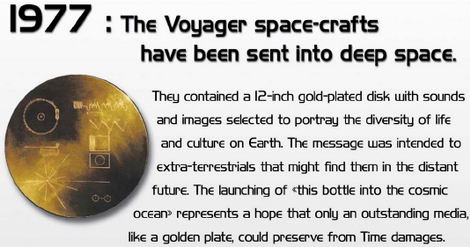
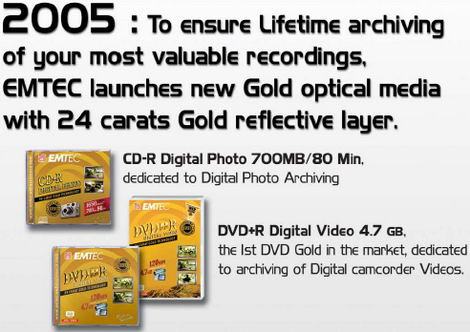
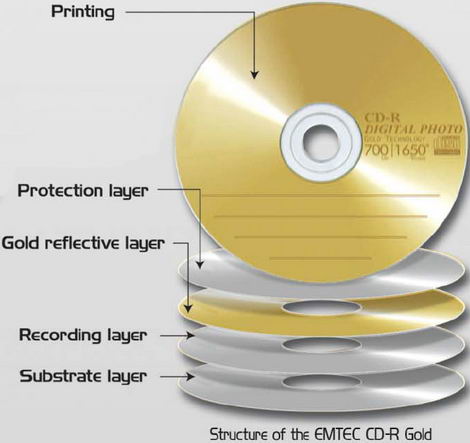
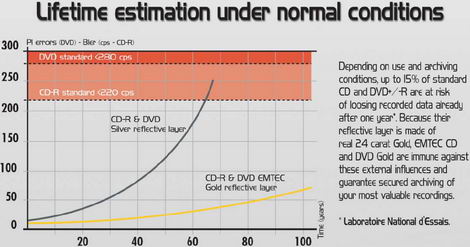
In this article we are going to take at look at the CD-R Gold media from EMTEC. The used 24 Carat Gold reflection layer should be corrosion free and have outstanding molecular properties which offer a unique lifespan.
We will write 5 pieces of media on 5 different burners and then scan the media in 3 different scanners to get an impression how the media actually performs.
Introduction:
The following info was found at the EMTEC International website:
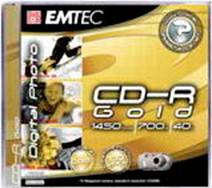
CD-R Gold Digital Photo
Top end quality CD-R for Lifetime archiving of digital photos.
Pure « 24 carat » gold layer coating for an exceptional lifetime (up to 100 years). Up to 1650 photos storage (2 mega-pixels digital camera with standard resolution). Available in jewelcase 5P & 10P. Coming with the EMTEC New Design!
The Media:
In this section we will take a look at the media:
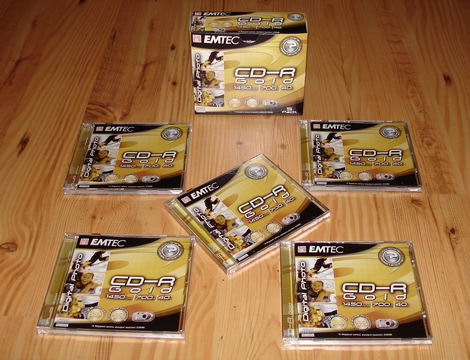
Our media was provided as a 5 pack in jewel cases.
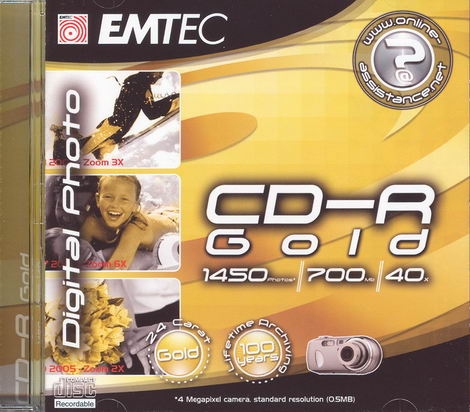
Jewel case – Front
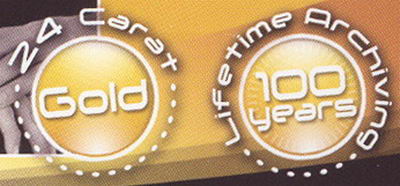
We can read among others: 24 Carat Cold and Lifetime Archiving 100 years
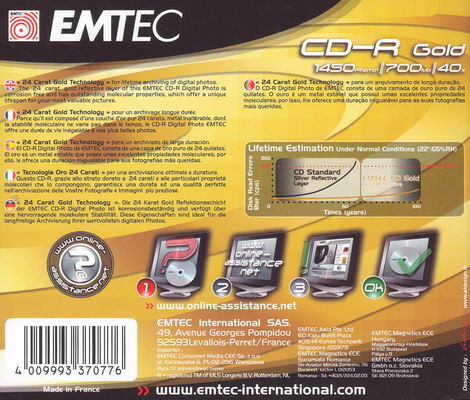
Jewel case – Back

On the left side we can read that the media is made in France
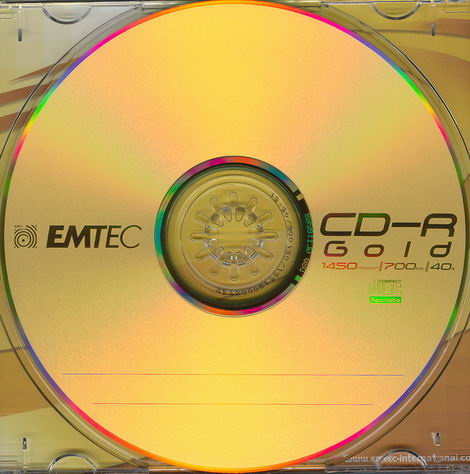
Media – Label side
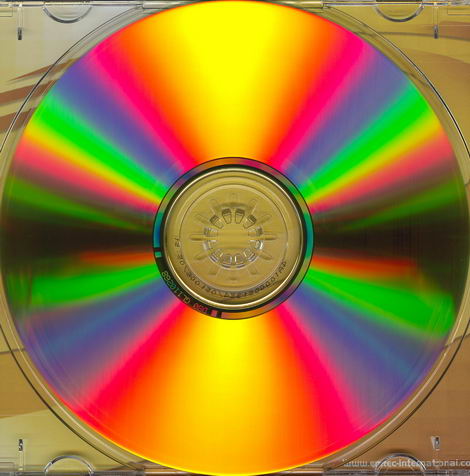
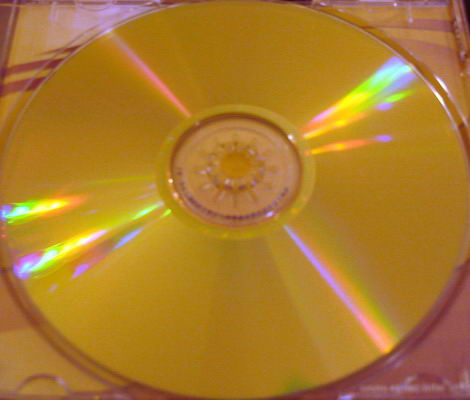
Media – Data Side
Let us find out the manufacturer of this media:
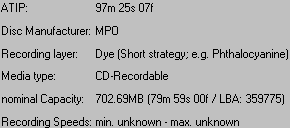
Info from CDRIdentifier V1.63
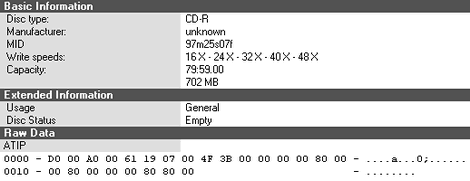
Info from Nero CD/DVD Speed v4.7.0.0
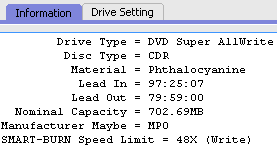
Info from SmartBurn V3.1.16
As we can read the media is made by MPO (Moulages Plastiques de l’Ouest).
On the next page you can read about the testing methods…
Test machine:
For this article we will be using a computer with the following configuration:
Hardware:
- Motherboard: Asus A8V Deluxe
- Processor: AMD Athlon 64 X2 4400+ (Toledo)
- RAM: 1 GB Corsair Kit PC3200 DDR
- GFX: MSI GeForce 6600 GT
- Sound: Onboard Realtek AC'97
- Hard disk: Maxtor 6V300F0 300 GB (S-ATA)
Installed Software:
Windows XP Professional XP Professional is installed on the computer along with Service Pack 2 for Windows XP. We will be using the following software in this article:
Test Drives:
In this article we are going to use the following drives:
- BenQ DW1655 – Firmware BCIB
- LG GSA-H22L – Firmware 1.00
- Lite-On SOHR-5238S – Firmware 4S09
- Lite-On LH-18A1P – Firmware GL0B
- Optiarc AD-7173A – Firmware 1-01
- Plextor PX-760A – Firmware 1.05
Testing methods:
We will write five media on five different burners at the highest supported speed, even though the media itself is rated at 40x.
We test CD media in two different ways. The first way is to look at how much error correction has to take place in a drive when reading the disc; this is also known as Disc Quality Scanning. The second way is to test whether the disc can be read at full speed without any slowdowns; this is also known as Read Transfer Testing.
In this review we perform Disc Quality Scanning on three different drives instead of using just one drive, and the reporting behaviour of the three scanning drives is very different. This makes it more complicated to interpret the results, but it also provides us with a more thorough understanding of how the media behaves instead of the limited view possible by only using a single scanning drive.
Disc Quality Scanning - C1/C2 (and CU):
CDs use an error detection and correction system (CIRC) which is usually transparent to the end-user, but we can get an idea of the "quality" of a disc by performing Disc Quality Scanning which shows how many errors the drive is detecting and correcting behind the scenes.
There are two layers of error detection and correction on all CD media; these are called C1 and C2. Data CDs also have a third layer of error detection/correction.
There is more than one way to handle C1 and C2 error detection/correction, but a simple and common way is to detect and correct up to two errors per frame in each stage and detect three or more errors:
- E11: 1 error detected and corrected by C1 layer
- E21: 2 errors detected and corrected by C1 layer
- E31: 3 or more errors detected but not corrected by C1 layer
The sum of these (per second) is called the BLock Error Rate: BLER=E11+E21+E31
- E12: 1 error detected and corrected by C2 layer
- E22: 2 errors detected and corrected by C2 layer
- E32: 3 or more errors detected but not corrected by C2 layer
Any E31 is uncorrectable by the C1 layer and will result in the bytes in that frame being redistributed into multiple frames which are passed to the C2 layer.
Any E32 is uncorrectable by the C2 layer and will result in interpolation being used for Audio CDs or will result in third layer error correction being used for Data CDs.
Different drives have different ways of reporting these Exy errors in a Disc Quality scan. The drives used in this review report Exy as follows.
Lite-On SOHR-5238S:
- C1=BLER=E11+E21+E31
- C2=E32
Plextor PX-760A:
- C1=BLER=E11+E21+E31
- C2=E22
- CU=E32
BenQ DW1655 Disc Quality:
- C1=BLER=E11+E21+E31
- C2=E32
BenQ DW1655 Advanced Disc Quality:
- All Exy errors are reported separately as well as BLER=E11+E21+E31
We want to see as low error numbers as possible. Any E32 at all are unacceptable. Any E22 are undesirable. BLER should be no more than 220 (per second).
Read Transfer Testing:
By attempting to read the disc all the way from start to end we can verify that it's actually readable. By reading it at full speed and looking at the read speed graph, we can test whether the drive has any problem reading any part of the disc. What we want to see is a perfectly smooth graph without any slowdowns.
Summary:
By using two different testing methods, i.e. Disc Quality Scanning and Read Transfer Testing, we get a good idea of how the disc performs. By using three different drives for Disc Quality Scanning we get an even better understanding of how the disc performs in different drives.
Since all the tests are a result of the interaction between the drive and the disc, there is no "wrong" answer in the tests. The tests are different and equally valid views of the disc.
Any truly excellent disc should show good results in all the used tests.
On the next page – we are going to test the media on the BenQ DW1655…
BenQ DW1655:


The BenQ DW1655 burned the media at 48x and the total writing was 3 minutes and 14 seconds. Now let us scan the media in some devices to check the quality:


Scanned in BenQ DW1655 at 48x CAV

Scanned in Plextor PX-760A at 24x CAV

Scanned in Lite-On SOHR-5238S at 48x CAV
Let us try to read back the media at 52x:

The BLER is low on all three drives and there are no unacceptable E32 errors. Both the BenQ and Plextor drives report undesirable E22 errors, however. The Read Transfer Test is flawless.
The result is acceptable but not good because of the E22 errors.
On the next page – we are going to test the media on the LG GSA-H22L…
LG GSA-H22L:


The LG GSA-H22L reported a max writing speed of 48x, but it looked like the drive changed its mind and burned the media at 16x instead. The total writing was 5 minutes and 23 seconds. Now let us scan the media in some devices to check the quality:


Scanned in BenQ DW1655 at 48x CAV

Scanned in Plextor PX-760A at 24x CAV

Scanned in Lite-On SOHR-5238S at 48X CAV
Let us try to read back the media at 52x:

The BLER is low over most of the disc but rises at the end in the scans on the Lite-On and BenQ drives, with BLER above 220 according to the BenQ scan. Both the BenQ and Plextor drives report undesirable E22 errors. There are no E32 errors reported by any drive and the Read Transfer Scan is flawless.
This result is marginal because of the out-of-spec BLER and undesirable E22 errors.
On the next page – we are going to test the media on the Lite-On LH-18A1P…
Lite-ON LH-18A1P:


The Lite-On LH-18A1P burned the media at 48x and the total writing was 2 minutes and 36 seconds. Now let us scan the media in some devices to check the quality:


Scanned in BenQ DW1655 at 48x CAV

Scanned in Plextor PX-760A at 24x CAV

Scanned in Lite-On SOHR-5238S at 48x
Let us try to read back the media at 52x:

The BLER is low over most of the disc but rises at the end in the scans on the Plextor and BenQ drives, with BLER above 220 according to the BenQ scan. Both the BenQ and Plextor drives report undesirable E22 errors. There are no E32 errors reported by any drive and the Read Transfer Scan is flawless.
This result is marginal because of the out-of-spec BLER and undesirable E22 errors.
On the next page – we are going to test the media on the Optiarc AD-7173A…
Optiarc AD-7173A:


The Optiarc AD-7173A reported an error while writing the media.
Could this be the media or the drive, which caused this error? One thing is sure though the disc is a coaster.
On the next page – we are going to test the media on the Plextor PX-760A…
Plextor PX-760A:


The Plextor PX-760A burned the media at 48x and the total writing was 2 minutes and 39 seconds. Now let us scan the media in some devices to check the quality:


Scanned in BenQ DW1655 at 48x CAV

Scanned in Plextor PX-760A at 24x CAV

Scanned in Lite-On SOHR-5238S at 48x CAV
Let us try to read back the media at 52x:

The BLER is low on all three drives and there are no unacceptable E32 errors. The BenQ drive reports undesirable E22 errors, however. The Read Transfer Test is flawless.
The result is acceptable or perhaps good, but the undesirable E22 errors reported by the BenQ drive shouldn't be there on a really good disc.
If we compare the result with other CD-R results from our Plextor PX-760 Review the result with EMTEC CD-R Gold media is as good as or better than several of the results with other CD-R media, but not as good as the best results obtained in that review.
Next you can read the conclusion from our tests…
Conclusion:
As the selection of media that uses a “24 carat Gold layer” is not large at all, we have at this time no other similar results to compare the EMTEC CD-R Gold results with.
In our tests we had one coaster out of five burns, if this was due to the media or a badly supported media by the drive itself is not known.
The manufacturer and ATIP of this media state it is Moulages Plastiques de l’Ouest (MPO) and is not that common around the globe, so we would categorize it as exotic.
According to EMTEC, the media should use a “24 carat Gold reflecting layer”, this means - the media should be corrosion free and give “outstanding” molecular properties which should give the media a very long lifetime.
The results achieved in this review are the combined results of the quality of the media, the compatibility of the media with the recording drives, the quality of the recording drives, and the reading and reporting behaviour of the scanning drives.
The result was unacceptable with one recording drive. The four other drives managed to produce perfectly readable results but with more correctable errors than we would like to have seen.
The EMTEC CD-R Gold media is capable of producing good results when recorded in a drive with good support for this media, but not all of the drives tested have good support for this media in current firmware. Choosing the right recording drive for this media is important.
To sum it all up, this is what we would say: "We will at the earliest - in the year 2106, know if the media really can keep up with its promise of 100 years of archiving :-)".
You may discuss/comment this article below or in this forum thread.















