
 |
Review: LG-GSA-H55LI |
LG Electronics USA was kind enough to send us their new Super Multi DVD Rewriter with SecurDisc Technology, the LG GSA-H55LI.
LG’s new Super-Multi GSA-H55LI internal optical disc drive with LightScribe gives you the added feature of burning customized labels with images and text onto the LightScribe media. This drive is the first to offer the new SecurDisc Technology, a project that is a joint venture between LG and Nero. This drive is compatible with DVD±R, DVD±RW, and DVD-RAM discs. With an 18x max DVD burn speed, and 12x DVD-RAM, double Layer DVD+R (8.5GB) and dual layer DVD-R (8.5GB) recording is also supported. Burn Fast, Burn Right with the LG GSA-H55LI.
In this review we will test the LG GSA-H55LI’s new SecurDisc functions as well as the reading and writing performance with a variety of DVD and CD media
Company Information
LG is a South Korean industrial group. The name LG comes from an abbreviation of "Lucky-Goldstar", the company's name until 1995.
LG Electronics was established in 1958. Today, LG Electronics is one of the world’s leading electronics manufacturers.
The LG Electronics U.S.A., Inc. Information Systems Products division (LGE ISP) markets LG-brand LCD displays, as well as optical storage CD and DVD readers and writers, to reseller and retail distribution channels.
As the world's largest manufacturer of CD/DVD drives, LG CD and DVD readers and writers include such models and CD-Re-Writers (CD-RW), Combo CD-RW/DVD, DVD-ROM readers and DVD writers. LG is frequently first to market with the newest technology and fastest recording speeds.
In the fast-growing area of DVD writers, LG takes the lead with the LG Super-Multi DVD writers, featuring triple DVD format compatibility (DVD+, DVD- and DVD-RAM). LG Super-Multi drives eliminate the issue of which format discs can be read, or to which format you have to write.

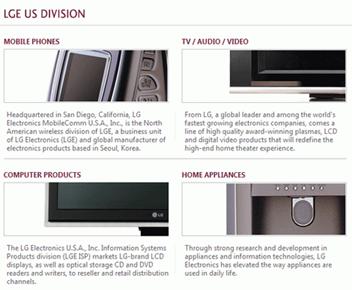
LG’s stated goal is to enhance customer’s life with intelligent features, intuitive functionality, and exceptional performance.
Learn more about LG Electronics U.S.A. by visiting the company website: http://us.lge.com/
Drive overview
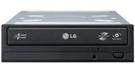
The LG GSA-H55LI is a Super Multi DVD burner capable of reading and writing DVD+R/RW/DL, DVD-R/RW/DL, DVD-RAM, and CD-R/RW formats with LightScribe capability and now from the leaders in Optical Drive Technology, experience a new level of data security with LG Super Multi Security.
“Super Multi” was coined by LG in 2003 and is an informal term describing DVD burners compatible with all existing DVD and CD formats.
Prior to 2003, DVD-RAM and DVD+R/DVD-R drives were separate devices. LG Electronics was the first company to release a drive that supported all three DVD formats. Several companies have since followed this strategy, making “multi” and “super multi” commonly used terms.
Drive Specifications
The specifications of the LG GSA-H55LI can be found on the LG Electronics website, however we have included them here also.
Drive Specifications
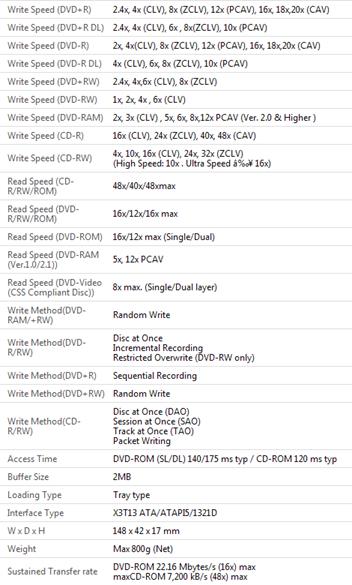
LG GSA-H55LI requires high-quality 16x media in order to reliably achieve 20x DVD burn speeds. Fortunately, 16x Mitsubishi/Verbatim and Taiyo Yuden media is widely available in many countries.
The Retail Package
The drive we received was a retail package. It included everything needed for an easy installation:
-
Internal Super Multi 5.25” GSA-H55LI Rewriter
-
Recording and authoring software disc
-
Quick Set-up Guide
-
Four Mounting Screws
-
Beige Front Panel and Tray Door Cover
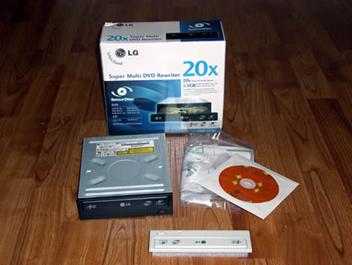
Let’s take a closer look at the Retail Box:
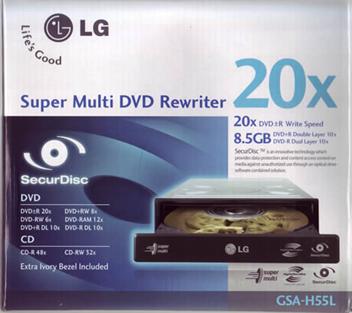
Box Front
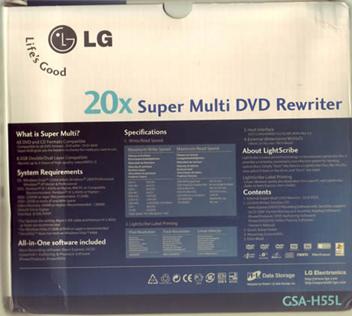
Box Rear
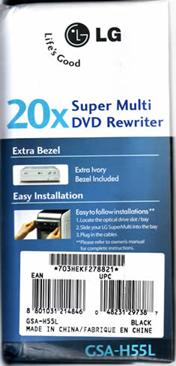
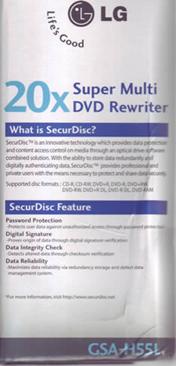
Box Left and Right sides
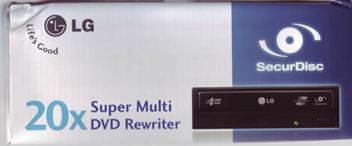
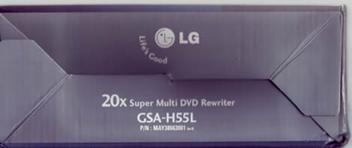
Box Top and Bottom
Now let’s take a closer look at the drive itself:
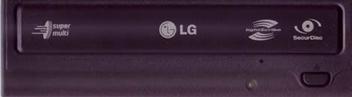
Drive Front
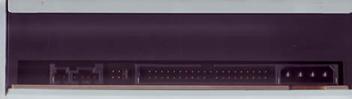
Drive Rear
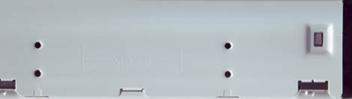
Drive Left
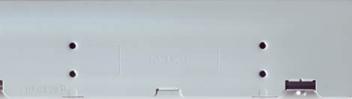
Drive Right
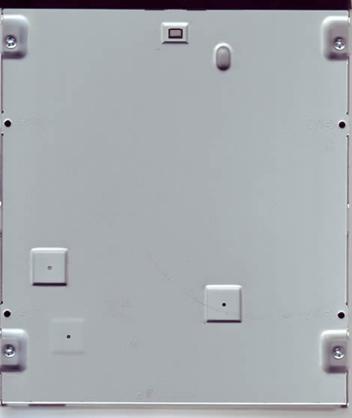
Drive Bottom
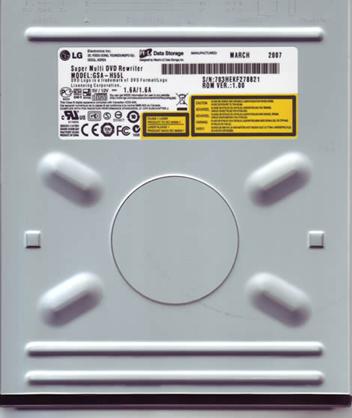
Drive Top
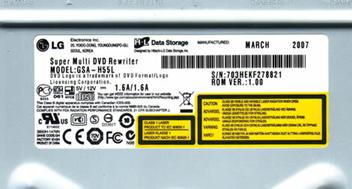
Drive Sticker
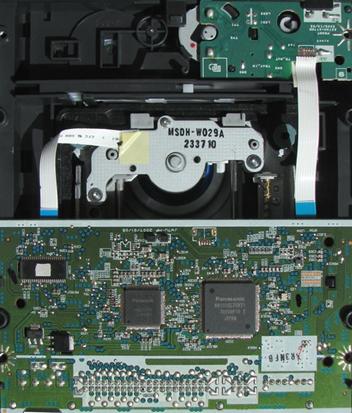
Inside Drive
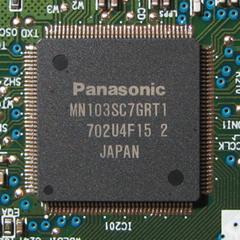
Drive Chipset
Test machines
For this review we are testing the LG GSA-H55LI mounted inside of our Intel based system with the following components:
-
Motherboard: ASUSTek, P5K Deluxe
-
Processor: Intel Core 2 Duo E6600, 2.4GHz
-
Memory: 2GB G-SKILL DDR2-800
-
Video: GeForce 8600 GTS
-
Sound: SoundMAX integrated Digital HD Audio, onboard
-
Hard Disks: 250GB Seagate SATA-II, X2
-
Optical Drives: Lite-On DVDRS LH-20A1H, Pioneer DVR-212D, NEC DVD RW ND-4550A, BenQ DW1650, Lite-On CD-RW SOHR-5239V, LG GSA-H62LI and the LG GSA-H55LI
We will also be doing some comparison burns and scans on our second system; AMD based:
-
Motherboard: Abit, KN8
-
Processor: AMD 64X2 4400+
-
Memory: 2GB, 4X512MB
-
Video: NVIDIA GeForce 6800XT
-
Sound: Realtek AC97 (onboard)
-
Hard Disks: 250GB Seagate X2
-
Optical Drives: Lite-On SHM-165H6S, Lite-On SOHR-5239V, Plextor PX-760A, ASUS DRW-1814BL, Sony DRU830A, BenQ DW1655.
Software
Windows Vista Business 32-bit is installed on both test systems. We will also be using the following software for this review:
-
Nero Burning Rom 7 Ultra Enhanced 7.9.6.0
-
Nero CD-DVD Speed 4.7.5.0
-
Nero InfoTool 4.4.1.0
-
Slysoft CloneCD 5.3.0.5
-
K-Probe 2.5.2
The LG GSA-H55LI retail ships with the software bundle which includes:
-
CyberLink PowerDVD
-
CyberLink PowerProducer
-
Nero Express
-
Nero InCD
We have included some screen shots of this Installation CD and its contents below:


As always LG is very generous with their included software bundle.
Installation and Supported Features
Installation was smooth and without problem; we hooked the drive up via the SIIG SCPE4B12S4 PCI IDE Controller Card.


Book type (bitsetting)
Automatic bitsetting is supported by the LG GSA-H55LI. DVD+R, and DVD+R DL will burn with the DVD-ROM booktype; the drive will remember these settings so once you have them set you won’t need to change them unless you want to make future changes.
Using Nero CD-DVD Speed we can see that the Booktype settings are now set to DVD-ROM.

We can ensure that our discs were truly written with DVD-ROM book type by checking the “Disc Info” section from within Nero CD-DVD Speed. The information should look like this:

Writing technology
Let’s now take a look at the writing technology of the LG GSA-H55LI:
These tests were done using CD-Speed and we wrote a full disc at the drive’s maximum speed.
CD-Recordable
Specification on the LG GSA-H55LI state it should be able to write CD-R media at a maximum speed of 48X; let’s take a look and see how it did.

The LG GSA-H55LI uses CAV, (Constant Angular Velocity), to write at its maximum speed of 48X. This gives an average speed of 36.59X and a total writing time of 2 minutes and 45 seconds.
CD Re-writable
According to the specifications of the LG GSA-H55LI it should be able to write CD-RW media at a maximum speed of 32X.

The LG GSA-H55LI uses Z-CLV, (Zoned Constant Linear Velocity), to write at its maximum speed of 32X. This gives an average speed of 25.80X and a total writing time of 3 minutes and 30 seconds.
20x DVD+R/-R writing speed
According to the specification of the LG GSA-H55LI, it should be able to write DVD+R/-R media at a maximum speed of 20X.
20x DVD+R

The LG GSA-H55LI uses CAV (Constant Angular Velocity) to write DVD+R at the maximum supported speed of 20x. This results in an average write speed of 14.91x and a writing time of just 4 minutes and 59 seconds.
20x DVD-R

The LG GSA-H55LI uses CAV (Constant Angular Velocity) to write DVD-R at the maximum supported speed of 20x. This results in an average write speed of 14.95x and a writing time of just 4 minutes and 36 seconds.
8x DVD+RW

The LG GSA-H55LI uses Z-CLV (Zone-Constant Linear Velocity) to write DVD+RW at 8x. The average speed is 7.73x and total writing time is 8 minutes and 16 seconds.
6x DVD-RW

The LG GSA-H55LI uses CLV (Constant Linear Velocity) to write DVD-RW at 6x. The average speed is 6.01x and total writing time is 10 minutes and 21 seconds.
10x DVD+R DL
According to the specifications of the LG GSA-H55LI, it should be able to write DVD+R DL at a maximum speed of 10X.

The LG GSA-H55LI uses P-CLV, (Partial Constant Linear Velocity), to write at its maximum speed of 10X. This gives an average speed of 9.09X and a total writing time of 14 minutes and 04 seconds.
10x DVD-R DL writing speed
According to the specifications of the LG GSA-H55LI, it should be able to write DVD-R DL at a maximum speed of 10X. However, we did not have any of the high speed –R media available for testing, so we have provided the write strategy on a 4X DVD-R DL media.

The LG GSA-H55LI uses CLV, (Constant Linear Velocity), to write at its maximum speed of 4X for this media. This gives an average speed of 3.94X and a total writing time of 27 minutes and 55 seconds.
12X DVD-RAM writing speed
The LG GSA-H55LI is, according to the specifications, is able to write DVD-RAM at 12X.

The LG GSA-H55LI uses P-CLV, (Partial Constant Linear Velocity), to write at its maximum speed of 12X. This gives an average speed of 10.07X and a total writing time of 5 minutes and 44 seconds.
Now let’s take a look at the new SecurDisc Technology offered by LG Electronics and Nero.
SecurDisc Introduction:
Until now there was no real way to insure our ODD recorded data was secure and protected; now LG Electronics has partnered with Nero to tackle the security problem with their new Technology “SecurDisc”.
At the user level, it uses password protection and AES-128 encryption to prevent unauthorized access. While this concept is nothing new, SecurDisc adds an extra layer of security by utilizing a hardware and software based solution. To prevent modification, a digital signature can be applied to data so that its authenticity can be verified.
The SecurDisc data protection technology aims to protect the security and integrity of data written on writable optical media. It protects data from illegal access and alteration by applying a digital signature, while at the same time protecting data from physical damage and degradation. It allows verification using the optical drive itself.
Already, Nero and optical drive manufacturer LG Electronics are integrating SecurDisc in their products, and are planning to license the technology to other users. This technology is currently available with the LG GSA-55 series drives.
Current versions of Nero 7 are SecurDisc ready and will let you copy protect PDF files. However in order to view a copy protected PDF, a special application called SecurDisc Viewer and a SecurDisc ready drive is needed.
The retail version of the LG GSA-H55 series drives will come with an OEM LG version of Nero 7 essentials that will provide you with the necessary software to use the SecurDisc functions.

Note the SecurDisc logo on the drive's tray Door as show above. Only SecurDisc certified drives will display this logo. Currently only LG is the only manufacturer releasing drives with this new technology. Nero plans to introduce a logo certification program so that other hardware vendors can also take advantage of the SecurDisc technology.
Now that you have some background on SecurDisc, lets move on to some burning with this new technology:
Burning with SecurDisc
Once you have installed one of the LG SecurDisc capable drives and have either the current release of Nero 7 or the Nero Essentials installed from the LG OEM software disc, you will see a couple of new choices in the “Data” menu selection window. Below is an example of the new options:

To add files simply click on the “Add” button to add files to your compilation; the drag and drop method will also work. You will also be able to invoke some SecurDisc settings at this time such as password protect and digitally sign the disc.

In order to digitally sign your disc you will need a private key. You will need to create this key the first time you use this feature; doing so is a painless process using Nero. Just follow the prompts in the window and remember to move your mouse and randomly type on the keyboard so that the data is generated to create the key.

Once the private key is created this is what you use to digitally sign your discs. Remember to keep this in a safe place; you will need it in the future should you want anyone else to be able to verify the contents of the disc.

Since we chose to password protect our data we needed to create a password. Nero let us know how strong our password was as we typed it in. The strength of the password is arrived from the complexity, length and characters that we used. Below you will see the process:

Weak Key

Medium Key

Strong Key
A strong password while being the most desirable be careful to make sure that whatever password you decide on that it is something that you can remember; if you forget this password you will not be able to access any of the SecurDisc protected files or folders on said disc.
Now that we had provided the information necessary we will burn our SecurDisc. Remember that one of the features of this technology is that Nero will fill the entire disc with redundancy and checksum data which will cause the burn process to take a little longer than for a normal disc burn.

Now that our SecurDisc burn has completed we see the Nero window showing the SecurDisc features used. Notice the data reliability level portion of this report; the higher the number the greater the chance we have of being able to recover our data should the disc become damaged.

Reading a SecurDisc
As we pointed out a SecurDisc drive is required to write CD and DVD media with SecurDisc mode. For reading media written with SecurDisc it is capable with almost any drive. Files and folders that were not password protected should be able to be read without any special software. If you want or need to verify the authenticity of the disc’s data or need to access password protected files you will need to have a compatible version of InCD or InCD reader. Both files are available for download from the SecurDisc website; clicking on the “Download” button on the screen presented when you insert a SecurDisc into your drive.

Once you have downloaded and installed the InCD reader you will see it’s icon in your system tray. You will be able to check all of your installed drive’s capabilities for using the SecurDisc technology.


As we inserted our SecurDisc into our LG GSA-55LI the installed InCD Reader checked to see if it contained any password protected files. Since our disc does contain protected files and folders we were presented with the window where we inserted our password.

You will notice that the files on the disc are always viewable even though password protected. We can not view the contents of these files and folders without first entering the correct password.

Summary
While SecurDisc prevents unauthorized access to the data on the disc we find that the technology provides a very nice feature in that it also provides protection from disc damage and decay. Here is what we find regarding this at the SecurDisc website:
Data Reliability helps rescue data from a damaged disc
While media capacity has become less expensive, reliability is still very important for today’s optical storage media as discs can be scratched or otherwise damaged. SecurDisc significantly increases your chances of retrieving data from a damaged disc.
When you record data to optical media, the discs rarely fill up to their capacity. In fact, often a considerable amount of space remains unused.
SecurDisc redundantly stores information in the remaining space to safeguard your files in case the discs get damaged. This feature is vital to the security of your files, so Data Reliability is always enabled and cannot be disabled.
We found the ease of use of the Nero SecurDisc capable software easy to use and understand and since it is available either in the full retail version of Nero 7 or the OEM LG supplied Nero Essentials software you will be ready to secure your discs as soon as the drive and software are installed with little learning curve.
Reading performance
We will using Nero CD/DVD-Speed to read various CD and DVD Discs; both burned and pressed for the Reading Performance section of the review.
Pressed CD-ROM discs
We used an original pressed CD-ROM disc containing 72.39.55 minutes of data.

The LG GSA-H55LI reached 45.21X. So how does that compare with other newer drives, let’s take a look below:

The LG GSA-H55LI reads on averages with the other drives in speed and seeks times.
CD-Recordable Discs
For this test we used a Data CD-R that we created with Nero CD-DVD Speed in “create data disc” mode. The disc was a Maxell 48X certified disc manufactured by Ritek. (Thanks to Maxell for sending us this media.)

The LG GSA-H55LI reached the speed of 48.30X when reading a full CD-R disc. Let’s take a look on how that compares with other drives.

With our CD-Recordable disc the LG GSA-H55LI performs a little better than average compared with our other test drives.
CD-Rewritable discs
For the CD-Rewritable tests we created a Data CD using Nero CD-DVD Speeds’ “create data disc”. We used a Verbatim 32X CD-RW. (We thank Verbatim USA for sending us this media)

The LG GSA-H55LI reaches a read speed of 42.46X; let’s compare this with other drives below:

The LG GSA-H55LI was among the fastest at reading our CD-Rewritable disc.
Audio – Digital Audio Extraction
To test digital audio extraction performance with the LG GSH55LI we used Nero CD-DVD Speed to measure the transfer rate; the audio disc we used is 74:00:00 in length.

The LG GSA-H55LI reached 41.05X while reading the Audio-CD; let’s compare those results with our other drives:

The LG GSA-H55LI performs on average with our other tested drives.
DVD reading performance
We utilized Nero CD-DVD Speed to measure the reading performance. We will to the reading performance testing on various types of DVD discs. This drive should be able to read single layered and double layered pressed DVD-Video at 8X speed.

DVD-Video Single Layer

DVD-Video Double Layer
The LG GSA-H55LI read the SL DVD-Video disc at 6.05X and the DL DVD-Video disc at 7.58X; slightly less than the available read speed for this type of media as stated in the specifications.
DVD: DVD+R/RW
For testing the read speed of DVD+R and DVD+RW discs we used Verbatim 16X DVD+R and 8X DVD+RW. Both Discs were written with 4.38GB of data using Nero CD-DVD Speed. (Thanks to Verbatim USA for sending us this media.) See the results below:

DVD+R

DVD+RW
We have prepared this table to show you how the LG GSA-H55LI reads DVD+R/RW media as compared with other drives:

The LG GSA-H55LI was the fastest at reading our DVD+R media and second to the fastest on our RW media.
DVD: DVD-R/RW
For testing the DVD-R and DVD-RW reading performance we used Verbatim discs we used Verbatim 16X DVD-R and 6X DVD-RW. (Thanks to Verbatim USA for sending us this media.) Below you will find our test results.

DVD-R

DVD-RW
We have also provided this table to show how the LG GSA-H55LI compares with other drives for reading these media:

The LG GSA-H55LI performs on average with our other test drives for both the DVD-R and DVD-RW media.
DVD: DVD±R DL
For this test we used a Verbatim 8X DVD+R DL disc and a Verbatim 4X DVD–R DL disc filled with 7.96GB of data. (Thanks to Verbatim USA for sending us this media.)

DVD+R DL

DVD-R DL
The LG GSA-H55LI reads both media at just above 12X which are the specified capabilities for Double Layered media.
DVD-RAM
For this part of our test we are using a Maxell 12x DVD-RAM filled with 4.27GB of data. Our test results are found below:

The LG GSA-H55LI will read DVD-RAM at 12X; reading this disc in 5 minutes and 36 seconds.
Writing Quality with CD-R/RW discs
Write Quality
Now we are going to test CD-R discs from different CD-R manufacturers. To measure the write speed we will use the “create data CD” function from within Nero CD-DVD Speed. We wrote these discs at the maximum speed that the drive supports. For the quality test, we used KProbe 2 which is a tool developed by a Lite-On employee. KProbe runs under Windows and works with the drives made by Lite-On. Also note that different drives and different reading speeds may affect the results obtained when scanning the discs. We used a Lite-On CD-RW SOHR-5239V with firmware 2$0B and scanned the discs at 48X speed.
A written CD-R disc will always have some C1 errors; C1 errors are easily corrected by the drive’s error correction capabilities. The next level of errors is C2, while C2 errors could also be corrected by most drive’s error correction capabilities; they are not wanted on a good quality disc. A good disc should not contain any C2 errors, and preferably have an average C1 error amount of below 2.0 for the best quality discs, or at least below 10.0 averages for good quality discs. After C2 errors, there are only un-correctable errors that will make a disc unusable.
So, in short, our analysis will be based on these guidelines to determine the quality of the burned discs:
CD-R/RW quality scans guideline

Below you will see our obtained results:


Verbatim DataLifePlus CD-R burned good with average C1 errors of 0.38 and without C2 errors. This media goes into the “Best” quality discs category.


Memorex Black CD-R burned with C1 average errors of 2.26 and no C2 errors. This media goes into the “Good” category.


The LG GSA-H55LI burned the Memorex Music disc with 1.72 average C1 errors and no C2 errors; this places this media in the “best” media category with this drive.


HP LightScribe CD-R media burned with a good average C1 error of 0.27 and without C2 errors. This media as burned with the LG GSA-H55LI goes into the “best” category.
Writing Quality with Re-Writable discs


Very high C1 errors and the presence of C2 errors place this media in the “poor” quality.
Summary
The LG GSA-H55L burned our CD-R test media with good to excellent results, however, did not do as good with the presence of C2 errors on our CD-RW disc.
Nevertheless, this is a DVD-Writer, so head on to next page and read about DVD-Writing performance and DVD media compatibility…
On the next page let’s take a look at the DVD+R/RW Writing Performance…
DVD-Writing performance
Write quality
You should first notice that this is not a scientific and professional way to test the discs. But according to our testing done in recent months, we would conclude that there is a clear link between the quality reported when scanning the disc and the playability of the disc in different devices. Also notice that different drives report different amounts of errors. K-Probe was designed to work with Lite-On DVD-Writers. So we recommend using a DVD-Writer from Lite-On, in this test we will use the DVDRW LH-20A1H DVD-Writer, as already said; remember that scans done with a Lite-On DVD-ROM or Lite-On combo drive can’t be compared with the results obtained with a Lite-On DVD-Writer. Also remember that different PI/PO ECC sum settings along with different reading speeds in K-Probe will affect the result, we use these settings; PI (Parity Inner) set to summarize 8 ECC blocks, PIF (Parity Inner Failures) set to summarize 1 ECC block, reading speed: 4X CLV (Constant Linear Velocity). Setting the PI sum to 8 and the PIF sum to 1 will give a result that we may compare to the standards for DVD+R/RW and DVD-R/RW.
But what is a good scan? That is a discussion that we don’t think will end soon, as different drives report different amount of errors, some players are more picky about media than others, and so on. But as a comparison we present you with a scan from two pressed DVD discs:

This scan above shows the results from a pressed, Single Layer DVD-Video disc (Widow on the Hill).

This next scan shows the result from a pressed Double Layer DVD-Video disc (Monster in Law). Notice the error jump when shifting to the second layer (the error levels jump from the end of the first layer to the beginning of the second layer).
If you read below you will see that both the pressed DVD-discs above are well within the standards.
If you want to look at the standards for yourself, download the ECMA 267 Standard for DVD-ROM, the ECMA 337 Standard for DVD+R/RW and the ECMA 338 Standard for DVD-R/RW at http://www.ecma-international.org. Here is some data from the ECMA standards (same for DVD-ROM, DVD-R/RW and DVD+R/RW):
Random errors
A row of an ECC Block that has at least 1 byte in error constitutes a PI error. In any 8 consecutive ECC Blocks the total number of PI errors before correction shall not exceed 280.
Here we see that a PI error is defined as a row in an ECC block having 1 byte or more containing errors and that the sum of PI errors in 8 ECC blocks after each other should not exceed 280 PI errors.
But what is a row and what is an ECC block? Again we refer to the ECMA standards. We do not copy and paste everything, but if you’re interested, look in the ECMA standards. A row is 182 bytes long where the last 10 bytes contain PI (Parity Inner) information. An ECC block is 208 rows long where the last 16 rows contain the PO (Parity Outer) information. This gives us a maximum possible PI error amount of 208 errors per block and for 8 blocks after each other this sum is of course 8 times higher, giving a maximum possible amount of 1664 PI-8 errors. In practical use, a disc with 1664 PI-8 errors is unreadable.
According to our tests the specified max PI-8 sum of 280 for good discs seems to be a good guideline, as some readers have problems reading discs when the PI-8 errors is over 300 and most players starts to have problems when the PI-8 error level reaches 600 or more.
But what are the PIF errors that K-Probe reports? They are Parity Inner Failures, meaning errors left after PI correction. Only the ECMA 337 standard describes the Parity Inner Failures. So how is a Parity Inner Failure defined? Here is what the ECMA 337 states:
“If a row of an ECC Block as defined in 13.3 contains more than 5 erroneous bytes, the row is said to be “PI-un-correctable”.”
In theory, an ECC block may in the worst case have 208 PIF since every ECC block is 208 rows long. But the ECMA 337 standard goes further and specifies the max amount of accepted PI Failures (uncorrectable errors) allowed on a good disc:
“In any ECC Block the number of PI-un-correctable rows should not exceed 4.”
This means that when the PIF sum is set to 1, the maximum error value should not exceed 4. The theoretical maximum value for PIF is 208 errors.
But what makes a disc unreadable? A POF (Parity Outer Failure) error will make the disc unreadable, but K-Probe does not display the POF’s.
Notice that there are other aspects such as disc reflectivity, tracking errors and so on that also will affect the readability of a DVD disc – but for this we do not have measuring equipment available.
Also, another note is that we have scanned the discs at 4X CLV speed, by lowering the speed to 2X (DVD-R/RW)/2.4X (DVD+R/RW) or 1X the amount of reported errors may drop on some discs. We scanned at 4X CLV due to lower speeds taking too much time.
To see if there is a connection between the reported amount of errors and readability of the discs we also include the reading curve from a BenQ DW1655 DVD-Writer which by default are able to read DVD±R media at 16x speed. A small speed reduction near the end is still accepted on good discs, but serious reading problems or reading failures is a bad sign.
Here is an easier explanation on how to read the test results
Maybe this got too technical, and you are wondering what to look for in KProbe reports?
Use this as a guideline for good discs:
- PI (Parity Inner): No larger areas on the disc should exceed 280 PI-8 errors, do not worry too much about high single spikes that
· PIF (Parity Inner Failures): No larger areas on the disc should exceed 4 PIF-1 errors, do not worry too much about high single spikes that exceed 4.
And as always: the lower is better. 
DVD+R media compatibility and write quality
In these tests we will be using either a Lite-On DVDRW LH-20A1H drive along with Kprobe2 to measure the disc quality. We will also be using the BenQ DW1650 or the NEC DVD-RW ND-4550A along with Nero CD-DVD Speed for our read-back tests.
Here is what we discovered:


The LG GSA-H55LI burned this media at 20X with good results considering the media is certified at 16X.


A little high in PIE with a few spikes above 4 in PIF but overall the burn is OK with a smooth TRT.


A few single spikes in PIF, otherwise a good burn with this media.


High PIE and PIF; the LG GSA-H55LI did not fare well with this media.
DVD+RW media compatibility and write quality
The LG GSA-H55LI supports writing to DVD+RW discs at speeds up to 8X. Let’s now take a look at how it handled an 8X burn:


A little in PIE, smooth TRT read curve with overall good results.
Summary
The LG GSA-H55LI writes DVD+R/RW media with good to very good quality on our tested media.
DVD-R media write quality


The LG GSA-H55LI burns this 16X rated media at 18X with a single spike in PIF above 4; overall, very good results with the TYG03 media.


High PIF, still the LG GSA-H55LI did do well with this media.


Despite the smooth TRT, the higher levels of PIE and PIF towards the end of the disc might suggest problems with the media quality.


Here again we see the high levels of PIE and PIF towards the end of the disc suggesting problems with the media quality; the LG GSA-H55LI is able to burn this 16X certified media at 20X.
DVD-RW media compatibility and write quality


The drive burned this media with good results.
Summary
Overall, the LG GSA-H55LI did a good job with our DVD-R/RW test media, we would have like to have seen lower PIF values on our dash media.
The LG GSA-H55LI supports the DVD+R DL/-R DL standard for writing Double Layer/Dual Layer discs with a size around 8.5 GB at a writing speed of 10x.
Testing procedure:
We created an ISO Image from a pre-authored DVD-Video compliant file set, with a total on-disc size of nearly 8.5GB. We then wrote this image file using Nero Burning ROM 7. Below are the results:
DVD+R DL


A few PIF spikes and a jump in PIE at the layer break but overall a good scan with a smooth TRT.
DVD-R Dual Layer writing speed and quality
As we mentioned above the LG GSA-H55LI is capable of writing DVD-R DL discs at 10X, however we do not have any of the high speed DL dash media for testing at this time. We did use a 4X Verbatim DVD-R DL disc for our test. You will see those results below:


A good quality scan and a smooth read back curve.
Standalone DVD-Player compatibility
We only have 2 standalone DVD-Players available to test the DVD+R DL media (Book Type: DVD-ROM) and the DVD-R DL media (Book Type: DVD-R); a Panasonic DMR-EZ475V and a Insignia TV/DVD combo player.
Compatibility results:

The Verbatim DVD-R DL freezes at the layer break in Insignia Unit. We would like to mention, that the compatibility issue with standalone DVD Players and the DVD-R DL media format is also caused by incompatibilities with the standalone devices used in this review, as we know the DVD-R DL format has inferior compatibility compared to DVD+R DL especially with older standalone players.
Summary
The LG GSA-H55LI burns DVD+R/-R DL with good results.
DVD-RAM
The LG GSA-H55LI is a so-called Multi DVD Drive; meaning is also supports writing and reading the DVD-RAM format. Writing at 12X and reading at 12X.
Lets us take a look how the drive performs:


Writing the Maxell 12X without verification

Writing the Maxell 12X with verification

Transfer Rate Test
For those of you who are not familiar with DVD-RAM, you may probably think that something went wrong during the write process with the verification turned on, since the 12x media was written at 5x. But don’t worry, that is pretty normal for DVD-RAM discs. The reason for the lower writing speed is the drive constantly reads back the data after writing it to verify that it’s written correctly. We can also call it a “bullet proof” writing/verify technique, with no data loss/errors.
Burning LightScribe Labels
The LG GSA-H55LI as a LightScribe drive enables images to be burned onto LightScribe Discs, both CD and DVD. Make a label whenever and wherever you want with your PC and burner. It is Simple, Compatible and Flexible.
You may use the included Nero 7 essentials software to create and burn your LightScribe labels to your LightScribe media. Make sure you have the latest LS system software which is required to enable LightScribe functionality. You may download this free software from www.lightscribe.com in the download section.
We burned our LS label using LS system software version 1.6.45.1 which now includes the LightScribe Control Panel application to easily configure and monitor the installed LightScribe functions. The “Extended Label Contrast Utility” is now included in the Control Panel of this latest software.
Below is an HP LightScribe CD-R 52X disc with our Review Team label burned to it:

Positive
-
LG GSA-H55N reads and writes all CD and DVD media types
-
SecurDisc capable Drive
-
Writing quality is good or excellent with all tested CD-R/RW media
-
Bitsetting is available and on by default for DVD+R and DVD+R DL media
-
Short lead-in and lead-out times result in fast burns
Negative
-
Questionable performance with 20x DVD+R burning
-
Currently we find that only a few DVD+R media will write at 20X
-
Slow 8x CAV reading of single layered CSS-protected DVD-Video
The main positive points: The LG GSA-H55LI is called a “Multi DVD Burner” since it supports recording on most available media formats including CD-R/RW, DVD±R/±RW, DVD±R Double/Dual Layer, and DVD-RAM. With the new technology of SecurDisc which is the first and most comprehensive data protection solution for CDs and DVDs. It is also packed with a comprehensive software suite from CyberLink consisting of Nero Express, Nero InCD, PowerDVD, and PowerProducer which is worth the extra retail price.
The drives operation is very quiet; this is a big plus for us or anyone who appreciates a quiet computer.
The main negative points: There are a few issues that we would like to mention with hopes of them being improved. The reading of DVD-Video single layered pressed discs at 6X speed is one area we would like to see improvement. Write quality with some DVD+R and DVD+R DL is another area we think improvement is needed.
To sum up, this is what we would say: “The LG GSA-H55LI is the first DVD Writer with the SecurDisc Technology; will burn fast and burns most media with good quality”.
You may comment on this review below or in this forum thread.
Thanks to
 |
Verbatim USA – For providing the media used in this review. |
 |
Maxell USA – For providing the media used in this review. |
 |
Memorex USA – For providing the media used in this review. |
|
|
ExtremeMhz – For providing the Maxell 12x DVD-RAM media used in this review |
 |
Rima.com USA – For providing Taiyo Yuden media used in this review. |
 |
Advanced Media/Ritek-USA – For providing the media used in this review. |
















