
 |
Review: LG-GSA-H62LI |
LG Electronics USA was kind enough to send us their new Super Multi DVD Rewriter, the LG GSA-H62LI.
LG’s new Super-Multi GSA-H62LI internal optical disc drive with LightScribe gives you the added feature of burning customized labels with images and text onto the LightScribe media. This drive is compatible with DVD±R, DVD±RW, and DVD-RAM discs. With an 18x max DVD burn speed and 12 x DVD-RAM, double layer DVD + R (8.5GB) and dual layer DVD-R (8.5GB) recording is also supported. Burn Fast, Burn Right with the LG GSA-H62LI.
In this review we will test the LG GSA-H62LI’s reading and writing performance with a variety of DVD and CD media
Company Information
We took a quick look at the company information found at LG Electronic USA sites:
Based in Englewood Cliffs, N.J., LG Electronics USA, Inc., (LGEUS) is the North American subsidiary of LG Electronics, Inc., a $48.5-billion global force in consumer electronics, home appliances and mobile communications. In the United States, LGEUS sells a wide range of digital display and digital media products, digital appliances and mobile phones under LG's "Life's Good" marketing theme.
|
Mobile Phone |
TV / Audio / Video |
|
Computer Products |
Home Appliances |



If you are interested in reading more about LG Electronic USA, please visit: www.lgusa.com.
Drive overview
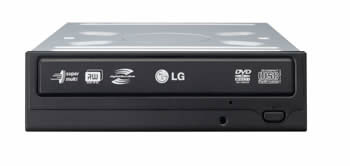
The LG GSA-H62LI is a Super Multi DVD burner capable of reading and writing DVD+R/RW/DL, DVD-R/RW/DL, DVD-RAM, and CD-R/RW formats with LightScribe capability.
“Super Multi” was coined by LG in 2003 and is an informal term describing DVD burners compatible with all existing DVD and CD formats.
Prior to 2003, DVD-RAM and DVD+R/DVD-R drives were separate devices. LG Electronics was the first company to release a drive that supported all three DVD formats. Several companies have since followed this strategy, making “multi” and “super multi” commonly used terms.
Drive Specifications
The specifications of the LG GSA-H62LI can be found on the LG Electronics website; however we have included them here also.
Drive Specifications
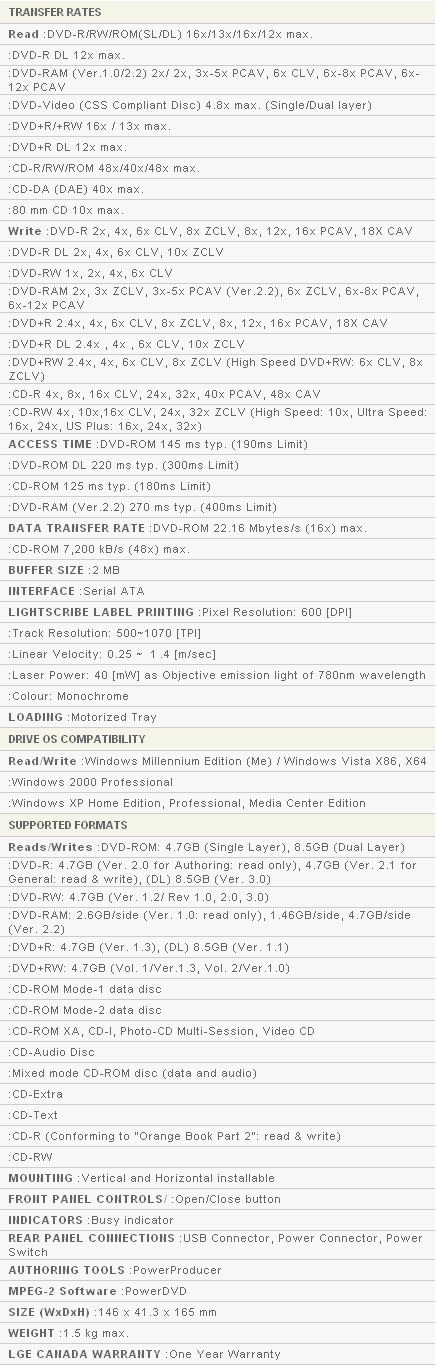
LG GSA-H62LI requires high-quality 16x media in order to reliably achieve 18x DVD burn speeds. Fortunately, 16x Mitsubishi/Verbatim and Taiyo Yuden media is widely available in many countries.
The Retail Package
The drive we received was a retail package. It included everything needed for an easy installation:
- Internal Super Multi 5.25” GSA-H62LI SATA drive
- Recording and authoring software disc
- Quick Set-up Guide
- SATA Power cable
- SATA Data cable
- Four Mounting Screws
- Beige Front Panel and Tray Door Cover
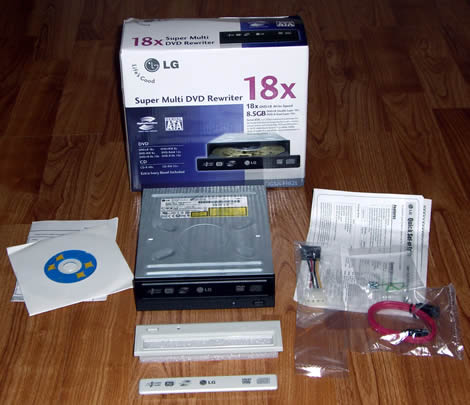
Let’s take a closer look at the retail box:
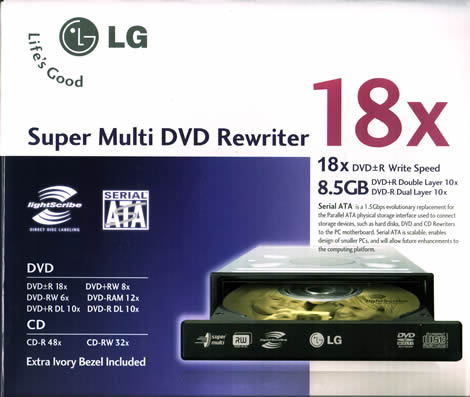
Box Front

Box Rear
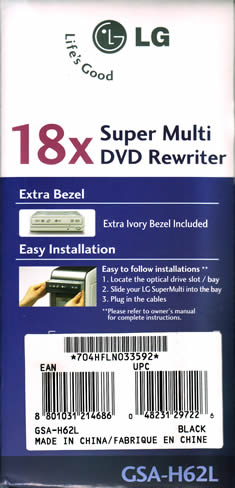
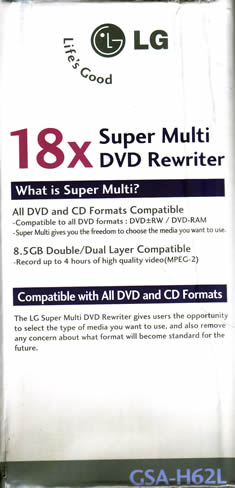
Box Left and Right sides
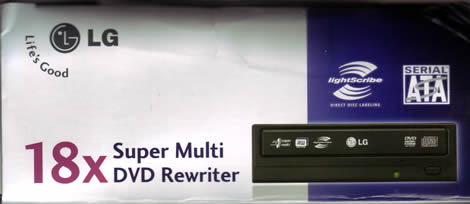
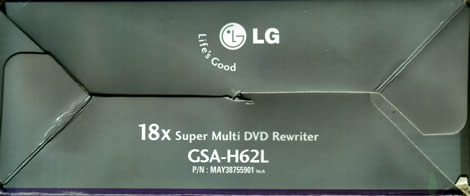
Box Top and Bottom
Now let’s take a closer look at the drive itself:
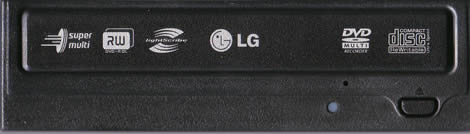
Drive Front
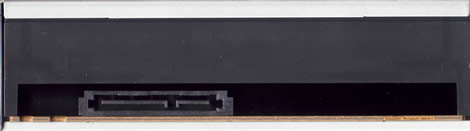
Drive Rear
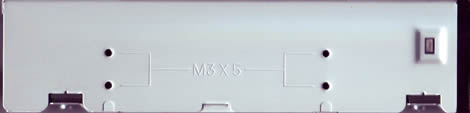
Drive Left

Drive Right
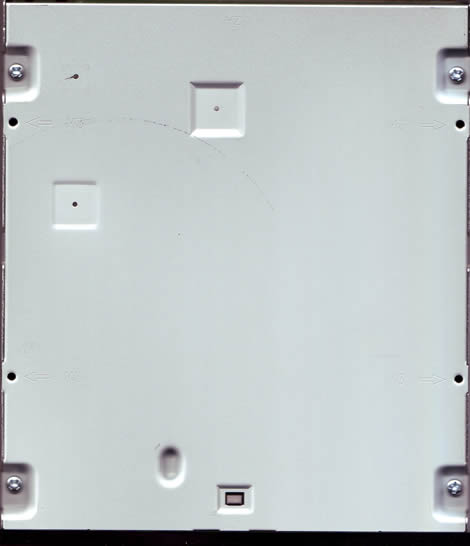
Drive Bottom
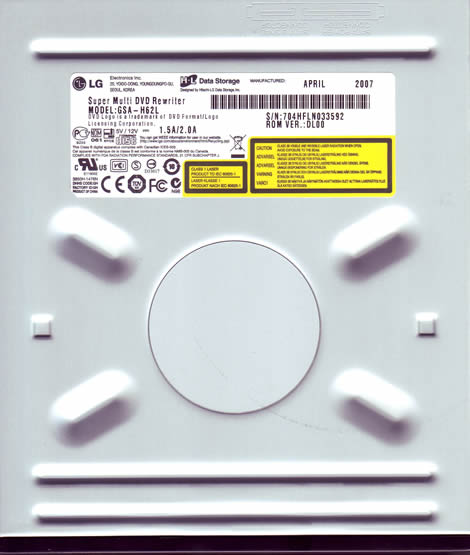
Drive Top
Test machines
For this review we are testing the LG GSA-H62LI mounted inside of our Intel based system with the following components:
- Motherboard: ASUSTek, Basswood
- Processor: Intel Core 2 Duo E6300, 1.86GHz
- Memory: 2GB, DDR2-533
- Video: Integrated NVIDIA, GeForce 7500LE
- Sound: Realtek High Definition Audio, onboard
- Hard Disks: 320GB Western Digital Caviar SATA-II
- Optical Drives: Lite-On SHW-165P6S, Pioneer DVR-212D, Memorex DVD+RAM v1, BenQ DW1650, NEC DVD-RW ND 4550A and the LG GSA-H62LI
We will also be doing some comparison burns and scans on our second system; AMD based:
- Motherboard: Abit, KN8
- Processor: AMD 64X2 4400+
- Memory: 2GB, 4X512MB
- Video: NVIDIA GeForce 6800XT
- Sound: Realtek AC97 (onboard)
- Hard Disks: 250GB Seagate X2
- Optical Drives: Lite-On SHM-165H6S, Lite-On SOHR-5239V, Plextor PX-760A, ASUS DRW-1814BL, Sony DRU830A, BenQ DW1655.
Software
Windows Vista Ultimate 32-bit installed on the Intel system and Vista Business 32-bit is installed on the AMD system; we will also be using the following software for this review:
- Nero Burning Rom 7 Ultra Enhanced 7.9.6.0
- Nero CD-DVD Speed 4.7.5.0
- Nero InfoTool 4.4.1.0
- Slysoft CloneCD 5.3.0.5
- K-Probe 2.5.2
The LG GSA-H62LI retail ships with the software bundle which includes:
- CyberLink PowerDVD
- CyberLink PowerProducer
- Nero Express
- Nero InCD
We have included some screen shots of this Installation CD and its contents below:


As you can see, LG is very generous with their included software bundle.
Installation and Supported Features
The installation was smooth and without problem; we hooked the drive up via SATA.
Here is the Nero InfoTool screen for the LG GSA-62LI:


Book type (bitsetting)
Automatic bitsetting is supported by the LG GSA-H62LI. DVD+R, and DVD+R DL will burn with the DVD-ROM booktype; the drive will remember these settings so once you have them set you won’t need to change them unless you want to make future changes.
Using Nero CD-DVD Speed we can see that the Booktype settings are now set to DVD-ROM.

We can ensure that our discs were truly written with DVD-ROM book type by checking the “Disc Info” section from within Nero CD-DVD Speed. The information should look like this:

We will now move on and take a look at the Disc Writing Technology of the LG GSA-H62LI.
Let’s now take a look at the writing technology of the LG GSA-H62LI:
These tests were done using CD-Speed and we wrote a full disc at the drive’s maximum speed.
CD-Recordable
Specification on the LG GSA-H62LI state it should be able to write CD-R media at a maximum speed of 48X; let’s take a look and see how it did.

The LG GSA-H62LI uses CAV, (Constant Angular Velocity), to write at its maximum speed of 48X. This gives an average speed of 36.50X and a total writing time of 2 minutes and 41 seconds.
For comparison we provided the following table:

As we can see, the LG GSA-H62LI was the second fasted compared to our other drives when writing CD-R media.
CD Re-writable
According to the specifications of the LG GSA-H62LI it should be able to write CD-RW media at a maximum speed of 32X.

The LG GSA-H62LI uses Z-CLV, (Zoned Constant Linear Velocity), to write at its maximum speed of 32X. This gives an average speed of 28.97X and a total writing time of 3 minutes and 03 seconds.
For comparison we have made the following table:

Here again we find the LG GSA-H62LI to be the quickest of our tested drives when writing CD-RW media.
18x DVD+R/-R writing speed
According to the specification of the LG GSA-H62LI, it should be able to write DVD+R/-R media at a maximum speed of 18X.
18x DVD+R

The LG GSA-H62LI uses CAV (Constant Angular Velocity) to write DVD+R at the maximum supported speed of 18x. This results in an average write speed of 13.63x and a writing time of just 5 minutes and 07 seconds.
18x DVD-R

The LG GSA-H62LI uses CAV (Constant Angular Velocity) to write DVD-R at the maximum supported speed of 18x. This results in an average write speed of 13.65x and a writing time of just 4 minutes and 56 seconds.
For comparison, we have made the following table:

As you can see from the above table, the LG GSA-H62LI is the fastest among our tested drives when writing at 18X; it is at least 3 seconds and as much as 49 seconds faster than the other drives tested.
It appears to be that the LG GSA-H62LI has replaced the LG GSA-H42N as the fastest 18X re-writer.
16x DVD+R and DVD-R


The LG GSA-H62LI uses P-CAV (Partial Constant Angular Velocity) to write DVD+R and DVD-R at 16x. This results in average write speeds of 12.69 – 12.71x and writing times of just 5 minutes 13 seconds to 5 minutes 25 seconds.
8x DVD+R and DVD-R


The LG GSA-H62LI uses a two-zone 6X-8X Z-CLV (Zone-Constant Linear Velocity) strategy to write DVD+R and DVD-R at 8x. This results in a average write speed of 7.88X for both the media while writing the DVD+R in 8 minutes and 01 seconds and a little faster with the DVD-R, writing it in 7 minutes and 50 seconds.
8x DVD+RW

The LG GSA-H62LI uses Z-CLV (Zone-Constant Linear Velocity) to write DVD+RW at 8x. The average speed is 7.88x and total writing time is 7 minutes and 22 seconds.
For comparison we have made the following table:

6x DVD-RW

The LG GSA-H62LI uses CLV (Constant Linear Velocity) to write DVD-RW at 6x. The average speed is 6.01x and total writing time is 9 minutes and 55 seconds.
For comparison we have made the following table:

As you can see the LG GSA-H62LI was among the fastest drives when writing both DVD+RW and DVD-RW media.
10x DVD+R DL
According to the specifications of the LG GSA-H62LI, it should be able to write DVD+R DL at a maximum speed of 10X.

The LG GSA-H62LI uses Z-CLV, (Zoned Constant Linear Velocity), to write at its maximum speed of 10X. This gives an average speed of 8.99X and a total writing time of 13 minutes and 34 seconds.
10x DVD-R DL writing speed:
According to the specifications of the LG GSA-H62LI, it should be able to write DVD-R DL at a maximum speed of 10X.

The LG GSA-H62LI uses Z-CLV, (Zoned Constant Linear Velocity), to write at its maximum speed of 10X. This gives an average speed of 8.91X and a total writing time of 14 minutes and 19 seconds.
We will using Nero CD/DVD-Speed to read various CD and DVD Discs; both burned and pressed for the Reading Performance section of the review.
Pressed CD-ROM discs
We used an original pressed CD-ROM disc containing 72.39.55 minutes of data.

The LG GSA-H62LI reached 45.42X. So how does that compare with other newer drives, let’s take a look below:

The LG GSA-H62LI read on average with the other drives
CD-Recordable Discs
For this test we used a Data CD-R that we created with Nero CD-DVD Speed in “create data disc” mode. The disc was a Maxell 48X certified disc manufactured by Ritek. (Thanks to Maxell for sending us this media.)

The LG GSA-H62LI reached the speed of 48.18X when reading a full CD-R disc. Let’s take a look on how that compares with other drives.

The LG GSA-H62LI was among the fastest drives reading this media.
CD-Rewritable discs
For the CD-Rewritable tests we created a Data CD using Nero CD-DVD Speeds’ “create data disc”. We used a Memorex Ultra Speed 24X CD-RW manufactured by Infodisc Technology Co. (We thank Memorex for sending us this media)

The LG GSA-H62LI reaches a read speed of 41.03X at the end of the disc. Let’s compare this with other drives below:

The LG GSA-H62LI performed about on average at reading this CD-RW disc.
Audio – Digital Audio Extraction
To test digital audio extraction performance with the LG GSH62LI we used Nero CD-DVD Speed to measure the transfer rate; the audio disc we used is 74:00:00 in length.

The LG GSA-H62LI reached 40.15X while reading the Audio-CD; let’s compare the results with our other drives:

The LG GSA-H62LI was not the slowest at reading this disc and it does read Audio Discs at its specified speed.
DVD reading performance
We utilized Nero CD-DVD Speed to measure the reading performance. We will do the reading performance testing on various types of DVD discs. This drive should be able to read single layered and double layered pressed DVD-Video at 4.8X speed.

DVD-Video Single Layer

DVD-Video Double Layer
The LG GSA-H62LI reads both Single and Double Layer pressed video discs at just over 4.8X speed as LG states it will in the specifications.
DVD: DVD+R/RW
For testing the read speed of DVD+R and DVD+RW discs we used Verbatim 16X DVD+R and 8X DVD+RW. Both Discs were written with 4.38GB of data using Nero CD-DVD Speed. (Thanks to Verbatim USA for sending us this media.) See the results below:

DVD+R

DVD+RW
We have prepared this table to show you how the LG GSA-H62LI reads DVD+R/RW media as compared with other drives:
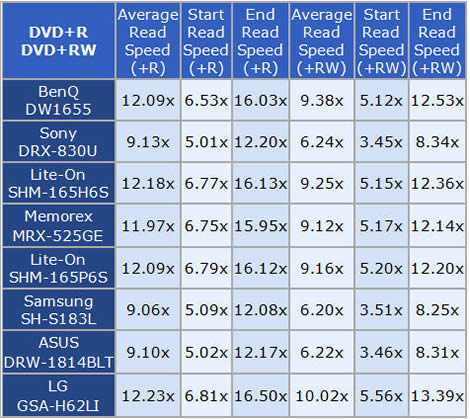
The LG GSA-H62LI was the fastest of our test drives on both types of media.
DVD: DVD-R/RW
For testing the DVD-R and DVD-RW reading performance we used Verbatim discs we used Verbatim 16X DVD-R and 6X DVD-RW. (Thanks to Verbatim USA for sending us this media.) Below you will find our test results.

DVD-R

DVD-RW
We have also provided this table to show how the LG GSA-H62LI compares with other drives at reading these media:

Once again the LG GSA-H62LI was the fastest at reading both the DVD-R and the DVD-RW discs.
DVD: DVD±R DL
For this test we used a Verbatim 8X DVD+R DL disc and a Verbatim 4X DVD–R DL disc filled with 7.96GB of data. (Thanks to Verbatim USA for sending us this media.)

DVD+R DL

DVD-R DL
The LG GSA-H62L reads both media at just above 12X which are the specified capabilities for Double Layered media.
DVD-RAM
For this part of our test we are using a Maxell 12x DVD-RAM filled with 4.27GB of data. Our test results are found below:

The LG GSA-H62LI will read DVD-RAM at 12X; reading this disc in 5 minutes and 37 seconds.
Write Quality
Now we are going to test CD-R discs from different CD-R manufacturers. To measure the write speed we will use the “create data CD” function from within Nero CD-DVD Speed. We wrote these discs at the maximum speed that the drive supports. For the quality test, we used KProbe 2 which is a tool developed by a Lite-On employee. KProbe runs under Windows and works with the drives made by Lite-On. Also note that different drives and different reading speeds may affect the results obtained when scanning the discs. We used a Lite-On CD-RW SOHR-5239V with firmware 2$0B and scanned the discs at 48X speed.
A written CD-R disc will always have some C1 errors; C1 errors are easily corrected by the drive’s error correction capabilities. The next level of errors is C2, while C2 errors could also be corrected by most drive’s error correction capabilities; they are not wanted on a good quality disc. A good disc should not contain any C2 errors, and preferably have an average C1 error amount of below 2.0 for the best quality discs, or at least below 10.0 averages for good quality discs. After C2 errors, there are only un-correctable errors that will make a disc unusable.
So, in short, our analysis will be based on these guidelines to determine the quality of the burned discs:
CD-R/RW quality scans guideline

Below you will see our obtained results:


Verbatim DataLifePlus CD-R burned good with average C1 errors of 0.37 and without C2 errors. This media goes into the “Best” quality discs category.


This Verbatim media – manufactured by CMC Magnetics Corp. burned with a C1 error average of 0.39 and without C2 errors which will place it in the “Best” disc quality category.


Media manufactured by Taiyo Yuden have always enjoyed a good reputation and with this burn resulting in C1 errors of 0.07, without C2 errors places it in the “Best” quality category. This media is highly recommended.


The Sony media burned with C1 error average of 0.56 and no C2 errors which will put this media into the “Best” quality category.


The LG GSA-H62LI also produced C2 errors averaging 0.10 which will put it in the “Poor” quality category in spite of a low C1 average of 0.24.
Writing Quality with Re-Writable discs


High C1 error average of 54.64 and the presence of C2 errors place this media in the “Poor” quality category.
Summary
The LG GSA-H62LI is a fast CD-R writer but is showing questionable results with C2 errors on one of our CD-R test media as well as our CD-RW media.
Nevertheless, this is a DVD-Writer, so head on to next page and read about DVD-Writing performance and DVD media compatibility…
On the next page let’s take a look at the DVD+R/RW Writing Performance…
Write quality
You should first notice that this is not a scientific and professional way to test the discs. But according to our testing done in recent months, we would conclude that there is a clear link between the quality reported when scanning the disc and the playability of the disc in different devices. Also notice that different drives report different amounts of errors. K-Probe was designed to work with Lite-On DVD-Writers. So we recommend using a DVD-Writer from Lite-On, in this test we use either a SHM-165P6S or the SHM-165H6S DVD-Writers, as already said; remember that scans done with a Lite-On DVD-ROM or Lite-On combo drive can’t be compared with the results obtained with a Lite-On DVD-Writer. Also remember that different PI/PO ECC sum settings along with different reading speeds in K-Probe will affect the result, we use these settings; PI (Parity Inner) set to summarize 8 ECC blocks, PIF (Parity Inner Failures) set to summarize 1 ECC block, reading speed: 4X CLV (Constant Linear Velocity). Setting the PI sum to 8 and the PIF sum to 1 will give a result that we may compare to the standards for DVD+R/RW and DVD-R/RW.
But what is a good scan? That is a discussion that we don’t think will end soon, as different drives report different amount of errors, some players are more picky about media than others, and so on. But as a comparison we present you with a scan from two pressed DVD discs:

This scan above shows the results from a pressed, Single Layer DVD-Video disc (Widow on the Hill).

This next scan shows the result from a pressed Double Layer DVD-Video disc (Monster in Law). Notice the error jump when shifting to the second layer (the error levels jump from the end of the first layer to the beginning of the second layer).
If you read below you will see that both the pressed DVD-discs above are well within the standards.
If you want to look at the standards for yourself, download the ECMA 267 Standard for DVD-ROM, the ECMA 337 Standard for DVD+R/RW and the ECMA 338 Standard for DVD-R/RW at http://www.ecma-international.org. Here is some data from the ECMA standards (same for DVD-ROM, DVD-R/RW and DVD+R/RW):
Random errors
A row of an ECC Block that has at least 1 byte in error constitutes a PI error. In any 8 consecutive ECC Blocks the total number of PI errors before correction shall not exceed 280.
Here we see that a PI error is defined as a row in an ECC block having 1 byte or more containing errors and that the sum of PI errors in 8 ECC blocks after each other should not exceed 280 PI errors.
But what is a row and what is an ECC block? Again we refer to the ECMA standards. We do not copy and paste everything, but if you’re interested, look in the ECMA standards. A row is 182 bytes long where the last 10 bytes contain PI (Parity Inner) information. An ECC block is 208 rows long where the last 16 rows contain the PO (Parity Outer) information. This gives us a maximum possible PI error amount of 208 errors per block and for 8 blocks after each other this sum is of course 8 times higher, giving a maximum possible amount of 1664 PI-8 errors. In practical use, a disc with 1664 PI-8 errors is unreadable.
According to our tests the specified max PI-8 sum of 280 for good discs seems to be a good guideline, as some readers have problems reading discs when the PI-8 errors is over 300 and most players starts to have problems when the PI-8 error level reaches 600 or more.
But what are the PIF errors that K-Probe reports? They are Parity Inner Failures, meaning errors left after PI correction. Only the ECMA 337 standard describes the Parity Inner Failures. So how is a Parity Inner Failure defined? Here is what the ECMA 337 states:
“If a row of an ECC Block as defined in 13.3 contains more than 5 erroneous bytes, the row is said to be “PI-un-correctable”.”
In theory, an ECC block may in the worst case have 208 PIF since every ECC block is 208 rows long. But the ECMA 337 standard goes further and specifies the max amount of accepted PI Failures (uncorrectable errors) allowed on a good disc:
“In any ECC Block the number of PI-un-correctable rows should not exceed 4.”
This means that when the PIF sum is set to 1, the maximum error value should not exceed 4. The theoretical maximum value for PIF is 208 errors.
But what makes a disc unreadable? A POF (Parity Outer Failure) error will make the disc unreadable, but K-Probe does not display the POF’s.
Notice that there are other aspects such as disc reflectivity, tracking errors and so on that also will affect the readability of a DVD disc – but for this we do not have measuring equipment available.
Also, another note is that we have scanned the discs at 4X CLV speed, by lowering the speed to 2X (DVD-R/RW)/2.4X (DVD+R/RW) or 1X the amount of reported errors may drop on some discs. We scanned at 4X CLV due to lower speeds taking too much time.
To see if there is a connection between the reported amount of errors and readability of the discs we also include the reading curve from a BenQ DW1655 DVD-Writer which by default are able to read DVD±R media at 16x speed. A small speed reduction near the end is still accepted on good discs, but serious reading problems or reading failures is a bad sign.
Here is an easier explanation on how to read the test results
Maybe this got too technical, and you are wondering what to look for in KProbe reports?
Use this as a guideline for good discs:
· PI (Parity Inner): No larger areas on the disc should exceed 280 PI-8 errors, do not worry too much about high single spikes that exceed 280.
· PIF (Parity Inner Failures): No larger areas on the disc should exceed 4 PIF-1 errors, do not worry too much about high single spikes that exceed 4.
And as always: the lower is better. 
Also look at the reading curve; if it looks clean with no dips it should be good, a small slowdown near the end is accepted.
DVD+R media compatibility and write quality
In these tests we will be using either a Lite-On SHM-165P6S or SHM-165H6S drive along with Kprobe2 to measure the disc quality. We will also be using the BenQ DW1650, DW1655 or the NEC DVD-RW ND-4550A along with Nero CD-DVD Speed for our read-back tests.
Here is what we discovered:


The LG GSA-H62LI burns the MCC004 at 18X with very good quality.


The media burns with good results considering overspeeding at 18X.


The LG GSA-H62LI does a very good job with this media which can be difficult with several burners.


A little high in PIEs, however, the PIFs are low on the Sony D21 media when burned at 18X; smooth read curve with overall good results.


Once again a little high in the PIEs but the PIFs are respectable.


High PIEs and some spikes to 4 in PIFs, still the disc was read without problem on the BenQ.
DVD+RW media compatibility and write quality
The LG GSA-H62LI supports writing to DVD+RW discs at speeds up to 8X. Let’s now take a look at how it handled an 8X burn:


A little high in PIEs, smooth TRT read curve with overall good results.
Summary
The LG GSA-H62LI writes DVD+R/RW with good quality and is able to burn selected media at higher than its rated speed. In contrast, it also writes selected media at lower than its rated speed.
Now let’s take a look at DVD-R/RW performance and quality on the next page
DVD-R media write quality


High PIE levels at the start of the burn, however the PIF were low. All in all a good burn and the read back was smooth.


The LG GSA-H62LI burns this 16X rated media at 18X with a single spike in PIF above 3; overall, very good results with the TYG03 media.


This media produces an overall good burn with the LG GSA-H62LI.


We found the GSA-H62LI to produce a good burn with this media.


High PIF and PIE levels on the second half of the disc coupled with the poor read curve suggests the LG GSA-H62LI might have a difficult time with this media.


PIF spike at the end of the burn but the read back was smooth. The LG GSA-62LI burns this media above its rated speed.
DVD-RW media compatibility and write quality


The drive burned with good results.
Summary
The LG GSA-H62LI wrote our DVD-R/RW media with good results; writing several of our DVD-R test media above its rated speed. We would like to see improvements in the quality of the DVD-RW burns.
The LG GSA-H62LI supports the DVD+R DL/-R DL standard for writing Double Layer/Dual Layer discs with a size around 8.5 GB at a writing speed of 10x.
For these test we used Nero CD-Speed to write both discs at 10X speed. We then used our Lite-On SHM-165H6S along with KProbe to test for disc quality; we then ran the read-back tests on our BenQ DW-1655.
DVD+R DL


The LG GSA-H62LI burned our 8X rated Verbatim media in 13 minutes and 33 seconds. Very high cluster of PIE and PIF at the layer break but surprisingly our BenQ read it back smoothly.
DVD-R DL


The LG GSA-H62LI burned this media at 10X in 14 minutes and 19 seconds with OK result.
The LG GSA-H62LI is a so-called Multi DVD Drive; meaning is also supports writing and reading the DVD-RAM format. Writing at 12X and reading at 12X.
Lets us take a look how the drive performs:


Writing the Maxell 12X without verification

Writing the Maxell 12X with verification
Transfer Rate Test
For those of you who are not familiar with DVD-RAM, you may probably think that something went wrong during the write process with the verification turned on, since the 12x media was written at 5x. But don’t worry, that is pretty normal for DVD-RAM discs. The reason for the lower writing speed is the drive constantly reads back the data after writing it to verify that it’s written correctly. We can also call it a “bullet proof” writing/verify technique, with no data loss/errors.
Positive
- Quiet operation
- Writes both CD-R and CD-RW very fast
- Writes DVD-R and DVD+R fast and with some media above its rated speed.
- Ability to writes DVD+R DL and DVD-R DL above its rated speed
- Supports auto bitsetting (booktype DVD-ROM) on DVD+R and DVD+R DL media
- Writes labels to LightScribe discs
- SATA connection
- Nice OEM software bundle
Negative
- Quality issue when burning a sample of our Taiyo Yuden CD-R media which resulted in 400+ C2 errors.
- Reads pressed DVD-Video SL/DL media at 4.8x.
Conclusion
The main positive points: The LG GSA-H62LI is called “Multi DVD Burner” since it supports recording on all available media formats including CD-R/RW, DVD±R/±RW, DVD±R Double/Dual Layer, and DVD-RAM. It is packed with a comprehensive software suite from CyberLink consisting of Nero Express, Nero InCD, PowerDVD, and PowerProducer which is worth the extra retail price.
The drives operation is very quiet; this is a big plus for us or anyone who appreciates a quiet computer.
The sleek SATA cables are so much more amenable to twists and turns while taking up less space in the chassis; and the days of setting jumpers with these SATA drives are over.
The main negative points: There are a few issues that we would like to mention with hopes of them being improved. The reading of DVD-Video pressed discs at 4.8X speed is one area we would like to see improvement. Write quality with some DVD+R and DVD+R DL is another area we think improvement is needed.
To sum up, this is what we would say: “The LG GSA-H62LI is fast and burns most media with good quality”.
You may comment on this review below or in this forum thread.
Thanks to
 |
Verbatim USA – For providing the media used in this review. |
 |
Maxell USA – For providing the media used in this review. |
 |
Memorex USA – For providing the media used in this review. |
|
|
ExtremeMhz – For providing the Maxell 12x DVD-RAM media used in this review |
 |
Rima.com USA – For providing Taiyo Yuden media used in this review. |
 |
Advanced Media/Ritek-USA – For providing the media used in this review. |
















