 |
Review: Lite-On LH-20A1H |
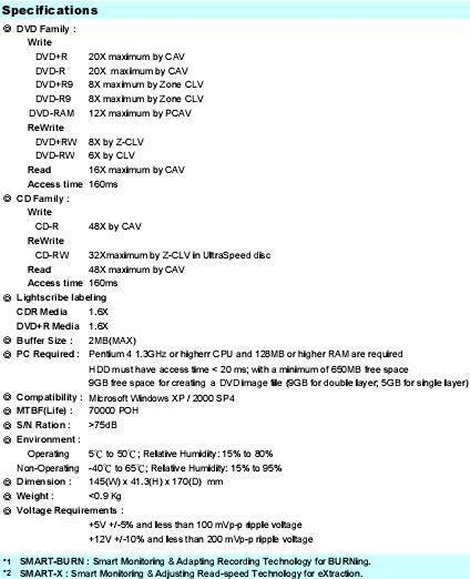
CDFreaks would like to present a review of one of the latest DVD-ReWriters from Lite-On – the Lite-On LH-20A1H. The Lite-On LH-20A1H supports 20x DVD±R, 8x/6x DVD+RW/DVD-RW, 12x DVD-RAM, 8x DVD+R DL/DVD-R DL, allowing Double/Dual Layer discs of 8.5Gb to be written, and Lightscribe technology, allowing direct disc labelling to Lightscribe media.
Company Information:
Let us take a look at some of the company information found at the Lite-On (Europe) Website:
Lite-On IT Corporation is part of the Taiwanese Lite-On Group, which consists of nine consolidated companies. Lite-On Group is a world leading company in digital convergence (3C: Computer, Communications, and Consumer electronics) employing 35,000 people worldwide. Lite-On Group has 45 factories, 29 branch offices, and 4 R&D centers worldwide and generated total revenue of 6 Billion USD in 2004.
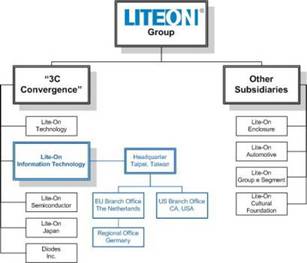
The roots of Lite-On IT lie in Taipei, Taiwan, where Lite-On Electronics Inc. was founded in 1975. Back then the core business consisted of production of clock-display LEDs. Because LED (Light Emitting Diode) formed the mainstay of Lite-On in the early years, the English word "Light" inspired the corporate name.
In the twenty years that followed, Lite-On gradually expanded its business throughout the Asian Pacific region to become a respected Taiwanese manufacturer with various established subsidiaries that form Lite-On Group today.
Company Profile
Lite-On IT started of as a business unit within Lite-On Technology Corporation in 1995. By that time the market for Optical Disc Drives (ODD) was growing very fast, and to be able to play a significant role in this, Lite-On Technology decided to establish a dedicated business unit to produce high quality CD-ROM drives. A large manufacturing facility was established in China to meet all demands and Lite-On soon became Taiwan’s biggest CD-ROM drive manufacturer, and number three worldwide.
Due to the growing success in the ODD market, Lite-On IT transformed from a relatively small business unit to an independent subsidiary of Lite-On Group, producing over 1 million drives per month. In 1999, the foundation of Lite-On IT Corporation as the youngest member of the Lite-On Group was a fact. Besides headquarters in Taipei, branch offices were established in the United States (California) and Europe (The Netherlands).
In the years to follow, Lite-On IT continued its growth in the ODD business, by setting extensive distribution networks in Europe and the United States. With the introduction of more ODD products, like CD-RW, DVD-ROM, COMBO and DVD-RW drives, Lite-On IT increased it’s production from 1 million drives per month in 1999, to no less then 5 million drives per month in 2005. With this unique achievement Lite-On IT became the world’s second biggest ODD manufacturer.
Recognizing the convergence between computers and digital consumer electronics, Lite-On IT is now expanding its business making full use of its knowledge and core-technology in the ODD industry. In 2003 Lite-On introduced its first DVD recorder. With this product, the company made a successful entry in the consumer electronics market. Nowadays, Lite-On IT is not only aiming to provide high quality and high performance IT products, but also high-tech digital audio-video appliances. With more digital consumer products to follow in the future, Lite-On IT is resolute to become a worldwide supplier of digital solutions that promise to illuminate everyone’s life.
Historic Timeline Lite-On IT Corporation
1995 Founded as a business unit in Lite-On Technology Corporation
1997 Opening of production facility in China
1998 No. 1 CD-ROM Manufacturer in Taiwan & No.4 Worldwide
Opening of branch offices in USA and Europe
1999 Production capacity over 1 Million per Month
Spin-off from Lite-On Technology Corporation as
Lite-On IT Corporation
No. 3 CD-ROM Manufacturer Worldwide
2001 Lite-On IT becomes a public listed company
Production capacity over 2 Million per Month
2002 Production Capacity over 3 Million per Month
Slim type Combo starts production
Foundation of business unit “Digital Consumer"
2003 Production Base moves from SJP to GZP (Science Park)
Production capacity over 4 Million per Month
DVD-Rewriter starts production
Launch of first Lite-On DVD Recorder
2005 Production capacity over 5 Million pieces per Month
2006 Opening of regional office in Germany
Lite-On IT becomes No. 2 ODD Manufacturer Worldwide
Management Philosophy
Vision
Lite-On leads the way in 3C convergence, bringing computers, communications, and consumer electronics together to expand the reach and value of technology, to foster new opportunities, and to ensure continued business success.

Our vision is maintained by the core values of our management philosophy:
Quality
High quality standards are the core of every activity and lead to customer loyalty and satisfaction.
Integrity
Integrity fosters trust. We place great value on creating technologies that incorporate the human touch.
Innovation
We honor the spirit of innovation while striving to be creative and responsive to customer needs. This in turn helps strengthen our competitive advantage in the global marketplace.
For more information about the core values of Lite-On Group, please refer to the corporate website: http://www.liteon.com/
Drive Specifications:
What’s inside the box?
In this section we will take a look at what the drive came shipped with and take a look at the drive and its technology.
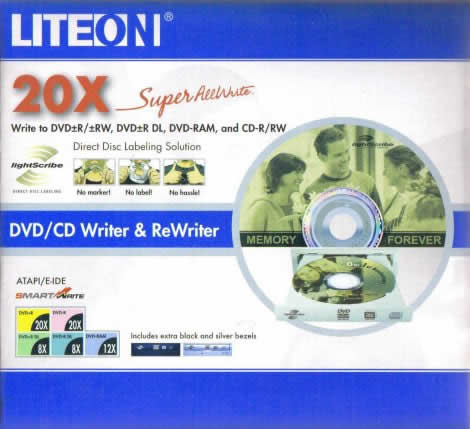
Front
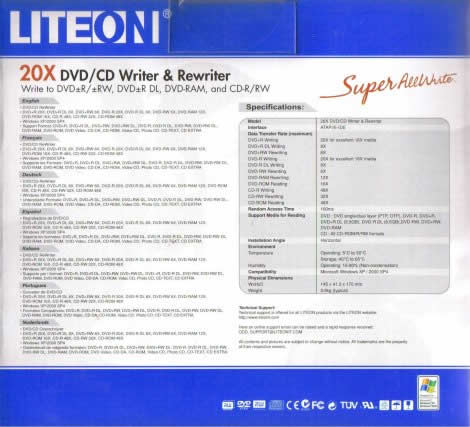
Back
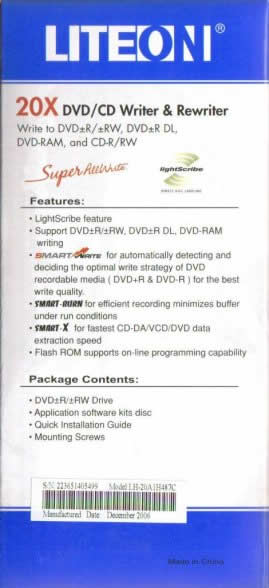
Left Side
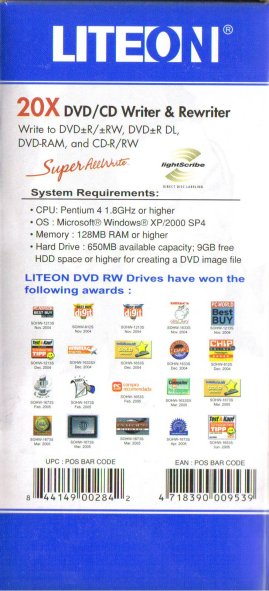
Right Side
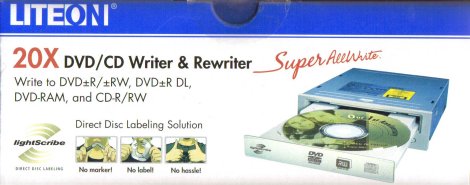
Top
Bottom
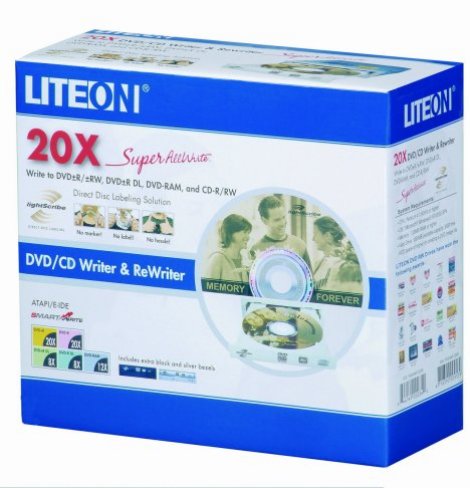
Below you will see the contents of the retail box:
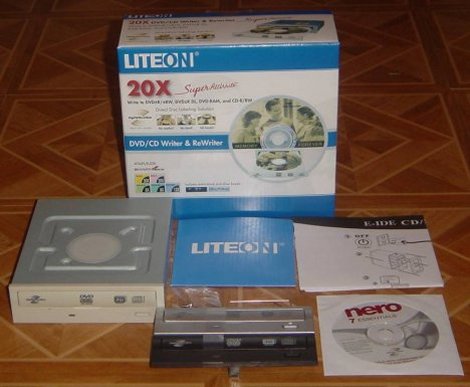
- The internal drive itself
- Silver Bezel
- Black Bezel
- Emergency eject tool
- Mounting screws
- Nero OEM Suite software CD
- Quick installation and front panel replacement guides in several languages
Now it’s time to take a look at the drive itself:
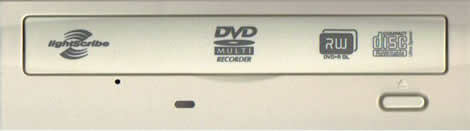
Beige Bezel
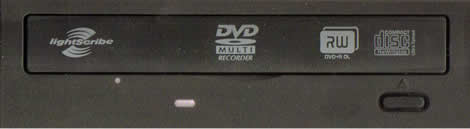
Black Bezel
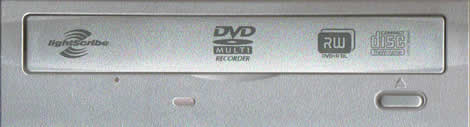
Silver Bezel
The drive came with three really stylish bezels in a simple and clean design that includes four logos, a single green coloured LED (we prefer different LED colours to distinguish between reading and writing operations), an emergency eject hole and an eject button. The logos located on the tray include a LightScribe logo, a DVD Forum DVD-Multi Recorder logo, a DVD Alliance DVD+R DL logo, and a CD-RW Ultra Speed logo.
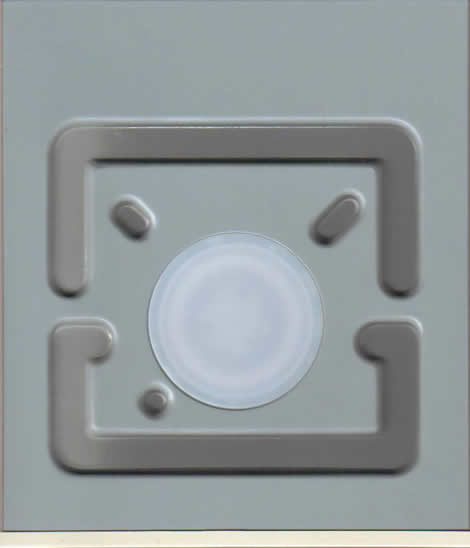
Top
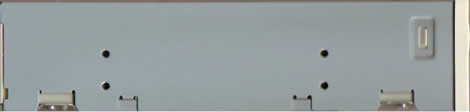
Side
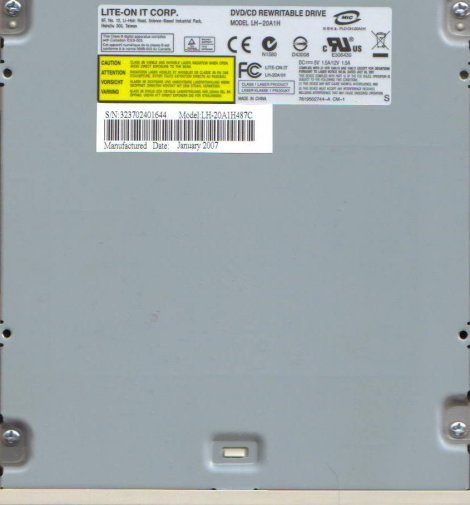
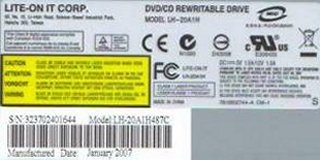
On the underside, we found two stickers and we can read that the drive was made in China – January 2007.
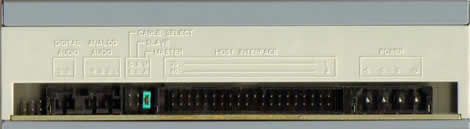
On the back of the drive there are from the left: undocumented pins, Digital Audio connector; analogue audio connector; pins and jumper to set the drive to cable select, slave or master; IDE connector and finally the power connector.
Now, let us install the drive and check out the features on the next page…
Test machine:
For this review we will be using a computer with the following configuration:
Hardware:
- Motherboard: MSI MS-7173
- Processor: Pentium D 3.40 GHz
- RAM: 1GB DDR2
- GFX: Integrated ATI Radeon Xpress 200
- Sound: Onboard Realtek HDAudio
- Hard disk: 250GB GB Hitachi Deskstar HDT722525DLA380 SATA-II
System set-up:

The Lite-On LH-20A1H was connected as Secondary Master, although InfoTool misreported it as Primary Master. The drive identified itself as LITE-ON DVDRW LH-20A1H. DMA (Direct Memory Access) and autorun was enabled for all devices, with the LH-20A1H running in UDMA 4 mode.
And another screenshot from Nero InfoTool below:

From the screenshot from Nero InfoTool above, we can see the Lite-On LH-20A1H does not support CD+G and Mount Rainier. The drive came shipped with firmware version LL06, and was updated to LL07, then LL0A when they became available.
Installed Software:
Windows XP Professional is installed on the computer along with Service Pack 2 for Windows XP. We will be using the following software in this review:
- Nero CD/DVD Speed
- Nero InfoTool
- KProbe v2.5.2
- EAC
- SureThing CD/DVD Labeller
Features and techniques:
The Internals:

The internals

The drive uses the MediaTek MT1898LE chipset.
SMART-BURN:
(Smart Monitoring & Adapting Recording Technology for BURNing)
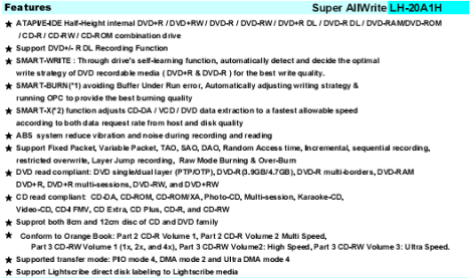
· SMART-BURN is the abbreviation of “Smart Monitoring & Adapting Recording Technology for BURNing", innovated CD-RW technology by LITE-ON IT, will be introduced to other products in the future.
· Users always want to successfully burn a disc with a higher speed in CD-RW drive. You may know, there are so many brands of CD-R / CD-RW media in the market with irregular quality & still being cost down in the price war.
· If your CD-R / CD-RW media quality is really poor enough or working environment is too hot to induce the Laser Power over margin, the CD-RW drive detected, the burning speed will be forced to decrease to get more reliable Laser working power to secure the life of CD-RW drive & burning quality strategy parameters plus the outstanding running Optimum Power Calibration (OPC) function to provide you the best burning quality.
· The buffer under run error is also no longer happened to your drive anymore, SMART-BURN also can allow drive to be suspended during writing, than continue to burn from last point when enough data get in the buffer.
· SMART-BURN features :
o Buffer Under Run Error Free
o Running Optimum Power Calibration
o Automatic Writing Strategy & Burning Parameters
o Automatically decrease burning speed when Laser power over margin due to poor media quality or high temperature

SMART-X:
(Smart Monitoring & Adjusting Read-speed Technology for eXtraction)
· SMART-X is the abbreviation of Smart Monitoring & Adjusting Read-speed Technology for eXtraction, which is LITE-ON innovated technology after being verified & improved for a long period before get into mass production.
· People ask "What’s the DAE speed?", "What’s VCD play speed of the drive?"…etc. People want to know this to choose party drive. As you know, removable optical media is so open & unable to control the media quality. Drive need to burn a disc with higher speed & quality as possible. So the drive needs to be very smart!
· It’s more difficult for drive to rip the Audio & VCD disc than a data disc due to there are only 2 levels error correction for Audio & VCD disc but data disc got 3. For limited un-recoverable error data can be fixed by estimation & calculation due to it’s only for music & movie application. These tolerance ripped data are acceptable & can not be detected by human eyes & ears during playback because there is no pop-noise, interrupt or mosaic on the screen. Of course zero error is preferable for zero tolerance.
· SMART-X technology is the drive will rip the music / VCD data as fast as possible with less error, even on a poor quality media ( like dirty, scratched ) , the drive will estimate if the ripped data will result audio noise, interrupt or mosaic on screen, the rip speed can be reduced to get more correctable data. SMART-X provide you as fast rip speed as possible, on the other, if you just want to listen music or watch movie directly, it’s not necessary for the drive to keep high speed to read data. It will work under lower speed automatically to get better playability & lower acoustic, so smart!
ABS - Auto Balancer Spindle:

· Steel balls as balancer within spindle motor will be settled into right positions during spin up period ( that’s the reason why a little noise during drive spin up to read a disc ) to compensate imbalance of the disc when rotating at very high speed.
· The ABS mechanism can fit from CD-ROM 32x design up to 56x or higher speed that the spindle motor can even works over 10000 rpm with very small vibration generate
Once again back to Smart-Burn. In the latest Official version of this tool we can also find two very interesting and important new functions. These new functions are called OverSpeed (OS) and HyperTuning (HT).
OverSpeed (OS):
OS can let you burn a disc one level above its rated speed.
Smart-Write™ - HyperTuning (HT):
HyperTuning is a so called “Smart-Write™” technology for DVD+/-R and DVD+/-R DL media. Its technology enables the drive to learn a write strategy for unsupported media or for media where you are not satisfied with the quality of the burn when the regular strategy was used. Further, it can give you better results when you use lower quality media with a stronger variation of the disc quality itself.

BookType (Bitsetting):
The Lite-On LH-20A1H supports Bitsetting, and will as default write DVD+R DL media with DVD-ROM BookType. The Bitsetting can be changed in i.e. Nero CD/DVD Speed:

Here is how you can check if your discs are really written with the DVD-ROM BookType:
Start Nero CD-DVD Speed and click the Disc info tab and you should get something like this:

DVD+R media with DVD-ROM BookType

DVD+RW media with DVD-ROM BookType

DVD+R DL media with DVD-ROM BookType
Another quick test is to start Nero CD-Speed and look at the disc information:

This should say DVD-ROM
Quality Scans:
The Lite-On LH-20A1H can be used to measure/scan burned discs for their quality via Nero CD-DVD Speed or KProbe. This can be handy to check and get an impression of which state/condition the burned discs are in.

Quality Scan at 4x
Writing Technology:
20x DVD±R writing speed:

The Lite-On LH-20A1H uses CAV (Constant Angular Velocity) to write DVD+R at 20x. The average speed is 14.69x and total writing time is 5:01 minutes.

The Lite-On LH-20A1H uses CAV (Constant Angular Velocity) to write DVD-R at 20x. The average speed is 14.72x and total writing time is 5:02 minutes.
For comparison we have made the following table:
|
16x |
Supported |
Write |
Start |
End |
Average |
Write |
|
Samsung |
18x +R |
CAV |
7.54x |
18.12x |
13.21x |
5m:34s |
|
Optiarc |
18x +R |
CAV |
7.53x |
18.02x |
13.26x |
5m:26s |
|
Plextor |
18x +R |
CAV |
7.23x |
18.00x |
12.41x |
5m:34s |
|
Lite-On |
20x +R |
CAV |
8.18x |
19.63x |
14.69x |
5m:01s |
As we can see from our table, the Lite-On LH-20A1H was the fastest drive when writing DVD±R media.
8x DVD+RW writing speed:

The Lite-On LH-20A1H uses Z-CLV (Zoned Constant Linear Velocity) to write DVD+RW at 8x. The average speed is 7.25x and the total writing time is 8:19 minutes.
For comparison we have made the following table:
|
DVD+RW |
Writing |
Average |
Writing |
|
Pioneer |
8x Z-CLV |
7.83x |
7m:26s |
|
Plextor |
8x P-CAV |
7.87x |
7m:15s |
|
Lite-On |
8x Z-CLV |
7.25x |
8m:19s |
The Lite-On LH-20A1H was the slowest drive at writing our DVD+RW media at 8x.
6x DVD-RW writing speed:

The Lite-On LH-20A1H uses Z-CLV (Zoned Constant Linear Velocity) to write DVD-RW at 6x. The average speed is 5.77x and the total writing time is 11:01 minutes.
For comparison we have made the following table:
|
DVD-RW |
Writing |
Average |
Writing |
|
Pioneer |
6x CLV |
6.01x |
9m:56s |
|
Plextor |
6x CLV |
6.03x |
10m:00s |
|
Lite-On |
6x Z-CLV |
5.77x |
11m:01s |
Due its Z-CLV writing technology, the drive was slightly slower then other tested drives at writing DVD-RW media.
8x DVD+R DL writing speed:

The Lite-On LH-20A1H uses Z-CLV (Zoned Constant Linear Velocity) to write DVD+R DL at 8x. The average speed is 6.82x and the total writing time is 17:47 minutes.
8x DVD-R DL writing speed:

The Lite-On LH-20A1H uses Z-CLV (Zoned Constant Linear Velocity) to write DVD+R DL at 8x. The average speed is 6.82x and the total writing time is 18:20 minutes.
For comparison we have made the following table:
|
DVD DL |
Size |
Writing |
Writing |
Book |
|
Plextor |
8152MB |
DVD+R DL 10x |
14m:14s |
DVD-ROM |
|
Pioneer |
8152MB |
DVD+R DL 8x |
17m:03s |
DVD-ROM |
|
Plextor |
8152MB |
DVD+R DL 10x |
13m:55s |
DVD-ROM |
|
Lite-On |
8152MB |
DVD+R DL 8x |
17m:47s |
DVD-ROM |
The Lite-On LH-20A1H performed average when writing both DVD+R DL and DVD-R DL media.
48x CD-Recordable:

The Lite-On LH-20A1H uses CAV (Constant Angular Velocity) to write CD-R at 48x. The average speed is 37.46x and total writing time is 2:39 minutes.
For comparison we made the following table:
|
CD-R |
Supported |
Write |
Start |
End |
Average |
Write |
|
NEC |
48x |
CAV |
21.41x |
47.92x |
36.32x |
3m:02s |
|
Philips |
48x |
CAV |
21.33x |
48.06x |
35.53x |
3m:04s |
|
Samsung |
48x |
CAV |
21.88x |
48.36 |
37.21x |
2m:52s |
|
Samsung |
48x |
CAV |
21.94x |
48.24x |
37.30x |
2m:52s |
|
Lite-On |
48x |
CAV |
22.03x |
49.42x |
37.46x |
2m:39s |
As we can see, the Lite-On LH-20A1H was the fastest drive when it comes to writing CD-R media.
32x CD-ReWritable:

Lite-On LH-20A1H uses Z-CLV (Zoned Constant Linear Velocity) to write CD-RW at 32x. The average speed is 25.02x and the total writing time is 3:59 minutes.
For comparison we have made the following table:
|
CD-RW |
Supported |
Write |
Start |
End |
Average |
Write |
|
NEC |
32x |
Z-CLV |
20.08x |
32.00x |
29.71x |
3m:11s |
|
Philips |
32x |
P-CAV |
21.37x |
32.16x |
29.77x |
3m:20s |
|
Samsung |
32x |
Z-CLV |
16.09x |
32.30x |
28.44x |
3m:35s |
|
Samsung |
32x |
Z-CLV |
16.01x |
32.02x |
28.28x |
3m:38s |
|
Lite-On LH-20A1H |
32x |
Z-CLV |
16.06x |
32.13x |
25.02x |
3m:59s |
As we can see, the Lite-On LH-20A1H was a little slower compared to our other drives when writing CD-RW media.
Note: we did not test any DVD-RAM media in this review.
On the next page: Reading performance…
Reading performance:
For these tests we will use Nero CD-DVD Speed to read various CD and DVD’s, including audio discs and DVD-media.
Pressed discs:
For this test we used a pressed CD-ROM disc containing Hercules Radeon 9200 install software that is just over 75 minutes long. Below you will see the produced result:

The Lite-On LH-20A1H reached 47.74x read speed. Let’s compare it with some other drives below.
|
Pressed |
Average |
Start |
End |
Seek |
Seek |
Seek |
|
NEC |
34.75x |
19.87x |
45.99x |
128ms |
136ms |
216ms |
|
NEC |
34.71x |
20.01x |
45.97x |
135ms |
145ms |
222ms |
|
Philips |
35.70x |
20.13x |
47.29x |
106ms |
124ms |
176ms |
|
Samsung |
35.75x |
17.35x |
47.38x |
95ms |
95ms |
169ms |
|
Samsung |
35.58x |
19.75x |
47.10x |
99ms |
95ms |
169ms |
|
Lite-On |
36.04x |
21.33x |
47.74x |
100ms |
111ms |
170ms |
The Lite-On LH-20A1H was the fastest drive at reading our test CD-ROM. Access and seek times were also pretty good.
CD-Recordable Discs:
For this test, we made a copy of the original Hercules Radeon 9200 install CD. The disc we used was a Verbatim 52X certified CD-R disc manufactured by Taiyo Yuden.

The Lite-On LH-20A1H reached 48.11x read speed. Let’s compare it with some other drives below.
|
CD-R |
Average |
Start |
End |
Seek |
Seek |
Seek |
|
NEC |
35.60x |
20.74x |
47.01x |
134ms |
136ms |
210ms |
|
NEC |
35.53x |
20.67x |
46.77x |
187ms |
146ms |
218ms |
|
Philips |
36.54x |
20.94x |
48.27x |
104ms |
113ms |
169ms |
|
Samsung |
30.82x |
16.85x |
40.66x |
88ms |
90ms |
157ms |
|
Samsung |
30.65x |
17.28x |
40.52x |
92ms |
90ms |
162ms |
|
Lite-On |
36.38x |
21.32x |
48.11x |
98ms |
110ms |
159ms |
Again, the Lite-On LH-20A1H was among the fastest drives. This time with our CD-R test disc, the seek times are very good too.
CD-Rewritable discs:
Again, we made a copy of the original Hercules Radeon 9200 install CD; this time we used a Verbatim Ultra Speed+ (32X) CD-RW disc made by Mitsubishi Chemicals Corporation.

The drive is locked around 32x while reading CD-RWs. Let’s compare it with some other drives below.
|
CD-RW |
Average |
Start |
End |
Seek |
Seek |
Seek |
|
NEC |
30.66x |
17.92x |
40.12x |
134ms |
141ms |
214ms |
|
NEC |
30.63x |
17.94x |
40.08x |
171ms |
166ms |
317ms |
|
Philips |
30.75x |
17.67x |
40.55x |
106ms |
115ms |
170ms |
|
Samsung |
30.84x |
17.52x |
40.68x |
87ms |
90ms |
159ms |
|
Samsung |
30.65x |
16.43x |
40.44x |
91ms |
90ms |
163ms |
|
Lite-On |
25.87x |
15.14x |
34.20x |
108ms |
121ms |
197ms |
The Lite-On LH-20A1H was the slowest drive when reading CD-RW media.
100 minutes CD:
We used Nero CD-DVD Speed to measure the transfer rate. The 100 min disc we used is slightly larger than the disc used for the other tests, to be exact it is 99 minutes and 57 seconds long.

Audio – Digital Audio Extraction:
To test the digital audio extraction performance of the Lite-On LH-20A1H, again we used Nero CD/DVD-Speed to measure the transfer rate. The audio disc we used is about 77 minutes in length (77:07:10 min).

The Lite-On LH-20A1H reached 48.73x when reading our test audio disc. Let’s compare it with some drives below.
|
Audio |
Average |
Start |
End |
Seek |
Seek |
Seek |
|
NEC |
31.33x |
17.97x |
40.11x |
123ms |
138ms |
220ms |
|
NEC |
31.30x |
17.89x |
40.13x |
122ms |
142ms |
222ms |
|
Philips |
37.42x |
20.09x |
49.65x |
107ms |
125ms |
173ms |
|
Samsung |
31.55x |
17.57x |
41.85x |
86ms |
101ms |
172ms |
|
Samsung |
31.39x |
17.68x |
41.61x |
88ms |
104ms |
181ms |
|
Lite-On |
36.75x |
21.69x |
48.73x |
96ms |
106ms |
165ms |
The Lite-On LH-20A1H was one of the fastest drives when reading our audio test CD.
Audio Extraction:
For this test we used EAC (Exact Audio Copy) to test the drive’s Audio extraction performance. As we can see from the screenshot below, the drive supports accurate stream and C2 error info and caching.

Below are the results produced by EAC:


The Lite-On LH-20A1H performed excellent in burst mode but was much slower in secure mode.
Advanced audio – DAE quality test:
Before we move on to testing DVD read speeds, we will take a last audio test, and this time we used the “Advanced DAE Quality Test” feature in CD-Speed. For this test we used a Sony CD-R DA media, manufactured by Taiyo Yuden.

The digital audio extracting quality is excellent and the drive is reported to support all advanced features.
DVD reading performance:
Again, we will use Nero CD-DVD Speed to measure the reading performance, this time for various types of DVD discs. The drive should read pressed single layer DVD-discs at 16X.
DVD – DVD-Video:
For our DVD reading performance tests we are going to start with a single and dual layered DVD video discs. While only 1X speed is required to watch DVD movies, it’s useful to be able to read the discs at higher speeds if you’re going to extract (rip) the content of the disc to your hard drive.

DVD-Video Single Layer

DVD-Video Double Layer (OTP)
As we can see, it reads DVD-Video Single layer at 16x and DVD-Video Double layer at 12x.
|
DVD |
Average |
Start |
End |
Average |
Start |
End |
|
NEC |
11.84x |
6.57x |
15.82x |
8.90x |
4.95x |
11.83x |
|
NEC |
11.83x |
6.56x |
15.77x |
8.89x |
4.94x |
11.82x |
|
Philips |
12.00x |
6.64x |
15.99x |
9.05x |
5.00x |
12.04x |
|
Samsung |
12.12x |
6.78x |
16.16x |
6.44x |
3.60x |
8.57x |
|
Samsung |
12.06x |
6.66x |
16.07x |
6.41x |
3.58x |
8.52x |
|
Lite-On |
11.98x |
6.63x |
16.00x |
8.92x |
5.11x |
11.49x |
The Lite-On LH-20A1H performed very well in these tests.
DVD – DVD+R/RW:
For this test, we used one DVD+R and one DVD+RW with about 4.4Gb of data. Below are the results:
DVD+R:

DVD+RW:

|
DVD+R |
Average |
Start |
End |
Average |
Start |
End |
|
NEC |
11.93x |
6.53x |
15.95x |
9.79x |
5.40x |
13.08x |
|
NEC |
11.95x |
6.59x |
15.98x |
9.79x |
5.37x |
13.08x |
|
Philips |
9.38x |
5.13x |
12.53x |
9.38x |
5.13x |
12.54x |
|
Samsung |
9.15x |
5.03x |
12.22x |
6.24x |
3.45x |
8.34x |
|
Samsung |
9.09x |
5.02x |
12.16x |
6.21x |
3.43x |
8.29x |
|
Lite-On |
12.22x |
5.59x |
16.35x |
9.27x |
5.16x |
12.39x |
Again, the Lite-On LH-20A1H performed excellent in our DVD+R/+RW read tests. It was the fastest drive when reading DVD+R and about average when reading DVD+RW media.
DVD – DVD-R/RW:
For this test, we used one DVD-R disc and one DVD-RW disc filled with about 4.4Gb of data. Our test results are found below:
DVD-R:

DVD-RW:

There are hardly any differences in the speed, compared to reading the DVD+R/RW discs.
|
DVD-R |
Average |
Start |
End |
Average |
Start |
End |
|
NEC |
11.97x |
6.58x |
16.01x |
9.78x |
5.37x |
13.07x |
|
NEC |
11.98x |
6.56x |
15.98x |
9.78x |
5.37x |
13.07x |
|
Philips |
9.37x |
5.13x |
12.53x |
9.38x |
5.13x |
12.53x |
|
Samsung |
9.18x |
5.08x |
12.26x |
6.24x |
3.44x |
8.34x |
|
Samsung |
9.12x |
5.05x |
12.19x |
6.22x |
3.43x |
8.31x |
|
Lite-On |
12.23x |
5.63x |
16.34x |
9.25x |
5.15x |
12.36x |
The Lite-On LH-20A1H performed excellent when reading our DVD-R/RW test discs.
DVD – DVD+R DL:
For this test, we used one DVD+R DL disc and the result can be found below:

The Lite-On LH-20A1H reads DVD+R DL media with up to 12x speed.
DVD – DVD-R DL:
For this test, we used one DVD-R DL disc and the result can be found below:

The Lite-On LH-20A1H reads DVD-R DL media with up to 12x speed.
Summary:
The Lite-On LH-20A1H proved to be an excellent and very fast reader with no problems reading all our test discs.
Now let’s head over to the next page where we will test CD-R/RW writing performance……
CD-R/RW Writing Performance:
The specifications of the Lite-On LH-20A1H state that the drive is able to write CD-R discs at 48x and CD-RW at 32x. Let us find out how the drive really performs in speed and quality.
Writing Data CD-R/RW discs:
For our data writing tests, we simply set up a new compilation of 703Mb using Nero Burning ROM software. Writing method used is DAO (Disc At Once), and the disc is set up as a non-multisession disc with “finalize disc” enabled. The screenshot below shows how long it takes to write a disc at the highest speed (48x).
CD-R:

The Lite-On LH-20A1H took 2 minutes and 45 seconds to write the disc at 48x. Let us see how this compares to other drives in the table below:
|
Nero Burning Rom |
Write |
Total |
|
Lite-On |
48x |
3m:20s |
|
Plextor |
40x |
3m:16s |
|
Plextor |
48x |
2m:43s |
|
Pioneer |
40x |
3m:28x |
|
Plextor |
48x |
2m:54s |
|
Lite-On |
48x |
2m:45s |
The Lite-On LH-20A1H was one of the fastest drives when writing our test CD-R media.
CD-R Writing Quality
We will test CD-R discs from many different CD-R manufacturers. To really measure the write speed, we used the “create data CD” function in Nero CD-Speed. The discs were written at the maximum speed that the drive supports. For the quality test, we used K-Probe 2 which is a tool developed by a Lite-On employee. It runs under Windows and works with drives made by Lite-On. Also note that different drives and different reading speeds may affect the results obtained when scanning the discs. We used a Lite-On SOHR-5239S drive with firmware 2S0B and scanned the discs at 48X speed.
A written CD-R disc will always have some C1 errors; C1 errors are easily corrected by the drive’s error correction capabilities. The next level of errors is C2, while C2 errors could also be corrected by most drive’s error correction capabilities; they are not wanted on a good quality disc. A good disc should not contain any C2 errors, and preferably have an average C1 error amount of below 2.0 for the best discs, or at least below 10.0 averages for good quality discs. After C2 errors, there are only uncorrectable errors that will make a disc unusable.
Below are our results:


|
Brand: |
Verbatim |
|
Manufacturer: |
Taiyo Yuden |
|
Code: |
97m24s01f |
|
Disc Type: |
CD-R |
|
Recording Layer: |
Dye Type 1: Long Strategy (Cyanine, AZO) |
|
Capacity: |
79:57.72 (703MB) |
|
Certified Speed: |
48x |
|
Write Speed: |
48x (CAV) |
|
Write Time: |
3m:01s |
|
C1 Average/Sec: |
0.29 |
|
C2 Average/Sec: |
0.0 |
An excellent result from this Verbatim branded Taiyo Yuden CD-R. A C1 average of 0.29 places this media into the “best quality discs” category.


|
Brand: |
Ricoh |
|
Manufacturer: |
Moser Baer India Limited |
|
Code: |
97m17s06f |
|
Disc Type: |
CD-R |
|
Recording Layer: |
Dye Type 6: Short Strategy (Phthalocyanine) |
|
Capacity: |
79:59.72 (703MB) |
|
Certified Speed: |
48x |
|
Write Speed: |
48x (CAV) |
|
Write Time: |
3m:12s |
|
C1 Average/Sec: |
1.12 |
|
C2 Average/Sec: |
0.0 |
This Ricoh-branded media burned very well, recommended.


|
Brand: |
HP |
|
Manufacturer: |
CMC Magnetics |
|
Code: |
97m26s66f |
|
Disc Type: |
CD-R |
|
Recording Layer: |
Dye Type 6: Short Strategy (Phthalocyanine) |
|
Capacity: |
79:57.72 (703MB) |
|
Certified Speed: |
52x |
|
Write Speed: |
48x (CAV) |
|
Write Time: |
3m:01s |
|
C1 Average/Sec: |
5.42 |
|
C2 Average/Sec: |
0.0 |
As we can see, the C1 average for this disc is 5.42, so a good result from this HP media.


|
Brand: |
Infiniti |
|
Manufacturer: |
SKC |
|
Code: |
97m26s26f |
|
Disc Type: |
CD-R |
|
Recording Layer: |
Dye Type 6: Short Strategy (Phthalocyanine) |
|
Capacity: |
79:59.26 (703MB) |
|
Certified Speed: |
52x |
|
Write Speed: |
48x (CAV) |
|
Write Time: |
3m:02s |
|
C1 Average/Sec: |
3.36 |
|
C2 Average/Sec: |
0.0 |
A good result from this Infiniti-branded SKC media.


|
Brand: |
Traxdata – Thanks to Conrexx Europe for sending us this media. |
|
Manufacturer: |
RiTEK |
|
Code: |
97m15s17f |
|
Disc Type: |
CD-R |
|
Recording Layer: |
Dye Type 6: Short Strategy (Phthalocyanine) |
|
Capacity: |
79:57.70 (703MB) |
|
Certified Speed: |
52x |
|
Write Speed: |
48x (CAV) |
|
Write Time: |
3m:01s |
|
C1 Average/Sec: |
3.27 |
|
C2 Average/Sec: |
0.0 |
Again, a good result for this Traxdata branded Ritek media.


|
Brand: |
Miflop Extreme Printable |
|
Manufacturer: |
Taiyo Yuden |
|
Code: |
97m24s01f |
|
Disc Type: |
CD-R |
|
Recording Layer: |
Dye Type 1: Long Strategy (Cyanine, AZO) |
|
Capacity: |
79:59.35 (703MB) |
|
Certified Speed: |
48x |
|
Write Speed: |
48x (CAV) |
|
Write Time: |
3m:03s |
|
C1 Average/Sec: |
0.87 |
|
C2 Average/Sec: |
0.0 |
An excellent result again with Taiyo Yuden media, this time Miflop branded. Highly recommended.
Overall thoughts:
For the most part, the Lite-On LH-20A1H burns CD-R media with excellent to very good quality.
Now let us check if the CD-RW writing performance matches the CD-R writing performance…
CD-RW Writing Quality
For these tests we will be using 3 different CD-RW media from 2 different manufacturers.
To really measure the write speed, we used the 'create data CD" function in Nero CD-Speed. The discs were written at the maximum speed that the drive supports.
For the quality test, we used K-Probe 2 which is a tool developed by a Lite-On employee. It runs under Windows and works with drives made by Lite-On. Also note that different drives and different reading speeds may affect the results obtained when scanning the discs. We used our review drive and scanned the discs at 48X speed.
A written CD-RW disc will always have some C1 errors; C1 errors are easily corrected by the drive's error correction capabilities. The next level of errors is C2, while C2 errors could also be corrected by most drive's error correction capabilities; they are not wanted on a good quality disc. A good disc should not contain any C2 errors, and preferably have an average C1 error amount of below 2.0 for the best discs, or at least below 10.0 averages for good quality discs. After C2 errors, there are only un-correctable errors that will make a disc unusable.


|
Brand: |
Verbatim Ultra Speed 32x – Thanks to Verbatim (UK) for sending us this media. |
|
Manufacturer: |
Mitsubishi Chemicals Corporation |
|
Code: |
97m34s25f |
|
Disc Type: |
Ultra Speed CD-RW 32x |
|
Recording Layer: |
Phase Change |
|
Capacity: |
79:59.74 (703MB) |
|
Certified Speed: |
32x |
|
Write Speed: |
32x (Z-CLV) |
|
Write Time: |
3m:26s |
|
C1 Average/Sec: |
6.22 |
|
C2 Average/Sec: |
0.00 |
A good result from this media.


|
Brand: |
Traxdata – Thanks to Conrexx Europe for sending us this media. |
|
Manufacturer: |
RiTEK |
|
Code: |
97m10s00f |
|
Disc Type: |
High Speed CD-RW 4x-12x |
|
Recording Layer: |
Phase Change |
|
Capacity: |
79:29.25 (703MB) |
|
Certified Speed: |
4x-12x |
|
Write Speed: |
10x (CLV) |
|
Write Time: |
8m:59s |
|
C1 Average/Sec: |
0.86 |
|
C2 Average/Sec: |
0.00 |
A very good result, however this is probably due to the 10x CLV write speed, which was all the drive would allow us for this media.

|
Brand: |
Verbatim Ultra Speed 24x – Thanks to Verbatim (UK) for sending us this media. |
|
Manufacturer: |
Mitsubishi Chemicals Corporation |
|
Code: |
97m34s24f |
|
Disc Type: |
Ultra Speed CD-RW 24x |
|
Recording Layer: |
Phase Change |
|
Capacity: |
79:59.74 (703MB) |
|
Certified Speed: |
24x |
|
Write Speed: |
24x (Z-CLV) |
|
Write Time: |
4m:15s |
|
C1 Average/Sec: |
0.15 |
|
C2 Average/Sec: |
0.00 |
An excellent result with this Verbatim media, this time 24x rated.
Overall thoughts:
The CD-RW writing performance of this drive is mostly above average. There are almost no problems when burning well known high quality media.
Now let's head on to the DVD+R/+RW writing performance...
DVD+R/RW Writing performance:
In this test we will measure the time for writing to DVD±R discs. We used Nero Burning Rom to burn an ISO compilation containing 4483Mb of data. We used the Disc-At-Once write method.

DVD+R

DVD-R
Let’s compare with some other drives.
|
Write DVD data discs |
DVD+R |
DVD-R |
|
Plextor |
5m:40s |
5m:46s |
|
Samsung |
5m:31s |
5m:21s |
|
Lite-On |
5m:10s |
5m:08s |
We can see that with its 20x writing speed, the Lite-On LH-20A1H was the fastest drive when writing DVD+R/-R, but let’s see how good the writing quality is.
Write quality:
You should first notice that this is not a scientific and professional way to test the discs. But according to our testing done in recent months, we would conclude that there is a clear link between the quality reported when scanning the disc and the playability of the disc in different devices. Also notice that different drives report different amounts of errors. K-Probe was designed to work with Lite-On DVD-Writers, so we recommend using a DVD-Writer from Lite-On. In this test we use a Lite-On LH-20A1H DVD-Writer, as already said; remember that scans done with a Lite-On DVD-ROM or Lite-On combo drive can’t be compared with the results obtained with a Lite-On DVD-Writer. Also remember that different PI/PO ECC sum settings along with different reading speeds in K-Probe will affect the result, we use these settings; PI (Parity Inner) set to summarize 8 ECC blocks, PIF (Parity Inner Failures) set to summarize 1 ECC block, reading speed: 4X CLV (Constant Linear Velocity). Setting the PI sum to 8 and the PIF sum to 1 will give a result that we may compare to the standards for DVD+R/RW and DVD-R/RW.
But what is a good scan? That is a discussion that we don’t think will end soon, as different drives report different amount of errors, some players are more picky about media than others, and so on. But as a comparison we present you with a scan from two pressed DVD discs:

This scan shows the results from a pressed DVD-Video disc (GoldenEye).

This scan shows the result from a pressed DVD-Video disk (The Green Mile). Notice the error jump when shifting to the second layer (the error level actually drops from the end of the first layer to the beginning of the second layer).
If you read below, you will see that both the pressed DVD-discs are well within the standards.
Download the ECMA 267 Standard for DVD-ROM, the ECMA 337 Standard for DVD+R/RW and the ECMA 338 Standard for DVD-R/RW at http://www.ecma-international.org if you want to look at the standards for yourself. Here is some data from the ECMA standards (same for DVD-ROM, DVD-R/RW and DVD+R/RW):
Random errors:
A row of an ECC Block that has at least 1 byte in error constitutes a PI error. In any 8
consecutive ECC Blocks the total number of PI errors before correction shall not exceed 280.
Here we see that a PI error is defined as a row in an ECC block having 1 byte or more containing errors and that the sum of PI errors in 8 ECC blocks after each other should not exceed 280 PI errors.
But what is a row and what is an ECC block? Again we refer to the ECMA standards. We do not copy and paste everything, but if you’re interested, look in the ECMA standards. A row is 182 bytes long where the last 10 bytes contain PI (Parity Inner) information. An ECC block is 208 rows long where the last 16 rows contain the PO (Parity Outer) information. This gives us a maximum possible PI error amount of 208 errors per block and for 8 blocks after each other this sum is of course 8 times higher, giving a maximum possible amount of 1664 PI-8 errors. In practical use, a disc with 1664 PI-8 errors is unreadable.
According to our tests the specified max PI-8 sum of 280 for good discs seems to be a good guideline, as some readers have problems reading discs when the PI-8 errors is over 300 and most players starts to have problems when the PI-8 error level reaches 600 or more.
But what are the PIF errors that K-Probe reports? They are Parity Inner Failures, meaning errors left after PI correction. Only the ECMA 337 standard describes the Parity Inner Failures. So how is a Parity Inner Failure defined? Here is what the ECMA 337 states:
“If a row of an ECC Block as defined in 13.3 contains more than 5 erroneous bytes, the row is said to be “PI-un-correctable”.”
In theory, an ECC block may in the worst-case have 208 PIF since every ECC block is 208 rows long. But the ECMA 337 standard goes further and specifies the max amount of accepted PI Failures (un-correctable errors) allowed on a good disc:
“In any ECC Block the number of PI-un-correctable rows should not exceed 4.”
This means that when the PIF sum is set to 1, the maximum error value should not exceed 4. The theoretical maximum value for PIF is 208 errors.
But what makes a disc unreadable? A POF (Parity Outer Failure) error will make the disc unreadable, but K-Probe does not display the POF’s.
Notice that there are other aspects such as disc reflectivity, jitter, tracking errors and so on that also will affect the readability of a DVD disc – but for this we do not have measuring equipment available.
Also, another note is that we have scanned the discs at 4X CLV speed, by lowering the speed to 2X(DVD-R/RW)/2.4X(DVD+R/RW) or 1X the amount of reported errors may drop on some discs. We scanned at 4X CLV due to lower speeds taking too much time.
To see if there is a connection between the reported amount of errors and readability of the discs we also include the reading curve from an NEC ND-4551A DVD-Writer. The reason why we have changed the reader is that some companies disliked that we used a modified firmware to obtain 16x reading speed. So to please them, we are now using a drive that reads DVD+R/-R media at 16x as default. A small speed reduction near the end is still accepted on good discs, but serious reading problems or reading failures is a bad sign.
Easier explanation on how to read the test results.
Maybe this got too technical, and you are wondering what to look for in KProbe reports?
Use this as a guideline for good discs:
· PI (Parity Inner): No larger areas on the disc should exceed 280 PI-8 errors, do not worry too much about high single spikes that exceed 280.
· PIF (Parity Inner Failures): No larger areas on the disc should exceed 4 PIF-1 errors, do not worry too much about high single spikes that exceed 4.
And as always; lower is better 
And look at the reading curve; if it looks clean with no dips it should be good, a small slowdown near the end is accepted.
DVD+R media compatibility and write quality:
In these tests we will be using the Lite-On LH-20A1H with firmware LL07/LL0A along with KProbe to measure the disc quality. We will also be using the NEC ND-4551A with firmware 1-Z2 along with CD-Speed for our read-back tests.
EDITORS NOTE: Some DVD±R media was burned by using the OverSpeed function.


|
Brand: |
Miflop Extreme |
|
Manufacturer: |
Taiyo Yuden Company Limited |
|
Code: |
YUDEN000 T03 |
|
Disc Type: |
DVD+R |
|
Capacity: |
4483MB |
|
Certified Speed: |
16x |
|
Write Speed: |
20x |
|
Write Time: |
4m:57s |
|
PI-8 errors Average/Sec: |
0.83 |
|
PI-1 failures (PIF) Avg/Sec: |
0.01 |
Miflop extreme media with Taiyo Yuden media code, the result is excellent.


|
Brand: |
Verbatim – Thanks to Verbatim (UK) for sending us this media. |
|
Manufacturer: |
Mitsubishi Chemicals Corporation |
|
Code: |
MCC004 |
|
Disc Type: |
DVD+R |
|
Capacity: |
4483MB |
|
Certified Speed: |
16x |
|
Write Speed: |
18x |
|
Write Time: |
5m:30s |
|
PI-8 errors Average/Sec: |
0.98 |
|
PI-1 failures (PIF) Avg/Sec: |
0.01 |
The result is excellent.


|
Brand: |
Datawrite – Thanks to SVP (UK) for sending us this media. |
|
Manufacturer: |
Prodisc Technology |
|
Code: |
PRODISC R04 |
|
Disc Type: |
DVD+R |
|
Capacity: |
4483MB |
|
Certified Speed: |
16x |
|
Write Speed: |
16x |
|
Write Time: |
5m:50s |
|
PI-8 errors Average/Sec: |
15.25 |
|
PI-1 failures (PIF) Avg/Sec: |
0.07 |
A poor result, with PI-8 errors increasing near the end of the disc, and a drop in our read-back curve.


|
Brand: |
Plextor |
|
Manufacturer: |
Taiyo Yuden |
|
Code: |
YUDEN000 T03 |
|
Disc Type: |
DVD+R |
|
Capacity: |
4483MB |
|
Certified Speed: |
16x |
|
Write Speed: |
20x |
|
Write Time: |
5m:01s |
|
PI-8 errors Average/Sec: |
0.75 |
|
PI-1 failures (PIF) Avg/Sec: |
0.01 |
The result is again excellent on this Taiyo Yuden media, this time Plextor branded.


|
Brand: |
Verbatim |
|
Manufacturer: |
Taiyo Yuden Company Limited |
|
Code: |
YUDEN000T02 |
|
Disc Type: |
DVD+R |
|
Capacity: |
4483MB |
|
Certified Speed: |
8x |
|
Write Speed: |
8x |
|
Write Time: |
8m:17s |
|
PI-8 errors Average/Sec: |
0.22 |
|
PI-1 failures (PIF) Avg/Sec: |
0.01 |
As usual, another excellent result with Taiyo Yuden media.


|
Brand: |
Traxdata – Thanks to Conrexx Europe for sending us this media. |
|
Manufacturer: |
RICOH Company Limited |
|
Code: |
RICOHJPN R03 |
|
Disc Type: |
DVD+R |
|
Capacity: |
4483MB |
|
Certified Speed: |
16x |
|
Write Speed: |
16x |
|
Write Time: |
5m:51s |
|
PI-8 errors Average/Sec: |
1.43 |
|
PI-1 failures (PIF) Avg/Sec: |
0.04 |
This is a good result for this media.


|
Brand: |
TDK |
|
Manufacturer: |
Moser Baer India |
|
Code: |
MBIPG101 R04 |
|
Disc Type: |
DVD+R |
|
Capacity: |
4483MB |
|
Certified Speed: |
8x |
|
Write Speed: |
8x |
|
Write Time: |
8m:16s |
|
PI-8 errors Average/Sec: |
0.57 |
|
PI-1 failures (PIF) Avg/Sec: |
0.06 |
This result is very good, with just one PIF spike of 3.


|
Brand: |
Sony AccuCORE |
|
Manufacturer: |
Sony |
|
Code: |
SONY D21 |
|
Disc Type: |
DVD+R |
|
Capacity: |
4483MB |
|
Certified Speed: |
16x |
|
Write Speed: |
18x |
|
Write Time: |
5m:16s |
|
PI-8 errors Average/Sec: |
0.89 |
|
PI-1 failures (PIF) Avg/Sec: |
0.04 |
A very good result, with a nice smooth read-back curve.


|
Brand: |
Ricoh |
|
Manufacturer: |
RICOH Company Limited |
|
Code: |
RICOHJPN R03 |
|
Disc Type: |
DVD+R |
|
Capacity: |
4483MB |
|
Certified Speed: |
16x |
|
Write Speed: |
18x |
|
Write Time: |
5m:15s |
|
PI-8 errors Average/Sec: |
1.62 |
|
PI-1 failures (PIF) Avg/Sec: |
0.02 |
This result is again OK.
DVD+RW media compatibility and write quality:
We used the same test procedures as in our DVD+R tests.
Below are our obtained results.


|
Brand: |
Traxdata – Thanks to Conrexx Europe for sending us this media. |
|
Manufacturer: |
RiTEK |
|
Code: |
RITEK008 |
|
Disc Type: |
DVD+RW |
|
Capacity: |
4483MB |
|
Certified Speed: |
8x |
|
Write Speed: |
8x |
|
Write Time: |
8m:36s |
|
PI-8 errors Average/Sec: |
13.69 |
|
PI-1 failures (PIF) Avg/Sec: |
0.04 |
The result is very good for this media.


|
Brand: |
Verbatim – Thanks to Verbatim (UK) for sending us this media. |
|
Manufacturer: |
Mitsubishi Chemical Corporation |
|
Code: |
MKM A03 |
|
Disc Type: |
DVD+RW |
|
Capacity: |
4483MB |
|
Certified Speed: |
8x |
|
Write Speed: |
8x |
|
Write Time: |
8m:19s |
|
PI-8 errors Average/Sec: |
2.85 |
|
PI-1 failures (PIF) Avg/Sec: |
0.01 |
PI-8 errors a little high at the start of the disc, but PIF are very good. A very nice result with this media.
Summary:
The Lite-On LH-20A1H produced mixed results on both media types. On the other hand it produces very good results with quality media that are burned much faster than rated.
On the next page we are going to take a look at DVD-R/RW writing performance…
DVD-R/RW Writing performance:
For these tests we used the same testing equipment as for our DVD+R/+RW tests.


|
Brand: |
Miflop Extreme |
|
Manufacturer: |
Taiyo Yuden Company Limited |
|
Code: |
TYG03 |
|
Disc Type: |
DVD-R |
|
Capacity: |
4483MB |
|
Certified Speed: |
16x |
|
Write Speed: |
20x |
|
Write Time: |
5m:08s |
|
PI-8 errors Average/Sec: |
9.28 |
|
PI-1 failures (PIF) Avg/Sec: |
0.01 |
PI-8 errors are high at the end of this disc, but a good result considering it was burned past its rated speed.


|
Brand: |
Verbatim Photo Printable – Thanks to Verbatim (UK) for sending us this media. |
|
Manufacturer: |
Mitsubishi Chemical Corporation |
|
Code: |
MCC 03R G20 |
|
Disc Type: |
DVD-R |
|
Capacity: |
4483MB |
|
Certified Speed: |
16x |
|
Write Speed: |
18x |
|
Write Time: |
5m:28s |
|
PI-8 errors Average/Sec: |
2.63 |
|
PI-1 failures (PIF) Avg/Sec: |
0.08 |
The result is very good.


|
Brand: |
Sony |
|
Manufacturer: |
Sony Corporation |
|
Code: |
SONY16D1 |
|
Disc Type: |
DVD-R |
|
Capacity: |
4483MB |
|
Certified Speed: |
16x |
|
Write Speed: |
20x |
|
Write Time: |
5m:07s |
|
PI-8 errors Average/Sec: |
14.81 |
|
PI-1 failures (PIF) Avg/Sec: |
0.08 |
Again considering the disc was burned past its rated speed, the result is very good.


|
Brand: |
BenQ |
|
Manufacturer: |
Daxon |
|
Code: |
DAXON016S |
|
Disc Type: |
DVD-R |
|
Capacity: |
4483MB |
|
Certified Speed: |
16x |
|
Write Speed: |
18x |
|
Write Time: |
5m:17s |
|
PI-8 errors Average/Sec: |
7.66 |
|
PI-1 failures (PIF) Avg/Sec: |
0.09 |
This result is OK.


|
Brand: |
Traxdata – Thanks to Conrexx Europe for sending us this media. |
|
Manufacturer: |
RiTEK |
|
Code: |
RITEK F1 |
|
Disc Type: |
DVD-R |
|
Capacity: |
4483MB |
|
Certified Speed: |
16x |
|
Write Speed: |
16x |
|
Write Time: |
5m:50s |
|
PI-8 errors Average/Sec: |
2.94 |
|
PI-1 failures (PIF) Avg/Sec: |
0.09 |
A very good result from this media.


|
Brand: |
RiDisc |
|
Manufacturer: |
CMC Magnetics Corporation |
|
Code: |
CMC MAG.AM3 |
|
Disc Type: |
DVD-R |
|
Capacity: |
4483MB |
|
Certified Speed: |
16x |
|
Write Speed: |
16x |
|
Write Time: |
5m:33s |
|
PI-8 errors Average/Sec: |
5.63 |
|
PI-1 failures (PIF) Avg/Sec: |
0.27 |
Again this result is OK.


|
Brand: |
Traxdata ValuePack |
|
Manufacturer: |
RiTEK |
|
Code: |
RITEK F1 |
|
Disc Type: |
DVD-R |
|
Capacity: |
4483MB |
|
Certified Speed: |
16x |
|
Write Speed: |
16x |
|
Write Time: |
5m:50s |
|
PI-8 errors Average/Sec: |
7.81 |
|
PI-1 failures (PIF) Avg/Sec: |
0.05 |
Another very good result.


|
Brand: |
TDK |
|
Manufacturer: |
Moser Baer India Limited |
|
Code: |
TTH02 |
|
Disc Type: |
DVD-R |
|
Capacity: |
4483MB |
|
Certified Speed: |
16x |
|
Write Speed: |
16x |
|
Write Time: |
5m:51s |
|
PI-8 errors Average/Sec: |
2.60 |
|
PI-1 failures (PIF) Avg/Sec: |
0.64 |
A very bad result.


|
Brand: |
Datawrite Mach4 |
|
Manufacturer: |
Infodisc |
|
Code: |
INFODISC-R20 |
|
Disc Type: |
DVD-R |
|
Capacity: |
4483MB |
|
Certified Speed: |
8x |
|
Write Speed: |
8x |
|
Write Time: |
8m:23s |
|
PI-8 errors Average/Sec: |
20.86 |
|
PI-1 failures (PIF) Avg/Sec: |
0.05 |
A very good result for this media.


|
Brand: |
RiDisc Xtreme |
|
Manufacturer: |
RiTEK |
|
Code: |
RITEK G05 |
|
Disc Type: |
DVD-R |
|
Capacity: |
4483MB |
|
Certified Speed: |
8x |
|
Write Speed: |
8x |
|
Write Time: |
8m:25s |
|
PI-8 errors Average/Sec: |
50.11 |
|
PI-1 failures (PIF) Avg/Sec: |
0.38 |
A very poor result, though the read back test was fine.
DVD-RW media compatibility and write quality:


|
Brand: |
Verbatim - Thanks to Verbatim (UK) |
|
Manufacturer: |
Mitsubishi Kagaku Media |
|
Code: |
MKM 01RW 6X01 |
|
Disc Type: |
DVD-RW |
|
Capacity: |
4483MB |
|
Certified Speed: |
6x |
|
Write Speed: |
6x |
|
Write Time: |
11m:03s |
|
PI-8 errors Average/Sec: |
7.68 |
|
PI-1 failures (PIF) Avg/Sec: |
0.00 |
An excellent result from this Verbatim branded media.


|
Brand: |
Trxdata – Thanks to Conrexx Europe for sending us this media. |
|
Manufacturer: |
RiTEK |
|
Code: |
RITEK W04 |
|
Disc Type: |
DVD-RW |
|
Capacity: |
4483MB |
|
Certified Speed: |
4x |
|
Write Speed: |
4x |
|
Write Time: |
15m:15s |
|
PI-8 errors Average/Sec: |
7.89 |
|
PI-1 failures (PIF) Avg/Sec: |
0.39 |
This result is OK.
Summary:
The Lite-On LH-20A1H produced good/excellent quality results with the tested DVD-R/RW media. Selected quality media were burned above their rated speed.
On the next page we are going to take a look at DVD±R DL writing performance…
DVD+R/-R Double Layer writing performance and quality:
The Lite-On LH-20A1H supports the DVD+R DL/-R DL standard for writing Double Layer/Dual Layer discs with a size around 8.5 GB at a writing speed of 8x.
For these tests we pre-authored several video clips into an image file and burned the resulting image in Nero Burning Rom. We then used the Lite-On LH-20A1H along with KProbe to test the discs’ quality; we then finally ran a read-back test on our Lite-On LH-20A1H using Nero CD-Speed.


|
Brand: |
Verbatim – Thanks to Verbatim (UK) for sending us this media. |
|
Manufacturer: |
Mitsubishi Kagaku Media |
|
Code: |
MKM 003 |
|
Disc Type: |
DVD+R DL |
|
Capacity: |
8103MB |
|
Certified Speed: |
8x |
|
Write Speed: |
8x |
|
Write Time: |
17m:46s |
|
PI-8 errors Average/Sec: |
8.01 |
|
PI-1 failures (PIF) Avg/Sec: |
0.04 |
A very good result.
DVD-R DL:


|
Brand: |
Verbatim – Thanks to Verbatim (UK) for sending us this media. |
|
Manufacturer: |
Mitsubishi Kagaku Media |
|
Code: |
MKM 03 RD30 |
|
Disc Type: |
DVD-R DL |
|
Capacity: |
8103MB |
|
Certified Speed: |
8x |
|
Write Speed: |
8x |
|
Write Time: |
18m:23s |
|
PI-8 errors Average/Sec: |
5.24 |
|
PI-1 failures (PIF) Avg/Sec: |
0.07 |
Another very good result.
Standalone DVD-Player compatibility:
We only have 1 standalone DVD-player and one standalone DVD-Recorder available test the DVD+R DL media (Book Type: DVD-ROM) and the DVD-R DL media (Book Type: DVD-R):
· Panasonic SA-MT1 Home Theatre System
· Lite-On LVW-5115 DVD-Recorder
Compatibility results:
|
Drive |
Verbatim |
Verbatim |
Comments |
|
Panasonic |
OK |
FAILED |
Plays the first layer but fails at the layer-break. |
|
Lite-On |
OK |
OK |
No problems. |
Both our DVD Standalone devices played the DVD+R DL media burned by the Lite-On LH-20A1H without any problems.
Only one DVD Standalone device would play the Lite-On LH-20A1H burned DVD-R DL media without any problems.
We would like to mention that the compatibility issue with standalone DVD Players/Recorders and the DVD-R DL media format is caused by incompatibilities with the standalone devices used in this review, and not the Lite-On LH-20A1H or media format used.
Summary:
The Lite-On LH-20A1H burned our test DVD+R/-R DL media with very good quality.
Let’s head onto the next page where we will take a look at the drive’s LightScribe feature…
LightScribe:
 On January 4, 2004, HP announced an innovative new technology to address the problem of labelling CD’s and DVD’s. LightScribe technology allows consumers to create silk-screen quality labels on their CDs or DVDs by burning text and graphics directly onto a disc, eliminating the need for adhesive labels.
But, before we continue - Let us first take a look at some information found at the LightScribe site:
ABOUT LIGHTSCRIBE
CREATE SILKSCREEN-QUALITY LABELS FOR ALL YOUR CDS AND DVDS, RIGHT FROM YOUR COMPUTER.
Until now there hasn't been much choice when it comes to creating labels for your CDs and DVDs. Messy markers or sticky adhesive labels were pretty much the only affordable option. But imagine creating professional-looking labels using the same laser that burns your data-right inside your CD/DVD drive! Well, now it's easy with LightScribe Direct Disc Labeling technology.
LABEL-MAKING REDEFINED.
LightScribe technology is an integrated system that combines the CD or DVD drive of your LightScribe-enabled computer with specially coated discs and enhanced disc-burning software to produce precise, laser-etched labels. You can design and produce labels to express your creativity and personality-the sky's the limit!
With LightScribe, the disc is the label. This amazing technology is the no-hassle way to create elegant labels for all your CDs and DVDs. Simply burn your music mix, digital-video/photo archives, or business application. Then flip the disc and burn your own unique label.
LightScribe Direct Disc Labeling technology is now available in PCs, external USB optical DVD writers, labeling software, and a variety of brand name discs. Remember, the LightScribe logo indicates a LightScribe-enabled product, so be sure to look for it at your favorite retail locations. Also check out the Looking for LightScribe page for a list of companies that make LightScribe-enabled products.
HOW IT WORKS
RADICAL REVOLUTION IN DISC LABELING.
Once you've burned your first LightScribe label and experienced the amazing result, you'll never want to use a permanent marker or sticky label again. LightScribe makes it easy. It truly is a revolution in disc labelling.
JUST HOW DOES IT WORK?
How can you burn a label onto your disc right from your computer? Suppose you have just created a music CD of your favourite songs. Now you want to make a label that contains the song titles, artists' names, and some personal information and design elements to make it special.
Burn your tracks onto the data side of the disc. Flip the disc over to the label side and put it back in the drive. Burn your label by opening your favourite LightScribe-enabled label-making software and going to the CD template work area. Now you do all of your creative design work-imported pictures, copy, and artwork. When you are satisfied with what you have done, click "print." It really is that simple! No ink, no messy markers, no clumpy adhesive labels, just an amazingly beautiful label right before your eyes.
LIKE TO KNOW MORE?
Your LightScribe-enabled CD/DVD disc drive contains a special laser that pumps light energy into a thin dye coating on the label side of the disc. The light from the laser causes a chemical change in the dye coating that shows up as a visible point on the disc. With laser precision, LightScribe delivers closely controlled light energy to multiple points on the disc as it spins in the drive. The result is a high-resolution reproduction of the artwork, text, or photos you composed in the software application. Seeing is believing!
In this review we decided to use SureThing Deluxe labeller instead of the supplied label making module in Nero.
LightScribe Media:
The surface of the LightScribe media is gold-brown, also referred to as sepia coloured. More recently different colours of LightScribe media has been introduced and we will be testing this coloured media in this section of the review.


If we take a closer look at the inner ring of the LightScribe media, we can see a bar code indexing system. This is what the drive’s laser uses to recognize the LightScribe surface, but also for the indexing (for later re-burns).
Designing and burning with SureThing Labeller:


The SureThing application is very easy to work with and we created a layout here to test out the LightScribe feature. After we were satisfied with the layout we pressed Print Label (LightScribe).

Under the print option dialog we also find a Diagnostic button and we clicked it of course.

We closed the LightScribe Diagnostics windows and selected “Best quality” and OK to print the label in the Print Dialog windows.

The program gave us a notice “Please ensure that you have a LightScribe disc inserted in the drive with the label side down”. (As you can see you can choose – Don’t show me this message in the future.” We went on with OK to print the label.

Now let’s look at the result.

Very nice result, even if we zoom in on the disc, the quality and contrast is very good.
Now let’s take a look at a result with coloured LightScribe media.

We tried the green coloured media, and to the naked eye the result is very good indeed.
Summary:
The LightScribe feature on the Lite-On LH-20A1H worked extremely well, with the introduction of the coloured LightScribe media making LightScribe even more appealing.
To finish up this review, we will run some advanced tests on the Lite-On LH-20A1H on the next page…
Advanced tests:
Sheep Test
 For this test, we will use the Sheep tests made by Alexander Noé. Why is it called sheep test? That’s because the logo of the first 1 to 1 copy program called CloneCD is a sheep. When looking at supported writers, you will notice that the feature list has sheep to indicate if a feature is supported or not. In this case we are interested in the writer’s ability to backup/write weak sectors. Also called: “Correct EFM encoding of regular bit-patterns”.
No sheep: Can’t backup any Safedisc 2 versions without the help of software tricks
1 Sheep: Can backup Safedisc 2 up to version 2.4x without software tricks
2 Sheep: Can backup Safedisc 2, including version 2.5x
3 Sheep: Can write all possible weak sectors, few if any writers could do this.
One of our forum moderators Womble; has written a guide concerning the “Sheep Test” that can be and be found here.
In the screenshot below taken from CloneCD, we see the Lite-On LH-20A1H supports everything.

The Lite-On LH-20A1H supports DAO-RAW96 recording mode, which basically means, it can write uncorrected data and sub-channel data.
|
Sheep Tests |
Reader: |
|
One Sheep Burner |
Yes |
|
Two Sheep Burner |
Yes |
|
Safedisc v2.90 |
Yes |
|
Three Sheep Burner |
No |


As we can see from the table and screenshots, the Lite-On LH-20A1H is a “Two Sheep Burner”. It also succeeded in writing the Safedisc V2.90 test but failed the Sheep3 test.
Overburning
900MB (99 minute) over-burn test:
To test the overburning capabilities of the Lite-On LH-20A1H, we used the over-burning test in Nero CD/DVD-Speed. We used an Infiniti Professional Compax 99min/900mb CD-R. (Thanks to Medea International (UK) for providing the disc).


From the screenshot above, we can see that the Lite-On LH-20A1H would be able to write the 99 minute media at its full length.
To test if the Lite-On LH20A1H is capable to read overburned CD-Rs, we have set up a compilation in Nero and burned the disc, which has been tested above, to 99:57:74 and tried to read back the disc:

We read the disc back in CD-Speed at full speed. As we can see above, the Lite-On LH-20A1H had no problems in reading the disc to the end, with an impressive maximum read speed of 53.26x.
DVD+R overburning:
First we tried to overburn a DVD+R disc:

As we can see above the Lite-On LH-20A1H does not support overburning on DVD+R media.
DVD-R overburning:
Now we try a DVD-R:

As expected, the drive does also not support overburning on this media type.
This concludes our Lite-On LH20A1H review. To read the conclusion, click on the link below....
Conclusion:
Conclusion
Positive:
- Supports DVD±R/±R DL writing at 20x/8x
- Supports DVD+RW/-RW writing at 8x/6x
- Supports CD-R/RW writing at 48x/32x
- Can burn selected DVD±R media faster than its rated speed.
- Supports bitsetting (Book Type DVD-ROM) for DVD+R/RW/DL media
- Supports disc quality scanning
- Can read 100 minute CD-Rs
- Reads DVD±R/±RW/±DL at 16x/12x/12x
- Reads DVD-Video SL/DL at 16x/12x
- Good community support and third-party programs that work with the drive
- Good retail software package
- Good to very good writing quality on most DVD±R/±R DL media
- Supports LightScribe Technology
Negative:
- Does not support Mt. Rainier
- Reads CD-RW at only 32x
- Single LED for both reading and writing
- High lead-in writing time
- Slightly noisy when reading or writing at higher speeds
Conclusion:
Let us now summarise the most important positive and negative points below:
 The Main Positive Points:
The Lite-On LH-20A1H is one of the world’s first DVD writers supporting 20x write speed on DVD-R/+R media, and one of the fastest drives we have tested so far.
The Lite-On LH-20A1H is an excellent reader. It reads most media groups at high speed and reads all media groups reliably.
The Lite-On LH-20A1H writes most DVD±R/±RW/±R DL media with good to excellent quality. We have seen much better quality burns with other drives, but we can still say that the writing quality is above average with this drive.
It has a very good set of features and supports many media formats. Lite-On drives also enjoy good community support and 3rd part programs here at CD Freaks.
Lastly, the drive supports LightScribe. The labels created by the drive were very crisp and nice looking, on different types of LightScribe disc.
The Main Negative Points:
The Lite-On LH-20A1H reads CD-RW only with up to 32x speed though the writing quality on these media is OK.
To sum it all up, this is what we would say: “The Lite-On LH-20A1H, overall, performed well. It has a very good feature set and is a good drive for enthusiasts and average home users alike.”
You may comment on this review below or in this forum thread.
Thanks to:
 |
Conrexx Technology B.V./RITEK Europe – The Netherlands for providing the media used in this review. |
 |
Medea International – United Kingdom for providing the media used in this review. |
 |
Verbatim - United Kingdom for providing the media used in this review. |