
| Review: Lite-On LTR-52246S Reviewer: Alexnoe Provided by: Lite-On IT Firmware: version 6S02 |
About Lite-On IT:
In 1995 Lite-On gathered some
elite scientists and engineers from ITRI (Industrial Technology Research
Institute) to start an optical storage research and manufacturing business in
Taiwan. Currently they have over 130 engineers with Master & Ph. D. degrees
in their Research & Development team, that are dedicated to the development
of their patented anti-vibration mechanical design, advanced circuit design,
firmware programming & performance tuning. The Research & Development
team achievement is a key factor that has ensured their success in product
development.
In 1997, Lite-On established a
large manufacturing facility in China enabling them to provide optimum OEM/ODM
support to all 1st-Tier PC makers, which further demonstrated their success in
the worldwide Optical drive market. Today, they are among top-3 optical drive
manufacturer worldwide, mostly due to attractive pricing and quality filled
products, along with large OEM contracts. They have also received top brand name
recognition in many regions. These achievements, plus superb management visions
and planning, enabled them to continue their growth and profit even at times
when the optical drive market experienced "price-wars" and many optical drive
manufacturers were forced out.
In 1999, they created LITE-ON
Information Technology Corporation, another proud member of the Lite-On Group,
to concentrate on developing and manufacturing optical drives to stay strong in
the storage business. They are going to carry on the tradition of developing
optical drives to expand their research and manufacturing capacity to new
generations of products such as DVD drives, High speed CD-RW drives and COMBO
drives to stay strong in both the retail and OEM/ODM market.
At 9th July 2001 Lite-On IT
signed a co-operation contract with JVC, a famous Japanese electrical company,
to be in alliance with each other. Two new companies were established. One is
the optical drives manufacturing sales company, named as JVC LITE-ON IT
Manufacturing & Sales, Limited (JLMS), the other is pick-up head developing
& manufacturing company.
JVC is a pioneer in development
of key components of optical drives and consumer electronics as well. Lite-On IT
is excellent in volume manufacturing and developing, also skilled in IT
industry. That kind of strategic alliance would benefit both companies.
LiteOn CD-RW drives are very
famous nowadays, since they are not only pretty cheap, but also have proven that
"you get what you pay for" is not true in some cases. But is the drive as good
as expected? How fast is 52x writing actually? Will you notice the difference
compared to 48x at all? And what about 24x rewriting?
Speed is not the only thing
which matters of course. So how does the drive perform with different brands of
media? Does it handle protected audio discs? Which copy protections can be
circumvented? Does it feature major improvements over former LiteOn CD writers,
besides increased speed? Is 52x certified media required for 52x writing? Is it
worth the extra money, compared to a 48x writer? And, last but not least: How
does it compare to Plextor drives?
These are the questions this
review is going to answer, and hopefully helps you to decide which CD writer you
want to have.
Test machine:
- OS: Windows 2000 Professional, Service Pack 3
- Mainboard: Asus P4B533-E
- CPU: Pentium 4, clock speed 2900 MHz
- Memory: 1 piece of 512 MB DDR-266
- GFX: Geforce 2 GTS
- Hard discs: 2x80 GB (WD800BB) as Raid-0 (Promise
FastTrak 100TX2) - USB 2.0 / Firewire: onboard controllers
- ATAPI Drives:
- Prim. Master: LiteOn LTR 48125W (UDMA 33)
- Sec. Master: Pioneer DVR-A03 (MW-DMA)
- Sec. Slave: LiteOn LTR 52246S (UDMA 33)
- Onboard UDMA controller: Toshiba SD-M1502 (UDMA 33)
- Prim. Master: LiteOn LTR 48125W (UDMA 33)
The LiteOn drive has been
attached as secondary slave, and shares one IDE channel with another drive which
does not support UDMA, but only MW-DMA. After booting windows, the drive was
detected automatically, and UDMA was enabled without a further reboot. Autorun
has been disabled.
Used software:
- Ahead Nero Burning Rom
v5.5.9.17 - Ahead Nero CD Speed v1.01.3
beta - Ahead Nero InfoTool
v1.02 - Ahead InCD
3.51.61 - Elaborate Bytes CloneCD
v4.1.0.1 - Exact Audio Copy v0.9 beta
4 - Alcohol 120%
v1.3.5.1112 - Feurio! v1.65
- Cdrtools v1.11a34, v1.11a38, v1.11a40
- Twinpeak
v0.2
Now
let's look at the package...
The package I have received contained
the following items:
- The drive itself
- One piece of 52x CD-R
media (made by CMC) - One piece of 24x CD-RW
media (made by Plasmon) - A quick installation guide
- Four installation screws
- One audio cable to connect the
drive to a sound card
The retail package is supposed to
contain additionally Ahead Nero 5.5, as well as InCD, which allows you to use a
CD-RW disc in the same manner as you can use floppy discs. LiteOn has no
specific software bundled with its drive. Here is a picture of the
package:

After having
examined the contents of the package the drive comes in, it's time to have a
look at its features...
First, here are the features of
the LiteOn LTR-52246S drive. Some of them were grabbed from LiteOn's official
site, others were determined from additional tests.
| Write Speeds CD-R: | 52x: 7800 kByte/s (23x-52x Full-CAV) 48x: 7200 kByte/s (22x-48x Full-CAV) 40x: 6000 kByte/s (19x-40x P-CAV) 32x: 4800 kByte/s (19x-32x P-CAV) 24x: 3600 kByte/s (19x-24x P-CAV) 16x: 2400 kByte/s (CLV) 12x: 1800 kByte/s (CLV) 8x: 1200 kByte/s (CLV) 4x: 600 kByte/s (CLV) |
||||||||||||||||||||||||||
| Write Speeds lowspeed CD-RW: | 4x: 600 kByte/s (CLV) 2x: 300 kByte/s (CLV) |
||||||||||||||||||||||||||
| Write Speeds highspeed CD-RW: | 12x: 1800 kByte/s (CLV) 10x: 1500 kByte/s (CLV) 8x: 1200 kByte/s (CLV) 4x: 600 kByte/s (CLV) |
Write Speeds ultraspeed CD-RW: | 24x: 3600 kByte/s (10x-24x Full-CAV) 16x: 2400 KByte/s (CLV) 10x: 1500 kByte/s (CLV) |
Read speeds: | 52x: 7800 kByte/s (23x-52x Full-CAV) 48x: 7200 kByte/s (22x-48x Full-CAV) 40x: 6000 kByte/s (17x-40x Full-CAV) 32x: 4800 kByte/s (14x-32x Full-CAV) 24x: 3600 kByte/s (10x-24x Full-CAV) 16x: 2400 kByte/s (CLV) 12x: 1800 kByte/s (CLV) 8x: 1200 kByte/s (CLV) 4x: 600 kByte/s (CLV) Note: Audio CDs are read not faster than 48x CD-RWs are read not faster than 40x V-CDs are read not faster than 32x |
Compatibility: | Windows 95/98/NT/ME/XP/2000 | Disc Format: | CD/CD-R/CD-RW formats both 8cm & 12cm discs (up to 99 mins) | Interface: | ATAPI / E-IDE, support up to Ultra-DMA Mode2 (33.3MB/sec) |
Smart-Burn | Innovated SMART-BURN® technology to automatically check media quality and set limit to burning speed to ensure successful writing sessions & data retainability |
Smart-X | SMART-X supporting high-speed DAE & VCD extraction for copying and automatically decreasing speed to provide smooth & noise-free playback for CD Audio/VCD titles |
Buffer Size: | 2 MByte | Write modes: | Packet, TAO, DAO, SAO, RAW SAO, RAW SAO 16, RAW SAO 96, RAW DAO 16, RAW DAO 96 |
Access time: | 80ms (typical) | System requirements: | CPU Pentium 166MHz or faster, 128MB DRAM required, HDD must have access time < 20ms, with a minimum of 100MB Free space |
Dimension: | 190.0 (D) x 145.8 (W) x 41.3 (H) mm | Weight: | < 1000g </td > |
Now let's take a look at what
Nero Infotool reports about this LiteOn drive:

Maximum read and write speed is
detected as 52x, the drive supports C2 error report and the Mount Rainier
format. Buffer underrun protection is of course also present. The buffersize of
the LiteOn drive is 2 MB.
Smart-Burn
LiteOn's buffer underrun
protection technology is, of course, included in the Smart-Burn technology. If
the drive's (rather small) buffer of 2 MB runs empty, Smart-Burn allows to stop
the recording process, wait until the buffer is filled again, and continue the
recording process then. The gap caused by such an interruption is not supposed
to cause trouble for any drive which reads such a disc. Unlike the
Burnproof-feature which Plextor CD writers include, LiteOn's buffer underrun
protection system is always active and cannot be switched off.
Smart-Burn has a second task,
besides buffer underrun recovery: It is supposed to determine the best recording
speed for any inserted media. This avoids coasters due to too fast
recording.
Mount Rainier
"Packet writing" is an
invention which allows a CD-RW (or DVD-RW) disc to be used exactly as if it were
a large floppy disc. The goal of Mount Rainier is not only to add support for
packet writing, but also to standardize packet writing. Former "packet writing
systems" are not completely compatible to each other. A disc formatted with an
old DirectCD version cannot be written with InCD, and vice versa. So these
programs seem to do the same, but they do it in different ways. Mount Rainier is
supposed to be a solution for this issue, and to guarranty interchangeability of
discs. If you are interested in Mount Rainier, you might want to read a more thorough
explanation of it.
Let's continue with a CloneCD
screenshot:

As you can see, the drive
supports RAW-SAO and RAW-DAO mode (RAW-DAO is needed to backup some copy
protected games).
Next,
we'll have a look at the data reading capabilities of this
drive...
In this part of our LiteOn
LTR-52246S review we'll test the drive's performance while reading normal data
discs, one of which is an overburned 80 minutes disc. We'll be using the
following discs for our data read tests:
- CD-ROM: StarCraft - Broodwar
(683 MB) - CD-R: StarCraft - Broodwar
(Mitsubishi 24x CD-R) - CD-HS-RW: StarCraft -
Broodwar (Mitsubishi 10x CD-RW) - CD-US-RW: compilation of 652
MB
Let's start with some graphs
showing at which speed typical media is read:
CD-ROM

The speed of 52x is not reached
according to CD-Speed, but the disc is less than 78mins.
CD Recordable
- ATIP: 97 34 23
- Manufacturer: Mitsubishi Chemical Corporation (Typ: 3)
- Certified for: 1x-24x
- Recorded at: 32x
- Reflective layer: Dye (Azo)
- Media type: CD-Recordable
- Nominal Capacity: 703 MB
(79:59.74)

Although this is just a backup
of the tested CD-ROM, the drive reaches 52x speed now and is 3 seconds faster
than with the CD-ROM.
CD
ReWriteable
- ATIP: 97 34 23
- Manufacturer: Mitsubishi Chemical Corporation (Typ: 3)
- Certified for: 4x-10x
- Recorded at: 10x
- Reflective layer: phase change
- Media type: Highspeed CD ReWriteable
- Nominal Capacity: 703 MB
(79:59.74)

CD-RWs are supposed to be read
at 40x. The graph shows that this speed is reached at about 66min, giving a
final speed of more than 41x.
Minimum, Maximum and Average
speeds
Overburned CD-R:
- ATIP: 97 24 01
- Manufacturer: Taiyo Yuden Company Limited (Typ: 1)
- Certified for: 24x
- Recorded at: 24x
- Reflective layer: Dye (Cyanine)
- Media type: CD Recordable
- Nominal Capacity: 703 MB (79:59.74)
- Overburned to: 720 MB (81:57.62)
82min CD-R |
CD-ROM |
CD-R |
CD-HS-RW |
CD-US-RW |
As you can see, CD-ROM and CD-R
media are read at an average speed of about 39x, with about 51x-52x at maximum,
while CD-RW media can be read at an average speed of about 31x-32x, with 42x as
maximum. The difference between CD-ROM and CD-R is marginal.
Seek Times
82min CD-R |
CD-ROM |
CD-R |
CD-HS-RW |
CD-US-RW |
The overburned CD-R has much
higher seek times than non-overburned discs, but otherwise there is not too much
difference. Especially the random seek times (which are the most important for
"normal" usage) are the same for all kinds of discs, except the overburned
one.
Conclusion
This drive is a pretty fast
reader, however, CD-RW reading is not faster than with former LiteOn drives, and
the seek times on the overburned CD-R are very high. In comparision to Plextors
latest writer, the Plextor is the clear winner as to seek times, while the
LiteOn has higher transfer rates for CD-ROM and CD-R.
So far
for the data reading part. Now let's check the audio reading (DAE) speeds on the
next page...
On the previous page we
concluded that the LiteOn LTR-52246S is a fast reader for data now's it's time
to see how fast the drive can read audio. In order to find out we used CDSpeed,
Exact Audio Copy and cdda2wav to examine the drives capabilities in reading
normal (unprotected) audio discs.
In order to get results which
can be compared to former reviews, I've created a test disc of 77 minutes. To
avoid any glitches caused by bad media, I've used a Taiyo Yuden manufactured
CD-R.
Digital Audio Extraction - Nero CD
Speed

As you can see, the drive
cannot read audio at 52x speed, but only 48x, with an average of 37x (while 52x
reading would result in 39x). Remember that the difference would be not more
than a few seconds.
Digital Audio Extraction - Advanced
DAE Test

If you want to, you can look at
the logfile created by the advanced DAE test. As you can see in the
screenshot, there is no problem at all. Even the complete leadout can be read,
which is necessary in order to read some protected audio discs.
Digital Audio Extraction - Exact
Audio Copy
For this test, the test disc,
which contains 77 minutes of music, is extracted to the hard disc without
compression and without normalization. Exact Audio Copy offers different read
modes, two of which are important to know:
- burst mode
Burst mode is the fastest mode available. The audio
sectors are just read without any additional error-detection and
error-correction, besides what the hardware does on its own.
- secure mode
The extracted audio is checked for correctness and if
errors occur, EAC will try to recover them. This is useful when reading
scratched discs, low quality discs, and discs which contain errors
intentionally (such as discs which are protected by Cactus DataShield)
The paranoia mode of cdda2wav is very similar to secure
mode and is used under the same circumstances. At first, here's the result
using the burst mode:

Exact Audio Copy: burst mode
When using secure mode, the
results were weird:

Exact Audio Copy: secure mode
In this first test, the disc
was read pretty fast. The maximum speed was about 20x, however, the speed
dropped to 16x after the last track had been extracted. The average of 12x is
not a bad value. But with the same disc, the drive ripped only the first track
at high speed, then spinned down and continued to rip at low speed:

Exact Audio Copy: secure mode
>This issue occured rather
often! In order to find out if this is a hardware issue or software issue, I
have ripped the test disc again with cdda2wav -paranoia. This is very similar to
the secure mode used by EAC. The output of this program is nothing to be
presented as a screenshot, but I can give you the times:
| Exact Audio Copy |
CDDA2WAV | |||
| Burst mode | Secure mode | Normal | -paranoia | |
| Total | 2:13 | 6:16 25;42 |
2:15 | 3:24 |
| Average speed |
34.6x | 12.2x 2.9x |
34.2x | 22.6x |
This issue with spinning down
in secure/paranoia mode did not occur in cdda2wav, so I suppose it is a software
issue. It did not even occur on another system with the same drive and
EAC.
Now that
we've concluded our data and audio reading part, let's see how well the LiteOn
drive can read a (heavily) scratched disc and a low quality
disc.
In this part of the review we
will check how the drive performs with low quality media and scratched discs.
First up, the low quality media:
Low quality
media
The bad disc is made by
Digital Storage
Technology It has been written in a Plextor
2410TA about one year ago and is continuously degrading. Compare the two
scans:
In a LiteOn
LTR-48125W:

And now in a LiteOn
LTR-52246S:

You can see, there is not much
difference. The Toshiba SD-M1502 does not recognise this disc (it never did, not
even directly after burning). I also tried it in a Cyberdrive 058D. It
recognised the disc, but that was all... reading was not possible.
Scratched
discs
For my next test I simply
scratched an existing disc. Let's see how well the LiteOn drive can read the
disc:
LiteOn LTR-48125W:

LiteOn LTR-52246S:

Toshiba SD-M1502:

The two LiteOn drives performed
very similarly, however, the Toshiba drive shows much more unreadable sectors
than the LiteOn drives.
Next up
in our LiteOn LTR-52246S review, write strategy and
speed...
The speed of this LiteOn drive sounds amazing. But is it really as fast as it sounds? How fast is 52x CD recording actually? Will it keep what it
promises? At first, CD-Speed is used to examine the write strategy for different
types of media at different speeds. "High Resolution Graph" is switched on.
Then, the performance with Ahead Nero v5.5.9.17 will be checked, as well as
performance when writing "RAW-DAO" in CloneCD v4.1.0.1. All writing tests are
performed in Session-At-Once mode, with finalizing disc (this is often refered
to as "disc-at-once" = "DAO")< /FONT >
A note on test disc sizes: The sizes of the test discs
burned vary a bit, because the drive had a tendency to slow down when
overburning at 52x, which costs lot of time (several seconds) and thus does not
show the true performance. The difference between 80mins and 80min:30sec would
be 0.6 seconds in burning time, so that the results are still very well
comparable.
The drive also takes slightly
varying amount of time for Laser Power Calibration, so that writing exactly the
same image several times can lead to differences of several seconds.
CD Recordable
For 52x CD-R writing, the drive
uses the CAV method. As you can see, the disc spins at 11.000 - 12.000
rpm:

For 48x CD-R writing, CAV is
used as well. Note that the drive reaches a speed of 49x actually. The disc
spins at "only" 10.000-11.000 rpm now:

For 40x CD-R writing, the drive
uses the P-CAV method. At this speed, the disc spins at not more than 9.500
rpm:
<center<
CD ReWriteable
(High-Speed)
For re-writing at 12x speed,
CLV is used: High-Speed CD-RW media has been designed for recording speeds of
4x-10x. However, most CD writers can do 12x speed on these media:

CD ReWriteable
(Ultra-Speed)
To increase re-write speed, it was necessary to invent a new kind of discs, and these discs are called ltra-Speed CD-RWs. Your writer must be certified for
using ultra-speed CD-RW discs, otherwise it won't be able to write them (not
even at 10x speed!). Remember, it's the same with high-speed media: Recorders
which can do 4x rewriting, but which are not certified for high-speed media,
cannot write to 4x-10x High-speed media, not even at 4x. Now, the same applies
to ultra-speed media.
Important Note: When writing the bundled
Ultraspeed-media (ATIP: Plasmon) at 24x speed, it turned out unreadable! The
same happened when writing this disc in a Plextor 48/24x drive! Writing at 16x,
however, resulted in a readable disc.
A Mitsubishi disc gave better results at 24x; it did not even show any C2
errors (yellow areas in Nero CD Seed scan), so you should try to get these if
you want to rewrite at 24x speed. For rewriting at 24x speed, CAV is used,
resulting in an average speed of 18x:

For rewriting at 16x speed, CLV
is used, so that 16x is actually only little slower than 24x:

Here are all values summerized
in a table:
| CD-Recordable |
CD-R 52x |
CD-R 48x |
CD-R 40x |
| CD-Rewriteable (High-Speed) |
CD-RW 12x |
CD-RW 10x |
|
| CD-Rewriteable (Ultra-Speed) |
CD-RW 24x |
CD-RW 16x |
CD-RW 10x |
When writing CD-R media at 48x and 52x the LiteOn drive uses the full CAV (not P-CAV) write method and you can see that writing starts at 23x and ends at 52x, with an average of 39.4x. This is of course faster than the LiteOn 48x or
Plextor 48x drives, as expected.
When writing at 40x, the drive started only at 18.5x, instead of 23x. Thus, the speed at 40x is the same as for the LiteOn LTR-48125W and LTR-40125W: 31.4x. This way, 40x writing is not as fast as possible,
but it allows you to use media which would not sustain 12.000 rpm.
For rewriting at 24x speed, the LTR-52246S uses CAV mode as well, thus having only 18x average. As a comparision, the Plextor PX-W4824A achieves more than 23x using P-CAV, as well as the Yamaha CRW-F1. Rewriting at 16x is done in CLV mode.
CD Recordable
For writing at 52x speed, I've
used Nero Burning Rom and TDK Reflex Ultra
32x media, which is good for 52x
recording.

As you can see, the complete task of writing 80:24 has been completed within 2 minutes and 32 seconds. Now, let's check the write times when we use 48x
recording:

You can see, 52x is 8 seconds faster than 48x...
CD Rewriteable
(Ultra-Speed)

It takes 4 minutes and 55 seconds to write a full 652 MB to an
ultra-speed CD-RW disc at 24x speed (remember that it is CAV mode).
Unfortunately, 700 MB ultra-speed media does not seem to be available. Rewriting
at 24x could be much faster (less than 4 minutes), if P-CAV would be used,
instead of CAV. Writing the same disc at 16x shows the following
result:

Which is, after looking at the
CD-Speed results, not surprising: the difference between 16x CLV and 24x CAV is
only 13 seconds.
Performance with
CloneCD
The media used is TDK Reflex
Ultra 32x. Since the drive did a slowdown at the end when trying to overburn, I
set up a 79:52 image and burned this one. As already explained, the difference
to 80:25, which was used in the Nero test, would be about half a second,
assuming that no slowdown occurs. For an unknown reason, the drive did this
slowdown when trying to use the same disc as for the tests with Nero, so that I
was forced not to overburn to get proper results with CloneCD. The problem might
be that I've used 32x certified media for writing at 52x though.

It took not more than 2 minutes and 20 seconds to write 703 MB!
Something you should
know...
There seems to be a very weird
issue. It appearently concerns especially Mitsubishi 4x-10x Highspeed CD-RW
media, 650 MB as well as 700 MB media. When writing these media at 10x in DAO
mode, sometimes the last 2 sectors were bad, just as if the disc had been
written in TAO mode (which definitely was not the case). When using 12x speed on
these discs, this happen randomly on a few sectors at a random location on the
disc.
When writing in DAO/96 mode,
the issue vanished. This could mean that bad subchannel has been created by the
writer. This bug has been reported by a few more people using different LiteOn
writers, not only on CD-RW media, but also on CD-R.
I thus recommend you to use
RAW96P/RAW96R mode, or whatever this mode is called in your prefered recording
software (this could be DAO/96, RAW-DAO-96, RAW-PW, DAO-PW), in order to avoid
trouble.
Next
we'll be finding out something about the write quality the drive achieves at its
high speed...
52x writing is fast, but how
about the quality of such burns? Does the high recording speed decrease write
quality? This part of the review is going to determine how well the drive is
doing its job for various types of media.
Since Lite-On's WSES program
reported weird results when running on LTR-52246S (either it might not be
compatible with Mediatek-6-chipset, or it indeed sees much lower C1 error
rates), a LTR-48125W, firmware VS08, was used. Scans were done at a speed of 32x
CAV.
Introduction
On normal data CDs, there are 3
levels of error correction, intented to ensure that all data can be read, even
if the disc is dirty and scratched. The first error correction which is
performed is called "C1", the 2nd one is "C2". These two can be used to
determine how well a writer does its job:
After reading a sector from CD,
at first C1 error correction is performed. If there are too many errors, then
they are handed over to C2. If C2 can't correct all errors either, then C3 error
correction can be performed (C3 only exists on Data-CDs, but not on
Audio-CDs).
There are several tools out there to measure how much work the C2 level does, such as Nero CD Speed (Quality check), Feurio, EAC and cdrtools, and many CD drives support this measurement. However, measuring C2 only is not very precise. To measure write quality, the tool WSES (Write Strategy Evaluation System) is
used, which can measure C1 errors. It is only compatible to drives using
Mediatek chipsets, and not even all of them work with it.
Important: These errors are (per definition) not on a
disc, but they occur during reading. An error cannot only be caused by bad media
or scratches, but also by vibrations, dirt, shocks, or other random influences.
Furthermore, certain drives cannot burn properly on some media, while other
drives (especially old CD-ROMs and some DVD players) can't read certain media
very well. So you must clearly sepatate "a bad discs" and "a disc which causes
lots of C1/C2 errors in these scans".
Even if a low error rate is
reported, it's possible that a disc quickly degrades (and therefore is bad). The
other way around, a burner might just dislike some good media (which does not
degrade fast), and can give a low quality burn, resulting in a high error rate.
This does then mean nothing more than that you should not use these certain
discs in this very writer.
Thus, if you want
to measure quality of a disc, then you have do much more testing than just
burning it in one single writer. We only want to know how well our test drive
can handle various types of discs, so doing one or two test per disc
suffices.
Write Quality
Tests
Write quality will be checked
for discs containing the following ATIP codes:
- Certified for: 52x (?)
- SmartBurn limit: 52x
- Written at: 52x
- Complete ATIP: here
At first, let's see how the
bundled CD-R disc (made by CMC) performes (note the scale of 200/50):

Indeed, the drive reduced it
speed at the end of the disc! Although the overall graph looks very well, the
very outer portion was not written at an acceptable quality (bundled media
should be good for the highest speed supported by the drive). The second-last
peak in C2 should not be there. So don't overburn these discs!
Mitsubishi Chemical Corporation
- Certified for: 24x, 40x (didn't make any difference)
- SmartBurn limit: 40x
- Written at: 40x, 52x
- Complete ATIP: here
At first, a disc was written at
40x:

The error rate increases at
about 81:30, which means that you should not overburn more than 715 MB on them.
Otherwise it's an absolutely perfect burn. Then, I gave it a try and used
52x:

The disc has an unreadable
portion at 79:30 (it's not possible to copy these data). However, since 52x is
faster than what SmartBurn suggests and faster than what the disc is certified
for, this is not really a negative point.
Now, let's use 48x certified
discs:
- Certified for: 48x
- SmartBurn limit: 52x
- Written at: 52x
- Complete ATIP: here

You should not overburn more
than 81 minutes, but otherwise it's a perfect burn.
- Certified for: 32x
- SmartBurn limit: 52x
- Written at 52x
- Complete ATIP: here
You can see a peak in C2 at the
very end (i.e. it's somewhere in the leadout), which seems to occur on many
discs. Could be the SAO-issue, which especially occured on Mitsubishi Highspeed
CD-RW media. The drive did a slowdown at the very end, but the disc seems OK so
far:

- Certified for: 24x
- SmartBurn limit: 52x
- Written at: 52x
- Complete ATIP: here
The disc is a HiSpace GOLD CD 24 carats. As you can see, the error rate
increases at the end, starting at 75 minutes. That means, this media can be
recorded at 48x in this drive, but 52x is too fast. Smart-Burn misdetected the
highest possible speed.

- Certified for: 52x
- SmartBurn limit: 52x
- Written at: 52x
- Complete ATIP: here
We have received this media
from Ciba Specialty Chemicals Inc. And the discs were manufactured by Plasmon
Data Systems with Ciba Irgaphor Ultragreen MX dye. Both the dye and the disc
manufacturing process are designed for maximum performance over the widest
possible speed range. The Plasmon/Ciba Ultragreen MX media conform to Orange
Book specifications between 2x and 48x speeds and have been certified up to 52x
writing speed by drive manufacturers. Plasmon has successfully tested the media
up to 56x recording speed. The test media is representative of the quality
achievable by CDR disc producers who use Ciba's Ultragreen MX phthalocyanine dye
with Plasmon high speed stampers and process technology. The discs hold maximum
of 80 minutes/700MB of data.
-Disc Manufacturer: Plasmon Data Systems, Ltd.
-Dye (Short strategy; e.g. Phthalocyanine Ciba Irgaphor Ultragreen MX)
-Reflective layer: Silver
-Media type: CD-Recordable
-Recording Speeds: 2x - max. 52x
-Nominal Capacity: 79:59.74
As you can see in the error
graph, these discs perform very well at 52x speed:

A perfect burn. But since
Plasmon does deliver stampers, it is not possible to determine the true
manufacturer only from looking into the ATIP code!
- Certified for: 16x
- SmartBurn limit: 40x
- Written at: 40x
- Complete ATIP: here
This scan looks perfect.
However, when reading the disc in a Toshiba SD-M1502 DVD-ROM, it reports a few
C2 errors in the very outer portion.

- Certified for: 12x (!)
- SmartBurn limit: 52x (!)
- Written at: 40x (!)
- Complete ATIP: here
You can see a slightly
increasing C1 error rate at the end:

However, considering that the
disc has been written at more than three times the speed which it is certified
for, this is an excellent result! 52x recording led to an unreadable disc. The
limit reported by SmartBurn is thus too high.
- Certified for: 24x
- SmartBurn limit: 52x
- Written at: 40x
- Complete ATIP: here

SmartBurn detected a speed too
high. At 52x, the resulting disc was a coaster. At 40x, it's a perfect
burn.
- Certified for: 24x
- SmartBurn limit: 40x
- Written at: 32x
- Complete ATIP: here

A perfect burn.
- Certified for: 12x
- SmartBurn limit: 16x
- Written at 16x
- Complete ATIP: here
These are some old discs (about
two years old, dark blue dye, similar to Verbatim Metal Azo 16x
discs).

The drive doesn't like them at
all. It was possible to copy all data on that disc to the hard disc without
spindown, but I consider this though a bad burn. Now lets use some more "modern"
TDK's:
- Certified for: 32x
- SmartBurn limit: 52x
- Written at 52x
- Complete ATIP: here

Not as good as Taiyo Yuden, but
still a very good burn. No serious peaks at all.
This disc is made by an unknown
manufacturer:
- Certified for: 16x
- SmartBurn limit: 32x
- Written at 32x
- Complete ATIP: here

Nothing to complain
about.
The drive can handle different
media very well, only one test disc didn't work. Some media is not good for
48x/52x recording, but though, most media could be written at a speed higher
than what it is certified for. Smart-Burn did, unfortunately, not detect the
highest possible speed in many cases. This should be improved with firmware
upgrades. When writing at a speed higher than what the media is good for, the
drive usually slowed down during the recording process. However, this slowdown
did not prevent a coaster in many cases.
Next up
in our LiteOn LTR-52246S review, the reading of copy-protected data
CDs...
Nowadays, many data CDs,
especially discs containing games, are protected by more or less effective copy
protection systems. We're now going to examine which copy protections this drive
can circumvent, and which ones it cannot (protections that are hard or currently
impossible to circumvent with common software, such as CD-Cops and StarForce,
are not looked at).
SafeDisc 2 / Weak Sector
Test
Discs protected with SafeDisc 2
contain certain data that can be read, but that cannot be written correctly with
lots of writers, or to be more precise, the data is actually written, but the
way it is written does not allow to read it later. The data is usually refered
to as "regular patterns". All weak sectors that have been encountered on
SafeDisc 2 titles are made of such regular patterns, however, this is not
necessary! It is very easy to create weak sectors from regular patterns
though.
Different regular patterns have
different "weakness", most of them are not weak at all. The patterns 3F65 and
7D65 are used on old SafeDisc 2 disc. That means, a writer must be able to
handle these in order to backup SafeDisc 2.41 titles. SafeDisc 2.51.021 titles
contain the 1212 and 14B9 pattern, in addition to the two mentioned above. That
means, a writer must handle these as well in order to backup titles protected
with SafeDisc 2.51.021 or newer. Patters such as 01B9, 7AB9, 659A and 04B9 have
not been encountered on any SafeDisc 2 title, thus I had to create these ones on
my own.
The following table summerizes
which writer can handle which regular pattern:
| SafeDisc 2 old |
SafeDisc 2.51.021+ |
really bad ones |
 |
|||||
| 3F65 | 7D65 | 1212 | 14B9 | 7AB9 | 01B9 | 659A 04B9 |
||
| Toshiba SD-R 5002 |
 |
|
|
|
|
|
(?) |  ( ?) |
| LiteOn LTR-52246S |
|
|
|
|
 |
|
|
|
| LiteOn LTR-48125W |
|
|
|
|
|
|
|
|
| Plextor 4824A |
|
|
|
|
|
|
|
|
| Yamaha CRW-F1 |
|
|
|
|
|
|
|
|
| Pioneer DVR-A05 |
|
|
|
|
|
|
|
- |
| Cyberdrive CW058D |
|
|
|
|
|
|
|
- |
| |
The written data could be read in a Toshiba drive (These drives are very sensitive towards badly written weak sectors) |
|||||||
| |
SafeDisc 2, up to 2.41 can be easily backuped. Higher versions either require AWS or fail at all |
|||||||
|
SafeDisc 2 (incl. 2.51.021 and higher) can be backuped without AWS. However, there is the possibility that the drive might fail with future SafeDisc 2 versions, if new weak sectors are included. |
|||||||
|---|---|---|---|---|---|---|---|---|
|
Drive can write all weak regular patterns in a way which allows reading them afterwards. It is unlikely that it will fail with any disc that relies on weak sectors as protection |
|||||||
As you can see, current LiteOn drives cannot write all regular patterns correctly. They are though able to backup SafeDisc 2.51.021+ and therefore get a sheep-score of .
Note that the number of sheep (in case of 1 or 2 sheep) does not indicate how many different weak patterns can be written or not, but it only indicates which weak patterns can be written or not.
Update 28/01/2003: The Toshiba SD-R
5002 has appearently passed the test once on a CD-RW, but there has also been
one report about a failure. Further tests will be
necessary.
Now let's see how fast this can be done. The title I will use is Star Trek - Bridge Commander, German version. It is protected by SafeDisc 2.60.

The Toshiba SD-M1502 DVD-ROM is
the faster reader:

The LiteOn drives seem to have
a weird issue with CloneCD: Even after the bad sector area has been read, the
speed won't increase above 16x, although the disc spins at maximum speed. The
speed increases to maximum as soon as the audio track starts (there is one audio
track on Star Trek - Bridge Commander). This behaviour does not occur in Alcohol
120%.
SecuROM new: WarCraft 3
Older SecuROM *new* titles could easily be backuped by copying subchannel data. WarCraft 3 has a more advanced SecuROM version (not the latest one!), which requires a very good
subchannel reader to get a perfect backup. The disc has been read with
CloneCD:

This took 2 minutes and 3 seconds only. Writing took 2 minutes and
21 seconds:

The backup worked in the burner
itself, but it failed in a Pioneer DVD-115! Lowering read speed didn't help.
When using a Toshiba SD-M1502 as reader, the backup worked. So the new LiteOn
drive is not a good subchannel reader for CloneCD.
SecuROM very new: Unreal Tournament 2003
When Neverwinternights, Patch 1.21 had been released, suddenly no backup of this game worked any longer. It was another new version of SecuROM, which uses physical parameters of the disc to verify originals. It took 3 whole months to find out how this works, and to find a workaround that can create backups the SecuROM loader accepts as original. This method is know as Twinpeak-method.
Unreal Tounament 2003 uses this copy protection, and now let's see if LiteOn 52x can backup this one, using Twinpeak. The idea of Twin sectors has been explained
in our technical forum . They are used in the Tagé¨s copy protection, which had been
considered uncopiable for quite some time. Now, the very same technique is used
to beat a copy protection.
This is probably not entirely
comprehensible to many users! Make sure that you have some time available if you
want to learn how Twin sectors work and how they can be used to fool the SecuROM
loader (and maybe also CD-Cops). At first, Blindwrite's BWA builder is used to
create a BWA file:

Then, CloneCD is used to read
the first CD of UT2003. This image is processed with twinpeak and written to CD
using CloneCD. Since the image file is just a bit "unusual", but not "wrong",
CloneCD is to keep size and TOC:

You can see that the image has
been increased by 4 minutes: much more that what is necessary (the first
twinpeak version, which had to be recompiled for each game, increased the images
size for this game by less than 1 minute). Write speed is set to 52x, and a
Plasmon CD-R is used:

The created backup runs in the
LTR-52246S flawlessly, but fails in a Pioneer DVD-115. But whether a twinpeaked
disc works or not on a drive depends mainly on the drive on which you want to
play the disc. If a reader which cannot produced good BWA files is used, then
the backup will probably run in no drive at all. It is by the way pure chance
that writing of WarCraft 3 and Unreal Tournament 2003 took exactly the same
time.
Bad Sector
Test
This test is to determine how fast the drive can read and skip bad sectors. Therefore, I used a disc with as many bad sectors as possible, X - Beyond The Frontier. 157.000 sectors are bad. Intelligent bad sector scan is switched
off. Number of retries is set to 0. First, the disc has been read in the LiteOn
drive:

Then, as comparision, I've read
it in my Toshiba SD-M1502. This drive has an incredibly fast error
skip:

This table summerizes the read
times of discs which contain bad sectors in a LiteOn LTR-52246, LTR-48125W and a
Toshiba SD-M1502:
| LiteOn LTR-52246S |
LiteOn LTR-48125W |
Toshiba SD-M1502 |
|
| X - Beyond the Frontier |
9:06;42 | 9:08:51 | 0;40:23 |
| Star Trek Bridge Commander (SafeDisc 2.60) |
0:06:29 | 0:07:33 | 0:03:28 |
Conclusion
Reading protected data disc can
be very slow if lots of bad sectors are present and the
LiteOn-CloneCD-WarCraft3-issue has not been taken care of. Having another reader
is recommended for protected data CDs.
Next up
in our LiteOn LTR-52246S review, the reading of protected audio
discs...
After having checked how the drive performs with protected data discs, it is time to test its performance with protected audio CDs. Some people don't even own a "normal" CD player anymore, so it is important to know if the drive can handle protected audio CDs, or if another drive is a better choice for this task. While Plextor drives are known for reading protected audio CDs pretty well, LiteOn drives never were really good at it. Only latest firmware upgrades improve that situation. Now lets see how this new drive performs!
The following protections are checked:
The Key2Audio copy protection has been developed by Sony DADC. These discs do not meet the Red Book specifications for audio CDs, so they may not contain the "CD-DA"-logo. Many drives do not even recognise these discs, so that ripping is impossible. Some other drives completely hang, and require a reboot in order to get the disc out of the drive.
The CD we used for the first Key2Audio test was Kuschel Rock 15:

Kuschel Rock 15 (Key2Audio V1)
With auto insert notification switched on, only Feurio was able to read anything from that discs. After deactivating auto insert notification, things looked differently: it took about 20 seconds for the drive to recognise the disc. Then, EAC showed all tracks correctly:

EAC: Kuschel Rock 15
Ripping was no problem at all, CloneCD did not have any problem either. So the LiteOn drive can read Key2Audio V1.
The disc used for the next test was Shakira - Laundry Service, protected with Key2Audio
version 2:

Shakira - Laundry Service (Key2Audio V2)
After inserting the disc, EAC shows the following:

EAC: Shakira - Laundry Service
Again, neither EAC nor CloneCD had any problem with the Key2Audio version 2 disc!
For the final Key2Audio test, I've used Celine Dion - A New Day Has Come, protected with version 3:

Celine Dion - A New Day Has Come (Key2Audio V3)
Again, EAC showed the contents of the entire disc correctly:

EAC: Celine Dion - A New Day Has Come
Ripping of the Celine Dion disc worked flawlessly. For performance tests, I've read this disc in CloneCD, giving the following results:

CloneCD: Celine Dion - A New Day Has Come
The reading process was finished after 2 minutes and 10 seconds, giving an average speed of more than 33x. This shows that the LiteOn drive is, unlike most Plextor drives, not decreasing speed on its own when reading subchannel data is enabled. The created copy was of course created ok. The Key2Audio tests show that the new LiteOn CD-writer can handle the protection without any problems!
Cactus DataShield discs are not real "CD-DA" (audio) discs either. They contain not only a bad TOC, but also plenty of errors, which can cause audible clicks on many drives. The intention was that normal CD players do not produce these clicks, but some players do.
The disc used for this test is a pretty new title, Peter Maffay - Tabaluga und das verschenkte Glé¼ck.

Peter Maffay - Tabaluga und... (Cactus 100 V3)
Even some Plextor drives with "single session only" enabled cannot read this disc and unfortunately neither could the LiteOn drive: although all used programs (CloneCD, Feurio, EAC, cdda2wav, ISOBuster) were able to see the tracks, it was not possible to read anything. The drive reported nothing but read errors.
The Cactus 200 disc I used is Gré¶nemeyer: Mensch, which is protected with "CDS200.0.4 3.0 build 12b":

Gré¶nemeyer: Mensch (Cactus DataShield 200)
Now, EAC again shows the contents correctly:

EAC: Gré¶nemeyer: Mensch
It was necessary to lower reading speed to 4x to avoid a lot of timing problems, but the tracks were ripped well.
There's something important you should know about Cactus: this protection is continuously improved and developed. For example, this particular disc seems to be specially designed to cause Plextor drives generating bad values if "detect TOC manually" is used. So it is possible, and even likely, that later versions of Cactus 200 might not work in this drive, unless LiteOn compensates for this. However, LiteOn seems to have taken a very clear position as to audio copy protections.
This protection is also using weird TOC manupulations, in order to confuse drives and prevent them from recognizing Doc.lok protected discs.
This is a really hard protection, and even some Plextor drives, which are otherwise known for reading most protected audio discs, cannot recognize Doc.lok V1/2 protected ones. My Doc.lok. V1/2 disc is called Helium Vola:
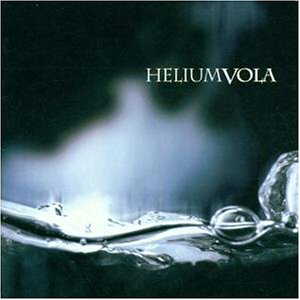
Helium Vola - (Doc.lok. V1/2)
The LTR-48125W (firmware VS08) does not recognise the disc! But, as EAC shows, this issue does not occur in the new LTR-52246S:

EAC: Helium Vola
Again, all tracks were ripped flawlessly. CloneCD took its time to analyse that disc, but after that had been done, reading was no problem either:

CloneCD: Helium Vola
The disc contains only 61 minutes of music, so it was read faster than the Celine Dion disc, and took 2 minutes and 3 seconds.
The disc we used for the Doc.loc version 3 test is called Hitzone 21:

Yorin - Hitzone 21: (Doc.lok V3)
The drive recognised the disc and EAC showed the correct contents:

The disc can be easily ripped:

So, Doc.lok was also no problem for the LiteOn LTR-52246S drive!
Conclusion
Let's summerize the results in a table:
| LiteOn LTR-48125W |
LiteOn LTR-40125S |
LiteOn LTR 52246S |
Toshiba SD-M 1502 |
||||
| VS06 | VS08 | ZS0N | ZS0P | 6S02 | 1816 | ||
| Key 2 Audio |
V1 | |
|
|
|
|
|
| V2 | |
|
|
|
|
|
|
| V3 | |
|
|
|
|
|
|
| Doc. lok. |
V1/2 | |
|
|
|
|
|
| V3 | |
|
|
|
|
|
|
| Cactus Data Shield |
100 | |
|
|
|
|
|
| 200 | |
|
|
|
|
|
|
The LiteOn LTR-52246S drive performed very well with almost all protected audio CDs we had available (or bought), which eliminates the necessity of having another drive, such as a Plextor drive, to read protected audio discs. Even more interesting is that LiteOn has released firmware ZS0P for the LTR-40125S, which also adds support for reading of Key2Audio, Doc.lok and Cactus 200 now. Although Cactus DataShield 100 V3 cannot be read, and CDS200 has to be read at slow speed:
Well done, LiteOn!
Next up in our review, writing CD-ReWriteable media and the Mount Rainier format...
CAV vs. P-CAV /
CLV
As you have seen in the write
tests, 24x CAV (beginning at 10x) is much slower than P-CAV (beginning at 19x or
22x). Now the question you could think about is "What is CAV good for then?".
Imagine that you write lots of small files to the disc to different positions.
When using P-CAV or CLV, then the necessary RPM (Round per minute) will be
different for each location on the disc. Thus, seeking does require the engine
to spin up or down, resulting in high seek times. CAV, on the other hand, uses a
constant amount of RPM, thus the drive is not required to change the amount of
RPM and has better seek times when writing small files.
Packet
Writing
Since InCD does not allow to
reduce write speed, and since we did not have media available for 24x rewriting
(remember that the bundled media does not work at 24x!), formatting the disc was
not successful and packet writing without using Mount Rainier could
unfortunately not be performed...
Mount
Rainier
At first, we formatted a disc
and copied 400 MB to it. This took 4 minutes and 20 seconds. In order to get the
time for formatting again, we ejected the disc, started Nero, chose "erase
rewriteable", and got a blue screen of death. This never happened before
installing InCD. After rebooting, we did a full erase using Nero.
The disc was formatted with
InCD again, but after formatting, it was not recognised as having been
formatted. Then, after some more blue screens, we found out how to make InCD
recognise the disc: first, we had to format it without Mount Rainier, which was
aborted with an error, due to bad media. Then, we had to format it as Mount
Rainier, which worked. Formatting took about 20 seconds, ejecting after having
written 400 MB took a bit less than one minute.
It didn't matter whether InCD
3.51.61 or InCD 3.37 was used, neither did it matter whether auto insert
notification was on or off. It just didn't work properly. You can read about
some more experiences with regards to InCD if you want to.
Now,
we're going on with media compatibility...
Here is a list of media, the
corresponding SmartBurn limit, and the real limit for each disc (which
unfortunately is not always the same):
| CD-R | Manu- facturer |
ATIP Code |
Certified for |
Smart- Burn limit |
Real limit |
| Plasmon (?) |
97 27 18 | 52x | 52x | 52x | |
| Mitsubishi | 97 34 23 | 24x | 40x | 40x | |
| 97 34 23 | 40x | 40x | 40x | ||
| 97 34 23 | 48x | 52x | 52x | ||
| TDK | 97 32 00 | 12x | 16x | |
|
| 97 15 05 | 32x | 52x | 52x | ||
| Ricoh | 97 27 66 | 12x | 52x | 40x | |
| Taiyo Yuden |
97 24 01 | 24x | 40x | 40x | |
| 97 24 01 | 48x | 52x | 52x | ||
| MPO HiSpace Gold |
97 25 07 | 24x | 52x | 48x | |
| Moser Baer |
97 17 06 | 32x | 52x | 48x | |
| Prodisc | 97 32 19 | 16x | 40x | 40x | |
| CMC | 97 27 66 | 52x | 52x | 48x | |
| Ritek | 97 15 17 | 24x | 52x | 40x | |
| CD-RW HS |
Mitsubishi 700 MB |
97 34 23 | 4x-10x | 12x | 12x |
| Mitsubishi 650 MB |
97 34 23 | 4x-10x | 12x | 12x | |
| Digital Storage Techn. |
97 27 04 | 4x-12x | 10x (!) | 10x (!) | |
| CD-RW US |
Mitsubishi | 97 34 24 | 8x-24x | 24x | 24x |
| Plasmon (?) |
97 27 12 | 10x-24x | 24x | 16x (!) |
For Mitsubishi 24x/40x media,
some people have reported that even 52x works, but my drive spins down at the
end when trying 48x, and burns unreadably discs at 52x. Therefore, I only state
40x as maximum speed for these.
As a general remark, it seems
to be a bad idea to overburn when writing at 52x. The drive spins down at the
end, or it just stays buzy, without writing anything. This could be caused by
using media which is not certified for 52x recording, so we will know more as
52x media becomes available. From the table you can also see that Smart-Burn did
not always detect the highest possible speed.
Next,
we are going to check the drive's performance with non-standard
discs...
We have now checked reading and
writing of data and audio,but only for standard size discs. Since these discs
caused problems at 24x before, I decided to use 16x speed. Now, 99 minutes
DataTrack media will be used. Read the full ATIP here.
Although the ATIP says "Plasmon", the true manufacturer of these discs is
"EuroDigital. Disc"
Writing with Nero Burning Rom doesn't
look very promising:

Nero says that burning failed, but
the write error occured during the leadout, so that it does not matter at all.
It just means that it is not recommended to overburn these very discs further
than 99 minutes. When reading back the disc, something weird
happened:
At first, the disc was read in a
LTR-48125W:

So the disc has been written
properly. Reading in the LTR-52246S did not look that well, neither at 52x nor
at 48x:

As one more test, I've read the disc in a Toshiba SD-M1502. This drive is not certified for reading 99 minutes discs, and low quality discs of this size, such as Digital Storage Technology - discs, are not even recognised. The Toshiba drive reads
the entire disc without any issue, besides an incredibly high access
time.
Thus, LTR-52246S not properly reading
the disc is definitely a reading issue with the drive (not a writing issue),
which can and should be fixed with a firmware update.
After having
done all tests, let's come to a
conclusion...
Positive
Points
- 52x CAV writing (data,
audio) - 52x reading
- 24x rewriting
- Good DAE quality and speed
- Can read all subchannel
data, can write RAW-PW (=RAW-DAO-96, DAO/96) < /FONT> - Can read and write CD-Text
- Is a -writer and can thus backup SafeDisc 2.51.021+ titles.
- Can write many different
media at higher speed that what they are certified for - Does not necessarily
require 52x certified media to achieve this speed - Can read Key2Audio,
Doc.lok. and Cactus DataShield 200 - Good write quality even on
bad media - Can play discs that contain twin sectors (required for SecuROM very new)
- Can write 99
minutes
Negative
Points
- Not a very complete
package, only 1 CD-R and 1 CD-RW - Bundled media is bad, the
CD-RW is not even good for the speed which it is certified for - Strange issues with reading
99 minutes discs - Strange behaviour with EAC
secure mode - Sometimes weird behaviour
in SAO mode - Couldn't pass the test for
- 24x CAV rewriting is much
slower than 24x P-CAV writing of Yamaha's and Plextor's latest drives - No manual included
- Compared to Plextor's
latest writer, seek times could still be improved - Noisy when operating at 48x
/ 52x speed - SmartBurn didn't detect the
maximum speed reliably - Failed with Cactus
DataShield 100
Point you have to decide about whether + or -
- At speeds lower than 52x, recording starts at lower speeds.
+ : You can use media which might explode at 12.000 rpm
- : slower
- Had a tendency to slow down when overburning at 52x
+ : can prevent coasters
- : slower - you get technical support not really by LiteOn
Hundreds of users usually know
more than the technical support department of any manufacturer. - Nothing like Plextor's
PlexTools "single session"-option but the LTR-52246S doesn't seem to need such
an option.
The drive performed pretty
good in many points. I'm not speaking about 52x CD-R writing. That might even be
the least impressive feature, since it gains only a few seconds, while it is
noisy and increases the risk of exploding discs. Maybe, discs will not only be
"52x certified" in future, but something like "52x, up to 13.000rpm" (less than
12.000 is required for 52x recording).
When LTR-48125W had been
launched, its media compatibility was not really good. This does not happen
again. The media compatibility of the new drive is impressive, far better than
Plextor's. The bundled CD-RW media was not written properly in a Plextor 4824A
either at 24x, so it is a bad media issue, not a drive specific one.
Former LiteOn drives didn't
read rather many protected audio CDs, which forced many potential customers to
buy an expensive Plextor or Yamaha drive, if this feature was required. When
firmware VS08 for LTR-48125W had been launched, suddenly more protected audio
discs could be read and ripped, letting people hope again that LiteOn is working
on this. Now, firmware ZS0P for LTR-40125S, as well as this drive, show that
LiteOn did not intend to disappoint us. The LTR-52246S now proves that LiteOn
has taken a very very clear position: People are allowed to make backups of
their own audio CDs, and LiteOn obviously wants people to have the possibility
to do this.
The drive's DAE capabilities are pretty good; it can read audio CDs at 48x speed. Although 52x would have been nice to see, it would only gain a few more seconds, probably at cost of reliability. About the weird issue with EAC, I don't have any idea. When reading discs that require secure mode, I thus recommend you to use CDDA2WAV if you encounter this issue as
well.
Fast error skip is about as
fast as for former LiteOn drives. It's enough for discs with not too many bad
sectors, such as SafeDisc protected discs, but it gets really slow for discs
with lots of bad sectors. Remember: The test discs that contains 157.000 bad
sectors took 9 hours to be read. Reading a good image of WarCraft 3 using
CloneCD still does not work. Thus, it is a good idea to have another reading for
some protected data discs.
The package doesn't contain
any addons. Just a CD-R, a CD-RW, and a tiny leaflet. If you need any technical
support, don't wait for LiteOn to help you. Your way of getting technical
support is our LiteOn forum .















