

Review:
Philips DVDR1660
Reviewer: Jan70
Provided by: Philips Europe
(NL)
Firmware: P1.3
Manufactured: December
2005
Philips was kind
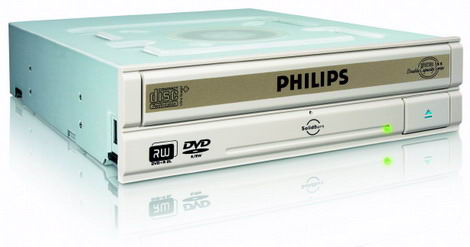
enough to send us the Philips DVDR1660. This drive supports 16x DVD±R, 8x/6x DVD+RW/DVD-RW and 8x/4x DVD+R DL/DVD-R DL writing technology, allowing Double/Dual Layer
discs of 8.5Gb to be written. Further this drive also features the SolidBurn and
OverSpeed techniques.
Philips has a long
history for developing optical drives and has in the past joined up with BenQ
for manufacturing and developing optical drives. This strategy alliance seems to
gain both BenQ and Philips. BenQ has the production facilities, while Philips
designs chipset/electronic components as well as being on of the main DVD+R/RW
developers.
Company
information:
We are sure that
most of you know Philips already, but let us take a look at some of the company
information found at www.philips.com.
Royal
Philips Electronics of the Netherlands (NYSE: PHG, AEX: PHI) is one of the
world's biggest electronics companies and Europe's largest, with sales of EUR 29
billion in 2003. It is a global leader in color television sets, lighting,
electric shavers, medical diagnostic imaging and patient monitoring, and
one-chip TV products. Its 165,300 employees in more than 60 countries are active
in the areas of lighting, consumer electronics, domestic appliances,
semiconductors, and medical systems.
Global Leader
Royal Philips
Electronics is tenth on Fortune's list of global top electronics corporations.
We are active in about 60 businesses, varying from consumer electronics to
domestic appliances and from security systems to semiconductors.
 We are a world leader in digital technologies for television and
displays, wireless communications, speech recognition, video compression,
storage and optical products as well as the underlying semiconductor technology
that makes these breakthroughs possible.
We have world class solutions
in lighting, medical systems (particularly scanning and other diagnostic
systems) and personal and domestic appliances where our investments in design
and new materials are critical to success.
Translated into figures, we
produce over 2.4 billion incandescent lamps every year, and some 30 million
picture tubes.
Around 2.5 million heart procedures (scans and
interventional procedures) on X-ray equipment are carried out each year using
our technology.
One in seven television sets worldwide contains a
Philips picture tube, and 60 percent of all telephones contain Philips products.
Thirty percent of offices around the world are lit by Philips Lighting,
which also lights 65 percent of the world's top airports, 55 percent of major
soccer stadium, and 30 per cent of hospitals.
The strength of
Philips' global operations is reflected in its (value-based) leadership position
in many of the markets in which it is active:
World | Europe | |
Lighting | 1 | 1 |
Consumer | 3 | 1 |
Monitors | 4 | 3 |
Shavers | 1 | 1 |
Steam irons | 2 | 2 |
Semiconductors | 9 | 4 |
Color picture | 3 | 1 |
DVD | 1 | 1 |
Medical | 2 | 1 |
Dental care | 2 | 2 |
Company
strategy:
'BEST"
- BUSINESS EXCELLENCE THROUGH SPEED AND
TEAMWORK '“
The BEST program is
Philips' chosen path to achieve business excellence. It describes a set of
methods and tools by which we continuously improve our efforts. Previous
successful initiatives are incorporated in the program to make sure we learn as
much as possible from our successes in the past.
Business
Excellence
We are all committed
to improving processes in-line with the company's strategic targets. To this
end, Philips has adopted BEST to reach this goal. It is our ambition to be one
of the best companies in the world: the best to trade with, work for, and invest
in.
Our
Measures:
Customers are
fully satisfied by the quality of Philips' products and
services
Employees develop
and use their full potential
Shareholders get a
premium return on their investment
Suppliers choose
to work with us as this generates superior value for both
The larger
community appreciates our contribution to the quality of life
Speed and
Teamwork
Speed and Teamwork lie at the heart of the BEST initiative. Each
and every individual within Philips knows that only by fully cooperating and
working together we are able to perfect our business processes. That's why we
focus on:
- Working smarter and reducing the
cycle-time of processes
- Working in teams and learning
from the best practices of others
The tools and
approaches in the BEST initiative all are based on these two focal areas and all
fit in the improvement cycle:
"Plan -
Do - Check - Learn"

If you are
interested in reading more company information, please visit www.philips.com.
Drive specifications:
Now let us
take a look at the specifications of the Philips DVDR1660, found at Philips' UK
website:
Writing Speed |
DVD+R : 16X |
DVD-R : 16X |
DVD+R DL : 8X |
DVD-R DL : 4X |
CD-R : 48x |
Rewriting Speed |
DVD+RW : 8X |
CD-RW : 32X |
DVD-RW : 6X |
Reading Speed |
DVD ROM : 16X |
CD-R : 48X |
Access time |
Buffer size : |
Connectivity |
Interface : |
Other connections |
Convenience |
Ease of |
Ease of Use : |
Software |
Ahead Nero Suite 6 |
Accessories |
Included |
System |
Hard disc space |
PC OS : |
Processor : |
RAM memory : |
Dimensions |
Product dimension |
Product dimensions |
Product weight |
Power |
Adaptor type |
Power consumption |
Technical |
Humidity : 5 |
Operating |
Safety standards |
EMC standards |
Access time : |
What's inside the box?
In this
section we will take a look at what the drive came shipped with and take a look
at the drive and its technology.
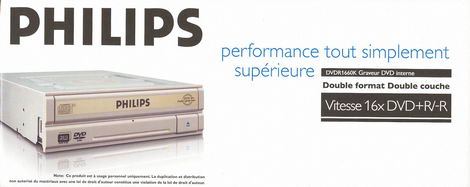
Front
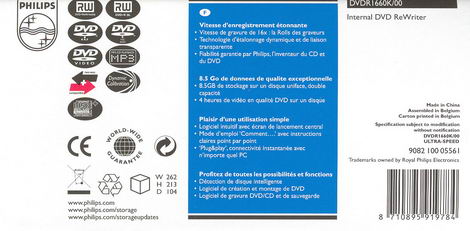
Back
Top
Bottom
Left Side
Right Side
Below you will
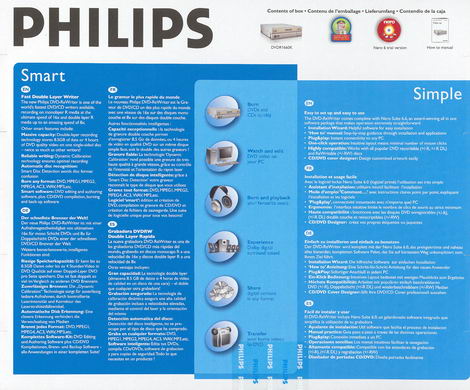
see the contents of the retail box:
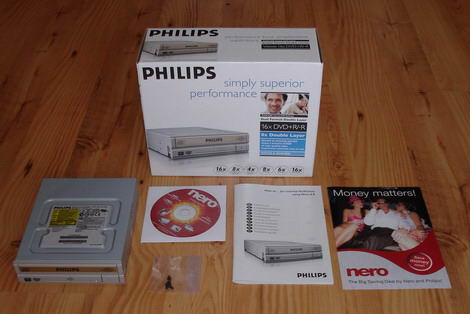
- The
internal DVDR1660 drive itself
- Nero OEM
Suite CD-ROM:
- Nero
Burning Rom 6 SE v6.6.0.17F
- Nero Vision Express
3 v3.1.016
- Nero
- Screw
set
- How to… for
Internal ReWriters using Nero 6.6 (Guides)
- Rebate info
and code for Nero 7 Premium
Now it's time
to take a look at the drive itself:
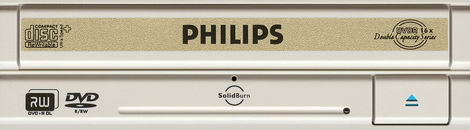
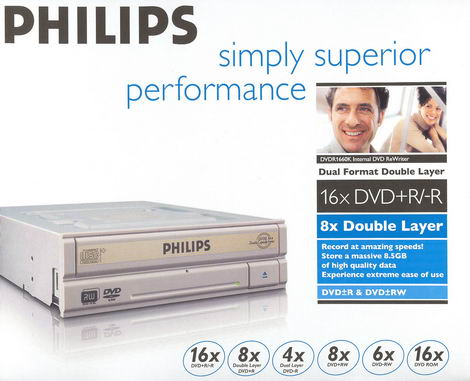
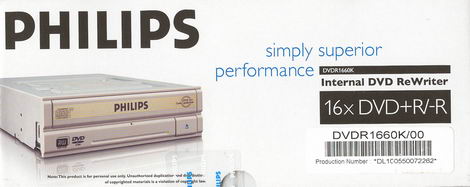
On the bezel we found an eject
button, an emergency eject hole and a LED (green - for read and write - we
prefer a different LED colour though for writing). The logos include the CD-RW
Ultra+ logo, the Philips company logo, the model-series logo, a DVD Alliance DVD+R
DL logo, a DVD
Forum DVD-R/RW logo, and the SolidBurn logo.
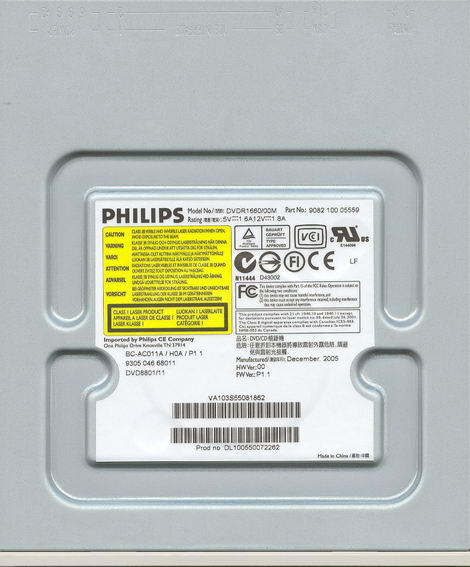
Top
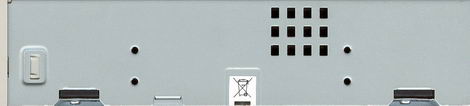
On top of the
drive and on the right side, we can see the ventilation system/feature called
Air Flow Cooling System (AFCS) and Anti-Dust Cooling System (ADCS).
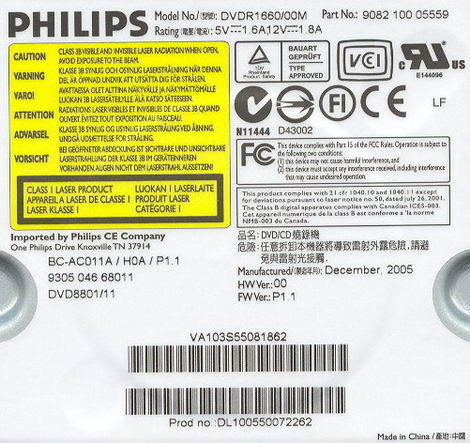
On the top
side of the drive we found one sticker and we can read it was made in China '“
December 2005.
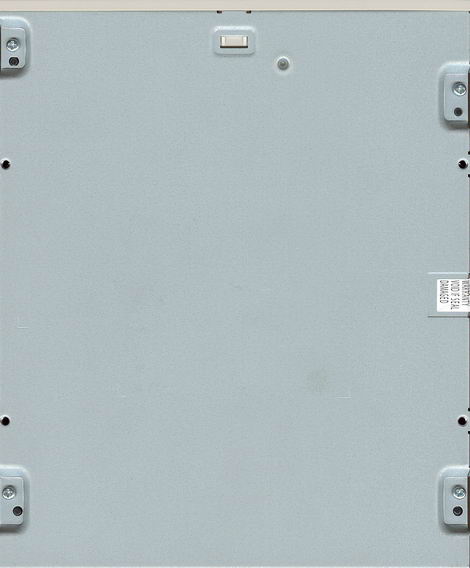
Underside
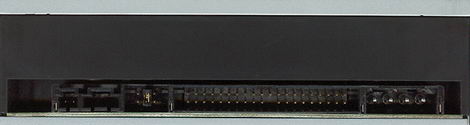
On the back of
the drive starting from the left, we can see a digital audio connector; analogue
audio connector; pins and jumper to set the drive to cable select, slave or
master; IDE connector and finally the power connector.
We installed
the drive without any problems and here is a screenshot from Nero
InfoTool:
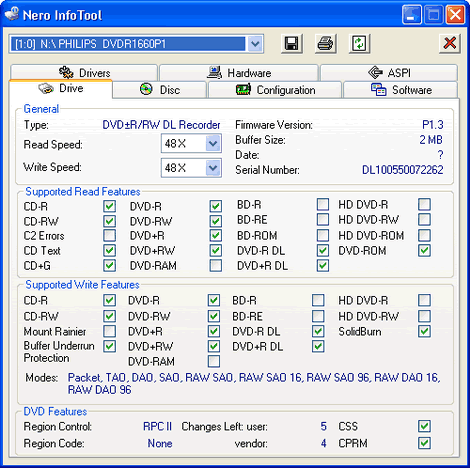
From the
screenshot of Nero InfoTool above, we miss Mt.Rainier and a larger buffer size.
Our drive came shipped with firmware P1.3.
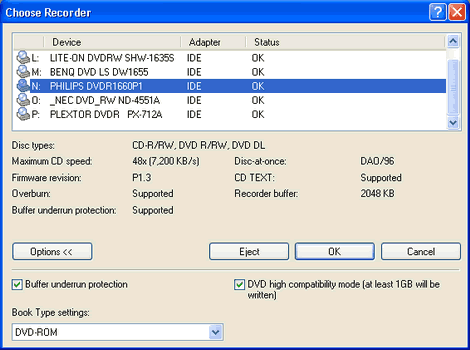
Another shot
from Nero Burning ROM:
But let us continue
this review and see how it really performs.
On the next page we
will take a look at the test machine, the software, the drive
features…………
Test machine:
For this
review we will be using a computer with the following configuration:
Hardware:
- Motherboard: Asus A8V Deluxe
- Processor: AMD Athlon 64 3500+
(Venice) 1000 MHz Hyper Transport
- RAM: 1 GB Corsair Kit PC3200
DDR
- GFX: MSI GeForce 6600 GT
- Sound: Onboard Realtek
AC'97
- Hard
disk: Seagate Barracuda ST3250823A
250 GB
System
set-up:

The Philips DVDR1660 was connected as Secondary Master and
identified itself as PHILIPS DVDR1660P1. DMA (Direct Memory Access) and autorun was enabled for all devices.
Software:
Windows XP
Professional is installed on the computer along with Service Pack 2 for Windows
XP. We will be using the following software in this review:
- Nero Burning ROM v.6.6.0.17f /
v.6.6.1.4
- Nero CD/DVD Speed
V4.11
- Nero Info Tool
v3.07
- Slysoft CloneCD
v5.2.7.1
- Exact Audio Copy
v0.95 beta 4
- K-Probe v2.5.1 / v2.5.2
Features and techniques:
SolidBurn:

What is
SolidBurn?
Philips
introduces SolidBurn, a new self-learning feature that will ensure optimal
writing conditions for any recordable DVD+R or DVD-R media.
This advanced
writer feature executes a series of tests on an 'unknown' DVD media to determine
the optimal writing strategy. Without SolidBurn, new DVD media and media that
are not in the media list of the drive, are written using a less optimal
standard write strategy. This could result in lower recording speeds than
specified or lower quality recordings jeopardizing disc playability or
lifetime.
How does it
work?
Before the
disc is burned, the drive writes two very short tracks, one in the LeadIn and
one in the LeadOut area of the disc. Then the drive measures the jitter on both
areas and decides if this jitter value is OK or not. If not, the drive will
choose another writing strategy and redo the test until the Jitter is
acceptable.
After this,
the drive writes your data on the disc, with the best possible writing strategy,
which was found by SolidBurn.
Why
SolidBurn?
Every disc
sold has unique parameters. Mostly, these parameters are almost identical, but
sometimes, there are better and less good or even bad discs.
Normal drives
will always use the same writing strategy, no matter if the disc inserted is a
good or a less good one. SolidBurn will adapt its writing strategy for each
disc.
Normal drives
who encounter a disc they do not know, will use a default writing strategy,
which is mostly not the best one. To guarantee better performance on unknown
discs, regular firmware upgrades are required. SolidBurn makes no difference
between known and unknown discs and will always choose the best writing strategy
for each disc.
Some
graphs
SolidBurn
shows the lowest jitter measured (lower is better):

Using
SolidBurn also gives the highest possible writing speeds, resulting in the
lowest average recording times:

EDITORS
NOTE: When using the SolidBurn feature the operation LED on the bezel will
flash rapidly to indicate SolidBurn writing mode. (For none SolidBurn mode or
other writing the LED will flash slowly)
SolidBurn (and
OverSpeed burning) feature can be manually controlled in Nero CD-DVD Speed and
BenQ's Qsuite:


BookType
(bitsetting):
The Philips
DVDR1660 supports bit-setting, and will as default write DVD+R, DVD+RW and DVD+R
DL media with DVD-ROM book type.
This feature
can be controlled or changed with the Bitsetting option in Nero CD-DVD:

Here is how
you could check if your discs are really written with DVD-ROM book
type:
Start Nero
CD-DVD Speed and click the Disc info button and you should get something like
this:

DVD+R DL with book type
DVD-ROM

DVD+RW with book type
DVD-ROM

DVD+R with book type
DVD-ROM
Another quick
test is to start Nero CD-Speed and look at the disc information:

This should say
DVD-ROM.
Now it's time
to take a closer look at the write technology used by the Philips
DVDR1660:
CD-Recordable:

The Philips
DVDR1660 uses CAV, (Constant Angular Velocity), to write at
its maximum speed of 48X. This gives an average speed of 35.53x and a total
writing time of 3 minutes and 4 seconds.
For comparison
we have made the following table:
CD-R | Supported | Write | Start | End | Average | Write |
Samsung | 40x | P-CAV | 21.12x | 39.59x | 34.39x | 2m:53s |
Philips | 40x | CAV | 17.80x | 40.01x | 29.51x | 3m:24s |
NU | 40x | CAV | 18.60x | 41.28x | 31.23x | 3m:09s |
NEC | 48x | CAV | 21.44x | 48.17x | 36.43x | 3m:0s |
BenQ | 48x | CAV | 18.31x | 47.99x | 35.20x | 2m:57s |
Pioneer | 40x | CAV | 17.77x | 40.28x | 30.05x | 3m:19s |
LG | 48x | Z-CLV | 16.01x | 48.22x | 33:77x | 3m:04s |
Philips | 48x | CAV | 18.36x | 47.99x | 35.03x | 2m:58s |
NEC | 48x | CAV | 21.46x | 48.10x | 36.27x | 3m:03S |
NEC | 48x | CAV | 21.41x | 47.92x | 36.32x | 3m:02s |
Philips | 48 | CAV | 21.33x | 48.06x | 35.53x | 3m:04s |
As we can see
from the table, the Philips DVDR1660 performed above average when it comes to
writing CD-R's.
CD-Rewritable:

The Philips
DVDR1660 uses P-CAV (Partial-Constant Angular
Velocity) writing technology to write at 32X for CD-RW discs, the average
speed is 29.77x and the total time 3 minutes and 20 seconds.
For a better
overview we present the following comparison table:
CD-RW | Supported | Write | Start | End | Average | Write |
Samsung | 32x | P-CAV | 21.07x | 31.87x | 30.26x | 3m:05s |
Philips | 24x | P-CAV | 17.77x | 24.01x | 23.15x | 3m:58s |
NU | 24x | P-CAV | 15.39x | 23.93x | 23.16x | 3m:49s |
NEC | 32x | Z-CLV | 20.11x | 32.03x | 29.75x | 3m:32s |
BenQ | 32x | P-CAV | 21.26x | 31.96x | 30.33x | 3m:10s |
Pioneer | 32x | Z-CLV | 15.87x | 32.01x | 24.88x | 3m:47s |
LG | 32x | Z-CLV | 16.01x | 32.03x | 29.26x | 3m:14s |
Philips | 32x | P-CAV | 21.27x | 31.94x | 30.01x | 3m:17s |
NEC | 32x | Z-CLV | 20.11x | 32.03x | 29.73x | 3m:37s |
NEC | 32x | Z-CLV | 20.08x | 32.00x | 29.71x | 3m:11s |
Philips | 32x | P-CAV | 21.37x | 32.16x | 29.77x | 3m:20s |
As we can see
from the table, the Philips DVDR1660 performed above average on writing
CD-RWs.
16X DVD+R/-R
Writing speed:

The Philips
DVDR1660 uses CAV (Constant Angular Velocity) to write
DVD+R at the maximum supported speed of 16x. This gives an average write speed
of 11.43x and a writing time of 5 minutes and 59 seconds.

The Philips
DVDR1660 uses CAV (Constant Angular Velocity) to write
DVD-R at its maximum speed of 16x. This gives an average write speed of 11.50x
and a writing time of 6 minutes and 20 second.
Below are some
write graphs from some other drives for comparison:

The NEC 3540A uses CAV
(Constant Angular Velocity) to write DVD+R at 16x. This gives an average writing speed of 11.81x and a writing time of 5 minutes and 58
seconds.

The Philips
DVDR16LS uses CAV, (Constant Angular Velocity) to write
DVD+R at 16x. The average speed is 11.33x and total writing time is 6 minutes
and 8 seconds. The average speed is lower and the writing time is higher than it
could have been due to the Walking OPC generation 2 using some time to
constantly adjust the writing quality, we could see this as constant dips in the
speed curve.

The LG
GSA-5160D uses Z-CLV,
(Zone-Constant Linear Velocity) to write DVD+R at 16x. The average speed is 11.60x
and total writing time is 6 minutes and 12 seconds. Below, we made a comparison
table:
16x | Supported | Write | Start | End | Average | Write |
Samsung | 16x +R | CAV | 6.75x | 12.09x | 11.11x | 6m:00s*1 |
Philips | 16x +R | CAV | 5.80x | 12.18x | 11.33x | 6m:08s |
NU | 16x +R | CAV | 6.66x | 7.97x | 9.32x | 6m:55s*2 |
NEC | 16x +R | CAV | 6.70x | 16.06x | 11.81x | 5m:58s |
BenQ | 16x +R | CAV | 5.70x | 15.95x | 11.53x | 5m:44s |
Pioneer | 16x +R | CAV | 6.27x | 15.87x | 11.58x | 6m:09s |
LG | 16x +R | P-CAV | 7.16x | 16.00x | 12.69x | 5m:37s |
Philips | 16x +R | CAV | 5.68x | 16.03x | 11.47x | 5m:58s |
NEC | 16x +R | CAV | 6.57x | 15.99x | 11.79x | 5m:58s |
NEC | 16x +R | CAV | 6.68x | 15.97x | 11.78x | 6m:00s |
Philips | 16x +R | CAV | 5.71x | 16.01x | 11.43x | 5m:59s |
*1 - Actual
writing speed was max 14x due to USB-Bridge limitations.
*2 '“ Actual writing
speed was max 13x due to USB-Bridge limitations.
8X DVD+R DL
writing speed:
The Philips
DVDR1660 supports 8x writing speed on DVD+R DL media.

The Philips
DVDR1660 should use P-CAV (Partial-Constant Angular
Velocity) to write DVD+R DL at 8x. However out test drive did not
accomplice to write both layers at 8x.
4X DVD-R DL
writing speed:
The Philips
DVDR1660 supports 4x writing speed on DVD-R DL media.

The Philips
DVDR1660 uses CLV, (Constant Linear Velocity) to write
DVD-R DL at 4x. The average speed is 3.55x and total writing time is 32:15
minutes.
8X DVD+RW
writing speed:

The Philips
DVDR1660 uses Z-CLV, (Zone-Constant Linear Velocity)
to write DVD+RW at 8x. The average speed is 7.72x and total writing time is 7:50
minutes.
6X DVD-RW
writing speed:

The Philips
DVDR1660 uses CLV, (Constant Linear Velocity) to write
DVD-RW at 6x. The average speed is 5.90x and total writing time is 10:31
minutes.
Included software:
Now it's time
to look at the included software and to comment if needed. Notice that we may
not use the included software in our performance testing part of the
review.

Nero OEM
suite:


Now that we
have finished examining the drive and its writing strategies, it's time to head
on to next page, which is reading performance
test…
Reading performance:
For these
tests we will use Nero CD/DVD-Speed to read various CD and DVD's, including
audio discs and DVD-media. As already mentioned in the introduction, this drive
supports:
- DVD-ROM:
16x
- CD-ROM:
48x
Pressed
discs:
For this test
we used a pressed CD-ROM disc containing Creative Blaster Audigy install CD that
is close to 74 minutes long. Below you will see the produced result:

The Philips
DVDR1660 reached 47.29x. Let's compare the result in the table below:
Pressed | Average | Start | End | Seek | Seek | Seek |
Pioneer | 30.77x | 18.18x | 24.51x | 96ms | 110ms | 182ms |
BenQ | 30.74x | 15.39x | 38.87x | 99ms | 112ms | 161ms |
NEC | 34.82x | 19.88x | 46.09x | 122ms | 132ms | 210ms |
BenQ | 36.58x | 20.82x | 47.67x | 107ms | 123ms | 175ms |
Pioneer | 31.61x | 18.09 | 41.99 | 99ms | 111ms | 189ms |
LG | 34.79x | 20.01x | 46.21x | 103ms | 120ms | 178ms |
Philips | 35.61x | 20.10x | 47.12x | 100ms | 117ms | 170ms |
NEC | 34.75x | 19.87x | 45.99x | 128ms | 136ms | 216ms |
NEC | 34.71x | 20.01x | 45.97x | 135ms | 145ms | 222ms |
Philips | 35.70x | 20.13x | 47.29x | 106 ms | 124ms | 176ms |
The Philips
DVDR1660 is among the fastest drives, reading pressed CD-ROM.
CD-Recordable
Discs:
For this test
we made a copy of the original Creative Blaster Audigy install CD. The disc we
used was a Verbatim 48X certified CD-R disc manufactured by Mitsubishi Chemicals
Corporation.

CD-R | Average | Start | End | Seek | Seek | Seek |
Philips | 30.69x | 17.68x | 40.44x | 126ms | 137ms | 175ms |
NU | 32.20x | 18.48x | 42.65 | N/A* | N/A* | N/A* |
NEC | 35.68x | 20.76x | 47.06x | 128ms | 130ms | 213ms |
BenQ | 36.57x | 20.92x | 48.09x | 203ms | 233ms | 239ms |
Pioneer | 31.18x | 18.37x | 40.99 | 111ms | 121ms | 204ms |
LG | 35.63x | 20.79x | 47.16x | 110ms | 130ms | 190ms |
Philips | 36.45x | 20.90x | 47.95x | 100ms | 110ms | 161ms |
NEC | 35.60x | 20.74x | 47.01x | 134ms | 136ms | 210ms |
NEC | 35.53x | 20.67x | 46.77x | 187ms | 146ms | 218ms |
Philips | 36.54x | 20.94x | 48.27x | 104ms | 113ms | 169ms |
Again the
Philips DVDR1660 is among the fastest drives reading CD-Rs.
* Some drives
including the NU HDW-164 will simply execute the seek command without actually
moving the pickup.
CD-Rewritable discs:
Again, we made
a copy of the original Creative Blaster Audigy install CD; this time we used a
Verbatim Ultra Speed (32X) CD-RW disc made by Mitsubishi Chemicals
Corporation.

As we can see
above, the Philips DVDR1660 is locked at 40x, reading CD-RW; now let us compare
it to other drives below.
CD-RW | Average | Start | End | Seek | Seek | Seek |
Philips | 30.70x | 17.71x | 40.55x | 131ms | 149ms | 179ms |
NU | 32.20x | 18.17x | 42.53x | N/A* | N/A* | N/A* |
NEC | 30.76x | 18.02x | 40.08x | 132ms | 128ms | 213ms |
BenQ | 31.36x | 17.47x | 41.46x | 105ms | 116ms | 250ms |
Pioneer | 24.96x | 14.60x | 33.01x | 105ms | 119ms | 195ms |
LG | 30.53x | 17.86x | 40.41 | 102ms | 115ms | 169ms |
Philips | 30.68x | 17.58x | 40.48x | 99ms | 110ms | 161ms |
NEC | 30.66x | 17.92x | 40.12x | 134ms | 141ms | 214ms |
NEC | 30.63x | 17.94x | 40.08x | 171ms | 166ms | 317ms |
Philips | 30.75x | 17.67x | 40.55x | 106ms | 115ms | 170ms |
The Philips
DVDR1660 performed above average on CD-RW read test.
* Some drives
including the NU HDW-164 will simply execute the seek command without actually
moving the pickup.
Audio '“
Digital Audio Extraction:
We used Nero
CD/DVD-Speed to measure the transfer rate. The audio disc we used is slightly
larger than the disc used for the other tests, to be exact it's about 78 minutes
long (77:43:45).

The Philips
DVDR1660 reached 49.65x while reading CD-DA discs. Let us compare the result
with other drives:
Audio | Average | Start | End | Seek | Seek | Seek |
Philips | 31.44x | 17.75x | 41.69x | 107ms | 124ms | 176ms |
NU | 32.98x | 18.32x | 43.70x | N/A* | N/A* | N/A* |
NEC | 31.43x | 18.00x | 40.16x | 119ms | 135ms | 217ms |
BenQ | 37.15x | 20.94x | 49.23x | 171ms | 200ms | 184ms |
Pioneer | 31.52x | 17.95x | 42.38x | 108ms | 124ms | 201ms |
LG | 31.26x | 17.78x | 41.39x | 102ms | 123ms | 270ms |
Philips | 37.34x | 20.93x | 49.57x | 100ms | 120ms | 173ms |
NEC | 31.33x | 17.97x | 40.11x | 123ms | 138ms | 220ms |
NEC | 31.30x | 17.89x | 40.13x | 122ms | 142ms | 222ms |
Philips | 37.42x | 20.09x | 49.65x | 107ms | 125ms | 173ms |
The Philips
DVDR1660 is among the fastest drives while reading Audio-CDs.
* Some drives
including the NU HDW-164 will simply execute the seek command without actually
moving the pickup.
And as a |
|

Below is the
results produced by EAC:

Burst mode

Secure mode
The drive
performed excellent in burst and slower in secure mode.
Advanced
audio '“ DAE quality test:
Before we move
on to testing DVD read speeds, we will take a last audio test, and this time we
used the 'Advanced DAE Quality Test" feature in CD-Speed. For this test we used
a CD-R DA media from MMORE (Thanks to MMORE (NL) for sending us this
media).


The extracting
quality is excellent and it should support everything, except reading the
Leadout.
DVD reading performance:
Again, we will use
Nero CD-Speed to measure the reading performance, this time for various types of
DVD discs. The drive should read pressed single layer DVD-discs at
16X.
DVD '“
DVD-Video:
For our DVD
reading performance tests we are going to start with a single and Double Layered
DVD video discs. While only 1X speed is required to watch DVD movies, it's
useful to be able to read the discs at higher speeds if you're going to extract
(rip) the content of the disc to your hard drive.

DVD-Video Single Layer

DVD-Video Double Layer (OPT)

DVD-Video Double Layer
(PTP)
As we can see
the drive reached 16x on DVD-Video Single Layer and 12x on DVD-Video Double
layer.
DVD | Average | Start | End | Average | Start | End |
Philips | 11.97x | 6.61x | 15.97x | 6.02x | 3.35x | 8.01x |
NU | 6.40x | 3.54x | 8.53x | 5.87x | 3.26x | 7.81x |
NEC | 5.94x | 3.32x | 7.93x | 5.45x | 3.03x | 7.24x |
BenQ | 11.86x | 6.59x | 15.79x | 9.01x | 5.03x | 12.00x |
Pioneer | 11.98x | 6.42x | 15.98x | 9.34x | 5.26x | 12.41x |
LG | 7.64x | 4.28x | 10.18x | 6.17x | 3.45x | 8.20x |
Philips | 11.97x | 6.61x | 16.05x | 9.03x | 4.99x | 12.01x |
NEC | 11.84x | 6.57x | 15.82x | 8.90x | 4.95x | 11.83x |
NEC | 11.83x | 6.56x | 15.77x | 8.89x | 4.94x | 11.82x |
Philips | 12.00 | 6.64x | 15.99x | 9.05x | 5.00x | 12.04x |
The Philips
DVDR1660 performed excellently on the DVD-Video SL/DL tests.
DVD '“ DVD+R/RW:
For this test
we used a Verbatim 16X DVD+R and a Verbatim 8X DVD+RW with about 4.4Gb of data.
Below are the results:

DVD+R

DVD+RW
DVD+R | Average | Start | End | Average | Start | End |
LG | 7.66x | 4.11x | 10.23x | 6.15x | 3.32x | 8.21x |
ASUS | 9.35x | 5.19x | 12.52x | 6.26x | 3.48x | 8.36x |
Samsung | 6.23x | 3.44x | 8.32x | 6.22x | 3.43x | 8.31x |
Philips | 6.24x | 3.42x | 8.34x | 6.24x | 3.42x | 8.34x |
NU | 6.47x | 3.53x | 8.63x | 6.46x | 3.52x | 8.65x |
NEC | 11.99x | 6.56x | 16.05x | 9.87x | 5.45x | 13.18x |
BenQ | 12.10x | 6.59x | 16.22x | 9.37x | 5.12x | 12.56x |
Pioneer | 9.35x | 5.16x | 12.46x | 6.24x | 3.44x | 8.33x |
LG | 7.70x | 4.23x | 10.30x | 6.17x | 3.42x | 8.25x |
Philips | 9.32x | 5.08x | 12.47x | 9.36x | 5.12x | 12.50x |
NEC | 11.93x | 6.53x | 15.95x | 9.79x | 5.40x | 13.08x |
NEC | 11.95x | 6.59x | 15.98x | 9.79x | 5.37x | 13.08x |
Philips | 9.38x | 5.13x | 12.53x | 9.38x | 5.13x | 12.54x |
The Philips
DVDR1660 performed average on DVD+R and above average on DVD+RW. Now let us see
how it will perform on DVD-R/RW.
DVD '“ DVD-R/RW:
For this test
we used a Verbatim 16X DVD-R disc and a Verbatim 6X DVD-RW disc filled with
about 4.4Gb of data. Our test results are found below:

DVD-R

DVD-RW
There are
hardly any differences in the speed, compared to reading the DVD+R/RW
discs.
DVD-R | Average | Start | End | Average | Start | End |
Philips | 6.23x | 3.40x | 8.33x | 6.24x | 3.41x | 8.34x |
NU | 6.46x | 3.49x | 8.66x | 6.46x | 3.49x | 8.64x |
NEC | 12.01x | 6.58x | 16.06x | 9.85x | 5.42x | 13.16x |
BenQ | 12.09x | 6.59x | 16.17x | 9.34x | 5.11x | 12.50x |
Pioneer | 9.36x | 5.18x | 12.51x | 6.24x | 3.46x | 8.34x |
LG | 7.71x | 4.25x | 10.31x | 6.16x | 3.34x | 8.23x |
Philips | 9.35x | 5.13x | 12.51x | 9.35x | 5.11x | 12.50x |
NEC | 11.97x | 6.58x | 16.01x | 9.78x | 5.37x | 13.07x |
NEC | 11.98x | 6.56x | 15.98x | 9.78x | 5.37x | 13.07x |
Philips | 9.37x | 5.13x | 12.53x | 9.38x | 5.13x | 12.53x |
Once again the
Philips DVDR1660 performed average on DVD-R and above average on
DVD-RW.
Overall
thoughts:
The Philips
DVDR1660 is a very good reader.
But now
it's time to head on to a more interesting part: Writing CD-R and CD-RW
discs…
The specifications of the Philips
DVDR1660 state that the drive is able to write CD-R discs at 48x and CD-RW at
32x. Let us find out how the drive really performs in speed and quality.
Writing Data CD-R discs:
For our data
writing tests, we simply set up a new compilation of 700Mb using Nero Burning
ROM software. Writing method used is DAO (Disc At Once),
and the disc is set up as a non-multisession disc with 'finalize disc" enabled.
The screenshot below shows how long it takes to write a disc at the highest
speed. (40x):

The drive used
2 minutes and 49 seconds to write the disc at 48x. Let us see how this compares
to other drives:
- NEC
ND-4551A used 2 minutes and 51 seconds at 48x.
- NEC
ND-4550A used 3 minutes and 5 seconds at 48x
- Philips
DVDR1648 used 2 minutes and 50 seconds at 48x
- LG
GSA-4167B used 3 minutes and 7 seconds at 48x
- Pioneer
DVR-110D used 3 minutes and 34 seconds at 40x
- NU DHW-164
used 3 minutes and 12 seconds at 40x
- Philips
DVDR16LS used 3 minutes and 26 seconds at 40x
- Samsung
TS-E552U used 2 minutes and 52 seconds at 40x
- LG
GSA-4163B used 3 minutes and 15 seconds at 40x
- Philips
DVDR1640P used 3 minutes and 17 seconds at 40x
- NU DDW-082
used 3 minutes and 2 seconds at 40x
- Samsung
TS-H552B used exactly 3 minutes at
40x
- Plextor
PX-708A used 2 minutes and 58 seconds at 40x
Write
Quality:
We will test
CD-R discs from different CD-R manufacturers. To really measure the write speed,
we used the 'create data CD" function in Nero CD-Speed. The discs were written
at the maximum speed that the drive supports. For the quality test, we used
KProbe 2 which is a tool developed by a Lite-On employee. It runs under Windows
and works with drives made by Lite-On. Also note that different drives and
different reading speeds may affect the results obtained when scanning the
discs. We used a Lite-On SOHR-5238S drive with firmware 4S09 and scanned the
discs at 48X speed.
A written CD-R
disc will always have some C1 errors; C1 errors are easily corrected by the
drive's error correction capabilities. The next level of errors is C2, while C2
errors could also be corrected by most drive's error correction capabilities;
they are not wanted on a good quality disc. A good disc should not contain any
C2 errors, and preferably have an average C1 error amount of below 2.0 for the
best discs, or at least below 10.0 averages for good quality discs. After C2
errors, there are only un-correctable errors that will make a disc unusable.
Below are the
obtained results:


Brand: | BenQ |
Manufacturer: | Daxon |
Code: | 97m22s67f |
Disc | CD-R |
Recording | Dye Type |
Capacity: | 79:59.74 |
Certified | 52x |
Write | 48x |
Write | 3m:37s |
C1 | 0.77 |
C2 | 0.0 |
BenQ media with
average C1 errors of 0.77 - it goes into the group 'best quality discs"
category.


Brand: | Infiniti |
Manufacturer: | SKC |
Code: | 97m26s26f |
Disc | CD-R |
Recording | Dye Type |
Capacity: | 79:59.09 |
Certified | 52x |
Write | 48x |
Write | 3m:06s |
C1 | 2.85 |
C2 | 0.0 |
Another good
result.


Brand: | RICOH '“ |
Manufacturer: | Moser |
Code: | 97m17s06f |
Disc | CD-R |
Recording | Dye Type |
Capacity: | 79:59.74 |
Certified | 1x-52x |
Write | 48x |
Write | 3m:08s |
C1 | 3.53 |
C2 | 0.0 |
RICOH media '“
manufactured by Moser Baer India Limited and with its average of 3.53 it goes in
the 'good
quality" category.


Brand: | Traxdata |
Manufacturer: | Ritek |
Code: | 97m15s17f |
Disc | CD-R |
Recording | Dye Type |
Capacity: | 79:59.70 |
Certified | 52x |
Write | 48x |
Write | 3m:09s |
C1 | 0.85 |
C2 | 0.0 |
This media
goes into the category 'best quality discs" for its C1 average with 0.85.


Brand: | Unbranded Printable. Thanks |
Manufacturer: | Taiyo |
Code: | 97m24s01f |
Disc | CD-R |
Recording | Dye Type |
Capacity: | 79:59.72 |
Certified | 48x |
Write | 48x |
Write | 3m:04s |
C1 | 0.19 |
C2 | 0.0 |
Media made by
Taiyo Yuden have always had a good reputation and with the average C1 errors of
0.19 it goes into the group 'best quality discs"
category.


Brand: | Verbatim |
Manufacturer: | Mitsubishi Chemicals |
Code: | 97m34s23f |
Disc | CD-R |
Recording | Dye Type |
Capacity: | 79:59.73 |
Certified | 52x |
Write | 48x |
Write | 3m:31s |
C1 | 0.27 |
C2 | 0.0 |
Verbatim '“ a
well-known brand showed us a C1 average of 0.31 - it goes into the category
'Best Discs".
Writing Quality with Re-Writable discs:
We will also test CD-RW
discs from different CD-RW manufacturers. Settings and
testing procedures is the same as used earlier in this review, so you may want
to go back and read them if you are unsure. All discs used for these tests have
been written to before, but none have been written to more than 5
times.
CD-ReWritable
media:


Brand: | Verbatim |
Manufacturer: | Mitsubishi Chemicals |
Code: | 97m34s24f |
Disc | Ultra |
Recording | Phase |
Capacity: | 79:59.74 |
Certified | 16-24x |
Write | 24x |
Write | 4m:04s |
C1 | 4.29 |
C2 | 0 |
The result
is very good.


Brand: | Verbatim |
Manufacturer: | Mitsubishi Chemicals |
Code: | 97m34s25f |
Disc | Ultra |
Recording | Phase |
Capacity: | 79:59.74 |
Certified | 32x |
Write | 32x |
Write | 3m:20s |
C1 | 23.80 |
C2 | 0.0 |
The result is
ok.
Summary:
The CD-R writing quality is
excellent, and the CD-RW quality is good.
So let us
head on to next page and read about DVD-Writing
performance…
The
specifications of this drive tell us that it should write DVD±R at 16x and
DVD+RW/-RW at 8x/6x. In this part, we will measure the writing times for various
types of DVD+R/RW and DVD-R/RW discs. We will also focus on write quality and
media compatibility.
All
DVD±R media burned in this review was done by using the SolidBurn and OverSpeed
feature.
DVD-Writing performance:
In this test
we will measure the time for writing to DVD±R discs. We used Nero Burning Rom to
burn an ISO compilation containing 4483Mb of data. We used the Disc-At-Once
write method.

DVD+R

DVD-R
Look below for
the results.
Write DVD data | DVD+R | DVD-R |
ASUS | 6m:33s | 6m:44s |
Samsung | 6m:40s | N/A |
Philips | 6m:08s | 8x:21s |
NU | 6m:51s | 7m:23s |
NEC | 6m:17s | 6m:05s |
BenQ | 6m:01s | 6m:11s |
Pioneer | 6m:25s | 6m:11s |
LG | 5m:40s | 5m:30s |
Philips | 6m:03s | 6m:02s |
NEC | 6m:15s | 6m:16s |
NEC | 6m:16s | 6m:17s |
Philips | 6m:22s | 6m:30s |
The
results are respectable, but let us see how the writing quality is.
Write quality:
You should first
notice that this is not a scientific and professional way to test the discs. But
according to our testing done in recent months, we would conclude that there is
a clear link between the quality reported when scanning the disc and the
playability of the disc in different devices. Also notice that different drives
report different amounts of errors. K-Probe was designed to work with
Lite-On
DVD-Writers, so we recommend
using a DVD-Writer from Lite-On. In this test we
use a Lite-On SHW-1635S and
SHM-165P6S DVD-Writer, as already said; remember that scans done with a
Lite-On
DVD-ROM or Lite-On combo
drive can't be compared with the results obtained with a Lite-On
DVD-Writer. Also remember that
different PI/PO ECC sum settings along
with different reading speeds in K-Probe will affect the result, we use these
settings; PI (Parity Inner) set to summarize 8
ECC blocks,
PIF
(Parity Inner Failures) set
to summarize 1 ECC block,
reading speed: 4X CLV
(Constant Linear Velocity). Setting the PI sum to 8 and the
PIF sum to 1 will give
a result that we may compare to the standards for DVD+R/RW and
DVD-R/RW.
But what is a good
scan? That is a discussion that we don't think will end soon, as different
drives report different amount of errors, some players are more picky about
media than others, and so on. But as a comparison we present you with a scan
from two pressed DVD discs:

This scan shows the results from a pressed DVD-Video disc
(GoldenEye).

This scan shows the
result from a pressed DVD-Video disk (The Green Mile). Notice the error jump
when shifting to the second layer (the error level actually drops from the end
of the first layer to the beginning of the second layer).
If you read below,
you will see that both the pressed DVD-discs are well within the
standards.
Download the
ECMA 267 Standard for
DVD-ROM, the ECMA 337 Standard for
DVD+R/RW and the
ECMA 338 Standard for
DVD-R/RW at http://www.ecma-international.org if you
want to look at the standards for yourself. Here is some data from the
ECMA standards (same for
DVD-ROM, DVD-R/RW and DVD+R/RW):
Random
errors:
A row of an
ECC Block that has at least 1 byte in error
constitutes a PI error. In any 8
consecutive ECC
Blocks the total number of PI errors before correction shall not exceed
280.
Here we see that a
PI error is defined as a row in an ECC block having 1 byte
or more containing errors and that the sum of PI errors in 8 ECC blocks after each
other should not exceed 280 PI errors.
But what is a row
and what is an ECC block? Again we
refer to the ECMA standards. We do
not copy and paste everything, but if you're interested, look in the
ECMA standards. A row is
182 bytes long where the last 10 bytes contain PI (Parity Inner)
information. An ECC block is 208 rows
long where the last 16 rows contain the PO (Parity Outer)
information. This gives us a maximum possible PI error amount of 208 errors per
block and for 8 blocks after each other this sum is of course 8 times higher,
giving a maximum possible amount of 1664 PI-8 errors. In practical use, a disc
with 1664 PI-8 errors is unreadable.
According to our
tests the specified max PI-8 sum of 280 for good discs seems to be a good
guideline, as some readers have problems reading discs when the PI-8 errors is
over 300 and most players starts to have problems when the PI-8 error level
reaches 600 or more.
But what are the
PIF errors that K-Probe
reports? They are Parity Inner Failures, meaning errors left after PI
correction. Only the ECMA 337 standard
describes the Parity Inner Failures. So how is a Parity Inner Failure defined?
Here is what the ECMA 337
states:
'If a row
of an ECC Block as defined in 13.3 contains more than
5 erroneous bytes, the row is said to be 'PI-uncorrectable"."
In theory, an
ECC block may in the worst-case have 208 PIF since every ECC block is 208
rows long. But the ECMA 337 standard goes further and
specifies the max amount of accepted PI Failures (uncorrectable errors) allowed on a good disc:
'In any
ECC Block
the number of PI-uncorrectable rows
should not exceed 4."
This means that when
the PIF sum is set to 1,
the maximum error value should not exceed 4. The theoretical maximum value for
PIF is 208
errors.
But what makes a
disc unreadable? A POF (Parity
Outer Failure) error will make the disc unreadable, but K-Probe
does not display the POF's.
Notice that there
are other aspects such as disc reflectivity, jitter, tracking errors and so on
that also will affect the readability of a DVD disc '“ but for this we do not
have measuring equipment available.
Also, another note
is that we have scanned the discs at 4X CLV speed,
by lowering the speed to 2X(DVD-R/RW)/2.4X(DVD+R/RW) or 1X
the amount of reported errors may drop on some discs. We scanned at 4X
CLV due to lower speeds
taking too much time.
To see if there is a
connection between the reported amount of errors and readability of the discs we
also include the reading curve from a NEC ND-4551A DVD-Writer. The reason why we
have changed the reader is that some companies disliked that we used a modified
firmware to obtain 16x reading speed. So to please them, we are now using a
drive that reads DVD+R/-R media
at 16x as default. A small speed reduction near the end
is still accepted on good discs, but serious reading problems or reading
failures is a bad sign.
Easier
explanation on how to read the test results:
Maybe this got too
technical, and you are wondering what to look for in KProbe
reports?
Use this as a
guideline for good discs:
- PI (Parity
Inner): No larger areas
on the disc should exceed 280 PI-8 errors, do not worry too much about high
single spikes that exceed 280.
- PIF (Parity Inner
Failures): No larger areas
on the disc should exceed 4 PIF-1 errors, do not worry too much about high
single spikes that exceed 4.
And as always; lower
is better 
And look at the
reading curve; if it looks clean with no dips it should be good, a small
slowdown near the end is accepted.
DVD+R media compatibility and write quality:
In these tests
we will be using the Lite-On SHW-1635S and SHM-165P6S along with KProbe to
measure the disc quality. We will also be using the NEC ND-4551A with firmware
1-07 along with CD-Speed for our read-back tests.


Brand: | DataWrite '“ Thanks to E-Net |
Manufacturer: | Prodisc |
Code: | PRODISC |
Disc | DVD+R |
Capacity: | 4483MB |
Certified | 16x |
Write | 16x |
Write | 6m:11s |
PI-8 | 2.25 |
PI-1 | 0.00 |
Excellent
result!


Brand: | BenQ '“ |
Manufacturer: | Daxon |
Code: | DAXON |
Disc | DVD+R |
Capacity: | 4483MB |
Certified | 16x |
Write | 16x |
Write | 6m:10s |
PI-8 | 1.67 |
PI-1 | 0.03 |
Very good
result!


Brand: | BenQ '“ |
Manufacturer: | Daxon |
Code: | Daxon |
Disc | DVD+R |
Capacity: | 4483MB |
Certified | 8x |
Write | 12x |
Write | 6m:42s |
PI-8 | 2.40 |
PI-1 | 0.03 |
This 8x
certified media was burned at 12x. The result is very good.


Brand: | Philips |
Manufacturer: | InfoMedia |
Code: | INFOME |
Disc | DVD+R |
Capacity: | 4483MB |
Certified | 16x |
Write | 16x |
Write | 6m:04s |
PI-8 | 3.95 |
PI-1 | 0.08 |
The result is
good.


Brand: | Plextor |
Manufacturer: | Taiyo |
Code: | YUDEN |
Disc | DVD+R |
Capacity: | 4483MB |
Certified | 16x |
Write | 16x |
Write | 6m:14s |
PI-8 | 0.44 |
PI-1 | 0.01 |
Plextor media
with Taiyo Yuden media code, the result is excellent.


Brand: | Ricoh '“ |
Manufacturer: | Ricoh |
Code: | RICOH |
Disc | DVD+R |
Capacity: | 4483MB |
Certified | 1x-8x |
Write | 16x |
Write | 6m:17s |
PI-8 | 2.61 |
PI-1 | 0.01 |
8x certified
media burned at 16x, the result is very good.


Brand: | Ricoh '“ |
Manufacturer: | Moser |
Code: | MBIPG |
Disc | DVD+R |
Capacity: | 4483MB |
Certified | 1x-8x |
Write | 8x |
Write | 8m:37s |
PI-8 | 0.54 |
PI-1 | 0.00 |
The result is
excellent.


Brand: | Ricoh '“ |
Manufacturer: | Ricoh |
Code: | RICOH |
Disc | DVD+R |
Capacity: | 4483MB |
Certified | 1x-16x |
Write | 16x |
Write | 6m:06s |
PI-8 | 1.39 |
PI-1 | 0.03 |
The result is
very good.


Brand: | RiDisc |
Manufacturer: | RiTEK |
Code: | RITEK |
Disc | DVD+R |
Capacity: | 4483MB |
Certified | 16x |
Write | 16x |
Write | 5m:59s |
PI-8 | 8.53 |
PI-1 | 0.02 |
RiDisc Xtreme
with Ritek media code, the result is very good.


Brand: | Verbatim |
Manufacturer: | Mitsubishi Chemicals |
Code: | MCC |
Disc | DVD+R |
Capacity: | 4483MB |
Certified | 16x |
Write | 16x |
Write | 6m:05s |
PI-8 | 0.45 |
PI-1 | 0.00 |
A very high
quality burn from a good quality media, the results are excellent.
DVD+ReWritable media:


Brand: | Ricoh '“ |
Manufacturer: | RICOH |
Code: | RICOH |
Disc | DVD+RW |
Capacity: | 4483MB |
Certified | 8x |
Write | 8x |
Write | 7m:57s |
PI-8 | 19.82 |
PI-1 | 0.07 |
The result is
good for this DVD+RW media.


Brand: | Traxdata |
Manufacturer: | RITEK |
Code: | RITEK |
Disc | DVD+RW |
Capacity: | 4483MB |
Certified | 8x |
Write | 8x |
Write | 7m:50s |
PI-8 | 18.95 |
PI-1 | 0.26 |
The result is
good.
To sum it
up: So
far the Philips DVDR1660 writes DVD+R with very good/excellent quality and
DVD+RW media with good quality. Let's find out how the drive will do on DVD-R/RW
media.
On the next
page you will find the DVD-R/RW writing
results...
DVD-R media compatibility and write quality:
In these tests we will be using the Lite-On SHW-1635S and SHM-165P6S along with KProbe to measure the disc quality. We will also be using the NEC ND-4551A with firmware 1-07 along with CD-Speed for our read-back tests.


| Brand: | BenQ '“ Thanks to Daxon |
| Manufacturer: | Daxon Inc. |
| Code: | DAXON 016S |
| Disc Type: | DVD-R |
| Capacity: | 4483MB |
| Certified Speed: | 16x |
| Write Speed: | 16x |
| Write Time: | 6m:35s |
| PI-8 errors Average/Sec: | 8.72 |
| PI-1 failures (PIF) Avg/Sec: | 0.06 |
The result is good.


| Brand: | BenQ '“ Thanks to Daxon Taiwan for sending us this media. |
| Manufacturer: | Daxon |
| Code: | DAXON008S |
| Disc Type: | DVD-R |
| Capacity: | 4483MB |
| Certified Speed: | 8x |
| Write Speed: | 8x (P-CAV) |
| Write Time: | 8m:31s |
| PI-8 errors Average/Sec: | 28.78 |
| PI-1 failures (PIF) Avg/Sec: | 0.05 |
The result is good.


| Brand: | Datasafe '“ Thanks to E-net |
| Manufacturer: | Mitsubishi Chemical Corporation |
| Code: | MCC 03RG20 |
| Disc Type: | DVD-R |
| Capacity: | 4483MB |
| Certified Speed: | 16x |
| Write Speed: | 16x |
| Write Time: | 6m:30s |
| PI-8 errors Average/Sec: | 2.58 |
| PI-1 failures (PIF) Avg/Sec: | 0.07 |
Datasafe media, with Mitsubishi media code and the results are very good.


| Brand: | Ricoh '“ Thanks to Ricoh Europe |
| Manufacturer: | CMC Magnetics |
| Code: | CMC MAG AM3 |
| Disc Type: | DVD-R |
| Capacity: | 4483MB |
| Certified Speed: | 16x |
| Write Speed: | 16x |
| Write Time: | 6m:30s |
| PI-8 errors Average/Sec: | 5.52 |
| PI-1 failures (PIF) Avg/Sec: | 0.04 |
The result is good.


| Brand: | Traxdata '“ Thanks to Conrexx (NL) |
| Manufacturer: | RiTEK Corporation |
| Code: | RITEK F1 |
| Disc Type: | DVD-R |
| Capacity: | 4483MB |
| Certified Speed: | 16x |
| Write Speed: | 16x |
| Write Time: | 6m:36s |
| PI-8 errors Average/Sec: | 15.49 |
| PI-1 failures (PIF) Avg/Sec: | 0.00 |
The result is ok/good.


| Brand: | Taiyo Yuden unbranded '“ Thanks to SVP (UK) for sending us this media. |
| Manufacturer: | Taiyo Yuden |
| Code: | TYG02 |
| Disc Type: | DVD-R |
| Capacity: | 4483MB |
| Certified Speed: | 8x |
| Write Speed: | 16x |
| Write Time: | 6m:25s |
| PI-8 errors Average/Sec: | 5.49 |
| PI-1 failures (PIF) Avg/Sec: | 0.01 |
The result is excellent. This 8x certified media was written at 16x


| Brand: | Taiyo Yuden unbranded '“ Thanks to SVP (UK) for sending us this media. |
| Manufacturer: | Taiyo Yuden |
| Code: | TYG03 |
| Disc Type: | DVD-R |
| Capacity: | 4483MB |
| Certified Speed: | 16x |
| Write Speed: | 16x |
| Write Time: | 6m:21s |
| PI-8 errors Average/Sec: | 8.84 |
| PI-1 failures (PIF) Avg/Sec: | 0.04 |
The result is good.
DVD-ReWritable media:


| Brand: | Traxdata - Thanks to Conrexx Europe |
| Manufacturer: | RITEK |
| Code: | RITEK W06 |
| Disc Type: | DVD-RW |
| Capacity: | 4483MB |
| Certified Speed: | 6x |
| Write Speed: | 6x |
| Write Time: | 10m:45s |
| PI-8 errors Average/Sec: | 8.72 |
| PI-1 failures (PIF) Avg/Sec: | 0.14 |
The result is ok.


| Brand: | Verbatim - Thanks to Verbatim (UK) |
| Manufacturer: | Mitsubishi Kagaku Media |
| Code: | MKM 01RW 6X01 |
| Disc Type: | DVD-RW |
| Capacity: | 4483MB |
| Certified Speed: | 6x |
| Write Speed: | 6x |
| Write Time: | 10m:31s |
| PI-8 errors Average/Sec: | 3.47 |
| PI-1 failures (PIF) Avg/Sec: | 0.03 |
The result is very good.
To sum it up: Overall, the write quality is good on DVD-R and DVD-RW media.
Head on to next page and read about DVD+R DL compatibility and write quality...
DVD+R/-R Double Layer writing speed and
compatibility:
The Philips
DVDR1660 supports the DVD+R DL/-R DL standard for writing Double Layer/Dual
Layer discs with a size around 8.5 GB at a writing speed of 8x/4x.
Testing
procedure:
We created an ISO Image from
a pre-authored DVD-Video compliant file set, with a total on-disc size of 8103
MB. We then wrote this image file using Nero Burning ROM 6. Below are the
results:


Verbatim media
Nero completed
the burn successfully with the Verbatim media in 47 minutes and 2 seconds.
Let us take a
look at the K-Probe result:


Brand: | Verbatim |
Manufacturer: | Mitsubishi Kagaku |
Code: | MKM |
Disc | DVD+R |
Capacity: | 8103MB |
Certified | 2.4x |
Write | 2.4x |
Write | 47m:02s |
PI-8 | 3.88 |
PI-1 | 0.03 |
The result is
very good.


Verbatim media
Nero completed
the burn successfully with the Verbatim media in 31 minutes and 58 seconds.
According to the total writing time there must have been a slowdown in speed
since the writing time is too long for an 8x burn.
Let us take a
look at the K-Probe result:


Brand: | Verbatim |
Manufacturer: | Mitsubishi Kagaku |
Code: | MKM |
Disc | DVD+R |
Capacity: | 8103MB |
Certified | 8x |
Write | 8x+slowdown |
Write | 31m:58s |
PI-8 | 10.48 |
PI-1 | 0.07 |
As we can see
from the KProbe scan there are some high PIF's around the layerbreak. And in the
reading curve we can see the slowdown near the layerbreak.
Let us compare
the Philips DVDR1660 results with some other DL capable drives.
Drive | Size | Writing | Writing | Book | KProbe | Kprobe |
Samsung | 8103MB | 6x | 23m:30s | DVD+DL | 11.58 | 0.03*1 |
Philips | 8103MB | 2.4x | 45m:52s | DVD-ROM | 2.28 | 0.04* |
NU | 8103MB | 4x | 37m:00s | DVD-ROM | 1.89 | 0.02*1 |
NEC | 8103MB | 2.4x | 44m:08s | DVD-ROM | 37.44 | 0.02*3 |
BenQ | 8152Mb | 8x | 15m:36s | DVD-ROM | 3.26 | 0.02 |
Pioneer |
| 2.4x | 45m:13s | DVD-ROM | 5.51 | 0.10*3 |
LG | 8103MB | 2.4x | 44m:48s | DVD-ROM | 14.15 | 0.02*3 |
Philips | 8103MB | 8x (4x) | 28m:26s | DVD-ROM | 31.41 | 0.03*3 |
NEC | 8103MB | 8x | 18m:41s | DVD-ROM | 64.47 | 0.04*3 |
NEC | 8103MB | 8x | 18m:59s | DVD-ROM | 13.50 | 0.05*1 |
Philips | 8103 | 2.4x | 47m:02s | DVD-ROM | 3.88 | 0.03*1 |
*1 Verbatim DVD+R DL
*2
Traxdata DVD+R DL
*3 Ricoh DVD+R DL
*4 DataWrite DVD+R DL
DVD-R
DL:
As mentioned
at the beginning of this page, the Philips DVDR1660 supports the DVD-R DL
standard at 4x. Again, we used Nero Burning Rom 6 to write the DVD
Image:


The Philips
DVDR1660 used 32 minutes and 28 seconds to write the Verbatim DVD-R DL 4x media
at 4x.


Brand: | Verbatim |
Manufacturer: | Mitsubishi Kagaku |
Code: | MKM |
Disc | DVD-R |
Capacity: | 8103MB |
Certified | 4x |
Write | 4x |
Write | 32m:28s |
PI-8 | 9.13 |
PI-1 | 0.05 |
The result is
ok.
Standalone DVD-Player compatibility:
We only have 4
standalone DVD-Players and 1 standalone DVD+R/W recorder available to test the
DVD+R DL media (BookType: DVD-ROM) and the DVD-R DL media (BookType: DVD-R)
with:
- Aiwa DVD
Player XD-DV370
- Medion
DVD/DivX Player MD7457
- Medion
DVD/DivX/NeroDigital Player MD80796
- Red Star
DVD-Player 230G
- Mustek
R100A DVD+R/W Recorder
Compatibility
results:
Drive | Verbatim | Verbatim | Comments |
Aiwa | OK | OK | No |
Medion | OK | FAILED | Reports disc as DVD-Video, |
Medion | OK | FAILED | Reports disc as DVD-Video, |
Mustek | OK | FAILED | Reports ?NO DISC? |
Red | OK | FAILED | Reports disc as DVD-Video, |
All DVD
Standalone devices played the Philips DVDR1660 burned DVD+R DL media. But only
one DVD Standalone devices would play the DVD-R DL media.
We would like
to mention, that the compatibility issue with standalone DVD Players/Recorders
and the DVD-R DL media format is caused by incompatibilities with the standalone
devices used in this review, and not the Philips DVDR1660 or media format
used.
Summary: The results are ok.
However, some room for improvements is always welcome.
Before we
round off this review, let us run the drive through some advanced tests at next
page…
To round off this review, we will
run some advanced tests on the Philips DVDR1660. These tests are: 'Sheep Test",
protected audio discs and some special disc tests.
The 'Sheep Test":
 For this test, we will use
the Sheep tests made by Alexander Noé. Why is it
called sheep test? That's because the logo of the first 1 to 1 copy program
called CloneCD is a sheep. When
looking at supported writers, you will notice that the feature list has sheep to
indicate if a feature is supported or not. In this case we are interested
in the writer's ability to backup/write weak sectors.
Also called: 'Correct EFM encoding of regular
bit-patterns".
- No sheep: Can't backup any
Safedisc 2
versions without the help of software tricks
- 1 Sheep:
Can backup Safedisc 2 up to version 2.4x without software tricks
- 2 Sheep:
Can backup Safedisc 2, including version
2.5x
- 3 Sheep:
Can write all possible weak sectors, few if any writers could do
this.
One of our
forum moderators Womble, has written a guide concerning the
'Sheep Test" that can be found here.
In the
screenshot below taken from CloneCD, we see the Philips DVDR1660 supports
everything, expect writing of CD+G RAW-DAO.

The Philips
DVDR1660 supports DAO-RAW recording mode, which basically means, it can write
uncorrected data and sub-channel data.
Sheep | Reader: |
One Sheep | Yes |
Two Sheep | Yes |
Safedisc | No |
Three Sheep | No |


As we can see
from the table the Philips DVDR1660 is a 'Two Sheep Burner", but it however
failed to write the Safedisc V2.90 and Sheep3 tests.
Copy protected Audio:
For our
protected audio test, we used the Exact Audio Copy program. We inserted the
protected audio discs and if the drive was able to recognize the disc we tried
to extract the music tracks to the hard drive. First let us look at the discs we
had available for this test:

Celine Dion: A
New Day Has Come; protected with key2audio version 3.

Herbert
Gé¶nemeyer: Mensch - This disc is protected with Cactus Datashield 200.0.4
.3(build 12b)

And Michelle:
Leben!; protected with Cactus Datashield 200.5.1.91 '“ 5.10.090.
Results:
Protected | Protection | Exact Audio |
Celine Dion: | Key2Audio version | Detects and rips the |
Herbert | Cactus Datashield | Detects and rips the |
Michelle: | Cactus Datashield | Detects and rips the |
Overburning:
To test the
overburning capabilities of the Philips DVDR1660, we used the over-burning test
in Nero CD/DVD-Speed.
CD-R:

For this test
we used an Infiniti Professional Compax 99min/900mb CD-R. (Thanks to Medea
International (UK) for providing the disc).

According to
Nero CD/DVD speed the drive can overburn to more than 99 minutes.
To test if the
Philips DVDR1660 is capable to read overburned CD-Rs, we used a 99:10 minutes
CD-R:

As we can see
from the picture above the Philips DVDR1660 had no problems reading the 99:10
minutes CD-R. There
is no slowdown and it read at max 50.91x.
DVD+R:
We also tried
to overburn a DVD+R media:


We used the Overburn DVD
option in Nero CD-DVD Speed with a total capacity of 4600 MB.

According to
Nero CD-DVD Speed the Philips DVDR1660 can overburn DVD+R media.
GigaRec Read back:
GigaRec is a
Plextor feature, where the recording capacity on a 700MB/80 min CD-R can be
changed from 70 percent up to 130/140 percent of its standard capacity. For this
test we used a disc recorder with 130 (1.3x) percent:

Amazing result, as there
are only a few DVD Burner/ROM that are able to read a 1.3x GigaRec disc. Even
the speed is amazing as Plextor drives will read this media at very low speed
i.e. 8x.
This
concludes our Philips DVDR1660 review, let us head on to the last page to read
our conclusion…
Positive:
- Supports
CD-R/RW writing at 48x/32x
- Supports
DVD+RW/DVD-RW writing at 8x/6x
- Can write
DVD±R certified media at higher speed
- Overall
good writing quality
- Supports
Bitsetting for DVD+R/+RW/+R DL (sets auto. BookType to DVD-ROM)
- 'Two sheep"
writer
- Supports
DAO-RAW writing
- Extracts
CD-DA at high speed
- Can rip
copy protected Audio-CDs
- Reads
CD-ROM/CD-R/CD-DA at 48x
- Reads
DVD-ROM/DVD-Video SL/DL at 16/16x/12x
- Reads
DVD±RW/±R DL at 12x
- Can read
GigaRec (1.3x) discs
- Can
overburn CD-Rs up to 99 min
- Can overburn DVD+R
media
- Can read 99
min CD-Rs
- Excellent
documentation/Owner's Manual
- Drive LED
will indicate when SolidBurn feature is being used (by flashing
rapidly)
- SolidBurn
and OverSpeed feature can be manually controlled in BenQ's Qsuite and Nero
CD-DVD Speed
- Cooling
solution
- Good
Software package
- Nice Bezel
design
Negative:
- Does not
support Mt. Rainier
- Reads CD-RW
only at 40x
- Reads DVD±R
only at 12x
- Writing
quality on DVD±R DL could be improved
- Green LED
for both reading and writing
- 8x writing
speed on both layers on DVD+R DL media was not accomplished
Conclusion:
 Let us
summarize the most important positive and negative points below:
The main
positive points: The two features '“ SolidBurn and
OverSpeed seems to be an excellent combination. If a DVD±R is good enough for
16x, it will write them at 16x. If not, it will adjust and lower the writing
speed, until a new suitable speed has been found and learned.
One benefit of having to
enable or disable the OverSpeed feature, is that users who do not need or want
to OverSpeed do not need to worry about it, as it is disabled by default.
However, power users who like to experiment, will have no problems enabling or
disabling the SolidBurn and OverSpeed features through Nero CD-DVD Speed or
BenQ's Qsuite.
The cooling solution
seems to make the drive run cooler than previous Philips drives without this
feature. The cooling solution will simply reduce the risk of over-heating during
high-speed reading and writing.
Bitsetting on
DVD+R/+RW/+R DL is also a welcome inclusion and ensures good compatibility with
set top DVD players.
The printed
'How to…?" documentation was also of a high standard and should provide enough
information for the beginner as well for the more experienced user.
The main
negative points: There are few negative points
about this drive, we would like to mention that other drives offer faster read
speed on CD-DA and DVD±R media.
The DVD±R DL
writing quality could be improved and our test drive did not manage to write at
8x on both layers on DVD+R DL media.
We would also
like to see a dual coloured LED, with one colour used for read and a different
colour used for writing, instead of the present single coloured green
LED.
To sum it all
up, this is what we would say: 'Overall a good drive, that offers some really nice
features, making it suitable for both beginners and advanced
users".
By using our
price grabber feature cdfreaks.pricegrabber we did not find any offers, but
at getprice the
drive is listed at 48,99 €. (March 2005).
You
may comment on this review below or in this
forum thread.
Thanks
to:
| Bell
|
| Conrexx Technology
|
| Daxon Technology Inc '“ Taiwan for
|
| E-Net
|
| Medea International '“ United
|
| MMORE
|
| Plextor SA/NV
|
| Ricoh Europe
|
| SVP
|
| Verbatim - Germany and United |

















