
 |
Review: Philips SPD7000BD |
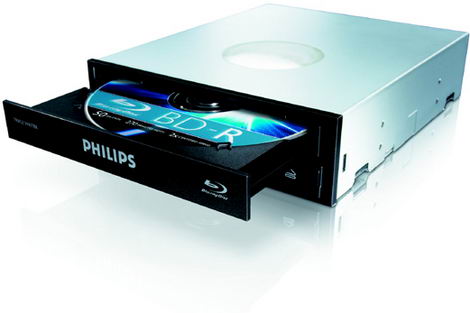
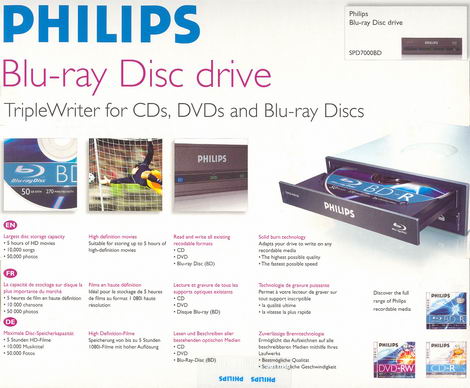
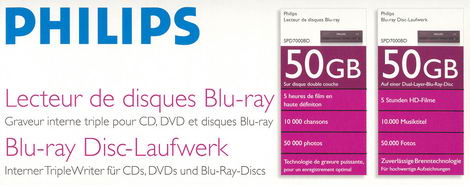
We at CDFreaks would like to present a review of Philips’s first drive that supports the Blu-ray technology - the Philips SPD7000BD Blu-Ray Disc Triple Writer.
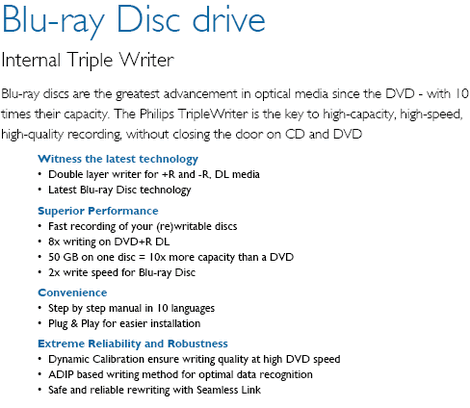
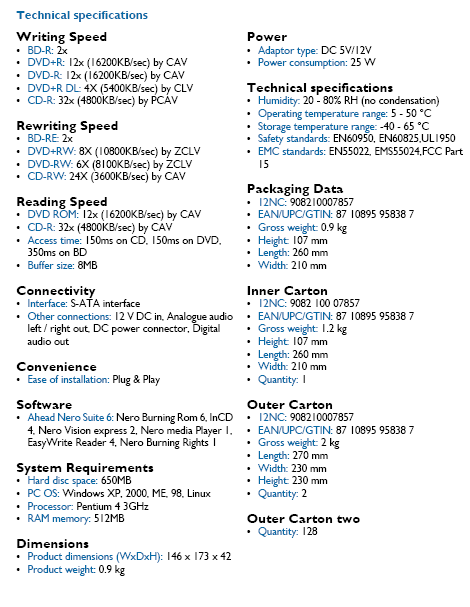
The Philips SPD7000BD supports 2x BD-R/BD-RE (single layer), 1x BD-R/BD-RE (dual layer), 12x DVD±R, 8x/6x DVD+RW/-RW, and 4x DVD+R DL/-R DL writing technology, allowing Double/Dual Layer discs of 8.5Gb to be written.
Company Information:
We are sure that most of you know Philips already, but let us take a look at some of the company information found at www.philips.com.

Global profile:
Royal Philips Electronics of the Netherlands is a global leader in healthcare, lifestyle and technology, delivering products, services and solutions through the brand promise of "sense and simplicity".
Headquartered in the Netherlands, Philips employs approximately 121,700 employees in more than 60 countries worldwide. With sales of EUR 27.0 billion in 2006, the company is a market leader in medical diagnostic imaging and patient monitoring systems, energy efficient lighting solutions, personal care and home appliances, as well as consumer electronics.
80,000 registered patents illustrate the innovative nature of the company. In a world in which technology increasingly touches every aspect of daily life, we want to bring 'sense & simplicity' to consumers with advanced, easy to use products that are designed specifically to meet their needs, wherever in the world they may be.
Healthcare
We combine our expertise in medical technology with the clinical know-how of our customers to produce innovative solutions that meet not just the needs of individual patients, but which also enable healthcare professionals to work faster, more easily and more cost-effectively. Our medical customers have ranked us number 1 in cardiovascular X-ray, digital X-ray and ultrasound, patient monitoring systems, nuclear medicine, cardiology systems and critical care systems.
Key products: Brilliance CT scanners, Panorama MR, iU22.
Lifestyle
We believe that every moment you spend at home (or away from work) should be enjoyable and uncomplicated: time spent recharging your batteries or simply enjoying yourself. That's why we continue to develop products designed to help make your life simpler and more relaxing, whether you're watching TV, adjusting the lighting in your bedroom, cleaning your teeth, listening to music or simply making your coffee in the morning.
Key products: Voice over Internet Protocol phones, Wireless Music Center, Smart Touch XL, Ambilight TV.
Technology
Technology is the driving force of our Healthcare and Lifestyle products. And in today's world, in which increasingly more aspects of our lives are being enabled by technology, it is the continuing Philips tradition of innovation that will enable us to provide the solutions that realize the full potential of fast-evolving digital technologies.
On September 29, 2006, Philips completed the sale of 80.1% of its Semiconductors business to a consortium of private equity partners, founding the newly independent semiconductors company NXP. Philips retains a 19.9% stake in NXP.
If you are interested in reading more company information, please visit www.philips.com.
Drive Specifications:

What’s inside the box?
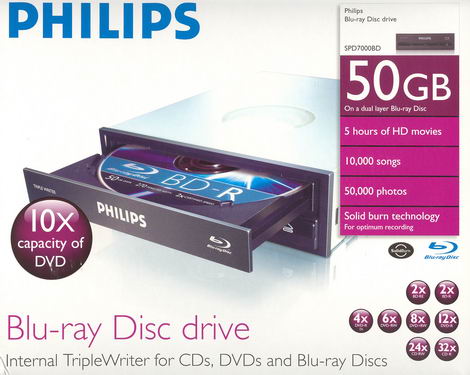
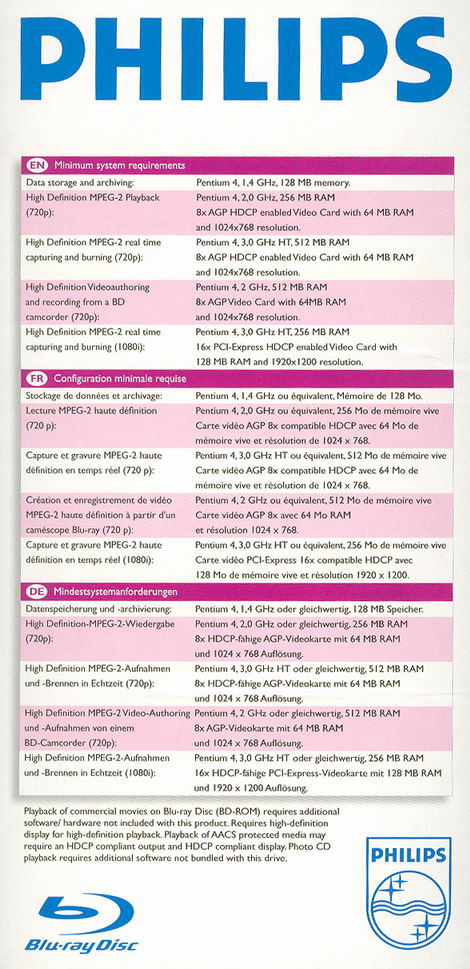
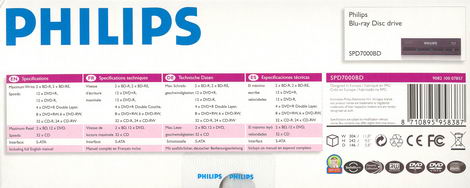
On this page, we will take a look at what the drive came shipped with, a look at the drive and its technology.
Front
Back
Left Side
Right Side
Top
Bottom
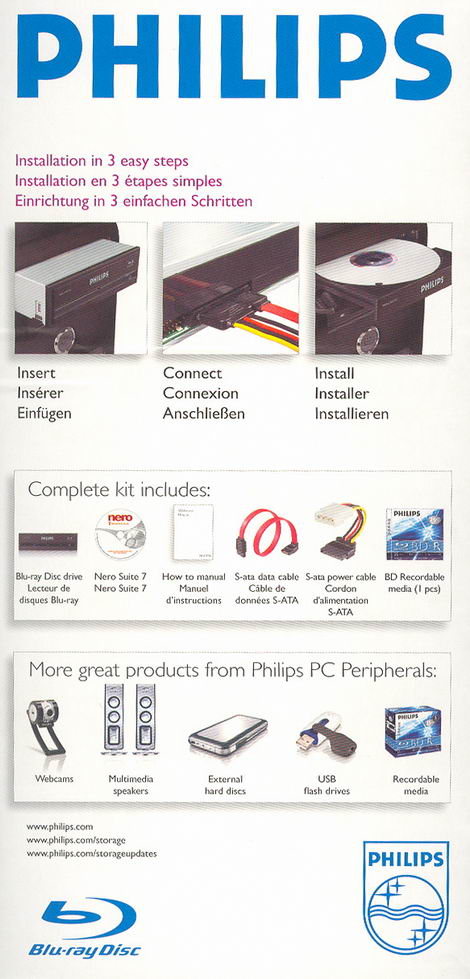
Below you will see the contents:
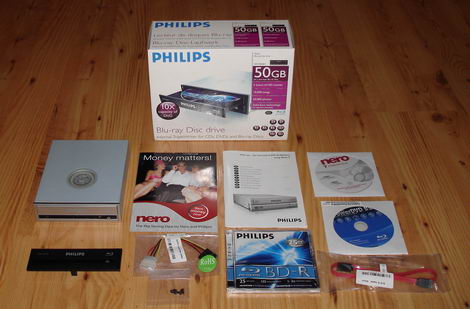
- The internal drive
- Black Bezel
- Nero 7 Premium Upgrade Rebate
- S-ATA power cable adapter
- Set of mounting screws
- Manual – “How to… for Internal S-ATA ReWriters using Nero 7”
- Philips BD-R media
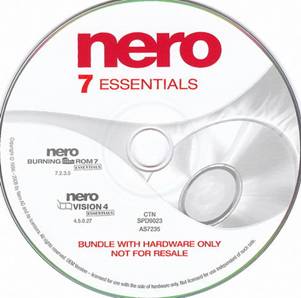
- Nero 7 Essentials Software Disc
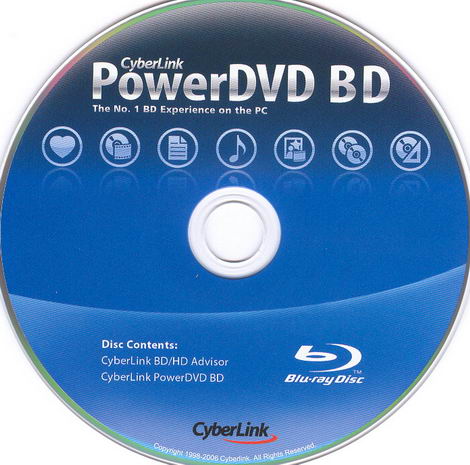
- CyberLink PowerDVD BD Software Disc
- S-ATA Data Cable
Now it's time to take a look at the drive itself:
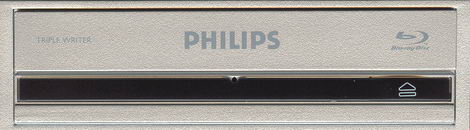
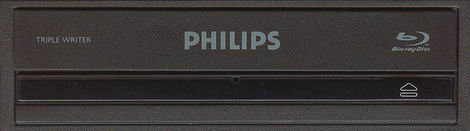
The bezel is cleanly styled that includes a few logos, a triple LED feature (BD, DVD and CD), an emergency eject hole and an eject button. On the tray we can see the TRIPPLE WRITER logo, the PHILIPS logo and the Blu-ray Disc logo.
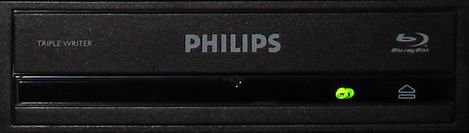
Green LED for CD disc operation
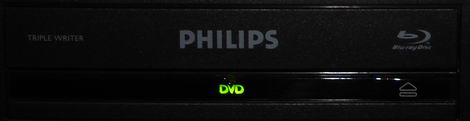
Green LED for DVD disc operation
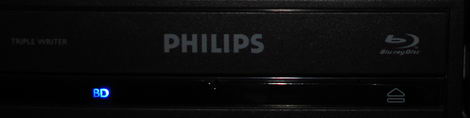
Blue LED for Blu-ray disc operation
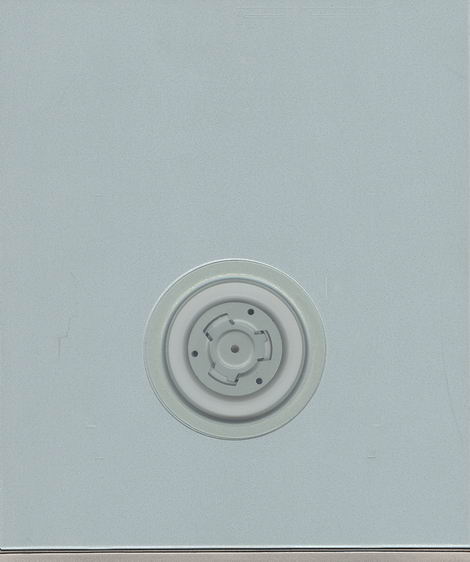
Top
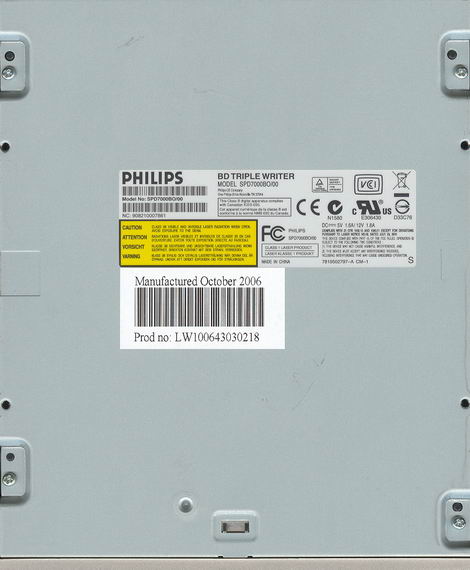
Bottom
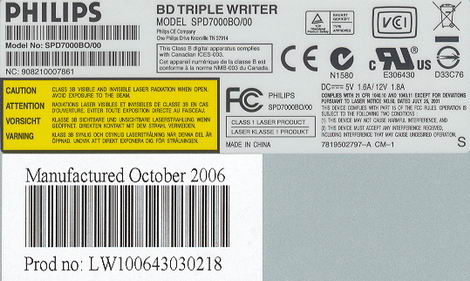
Label
On the bottom of the drive we found two stickers, and we can see that the drive was made in China, dated October 2006.

Side
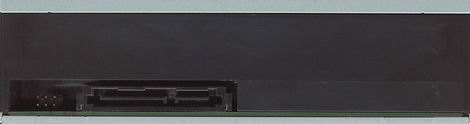
Rear
On the rear of the drive starting from the left we can see: some undocumented pins, a 15 pin Serial ATA DC power input and a 7 pin Serial ATA connector.
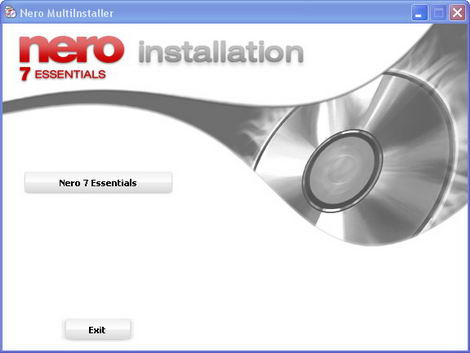
Included Software Discs:
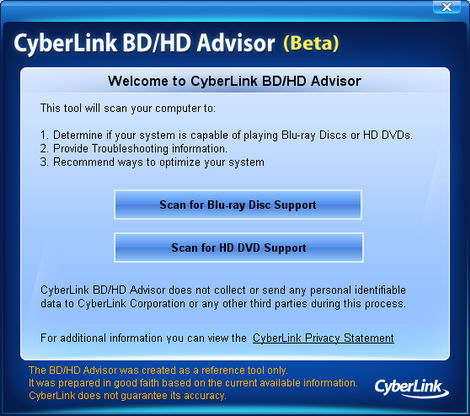
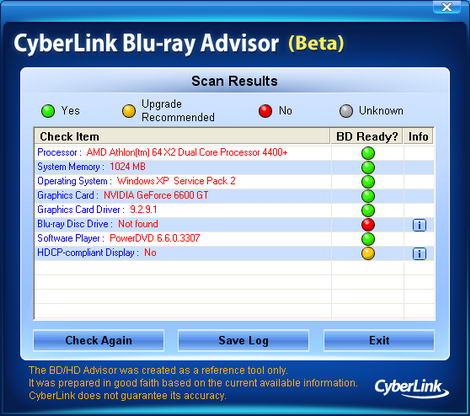
Now let’s take a look at the drive installation and features on the next page…
Test machine:
For this review we will be using a computer with the following configuration:
Hardware:
- Motherboard: Asus A8V Deluxe
- Processor: AMD Athlon 64 X2 4400+ (Toledo)
- RAM: 1 GB Corsair Kit PC3200 DDR
- GFX: MSI GeForce 6600 GT
- Sound: Onboard Realtek AC'97
- Hard disk: Maxtor 6V300F0 300 GB (S-ATA)
System set-up:


The Philips SPD7000BD was connected to the VIA SATA interface and identified itself as PHILIPS SPD7000P. Autorun was enabled for all devices.
And another screenshot from Nero InfoTool below:

From the screenshot from Nero InfoTool above, we can see the Philips SPD7000BD does not support Mount Rainer. The drive came shipped with firmware version BPBK, and was later updated to BPCJ (see below). The drive should use a 2MB buffer size for CD/DVD burning and 8MB buffer size for Blu-ray burning. Furthermore, the drive is reported as AACS compliant.


Installed Software:
Windows XP Professional XP Professional is installed on the computer along with Service Pack 2 for Windows XP. We will be using the following software in this review:
Features and techniques:
Book type (bitsetting):
The Philips SPD7000BD supports Bitsetting, and will as default write DVD+R/DVD+RW/DVD+R DL media with DVD-ROM BookType.

DVD+R media with DVD-ROM BookType

DVD+RW media with DVD-ROM BookType

DVD+R DL media with DVD-ROM BookType
Disc Quality Scanning:
The Philips SPD-7000BD seems to be ready to perform disc quality scans on CD/DVD/BD media, but at the moment it lacks support to report some measurement parameters. Hopefully these parameters can be implanted in future firmware/software updates. (Quality scans performed on the Philips SPD-7000BD drive can NOT at the present time be compared to scans done with other Quality scanners).

The scanning examples below were made with the Test length set to “Speed” under advanced option. (To save time, performing our scanning examples).

CD Scanning example

DVD scanning example. The PIF parameter reporting is at the time being not reported.

BD-R scanning example and as we can see the Jitter is currently the only parameter reported. (We stopped the scanning to save time and to just show you this scanning example).

BD-R scanning example and as we can see the Jitter is currently the only parameter reported. (We stopped the scanning to save time and to just show you this scanning example).
The Internals:

The internals
Some chips explained:

Hynix HY57V641620ETP-H
The Hynix HY57V641620ETP-H is a 64MBit CMOS SDRAM 133 MHz based on 1M x 4Bank X16 I/O

Philips TZA1047HL
The Philips TZA1047 is a flexible analogue processor for use in the optical bit engine of a DVD/CD-recordable system. It provides RF functionality and a sophisticated servo processor.

Philips SA56203TW
The Philips SA56203 is a one-chip motor driver IC that is capable of driving all motors of CD or DVD systems e.g. spindle, sled and loading motors and actuators on the optical pick-up unit. The driver intended for the 3-phase, brushless, Hall-commutated spindle motor uses PWM switching. Internal regeneration of the back EMF of the spindle motor enables the driver to operate in current-steering mode without using external power-dissipating sense resistors. The driver for the 2-phase sled stepper motor operates in current-steering PWM mode. In addition the IC contains four full-bridge linear channels that can be used to drive loading motor and 3D actuators (focus, tracking and tilt).

Philips Nexperia PNX7866EL
The Philips Nexperia PNX7866 is a single chip CD/DVD encoder/decoder device for 16 times overspeed DVD and 48 times overspeed CD record and playback operation. DVD+RW as well as DVD-RW formats are supported. Application areas include DVD-ROM, CD-ROM, CD-R/RW, Combo Systems (DVD-ROM + CD-RW), Double writers (CD-RW + DVD+RW), DVD Video, DVD-Video Recorders and DVD+RW data drives.

Philips Nexperia PNX7869EL
The Philips Nexperia PNX7869 device is a single chip Blu-Ray channel encoder/decoder solution, intended as an add-on IC to the PNX7866, adding Blu-Ray disc (BD) read/write functionality to the existing CD/DVD Nexperia platform. Maximum supported BD speeds are 5X read and write. CD/DVD functionality and performance of the PNX7866 are unaffected by the PNX7869. BD-ROM, BD-R and BD-RE physical formats are supported. The main application areas are CD/DVD/BD triple writer data drives and AV applications.
SolidBurn:

What is SolidBurn?
Philips introduces SolidBurn, a new self-learning feature that will ensure optimal writing conditions for any recordable DVD+R or DVD-R media.
This advanced writer feature executes a series of tests on an ‘unknown’ DVD media to determine the optimal writing strategy. Without SolidBurn, new DVD media and media that are not in the media list of the drive, are written using a less optimal standard write strategy. This could result in lower recording speeds than specified or lower quality recordings jeopardizing disc playability or lifetime.
How does it work?
Before the disc is burned, the drive writes two very short tracks, one in the LeadIn and one in the LeadOut area of the disc. Then the drive measures the jitter on both areas and decides if this jitter value is OK or not. If not, the drive will choose another writing strategy and redo the test until the Jitter is acceptable.
After this, the drive writes your data on the disc, with the best possible writing strategy, which was found by SolidBurn.
Why SolidBurn?
Every disc sold has unique parameters. Mostly, these parameters are almost identical, but sometimes, there are better and less good or even bad discs.
Normal drives will always use the same writing strategy, no matter if the disc inserted is a good or a less good one. SolidBurn will adapt its writing strategy for each disc.
Normal drives who encounter a disc they do not know, will use a default writing strategy, which is mostly not the best one. To guarantee better performance on unknown discs, regular firmware upgrades are required. SolidBurn makes no difference between known and unknown discs and will always choose the best writing strategy for each disc.
Some graphs
SolidBurn shows the lowest jitter measured (lower is better):

Using SolidBurn also gives the highest possible writing speeds, resulting in the lowest average recording times:

SolidBurn (and Overspeed burning) feature can be manually controlled i.e. BenQ’s QSuite:


An Introduction to Blu-Ray:
Until recently, optical disc technologies such as DVD, DVD±R, DVD±RW, and DVD-RAM relied on a red laser to read and write data, the Blu-Ray format uses a blue-violet laser, which explains the name Blu-ray.
Blu-ray drives can also be made backwards compatible with CDs and DVDs through the use of a BD/DVD/CD compatible optical pickup unit.
A blue-violet laser (405nm) has a shorter wavelength than a red laser (650nm); this makes it possible to focus the laser with even greater accuracy. This will allow data to be packed more tightly, so it's possible to squeeze more data on the disc even though it's the same size as a CD/DVD. This together with the change of numerical aperture to 0.85 enables Blu-ray discs to hold 25GB/50GB.
Now let’s take a look at the track pitch and compare them with that of DVD:


As we can see in the above screenshots, the storage density of Blu-Ray is much higher than DVD. The Blu-Ray laser beam spot is also much narrower than that of DVD.
Blu-Ray Error specification:
|
Parameters |
Description |
Limits |
|
RSER10k |
Random Symbol Error Rate – The number of random errors (without Burst Errors) within a 10 000 64K-Block |
Up to 2E-4 |
|
BC |
Burst Count – The number of Burst-Errors with an length of minimum 40 Bytes within a 64K-Block |
Up to 8 |
|
BL |
Burst Length – The total length of Burst-Error (>= 40 Bytes) within one 64K-Block |
Up to 600 Byte |
|
UNC |
Un-correctable errors - Numbers of Code Words within one 64K-Blocks that Long Distance Code (LDC) could not correct. |
0 |
|
Jitter LEq |
Length difference in the written marks after the Signal enhancement through the Limit Equalizer. |
Up to 6.5 % |
|
NPPa |
Push-Pull-Signal - The strength of the track control needed Push-Pull-Signals. |
0.21 to 0.45 |
|
NWS |
Wobble-Signal - The strength of the Wobble-signal in relation to the Push-Pull-Tracking-Signal. |
0.20 to 0.55 |
In the above table we present some of the specifications for reported errors on Blu-Ray media. At present we have no equipment or software available for measuring these errors.
Writing Technology:
In the following tests, we take a look at the disc writing technology used by the Philips SPD7000BD. For these tests we simply burned a disc with Nero CD-Speed’s “create data disc” function.
CD-Recordable:

The Philips SPD7000BD uses P-CAV (Partial-Constant Angular Velocity), to write at its maximum speed of 32X. This gives an average speed of 24.09x and writing time of 4 minutes and 14 seconds.
CD-ReWritable:

The Philips SPD7000BD uses Z-CLV (Zone-Constant Linear Velocity) to write CD-RW media at its maximum speed of 24x, with an average write speed of 18.57x and writing time of 5 minutes and 8 seconds.
12x DVD+R Writing speed:

The Philips SPD7000BD uses P-CAV (Partial-Constant Angular Velocity) to write DVD+R at the maximum supported speed of 12x. This gives an average write speed of 8.92x and a writing time of 7 minutes and 11 seconds.
12X DVD-R Writing speed:

The Philips SPD7000BD uses P-CAV (Partial-Constant Angular Velocity) to write DVD-R at the maximum supported speed of 12x. This gives an average write speed of 8.87x and a writing time of 7 minutes and 26 seconds.
8X DVD+RW writing speed:

The Philips SPD7000BD uses Z-CLV (Zone-Constant Linear Velocity) to write DVD+RW at 8x. The average speed is 7.17x and total writing time is 8 minutes and 28 seconds.
6X DVD-RW writing speed:

The Philips SPD7000BD uses Z-CLV (Zone-Constant Linear Velocity) to write DVD-RW at 6x. The average speed is 5.75x and total writing time is 10 minutes and 12 seconds.
4X DVD+R DL writing speed:

The Philips SPD7000BD uses CLV (Constant Linear Velocity) to write DVD+R DL at 4x. The average speed is 3.86x and total writing time is 28 minutes and 11 seconds.
4X DVD-R DL writing speed:

The Philips SPD7000BD uses CLV (Constant Linear Velocity) to write DVD-R DL at 4x. The average speed is 3.82x and total writing time is 29 minutes and 50 seconds.
2x BD-R (Single Layer) writing speed:
According to the specifications the Philips SPD7000BD should be able to write BD-R 25GB Single Layer media at 2x.


The Philips SPD7000BD uses CLV (Constant Linear Velocity) to write BD-R at its maximum speed of 2x. This resulted in an average write speed of 1.94x and a total write time of 46 minutes and 34 seconds.
2x BD-RE (Single Layer) writing speed:
According to the specifications the Philips SPD7000BD should be able to write BD-RE 25GB Single Layer media at 2x.


The Lite-On LH-1B1S uses CLV (Constant Linear Velocity) to write BD-R at its maximum speed of 2x. This resulted in an average write speed of 1.96x and a total write time of 46 minutes and 15 seconds.
Let’s continue to the next page where we will examine the reading performance...
Reading Performance:
For these tests we will use Nero CD/DVD-Speed to read various CD, DVD and BD media. As already mentioned in the introduction, this drive supports:
- BD: 2x
- DVD: 12x
- CD: 32x
CD-ROM pressed discs:
For this test we used a pressed CD-ROM disc containing Creative Blaster Audigy install CD that is close to 74 minutes long. Below you will see the produced result:

The Philips SPD7000BD reads CD-ROM discs at 34.53x speed.
CD-Recordable Discs:
For this test we made a copy of the original Creative Blaster Audigy install CD. The disc we used was a Verbatim 48X certified CD-R disc manufactured by Mitsubishi Chemicals Corporation.

The Philips SPD7000BD reads CD-R discs at 35.22x speed.
CD-Rewritable discs:
Again, we made a copy of the original Creative Blaster Audigy install CD; this time we used a Verbatim Ultra Speed (32X) CD-RW disc made by Mitsubishi Chemicals Corporation.

The Philips SPD7000BD reads CD-RW discs at 35.23x speed.
90 minutes CD-R:
The used 90 minutes CD-R disc, is slightly larger then 90 minutes, to be exact it is 90:10 minutes long (90:10:00).

The Philips SPD7000BD had no problem reading the 90 min CD-R discs at 36.31x speeds.
100 minutes CD-R:
The used 100 minutes CD-R disc, is slightly smaller then 100 minutes, to be exact it is 99:57 minutes long (99:57:74).

The Philips SPD7000BD had no problem reading the 100 min CD-R discs at 37.61x speeds.
Audio – Digital Audio Extraction:
We used Nero CD/DVD-Speed to measure the transfer rate. The audio disc we used is about 78 minutes long (77:43:45).

The Philips SPD7000BD reached 36.20x reading Audio-CD.
Advanced audio – EAC test:
For this test we used EAC (Exact Audio Copy) to test the drive’s audio extraction performance..
|
According to EAC the Philips drive support Caching, which is considered negative - while ripping audio. |
 |
Below is the results produced by EAC:

Burst mode

Secure mode
The drive performed very well in burst mode and rather slow in secure mode.
Advanced audio – DAE quality test:
Before we move on to testing DVD read speeds, we will take a last audio test, and this time we used the 'Advanced DAE Quality Test" feature in CD-Speed. For this test we used a CD-R DA media from Fuji.


The extracting quality is excellent and the drive should support everything except reading Leadout.
DVD reading performance:
Again, we will use Nero CD-Speed to measure the reading performance, this time for various types of DVD discs.
DVD – DVD-Video:
For our DVD reading performance tests we are going to start with a Single and Double Layered DVD video discs. While only 1X speed is required to watch DVD movies, it’s useful to be able to read the discs at higher speeds if you’re going to extract (rip) the content of the disc to your hard drive.

DVD-Video Single Layer

DVD-Video Double Layer
The Philips SPD7000BD reads pressed DVD-VIDEO SL at 12x and pressed DVD-VIDEO DL at 8x.
DVD – DVD+R/RW:
For this test we used a Verbatim 16x DVD+R and a Verbatim 8x DVD+RW with 4.38GB of data. Below are the results:

DVD+R

DVD+RW
The Philips SPD7000BD reads DVD+R and DVD+RW at 12.5x speed.
DVD – DVD-R/RW:
For this test we used a Verbatim 16X DVD-R disc and a Verbatim 6X DVD-RW disc filled with 4.38GB of data. Our test results are found below:

DVD-R

DVD-RW
The Philips SPD7000BD reads DVD-R and DVD-RW at 12.5x speed.
DVD – DVD±R DL:
For this test we used a Verbatim 2.4x DVD+R DL disc and a Verbatim 4X DVD-R DL disc filled with 7.96GB of data. Our test results are found below:

DVD+R DL

DVD-R DL
The Philips SPD7000BD reads DVD+R DL and DVD-R DL at 8x speed.
Blu-ray Reading performance:
BD – Video:
For this test we used the Blu-ray video “Der Exorzismus Von Emily Rose” filled with 20.40GB of video. Our test results are found below:

BD – BD-R SL:
For this test we used a Verbatim BD-R media filled with 22.56GB of data. (Thanks to Verbatim Germany for sending us this media.) Our test results are found below:


BD-R SL
The Philips SPD7000BD reads BD-R Single Layer 25GB at 2x without any issue.
BD – BD-RE SL:
For this test we used a Verbatim BD-RE media filled with 22.56GB of data. (Thanks to Verbatim Germany for sending us this media.) Our test results are found below:


BD-RE SL
The Philips SPD7000BD reads BD-RE Single Layer 25GB at 2x without any issue.
Now it’s time to head on to a more interesting part: Writing CD-R and CD-RW discs…
The specifications of the Philips SPD7000BD state that the drive is able to write CD-R discs at 32x and CD-RW at 24x. Let us find out how the drive really performs in speed and quality.
Write Quality:
We will test CD-R discs from different CD-R manufacturers. To really measure the write speed, we used the 'create data CD" function in Nero CD-Speed. The discs were written at the maximum speed that the drive supports. For the quality test, we used KProbe 2 which is a tool developed by a Lite-On employee. It runs under Windows and works with drives made by Lite-On. Also note that different drives and different reading speeds may affect the results obtained when scanning the discs. We used a Lite-On SOHR-5238S drive with firmware 4S09 and scanned the discs at 48X speed.
A written CD-R disc will always have some C1 errors; C1 errors are easily corrected by the drive's error correction capabilities. The next level of errors is C2, while C2 errors could also be corrected by most drive's error correction capabilities; they are not wanted on a good quality disc. A good disc should not contain any C2 errors, and preferably have an average C1 error amount of below 2.0 for the best discs, or at least below 10.0 averages for good quality discs. After C2 errors, there are only un-correctable errors that will make a disc unusable.
Below are the obtained results:


|
Brand: |
BenQ - Thanks to Daxon |
|
Manufacturer: |
Daxon Inc. |
|
Code: |
97m22s67f |
|
Disc Type: |
CD-R |
|
Recording Layer: |
Dye Type 7: Short Strategy (Phthalocyanine) |
|
Capacity: |
79:59.74 (703MB) |
|
Certified Speed: |
52x |
|
Write Speed: |
32x |
|
Write Time: |
4m:14s |
|
C1 Average/Sec: |
0.48 |
|
C2 Average/Sec: |
0.0 |
BenQ media with average C1 errors of 0.48 - it goes into the group “best quality discs” category.


|
Brand: |
Miflop Extreme Printable - Thanks to Miflop Media |
|
Manufacturer: |
Taiyo Yuden |
|
Code: |
97m24s01f |
|
Disc Type: |
CD-R |
|
Recording Layer: |
Dye Type 1: Long Strategy (Cyanine, AZO) |
|
Capacity: |
79:59.72 (703MB) |
|
Certified Speed: |
48x |
|
Write Speed: |
32x |
|
Write Time: |
4m:16s |
|
C1 Average/Sec: |
0.24 |
|
C2 Average/Sec: |
0.0 |
Media made by Taiyo Yuden have always had a good reputation and with the average C1 errors of 0.24 it goes into the group “best quality discs” category.


|
Brand: |
RICOH – Thanks to RICOH Europe (D) |
|
Manufacturer: |
Moser Baer India Limited |
|
Code: |
97m17s06f |
|
Disc Type: |
CD-R |
|
Recording Layer: |
Dye Type 6: Short Strategy (Phthalocyanine) |
|
Capacity: |
79:59.74 (703MB) |
|
Certified Speed: |
1x-52x |
|
Write Speed: |
32x |
|
Write Time: |
4m:20s |
|
C1 Average/Sec: |
1.47 |
|
C2 Average/Sec: |
0.0 |
RICOH media – manufactured by Moser Baer India Limited and with its average of 1.47 it goes in the “best quality” category.


|
Brand: |
Ultron – Thanks to Ultron AG (D) |
|
Manufacturer: |
SONY Corporation |
|
Code: |
97m24s16f |
|
Disc Type: |
CD-R |
|
Recording Layer: |
Dye Type 6: Short Strategy (Phthalocyanine) |
|
Capacity: |
79:59.73 (703MB) |
|
Certified Speed: |
52x |
|
Write Speed: |
16x |
|
Write Time: |
5m:54s |
|
C1 Average/Sec: |
0.36 |
|
C2 Average/Sec: |
0.0 |
Ultron media and with the average C1 errors of 0.36 it goes into the group “best quality discs” category. This media was burned at 16x.


|
Brand: |
Traxdata Black – Thanks to Conrexx (NL) |
|
Manufacturer: |
RiTEK Corporation |
|
Code: |
97m15s17f |
|
Disc Type: |
CD-R |
|
Recording Layer: |
Dye Type 7: Short Strategy (Phthalocyanine) |
|
Capacity: |
79:59.73 (703MB) |
|
Certified Speed: |
40x |
|
Write Speed: |
32x |
|
Write Time: |
4m:16s |
|
C1 Average/Sec: |
1.66 |
|
C2 Average/Sec: |
0.0 |
Traxdata media and with the C1 average of 1.66 - it goes into the category “Best Discs”.


|
Brand: |
Verbatim – Thanks to Verbatim (D) |
|
Manufacturer: |
Mitsubishi Chemicals Corporation |
|
Code: |
97m34s23f |
|
Disc Type: |
CD-R |
|
Recording Layer: |
Dye Type 3: Long Strategy (Cyanine, AZO) |
|
Capacity: |
79:59.73 (703MB) |
|
Certified Speed: |
52x |
|
Write Speed: |
32x |
|
Write Time: |
4m:16s |
|
C1 Average/Sec: |
0.25 |
|
C2 Average/Sec: |
0.0 |
Verbatim – a well-known brand showed us a C1 average of 0.33 - it goes into the category “Best Discs”.
Writing Quality with CD-RW discs:
We will also test CD-RW discs from different CD-RW manufacturers. Settings and testing procedures is the same as used earlier in this review, so you may want to go back and read them if you are unsure. All discs used for these tests have been written to before, but none have been written to more than 5 times.


|
Brand: |
Verbatim – Thanks to Verbatim (D) |
|
Manufacturer: |
Mitsubishi Chemicals Corporation |
|
Code: |
97m34s24f |
|
Disc Type: |
Ultra Speed CD-RW 24x |
|
Recording Layer: |
Phase Change |
|
Capacity: |
79:59.74 (703MB) |
|
Certified Speed: |
24x |
|
Write Speed: |
24x |
|
Write Time: |
5m:08s |
|
C1 Average/Sec: |
16.53 |
|
C2 Average/Sec: |
0.0 |
The CD-RW result is good.
Summary:
The CD-R writing quality is excellent, and the CD-RW quality is good.
So let us head on to next page and read about DVD-Writing performance…
The specifications of this drive tell us that it should write DVD±R at 12x and DVD+RW/-RW at 8x/6x. In this part, we will measure the write time for various types of DVD+R/RW and DVD-R/RW discs. We will also focus on write quality and media compatibility.
DVD+R media compatibility and write quality:
In these tests we will be using a Lite-On SHW-165P6S with firmware MS0P along with KProbe to measure the disc quality. We will also be using the Optiarc AD-7173A with firmware 1-01 along with CD-Speed for our read-back tests.


|
Brand: |
Miflop Extreme – Thanks to Miflop |
|
Manufacturer: |
Taiyo Yuden Company Limited |
|
Code: |
YUDEN 000 T03 |
|
Disc Type: |
DVD+R |
|
Capacity: |
4483MB |
|
Certified Speed: |
16x |
|
Write Speed: |
12x |
|
Write Time: |
7m:11s |
|
PI-8 errors Average/Sec: |
2.06 |
|
PI-1 failures (PIF) Avg/Sec: |
0.11 |
Miflop extreme media with Taiyo Yuden media code, the result is good.


|
Brand: |
Philips |
|
Manufacturer: |
InfoMedia |
|
Code: |
INFOMER30 |
|
Disc Type: |
DVD+R |
|
Capacity: |
4483MB |
|
Certified Speed: |
16x |
|
Write Speed: |
12x |
|
Write Time: |
7m:27s |
|
PI-8 errors Average/Sec: |
3.88 |
|
PI-1 failures (PIF) Avg/Sec: |
0.07 |
Philips DVD+R media, made by InfoMedia and the result is good.


|
Brand: |
Pleomax – Thanks to Pleomax (NL) |
|
Manufacturer: |
Opto Disc |
|
Code: |
OPTODISC R16 |
|
Disc Type: |
DVD+R |
|
Capacity: |
4483MB |
|
Certified Speed: |
16x |
|
Write Speed: |
12x |
|
Write Time: |
7m:28s |
|
PI-8 errors Average/Sec: |
1.84 |
|
PI-1 failures (PIF) Avg/Sec: |
0.02 |
The result is very good.


|
Brand: |
TDK |
|
Manufacturer: |
TDK Corporation |
|
Code: |
TDK003 |
|
Disc Type: |
DVD+R |
|
Capacity: |
4483MB |
|
Certified Speed: |
16x |
|
Write Speed: |
12x |
|
Write Time: |
7m:24s |
|
PI-8 errors Average/Sec: |
0.78 |
|
PI-1 failures (PIF) Avg/Sec: |
0.04 |
The result is very good.


|
Brand: |
Traxdata ValuePack – Thanks to Conrexx (NL) |
|
Manufacturer: |
RiTEK Corporation |
|
Code: |
RITEK P16 |
|
Disc Type: |
DVD+R |
|
Capacity: |
4483MB |
|
Certified Speed: |
16x |
|
Write Speed: |
12x |
|
Write Time: |
7m:28s |
|
PI-8 errors Average/Sec: |
1.64 |
|
PI-1 failures (PIF) Avg/Sec: |
0.07 |
The result is good.


|
Brand: |
Verbatim – Thanks to Verbatim (Germany) |
|
Manufacturer: |
Mitsubishi Chemicals Corporation |
|
Code: |
MCC 004 |
|
Disc Type: |
DVD+R |
|
Capacity: |
4483MB |
|
Certified Speed: |
16x |
|
Write Speed: |
12x |
|
Write Time: |
7m:29s |
|
PI-8 errors Average/Sec: |
1.21 |
|
PI-1 failures (PIF) Avg/Sec: |
0.02 |
The result is very good.
DVD+ReWritable media:
DVD+RW at 8x:


|
Brand: |
Ricoh – Thanks to Ricoh Europe |
|
Manufacturer: |
RICOH Company Limited |
|
Code: |
RICOH JPNW21 |
|
Disc Type: |
DVD+RW |
|
Capacity: |
4483MB |
|
Certified Speed: |
8x |
|
Write Speed: |
8x |
|
Write Time: |
8m:28s |
|
PI-8 errors Average/Sec: |
10.03 |
|
PI-1 failures (PIF) Avg/Sec: |
0.29 |
The result is good for this DVD+RW media.
Summary:
The Philips SPD7000BD produced very good quality results with the tested DVD+R/RW media.
On the next page you will find the DVD-R/RW writing results…
DVD-R media compatibility and write quality:
In these tests we will be using a Lite-On SHW-165P6S with firmware MS0P along with KProbe to measure the disc quality. We will also be using the Optiarc AD-7173A with firmware 1-01 along with CD-Speed for our read-back tests.


|
Brand: |
Miflop Extreme – Thanks to Miflop |
|
Manufacturer: |
Taiyo Yuden Company Limited |
|
Code: |
TYG03 |
|
Disc Type: |
DVD-R |
|
Capacity: |
4483MB |
|
Certified Speed: |
16x |
|
Write Speed: |
12x |
|
Write Time: |
7m:26s |
|
PI-8 errors Average/Sec: |
1.61 |
|
PI-1 failures (PIF) Avg/Sec: |
0.00 |
Miflop extreme media, with Taiyo Yuden media code and the result is excellent.


|
Brand: |
Pleomax – Thanks to Pleomax (NL) |
|
Manufacturer: |
Opto Disc |
|
Code: |
OPTODISCR016 |
|
Disc Type: |
DVD-R |
|
Capacity: |
4483MB |
|
Certified Speed: |
16x |
|
Write Speed: |
12x |
|
Write Time: |
7m:47s |
|
PI-8 errors Average/Sec: |
0.37 |
|
PI-1 failures (PIF) Avg/Sec: |
0.01 |
The result is excellent.


|
Brand: |
Sony – Thanks to Sony (Germany) |
|
Manufacturer: |
Sony Corporation |
|
Code: |
SONY16D1 |
|
Disc Type: |
DVD-R |
|
Capacity: |
4483MB |
|
Certified Speed: |
16x |
|
Write Speed: |
12x |
|
Write Time: |
7m:51s |
|
PI-8 errors Average/Sec: |
4.26 |
|
PI-1 failures (PIF) Avg/Sec: |
0.06 |
The result is good.


|
Brand: |
TDK |
|
Manufacturer: |
TDK |
|
Code: |
TTH02 |
|
Disc Type: |
DVD-R |
|
Capacity: |
4483MB |
|
Certified Speed: |
16x |
|
Write Speed: |
12x |
|
Write Time: |
7m:51s |
|
PI-8 errors Average/Sec: |
2.19 |
|
PI-1 failures (PIF) Avg/Sec: |
0.03 |
The result is very good.

|
Brand: |
Traxdata ValuePack – Thanks to Conrexx (NL) |
|
Manufacturer: |
RiTEK Corporation |
|
Code: |
RITEK F1 |
|
Disc Type: |
DVD-R |
|
Capacity: |
4483MB |
|
Certified Speed: |
16x |
|
Write Speed: |
12x |
|
Write Time: |
7m:41s |
|
PI-8 errors Average/Sec: |
5.40 |
|
PI-1 failures (PIF) Avg/Sec: |
0.06 |
The result is good.


|
Brand: |
Verbatim – Thanks to Verbatim (Germany) |
|
Manufacturer: |
Mitsubishi Chemical Corporation |
|
Code: |
MCC 03R G20 |
|
Disc Type: |
DVD-R |
|
Capacity: |
4483MB |
|
Certified Speed: |
16x |
|
Write Speed: |
12x |
|
Write Time: |
7m:48s |
|
PI-8 errors Average/Sec: |
0.38 |
|
PI-1 failures (PIF) Avg/Sec: |
0.05 |
The result is very good.
DVD-ReWritable media:
DVD-RW at 6x:


|
Brand: |
Verbatim - Thanks to Verbatim |
|
Manufacturer: |
Mitsubishi Kagaku Media |
|
Code: |
MKM 01RW 6X01 |
|
Disc Type: |
DVD-RW |
|
Capacity: |
4483MB |
|
Certified Speed: |
6x |
|
Write Speed: |
6x |
|
Write Time: |
10m:12s |
|
PI-8 errors Average/Sec: |
1.62 |
|
PI-1 failures (PIF) Avg/Sec: |
0.01 |
The result is excellent.
Summary:
The Philips SPD7000BD produced very good/excellent quality results with the tested DVD-R/RW media.
Head on to the next page for the DVD+R DL and DVD-R DL writing performance…
DVD+R/-R Double/Dual Layer writing performance:
The Philips SPD7000BD supports the DVD+R DL/-R DL standard for writing Double Layer/Dual Layer discs with a size around 8.5 GB at a writing speed of 4x.
DVD+R DL at 4x:


|
Brand: |
Verbatim – Thanks to Verbatim (D) |
|
Manufacturer: |
Mitsubishi Kagaku Media |
|
Code: |
MKM 003 |
|
Disc Type: |
DVD+R DL |
|
Capacity: |
8103MB |
|
Certified Speed: |
8x |
|
Write Speed: |
4x |
|
Write Time: |
28m:11s |
|
PI-8 errors Average/Sec: |
1.01 |
|
PI-1 failures (PIF) Avg/Sec: |
0.02 |
The result is excellent.
DVD-R DL at 4x:


|
Brand: |
Verbatim – Thanks to Verbatim |
|
Manufacturer: |
Mitsubishi Kagaku Media |
|
Code: |
MKM 01RD30 |
|
Disc Type: |
DVD-R DL |
|
Capacity: |
8103MB |
|
Certified Speed: |
4x |
|
Write Speed: |
4x |
|
Write Time: |
29m:18s |
|
PI-8 errors Average/Sec: |
6.28 |
|
PI-1 failures (PIF) Avg/Sec: |
0.03 |
The result is very good.
Head on to next page and read about the most interesting part: Blu-ray features and performance...
Blu-ray Features:
The Philips SPD7000BD supports writing and reading the Blu-ray Discs (BD-R/BD-RE SL/DL) at a maximum 2x speed.
A Blu-ray Disc (BD) is a next generation optical disc format jointly developed by the Blu-ray Disc Association (BDA), a group of many leading consumer electronics, personal computer and media manufacturers. The format was developed to enable recording, rewriting and playback of High Definition (HD) video, as well as high capacity of data storage.
|
Parameters |
Blu-ray |
DVD |
|
Storage capacity |
25GB (single-layer) |
4.7GB (single-layer) |
|
Laser wavelength |
405nm (blue laser) |
650nm (red laser) |
|
Numerical aperture (NA) |
0.85 |
0.60 |
|
Disc diameter |
120mm |
120mm |
|
Protection layer |
0.1mm |
0.6mm |
|
Track pitch |
0.32µm |
0.74µm |
|
Data transfer rate (data) |
36.0Mbps (1x) 54.0Mbps (1.5x) |
11.08Mbps (1x) 10.08Mbps (<1x) |
|
Video resolution (max) Video bit rate (max) |
1920×1080 (1080p) |
720×480/720×576 (480i/576i) |
|
Video codecs |
MPEG-2 |
MPEG-2 |
|
Audio codecs |
Linear PCM |
Linear PCM |
|
Interactivity |
BD-J |
DVD-Video |
More information on Blu-ray can be found from our own article: Blu-ray vs. HD-DVD
Blu-ray (BD-R) Disc Writing Speed and Quality:
To demonstrate burning data on a Blu-ray (BD-R) disc, we use Nero CD/DVD speed with the create disc feature. The ScanDisc test is performed in the Philips SPD7000BD drive to check if there is any issue with the burned disc. Below are the results:


As we can see, the media is made by Philips and the MID is: PHILIPR02
The Philips SPD7000BD used 46 minutes and 34 seconds to writing this Philips BD-R media at 2x CLV.

The ScanDisc test
As we can see, the Philips SPD7000BD had no problems in reading back our test disc.
|
Brand: |
Philips – Thanks to Philips (NL) |
|
Manufacturer: |
Philips |
|
Code: |
PHILIPR02 |
|
Disc Type: |
BD-R |
|
Capacity: |
23098MB (22.56GB) |
|
Certified Speed: |
2x |
|
Write Speed: |
2x |
|
Write Time: |
46m:34s |
No problem with writing and reading onto this Philips Blu-ray media.


As we can see, the media is made by Mitsubishi Kagaku Media and the MID is: VERBATIMa


The Philips SPD700BD used 46 minutes and 36 seconds to writing this Verbatim BD-R media at 2x CLV.

The ScanDisc test


As we can see, the Philips SPD7000BD had no problems in reading back our test disc.
|
Brand: |
Verbatim – Thanks to Verbatim Germany |
|
Manufacturer: |
Mitsubishi Chemicals Corporation |
|
Code: |
VERBATIMa |
|
Disc Type: |
BD-R |
|
Capacity: |
23098MB (22.56GB) |
|
Certified Speed: |
2x |
|
Write Speed: |
2x |
|
Write Time: |
46m:36s |
No problem with writing and reading onto this Verbatim Blu-ray media.
On the next page - Blu-ray (BD-RE) writing performance...
Blu-ray (BD-RE) Disc Writing Speed and Quality:
Again, we use Nero CD/DVD speed with the create disc feature. The ScanDisc test is performed in the Philips SPD7000BD drive to check if there is any issue with the burned disc. Below are the BD-RE results:


As we can see, the media is made by Philips and the MID is: PHILIPW02


The Philips SPD7000BD used 46 minutes and 22 seconds to writing this Philips BD-RE media at 2x CLV.

The ScanDisc test


As we can see, the Philips SPD7000BD had no problems in reading back our test disc.
|
Brand: |
Philips – Thanks to Philips (NL) |
|
Manufacturer: |
Philips |
|
Code: |
PHILIPW02 |
|
Disc Type: |
BD-RE |
|
Capacity: |
23866MB (23.31 GB) |
|
Certified Speed: |
2x |
|
Write Speed: |
2x |
|
Write Time: |
46m:22s |
No problem with writing and reading onto this Philips Blu-ray media.


As we can see, the media is made by Sony and the MID is: SONYES1


The Lite-On LH-1B1S used 46 minutes and 26 seconds to writing this Sony BD-RE media at 2x CLV.
The ScanDisc test


As we can see, the Philips SDP7000BD had no problems in reading back our test disc.
|
Brand: |
Sony |
|
Manufacturer: |
Sony Recording Media Co. |
|
Code: |
SONYES1 |
|
Disc Type: |
BD-RE |
|
Capacity: |
23866MB (23.31 GB) |
|
Certified Speed: |
2x |
|
Write Speed: |
2x |
|
Write Time: |
46m:26s |
No problem with writing and reading onto this Sony Blu-ray media.


As we can see, the media is made by TDK and the MID is: TDKBLDWBA
The Philips SPD7000BD used 46 minutes and 15 seconds to writing this TDK BD-RE media at 2x CLV.

The ScanDisc test


As we can see, the Philips SPD7000BD had no problems in reading back our test disc.
|
Brand: |
TDK – Thanks to Firefly Communication/TDK |
|
Manufacturer: |
TDK Corp. |
|
Code: |
TDKBLDWBA |
|
Disc Type: |
BD-RE |
|
Capacity: |
23866MB (23.31 GB) |
|
Certified Speed: |
2x |
|
Write Speed: |
2x |
|
Write Time: |
46m:15s |
No problem with writing and reading onto this TDK Blu-ray media.


As we can see, the media is made by Mitsubishi Kagaku Media and the MID is: VERBATIM0


The Philips SPD7000BD used 46 minutes and 23 seconds to writing this Verbatim BD-RE media at 2x CLV.

The ScanDisc test
As we can see, the Philips SPD7000BD had no problems in reading back our test disc.
|
Brand: |
Verbatim – Thanks to Verbatim Germany |
|
Manufacturer: |
Mitsubishi Kagaku Media |
|
Code: |
VERBATIM0 |
|
Disc Type: |
BD-RE |
|
Capacity: |
23866MB (23.31 GB) |
|
Certified Speed: |
2x |
|
Write Speed: |
2x |
|
Write Time: |
46m:23s |
No problem with writing and reading onto this Verbatim Blu-ray media.
Blu-ray (BD-R/RE/ROM) DL performance:
Please notice that the following test results was made with a non-public engineer firmware.
BR-R DL:
To demonstrate burning data on a Blu-ray (BD-R) DL disc, we use Nero CD/DVD speed with the create disc feature.

As we can see the writing speed on BR-R DL media is 1x, resulting in a total writing time of 188 minutes and 37 seconds.
BD-RE DL:
To demonstrate burning data on a Blu-ray (BD-RE) DL disc, we use Nero CD/DVD speed with the create disc feature.

As we can see the writing speed on BR-RE DL media is 1x, resulting in a total writing time of 189 minutes and 55 seconds.
BR-ROM DL:
To demonstrate the reading capability of a Blu-ray (BD-ROM) DL disc, we used Nero CD/DVD Speed:

As we can see the reading speed on BR-ROM DL media is 2x, resulting in a total reading time of 91 minutes and 31 seconds.
Editor’s note: The BD-R/RE DL writing capabilities is currently disabled in the firmware BPBK/BPCJ, but a future firmware update should enabling this.
Blu-ray Video performance:
For these tests we will use the Blu-Ray Disc “Der Exorzismus Von Emily Rose”.


As we can see, the Philips SPD7000BD had no problems in reading back our Blu-Ray Disc. The reading speed is 2x and the Access times looks very good.
We also tested the playback ability with CyberLink PowerDVD BD edition and we had no issues in showing the HD content. However when we tried to make a snapshot of the playback screen, we only get a black screen.

This is probably related to the copy protection used by the Hardware/Software.

So we took a picture with a digital cam while playing the movie in “Full screen mode”, to show you at least a snapshot from the movie.
Disc Structure:
Maybe some of you are interested to know what kind of directories and files we will find on a Blu-Ray Disc Movie. We have listed them below for you:

Volume in drive R is LOGICAL_VOLUME_ID
Volume Serial Number is 856B-5949
Directory of R:
07/22/2006 04:02 AM <DIR> BDMV
07/22/2006 04:02 AM <DIR> AACS
07/22/2006 04:02 AM <DIR> CERTIFICATE
0 File(s) 0 bytes
Directory of R:BDMV
07/22/2006 04:02 AM <DIR> .
07/22/2006 04:02 AM <DIR> ..
07/22/2006 03:59 AM 240 index.bdmv
07/22/2006 03:59 AM 91,790 MovieObject.bdmv
07/22/2006 04:02 AM <DIR> PLAYLIST
07/22/2006 04:02 AM <DIR> CLIPINF
07/22/2006 04:02 AM <DIR> STREAM
07/22/2006 04:02 AM <DIR> AUXDATA
07/22/2006 04:02 AM <DIR> META
07/22/2006 04:02 AM <DIR> BDJO
07/22/2006 04:02 AM <DIR> JAR
07/22/2006 04:02 AM <DIR> BACKUP
2 File(s) 92,030 bytes
Directory of R:BDMVPLAYLIST
07/22/2006 04:02 AM <DIR> .
07/22/2006 04:02 AM <DIR> ..
07/22/2006 03:59 AM 348 00000.mpls
07/22/2006 03:59 AM 320 00001.mpls
07/22/2006 03:59 AM 278 00002.mpls
07/22/2006 03:59 AM 207,738 00004.mpls
07/22/2006 03:59 AM 184 00005.mpls
07/22/2006 03:59 AM 200 00006.mpls
07/22/2006 03:59 AM 154 00007.mpls
07/22/2006 03:59 AM 154 00008.mpls
07/22/2006 03:59 AM 154 00009.mpls
07/22/2006 03:59 AM 960 00011.mpls
10 File(s) 210,490 bytes
Directory of R:BDMVCLIPINF
07/22/2006 04:02 AM <DIR> .
07/22/2006 04:02 AM <DIR> ..
07/22/2006 03:59 AM 29,516 00000.clpi
07/22/2006 03:59 AM 26,740 00001.clpi
07/22/2006 03:59 AM 9,904 00002.clpi
07/22/2006 03:59 AM 1,252 00004.clpi
07/22/2006 03:59 AM 292 00005.clpi
07/22/2006 03:59 AM 292 00012.clpi
07/22/2006 03:59 AM 464 00006.clpi
07/22/2006 03:59 AM 1,744 00007.clpi
07/22/2006 03:59 AM 384 00008.clpi
07/22/2006 03:59 AM 384 00009.clpi
07/22/2006 03:59 AM 384 00010.clpi
07/22/2006 03:59 AM 292 00003.clpi
07/22/2006 03:59 AM 292 00013.clpi
13 File(s) 71,940 bytes
Directory of R:BDMVSTREAM
07/22/2006 04:02 AM <DIR> .
07/22/2006 04:02 AM <DIR> ..
07/22/2006 03:39 AM 9,580,216,320 00000.m2ts
07/22/2006 03:54 AM 8,647,059,456 00001.m2ts
07/22/2006 03:58 AM 3,012,476,928 00002.m2ts
07/22/2006 03:58 AM 212,238,336 00004.m2ts
07/22/2006 03:59 AM 7,507,968 00005.m2ts
07/22/2006 03:59 AM 7,581,696 00012.m2ts
07/22/2006 03:58 AM 25,165,824 00006.m2ts
07/22/2006 03:59 AM 352,696,320 00007.m2ts
07/22/2006 03:59 AM 12,122,112 00008.m2ts
07/22/2006 03:59 AM 13,701,120 00009.m2ts
07/22/2006 03:59 AM 11,833,344 00010.m2ts
07/22/2006 03:59 AM 7,471,104 00003.m2ts
07/22/2006 03:59 AM 7,557,120 00013.m2ts
13 File(s) 21,897,627,648 bytes
Directory of R:BDMVAUXDATA
07/22/2006 04:02 AM <DIR> .
07/22/2006 04:02 AM <DIR> ..
07/22/2006 02:37 AM 552,632 sound.bdmv
1 File(s) 552,632 bytes
Directory of R:BDMVMETA
07/22/2006 04:02 AM <DIR> .
07/22/2006 04:02 AM <DIR> ..
0 File(s) 0 bytes
Directory of R:BDMVBDJO
07/22/2006 04:02 AM <DIR> .
07/22/2006 04:02 AM <DIR> ..
0 File(s) 0 bytes
Directory of R:BDMVJAR
07/22/2006 04:02 AM <DIR> .
07/22/2006 04:02 AM <DIR> ..
0 File(s) 0 bytes
Directory of R:BDMVBACKUP
07/22/2006 04:02 AM <DIR> .
07/22/2006 04:02 AM <DIR> ..
07/22/2006 03:59 AM 240 index.bdmv
07/22/2006 03:59 AM 91,790 MovieObject.bdmv
07/22/2006 04:02 AM <DIR> PLAYLIST
07/22/2006 04:02 AM <DIR> CLIPINF
07/22/2006 04:02 AM <DIR> BDJO
2 File(s) 92,030 bytes
Directory of R:BDMVBACKUPPLAYLIST
07/22/2006 04:02 AM <DIR> .
07/22/2006 04:02 AM <DIR> ..
07/22/2006 03:59 AM 348 00000.mpls
07/22/2006 03:59 AM 320 00001.mpls
07/22/2006 03:59 AM 278 00002.mpls
07/22/2006 03:59 AM 207,738 00004.mpls
07/22/2006 03:59 AM 184 00005.mpls
07/22/2006 03:59 AM 200 00006.mpls
07/22/2006 03:59 AM 154 00007.mpls
07/22/2006 03:59 AM 154 00008.mpls
07/22/2006 03:59 AM 154 00009.mpls
07/22/2006 03:59 AM 960 00011.mpls
10 File(s) 210,490 bytes
Directory of R:BDMVBACKUPCLIPINF
07/22/2006 04:02 AM <DIR> .
07/22/2006 04:02 AM <DIR> ..
07/22/2006 03:59 AM 29,516 00000.clpi
07/22/2006 03:59 AM 26,740 00001.clpi
07/22/2006 03:59 AM 9,904 00002.clpi
07/22/2006 03:59 AM 1,252 00004.clpi
07/22/2006 03:59 AM 292 00005.clpi
07/22/2006 03:59 AM 292 00012.clpi
07/22/2006 03:59 AM 464 00006.clpi
07/22/2006 03:59 AM 1,744 00007.clpi
07/22/2006 03:59 AM 384 00008.clpi
07/22/2006 03:59 AM 384 00009.clpi
07/22/2006 03:59 AM 384 00010.clpi
07/22/2006 03:59 AM 292 00003.clpi
07/22/2006 03:59 AM 292 00013.clpi
13 File(s) 71,940 bytes
Directory of R:BDMVBACKUPBDJO
07/22/2006 04:02 AM <DIR> .
07/22/2006 04:02 AM <DIR> ..
0 File(s) 0 bytes
Directory of R:AACS
07/22/2006 04:02 AM <DIR> .
07/22/2006 04:02 AM <DIR> ..
07/22/2006 03:59 AM 1,048,576 MKB_RO.inf
07/22/2006 03:59 AM 1,048,576 MKB_RW.inf
07/22/2006 03:59 AM 1,048,576 ContentRevocation.lst
07/22/2006 03:59 AM 65,536 Unit_Key_RO.inf
07/22/2006 03:59 AM 232 Content000.cer
07/22/2006 03:59 AM 2,048 CPSUnit00001.cci
07/22/2006 03:59 AM 2,343 mcmf.xml
07/22/2006 04:02 AM <DIR> DUPLICATE
07/22/2006 03:59 AM 891,132 ContentHash000.tbl
8 File(s) 4,107,019 bytes
Directory of R:AACSDUPLICATE
07/22/2006 04:02 AM <DIR> .
07/22/2006 04:02 AM <DIR> ..
07/22/2006 03:59 AM 1,048,576 MKB_RO.inf
07/22/2006 03:59 AM 1,048,576 MKB_RW.inf
07/22/2006 03:59 AM 1,048,576 ContentRevocation.lst
07/22/2006 03:59 AM 65,536 Unit_Key_RO.inf
07/22/2006 03:59 AM 232 Content000.cer
07/22/2006 03:59 AM 2,048 CPSUnit00001.cci
07/22/2006 03:59 AM 2,343 mcmf.xml
07/22/2006 03:59 AM 891,132 ContentHash000.tbl
8 File(s) 4,107,019 bytes
Directory of R:CERTIFICATE
07/22/2006 04:02 AM <DIR> .
07/22/2006 04:02 AM <DIR> ..
07/22/2006 04:02 AM <DIR> BACKUP
0 File(s) 0 bytes
Directory of R:CERTIFICATEBACKUP
07/22/2006 04:02 AM <DIR> .
07/22/2006 04:02 AM <DIR> ..
0 File(s) 0 bytes
Total Files Listed:
80 File(s) 21,907,143,238 bytes
48 Dir(s) 0 bytes free
Next you can read the conclusion from our tests…
Positive:
- Supports BD-R/RE (Single layer) read and write at 2x/2x
- Supports BD-R/RE (Dual layer) reading and writing (*2)
- Supports BD-ROM SL/DL reading at 2x
- Supports DVD±R DL writing at 4x
- Supports DVD±R/CD-R/RW writing at 12x/32x/24x
- Overall very good write quality on DVD and CD media
- Bitsetting support for DVD+R/RW/+R DL media (booktype DVD-ROM)
- Disc quality scanning is partly supported
- Reads DVD±R/RW/±R DL at 12.5x/12.5x/8x
- Reads CD-R/-RW/CD-DA/CD-ROM at *35x/*34x/36x/*34x
- Reads 90/100 Minutes CD-Rs
- Virtually silent operation
- Serial-ATA interface
- Extra Bezel (Black) included
- Serial-ATA cable included
- Serial-ATA Power adapter cable included
- Philips BD-R Blu-ray Media included
- Very good retail package and Software solution
- Separate Blue/Green/Green operation LED for BD/DVD/CD
* based on a 74 minutes CD media
*2 Writing on BD-R/RE DL media should be available in a future firmware update.
Negative:
- Does not support Mt. Rainier
Conclusion:
Let us summarize the most  important positive and negative points below:
The main positive points: Belonging to the first generation of Blu-ray writers, the device seems to operate very well and also the write quality on the supported media types is very good.
The Philips SPD7000BD is one of the first Blu-Ray drives that are equipped with a Serial-ATA interface.
The 12x writing speed on DVD±R media is also a feature that is most welcome.
The bitsetting support for DVD+R/RW/+R DL media (BookType DVD-ROM) is also a welcome inclusion and ensures good compatibility with i.e. standalone DVD players.
As a last point, we would like to mention the separate Blue/Green/Green operation LED for BD/DVD/CD media integrated on the Bezel is a very nice feature.
The main negative points: There is almost nothing negative to say about this drive, but if we should mention a point it would be the lack of writing the Mt. Rainer format.
To sum it all up, this is what we would say: "The Philips SPD7000BD is overall a very good example of a CD/DVD/Blu-ray drive".
By using our price grabber feature cdfreaks.pricegrabber we found the drive listed at 595 USD and at geizhals the drive is listed at 677 EUR (January 2007).
Based on our results and experiences with the Philips SPD7000BD we would like to give it our Safe Buy award.

You may discuss/comment this article below or in this forum thread.
Thanks to:
 |
Firefly Communications – United Kingdom for providing the TDK Blu-ray media used in this review. |
 |
Miflop Media – Spain for providing the media used in this review. |
 |
Conrexx Technology B.V./RITEK Europe – The Netherlands for providing the media used in this review. |
 |
Daxon Technology Inc – Taiwan for providing the BenQ media used in this article. |
 |
Philips Europe – The Netherlands for providing the media used in this review |
 |
Pleomax Europe – The Netherlands for providing the media used in this review. |
 |
Ricoh Europe – Germany for providing the media used in this review. |
 |
Sony - Germany for providing the media used in this review. |
 |
Ultron AG – Germany for providing the media used in this review. |
 |
Verbatim - Germany and United Kingdom for providing the media used in this review. |















