
| Review: Plextor PX-755A |

Plextor SA/NV (B) was kind enough to send us one of their latest DVD Burners, the PX-755A for review. In this review we will be testing how the PX-755A performs with different media types. We will also be running some advanced tests in this review, and taking a look at PlexTools Professional XL.
The Plextor PX-755A supports 16x DVD±R, 8x DVD+RW, 6x DVD-RW and 10x/6x DVD+R DL/DVD-R DL writing technology, allowing Double/Dual Layer discs of 8.5GB to be written.
Company information:
Let us take a look at some of the company information found at Plextor Europe's website
Corporate Profile:
| Company Name | Plextor Europe |
| Established | 1994 |
| Paid in Capital | EUR 2.478.935,25 |
| President | Motoaki Kaneko |
| Number of Employees | 30 |
| Sales Amount | EUR 83.665.000 (FY 2003) |
| Business Outline | Plextor is a leading international manufacturer of extremely reliable, high quality recording equipment and is also one of the pioneers in the field of CD technology. From its parent company, Shinano Kenshi Co. Japan, Plextor has a built up tradition in the development and manufacture of advanced hardware and electronic precision equipment going back to 1918. With head offices in Japan, Europe and the United States the company mainly sells its products through a network of specialised computer dealers. Plextor Europe, established in Brussels, takes responsibility for sales, marketing and technical support in Europe, the Middle East and Africa. Since opening its Brussels office in 1994, Plextor has introduced a number of award winning products, including CD/DVD-ROM drives, CD/DVD recordable drives, CD/DVD media and USB Flash Memory Drives (PlexFlash) and digital video converters. |
Corporate Highlights:
| 1985 | Founded TEXEL Corporation in Tokyo, as a subsidiary of Shinano Kenshi Co., Ltd., started with export business of background music equipment. |
| 1986 | Small offset printing press machines are introduced in domestic and overseas market. |
| 1988 | Osaka Branch is opened. |
| 1989 | Extended time recorders for phone conversation are introduced. CD-I audio and encording systems are introduced. CD-Background Music Players are introduced. |
| 1990 | CD-ROM drives are introduced. TEXEL America is established in Sunny Vale, California, USA. |
| 1992 | TEXEL America is relocated in Santa Clara. |
| 1993 | Printing Press Division is established. Plextor S.A. is established in Brussels, Belgium. |
| 1994 | TEXEL Co., Ltd., is renamed as Plextor Co., Ltd. TEXEL America is renamed as Plextor Corporation. |
| 1997 | Plextor Co., Ltd. office is relocated from Ueno to Yaesuguchi, Tokyo Station. |
| 1998 | CD Talking Book for people with visual impairments is introduced. |
There are three Plextor companies in the world. Mission of each company is marketing and sales of:
- Plextor Co., Ltd. (Plextor Japan)
- Business Audio Equipment, including Professional CD Players for background
music, etc. - Digital talking book for people with visual impairments
- Computer Peripherals, including CD-ROM, CD-RW drives, and CD-Tower Systems
- Printing Press Equipment, including IC Card Offset Printing Systems
- Business Audio Equipment, including Professional CD Players for background
- Plextor Corporation (Plextor USA):
Computer Peripherals, including CD-ROM, CD-RW drives, and CD-Tower Systems - Plextor S.A. (Plextor Europe):
Computer Peripherals, including CD-ROM, CD-RW drives
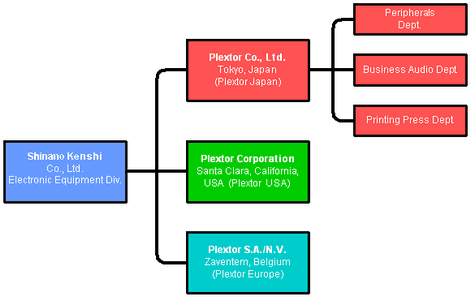
SHINANO KENSHI is a global leader in providing integrated motion control solutions, multi-media solutions, printing solution and textile solutions. The company is organized into four divisions, each dedicated to a specific market. They are:
- Electrical Division - Small precision motors.
- Electronic Equipment Division - CD-ROM, and CD-R/RW optical disk drives, and Professional Audio Equipment.
- Printing Equipment Division - Offset printing presses.
- Textile Division - Spun silk yarn.
SHINANO KENSHI was founded in 1918 to manufacture Spun Silk Yarn, which at the time, was one of the most "High-Tech" industries in the world. As the years passed, SHINANO KENSHI embarked on other industrial markets that would grow more progressively, while maintaining its proud history in the Silk Industry. These ventures insights led to the successful expansion into technology-driven, knowledge-intensive fields, such as Electrical Division, Electronic Equipment Division, and Printing Equipment Division. While maintaining and strengthening its core competencies, Shinano Kenshi has continued its global expansion by establishing subsidiary companies and promoting its products on a worldwide basis. These subsidiaries are chartered with the continual growth of Resellers and OEM's in their respective territories, who have come to rely upon Shinano Kenshi for performance, quality oriented and technically superior optical peripheral products. Marketing base toward abroad.
PLEXTOR is the worldwide brand for all products manufactured by the Electronic Equipment Division and Printing Equipment Division of SHINANO KENSHI.
The Electronic Equipment Division introduced its first CD-ROM optical disk drive under the TEXEL brand name in 1989. Faced with the prospects of a healthy and ever-increasing demand for its products, Shinano Kenshi identified the importance of this segment with the Professional and IT markets demanding performance-oriented products. Through every generation of optical disk drive, Plextor has continually sought ways in which its CD-ROM's and CD-RW's could stimulate market demand by offering higher speed and higher reliability devices, while winning numerous awards worldwide.
PLEXTOR CD-R/RW drives were introduced in 1998 with technologies developed by the corporation in support of the market growing demand for CD-ROM's. High performance drives enable our users to write and re-write data on a stable platform that has evolved throughout the years. Plextor has also invested heavily on the certification of CD-RW media to give our users a wide range of compatibility between the various manufacturers.
Plextor's CD-R & CD-RW optical disk drives have been tested worldwide and evaluated as the "Professional Choice" to satisfy even the most discerning customers. Plextor products have been adopted by financial institutions and government agencies, which require highly reliable data storage technology. Recording studios have come to regard the Plextor products as the "drive of choice", which they can rely upon for the accurate extraction and creation of Digital Audio.
PLEXTOR background music systems have achieved the number 1 position in the worldwide market. Unique data compression technologies help to achieve long playback times, while maintaining high quality sound in professional background music systems for restaurants and stores. Technology leadership has been maintained based on high performance, superior electro-mechanical technology of Plextor's in-house motor technology, robust structure and audio orientation are the distinct signs of a market leader. PLEXTALK is a CD-ROM based talking book developed by Plextor for users that are visually impaired. Over fifty hours of audio information can be recorded on a single CD by Plextor's DAISY operating system. PLEXTALK offers a bookmark function that allows the user to search for the spot where a reader wants to begin.
Plextor's Printing Equipment Division manufactures compact offset printing machines with a combination of sophisticated mechanical and electronic technology. It enables the user to achieve the same quality of printing that was formally available only with the craftsmanship of highly skilled workers. CARD PLEX printing systems provide IC card and single card printing solutions, while maintaining only the highest quality possible.
Plextor's subsidiary companies are responsible for maintaining the customer database, while simultaneously adding more value-add products than ever before.
* DAISY: Digital Audio-based Information System. A set of hardware and software to record, store, transfer and read digital audio books.
If you are interested in reading more company information, please visit: Plextor
Drive specifications:
The specifications of the Plextor PX-755A were found at Plextor Europe's website.
Write & Read speed
| Write | |
| DVD+R | 16x |
| DVD+R DL | 10x |
| DVD-R | 16x |
| DVD-R DL | 6x |
| DVD+RW | 8x |
| DVD-RW | 6x |
| CD-R | 48x |
| CD-RW | 24x |
| Read | |
| DVD-ROM | 16x |
| CD-ROM | 48x |
Technical Specifications
| Interface | IDE/ATAPI |
| Data buffer | 2 MB |
| Access Time | <100ms (CD); <150ms (DVD) |
| MTBF | 60 000h |
| Disc Loading | Tray (50.000 times) |
| Bezel replaceable | Yes, black bezel included in retail version for FREE! |
| Digital Audio | Yes, S/P DIF output |
| Dimensions | 146 x 41,3 x 170 mm |
| Weight | < 1kg |
| Warranty | 2 year Fast Warranty Service (in EU, Norway and Switzerland: Collect & Return) |
System Requirements
| ⋅ PC/AT compatible |
What's inside the box?
On this page we will take a look at what the retail drive came shipped with and take a look at the drive and its technology.
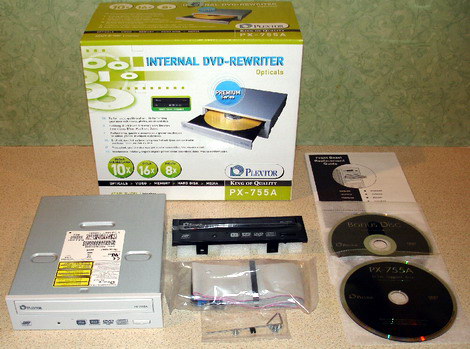
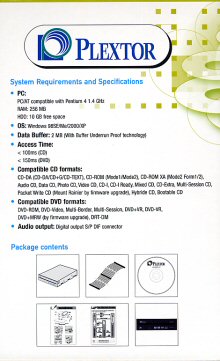
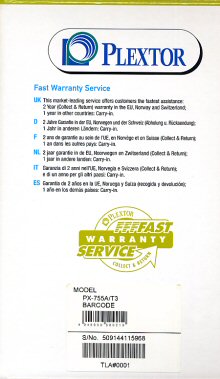
The drive supplied was the retail version, and as we can see, we were supplied with the Plextor PX-755A drive, black and beige bezels, 2 DVD-ROM discs, IDE cable, fixing screws, and instruction booklet.
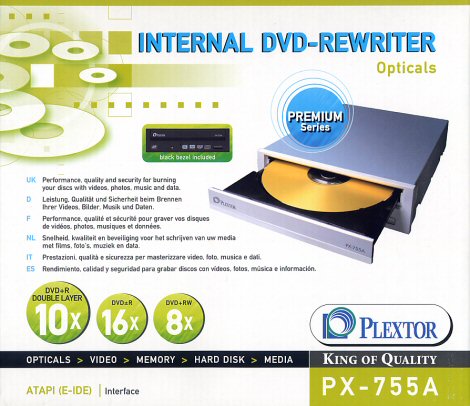
Box front
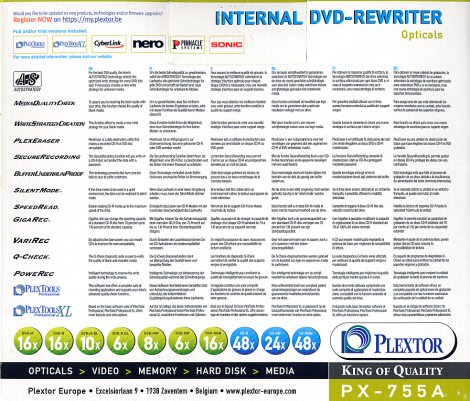
Box rear
Box left and right
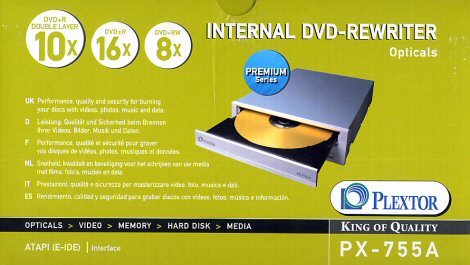
Box top
Now it's time to take a look at the drive itself:

Beige bezel
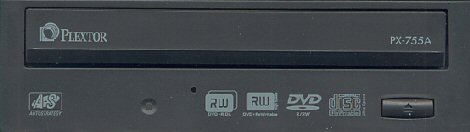
Black bezel
The bezel of the Plextor PX-755A is plainly styled. On the tray we can see the 'Plextor" logo, and we can also see an emergency eject hole, a multi coloured green/amber LED for read and write, and an eject button.
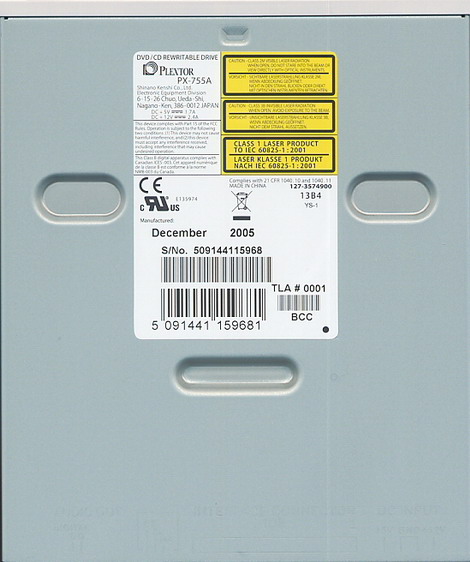
Top
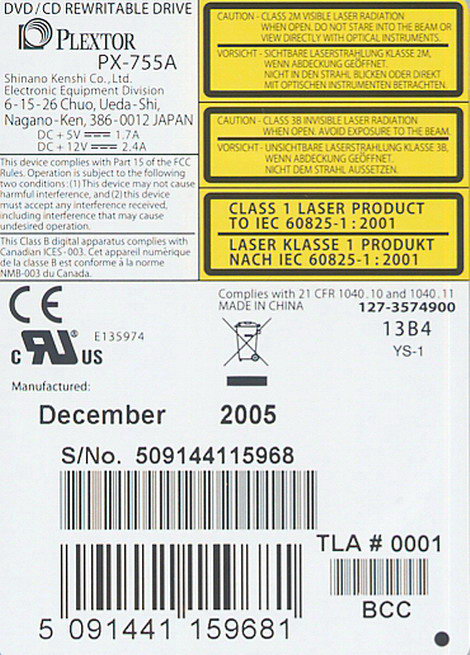
Label
On the top of the drive we found one label, and we can see that the drive was made in China, dated December 2005. We can also read the drive is TLA#0001
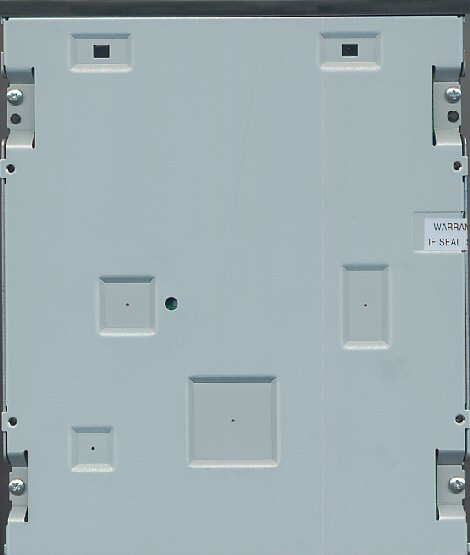
Bottom
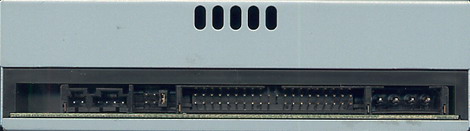
Rear
On the rear of the drive starting from the left, we can see a digital audio connector, analogue audio connector, jumpers for cable select, slave, and master; IDE connector, and finally the power connector.
Software Suite
Now it's time to take a look at the bundled software suite and comment if needed. Please note: we may not use the supplied software in this review.
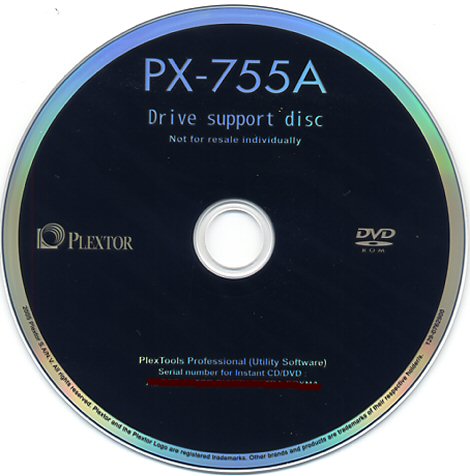
The main support disc

Support disc splash screen
As we can see from the above screenshot, the main support disc contains:
⋅ PlexTools Professional (full version)
⋅ PlexTools Professional XL (trial version)
⋅ Pinnacle Systems suite version 8.3LE (full version)
We will be taking a closer look at PlexTools Professional XL later in this review.
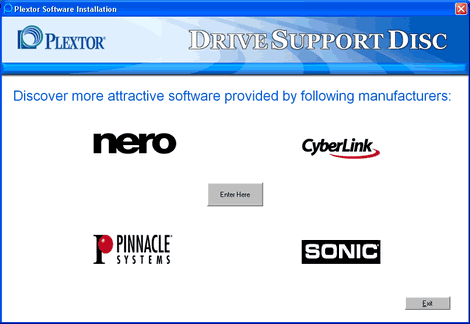
In the above screenshot we can see some of the additional software included. Applications include:
⋅ Nero Express 6 SE (full version)
⋅ CyberLink (trial version)
⋅ Sonic (trial version)
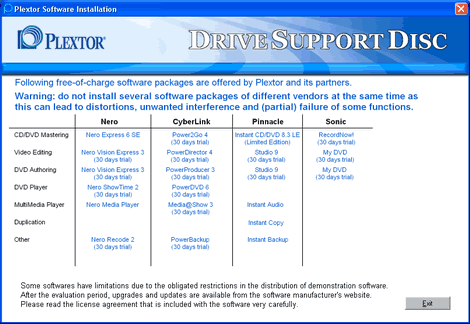
In the screenshot above we have a full list of the software included, and this also lists which applications are full versions, and which are trial versions.
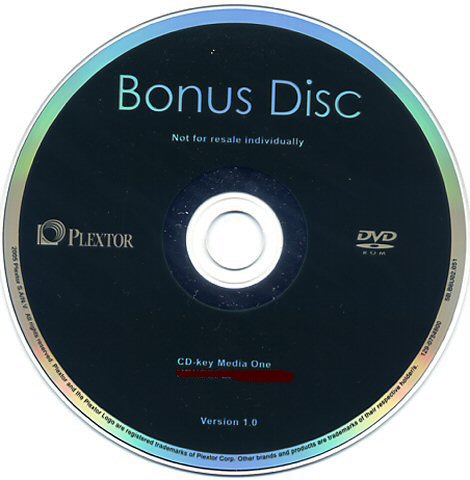
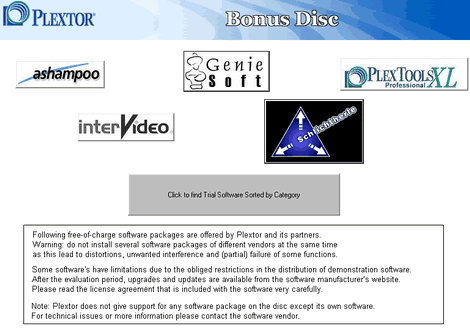
On our Bonus disc we find applications (full and trial versions) from the following.
⋅ Ashampoo
⋅ Genie Soft
⋅ interVideo
But let us continue this review and see how the PX-755A really performs.
There are many applications to install and try out, although Plextor wisely suggests you should not install them all at once.
On the next page we will take a look at the test machine, the software, and the drive features…………
Test
machine:
For this review we will
be using a computer with the following configuration:
Hardware:
⋅
Motherboard: ASUSTeK A8N-SLI DELUXE (nForce 4 SLI
chipset)
⋅
Processor: AMD Athlon 64 3500+ (Venice) 1000 MHz Hyper
Transport
⋅
RAM: 2 GB Corsair TWINX 2CL DDR
⋅
GFX: Leadtek Winfast 6600 TD (PCI Express nVidia)
⋅
Sound: SoundBlaster Audigy 2
⋅
Hard disk: 1X 200GB Seagate Barracuda (SATA): 1X 120GB Maxtor
(SATA).
System
set-up:

The Plextor PX-755A was connected as Secondary Master and
identified itself as PLEXTOR DVDR PX-755A. DMA (Direct Memory Access) and autorun was enabled for all devices.
And another screenshot
from Nero InfoTool below:

From the screenshot from
Nero InfoTool above, we can see the Plextor PX-755A does not support Mount
Rainier. The drive came shipped with firmware version 1a02.
Firmware
Update:
We checked Plextor's
website and found a later firmware version. (1.02) so we proceeded to update the
firmware.
Below we can see the
firmware update process in action.


Our review PC was
restarted after the firmware update process had completed.

We once again run
InfoTool to check that the firmware had updated correctly (see the above
screenshot).
Installed
Software:
Windows XP Professional
x64 Edition is installed on the computer along with Service Pack 1. We will be
using the following software in this review:
- Nero Burning ROM version 6.6.1.4
- Nero CD/DVD Speed V4.11
- Nero InfoTool v4.00
- Slysoft CloneCD v5.2.5.1
- Exact Audio Copy v0.95 beta 2
- K-Probe v2.5.1
Features and techniques:
AUTOSTRATEGY: The best
DVD Quality
For the best writing
quality, the drive's AUTOSTRATEGY technology selects the optimized write
strategy for every DVD disc and, if necessary, creates a new write strategy for
unknown media. (DVD+/-R)
A separate database
stores all strategies that are created by the AUTOSTRATEGY function for media
that is not currently supported in the firmware. A maximum of 31 write
strategies can be held in the non-volatile memory of the drive. The entries can
be activated or de-activated, and deleted. The list of database entries can be
viewed and saved or printed.
The user can select the
write strategy from the AUTOSTRATEGY database or from the database that resides
in the drive's firmware by activating a different Mode.
Remark: This function
is only available for DVD+R and DVD-R media (4X and higher).
1. Auto Selection
Mode:
The drive will select the
best write strategy, whether it is located in the AUTOSTRATEGY database or in
the firmware database. If no suitable strategy is found, AUTOSTRATEGY will
create a new, optimized strategy in the database.
2. AUTOSTRATEGY On
Mode (Forced):
The drive will create a
new write strategy for every new recording, whether a corresponding strategy
exists already in the firmware or not.
3. AUTOSTRATEGY On
Mode:
The drive will use the
write strategies from the AUTOSTRATEGY database for recording. If no suitable
strategy is found, a corresponding write strategy from the firmware's database
will be used.
4. AUTOSTRATEGY Off
Mode:
The drive will only use
the write strategies from the firmware's database for recording. If no
corresponding write strategy is found, the default write strategy will be
used.
Media Quality
Check
To assure you're
receiving the best results with your drive, this function checks the quality of
blank media.
Write strategy
creation
This function offers to
create a new write strategy for your blank media. The drive will create a new
write strategy in the AUTOSTRATEGY database without recording a disc. It is
possible to create several write strategies for the same media, which can be
useful if there is a quality difference among media with the same MID code.

PlexTools Professional XL Auto Strategy Database

PlexEraser
PlexEraser is a data
destruction utility that makes a recorded CD-R or DVD disc unreadable. The drive
will "re-record" over the Lead-in and data sectors of a write once disc
rendering the disc data unusable. Initially this feature will support DVD+/-R
and CD-R media. Firmware upgrades will add support for DVD+/-R DL media.
SecureRecording
The SecureRecording
function lets you write on a CD-R disc and protect the data with a password. To
view the contents of a password-protected disc-or even to see a catalog of
files-the user must enter the correct password. The password can be entered via
PlexTools Professional software, or with SecuViewer software.
Buffer underrun
proof
The buffer underrun proof
technologies offer a solution to prevent writing failures during the burning
process for CD and DVD by pausing the burn if the data to the drive write buffer
is slowed or stopped. The drive resumes the burn process after the drive write
buffer is refilled.
Silent
mode
If the drive needs to be
used in a quiet environment, the drive can be switched to silent mode. Unique
technology that sets the drive for super-silent operation. By controlling access
speed, read/write speed, and tray opening and closing speed, you reduce drive
noise to a whisper. This technology is excellent for recording studios or
offices where low noise is required.
SpeedRead
Enable reading CD-R media
up to the maximum speed of the drive. Discs that may be damaged due to
mishandling or improper use may shatter due to the higher rotational forces
reached at the maximum read speed of the drive. The drive's maximum read speed
is therefore limited as a safety function. SpeedRead enables the user to
increase the read speed of the drive to the maximum possible. Plextor recommends
examining each disc before enabling this function.
GigaRec
GigaRec lets you change
the recording capacity of a standard CD-R disc from 70 percent up to 130 percent
of its standard capacity. You can use GigaRec for CD-DA or data writing at 4X
and 8X disc-at-once (DAO). The feature allows you to get that extra storage on a
single disc for a larger project. For smaller projects, like an audio master,
the feature enables you to use the entire capacity of the disc, increasing the
size of the pits and lands for higher reproductive quality.

VariRec
VariRec provides user
adjustment of the recording power above or below a default level. The default
level reflects an optimized laser power setting with reduced jitter. Changing
this setting will result in a change of sound or sound quality and may increase
the playability or compatibility with existing players.
Q-Check
PlexTools Professional
software provides a suite of diagnostic tests for blank and recorded media. The
pre-recording tests of blank media allow you to choose the best media brands and
recording parameters for your drive. The post-recording tests quantify the
recording session and provide analyzer-type results to guarantee you're getting
the best recording possible.
 |
PoweRec
Plextor Optimized Writing
Error Reduction Control (PoweRec) adjusts laser power and writing speed so
they're at the optimum settings for that particular disc. Using real-time
monitoring of the write data, PoweRec can increase or decrease write power and
speed to guarantee the best possible writing quality with whatever brand media
is used.
PlexTools
Professional
This software tool offers
a complete suite of recording applications and supports your drive's advanced
quality check functions. Advanced drive settings such as GigaRec or Silent Mode
can be changed. High quality audio extraction, various recording modes, and
copying of files or disc images can be selected. Media testing with the drive's
Q-Check function allows you to select the best media for your drive and examine
the quality of your recordings. (www.plextools.com)
PlexTools Professional
XL
Based on the existing
solid code of PlexTools Professional, PlexTools Professional XL offers more
features and extra options. The new layout with resizable windows and improved
graphs, enhanced audio functions and project options, as well as the unique
update check system, is designed and tuned for the demanding user. (www.plextools.com)
Writing Technology:
In the following tests,
we take a look at the disc writing technology used by the Plextor
PX-755A.
For these tests we simply
burned a disc with Nero CD-Speed's 'create data disc" function.
CD-Recordable:

The Plextor PX-755A uses
CAV (Constant Angular Velocity), to write at its maximum
speed of 48x. This gives an average write speed of 36.68x, and as we can see, it
took the PX-755A 2 minutes 44 seconds to write the disc.
Below we have 3 other
drives for comparison.

The Samsung SE-W164C uses
CAV (Constant Angular Velocity), to write at its maximum
speed of 48x. This gives an average write speed of 37.22x.

The
Samsung TS-E552U uses P-CAV (Partial-Constant
Angular Velocity) to write at its rated
speed of 40x. This gives an average speed of 34.39x.

The LG GSA-5160D uses
Z-CLV, (Zone-Constant Linear Velocity), to write at
its maximum speed of 40X. The drive wrote the last zone at 40.41X and this gives
an average speed of 31.70x.
For comparison we have made the
following table:
CD-R | Supported | Write | Start | End | Average | Write |
LG | 40x | Z-CLV | 15.98x | 40.41x | 31.70 | 3m:18s |
Asus | 32x | Z-CLV | 16.03x | 32.66x | 24.92x | 3m:58s |
Samsung | 40x | P-CAV | 21.12x | 39.59x | 34.39x | 2m:53s |
Philips | 40x | CAV | 17.80x | 40.01x | 29.51x | 3m:24s |
NU | 40x | CAV | 18.60x | 41.28x | 31.23x | 3m:09s |
NEC | 48x | CAV | 21.44x | 48.17x | 36.43x | 3m:0s |
BenQ | 48x | CAV | 18.31x | 47.99x | 35.20x | 2m:57s |
Samsung | 48x | CAV | 21.74x | 48.23x | 37.01x | 2m:45s |
Pioneer | 40x | CAV | 17.78x | 40.79x | 30.12x | 3m:19s |
Lite-On | 48x | CAV | 20.85x | 48.92x | 37.10x | 2m:38s |
Plextor | 40x | CAV | 17.83x | 40.23x | 30.23x | 3m:14s |
Plextor | 48x | CAV | 21.46x | 48.43x | 36.68x | 2m:43s |
As we can see from the
table, the Plextor PX-755A was one of the fastest drives when it comes to
writing CD-R's.
CD-Rewritable:

The Plextor PX-755A uses
Z-CLV (Zoned Constant Linear Velocity) to write
CD-RW at its maximum speed of 24x, with an average write speed of 23.51x and a
total write time of 3 minutes and 50 seconds.
Below are some other
drives for comparison.

The Plextor PX-750A uses
CAV (Constant Angular Velocity) to write CD-RW at its
maximum speed of 24x, with an average write speed of 17.81x and a total write
time of 5 minutes and 13 seconds.

The Samsung SE-W164C uses
Z-CLV (Zone Constant Linear Velocity) to write CD-RW
media at its maximum speed of 32x, with an average write speed of 28.32x and a
total writing time of 3 minutes 35 seconds.

The NEC ND-3540A uses Z-CLV,
(Zone-Constant Linear Velocity) writing
technology to write at 32X for CD-RW discs, the average speed is 29.75x.
For a better overview we
present the following comparison table:
CD-RW | Supported | Write | Start | End | Average | Write |
LG | 24x | Z-CLV | 15.99x | 23.99x | 23.31x | 3m:55s |
ASUS | 24x | Z-CLV | 15.96x | 24.00x | 22.46x | 4m:07s |
Samsung | 32x | P-CAV | 21.07x | 31.87x | 30.26x | 3m:05s |
Philips | 24x | P-CAV | 17.77x | 24.01x | 23.15x | 3m:58s |
NU | 24x | P-CAV | 15.39x | 23.93x | 23.16x | 3m:49s |
NEC | 32x | Z-CLV | 20.11x | 32.03x | 29.75x | 3m:32s |
BenQ | 32x | P-CAV | 21.26x | 31.96x | 30.33x | 3m:10s |
Samsung | 32x | Z-CLV | 16.00x | 32.02x | 28.68x | 3m:40s |
Pioneer | 32x | Z-CLV | 16.00x | 32.00x | 24.90x | 4m:03s |
Lite-On | 24x | Z-CLV | 16.01x | 24.02x | 22.50x | 3m:44s |
Plextor | 24x | CAV | 10.69x | 23,74x | 17.61x | 5m:13s |
Plextor | 24x | Z-CLV | 9.10x | 24.01x | 23.51x | 3m:50s |
As we can see from the
table, the Plextor PX-755A was about average when writing CD-RW
media.
16X DVD+R
Writing speed:

The Plextor PX-755A uses
CAV (Constant Angular Velocity) to write DVD+R at the
maximum supported speed of 16x. This gives an average write speed of 11.28x and
a writing time of 6 minutes and 2 seconds.
16X DVD-R
Writing speed:

The Plextor PX-755A uses
CAV (Constant Angular Velocity) to write DVD-R at the
maximum supported speed of 16x. This gives an average write speed of 11.17x and
a writing time of 5 minutes and 27 seconds.
Below are some write
graphs from some other drives for comparison.

The Pioneer DVR-110 uses
CAV (Constant Angular Velocity) to write DVD-R at the
maximum supported speed of 16x. This gives an average write speed of 11.59x and
a writing time of 6 minutes and 1 second.

The NEC 3540A uses CAV
(Constant Angular Velocity) to write DVD+R at 16x. This gives an average writing speed of 11.81x and a writing time of 5 minutes and 58
seconds.

The Philips DVDR16LS uses
CAV, (Constant Angular Velocity) to write DVD+R at 16x. The
average speed is 11.33x and total writing time is 6 minutes and 8 seconds. The
average speed is lower and the writing time is higher than it could have been
due to the Walking OPC generation 2 using some time to constantly adjust the
writing quality, we could see this as constant dips in the speed
curve.

The LG GSA-4163B uses
P-CAV, (Partial-Constant Angular Velocity) to write
DVD-R at 16x. The average speed is 12.90x and total writing time is 5 minutes
and 20 seconds.
Below, we made a
comparison table:
16x | Supported | Write | Start | End | Average | Write |
LG | 16x +R | Z-CLV | 6.00x | 15.88x | 11.60x | 6m:12s |
ASUS | 16x +R | Z-CLV | 6.01x | 16.04x | 10.29x | 6m:48s |
Samsung | 16x +R | CAV | 6.75x | 12.09x | 11.11x | 6m:00s*1 |
Philips | 16x +R | CAV | 5.80x | 12.18x | 11.33x | 6m:08s |
NU | 16x +R | CAV | 6.66x | 7.97x | 9.32x | 6m:55s*2 |
NEC | 16x +R | CAV | 6.70x | 16.06x | 11.81x | 5m:58s |
BenQ | 16x +R | CAV | 5.70x | 15.95x | 11.53x | 5m:44s |
Samsung | 16x +R | CAV | 6.70x | 16.04x | 11.78x | 5m:37s |
Pioneer | 16x +R | CAV | 6.32x | 16.09x | 11.62x | 6m:09s |
Lite-On | 16x +R | CAV | 6.68x | 16.00x | 11.96x | 5m:59s |
Plextor | 16x +R | CAV | 6.72x | 15.75x | 11.84x | 6m:13s |
Plextor | 16x +R | CAV | 6.68x | 16.01x | 11.28x | 6m:02s |
*1 '“ Actual writing speed
was max 14x due to USB-Bridge limitations.
*2 '“ Actual writing speed was max
13x due to USB-Bridge limitations.
From the table above, we
can see that the Plextor PX-755A is about average when it comes to burning DVD±R
media.
8X DVD+RW
writing speed:

The Plextor PX-755A uses
P-CAV, (Partial Constant Angular Velocity) to write DVD+RW
at 8x. The average speed is 7.88x and total writing time is 7 minutes and 18
seconds.
Below are two drives for
comparison.

The Lite-On SHW-16H5S
uses Z-CLV, (Zone-Constant Linear Velocity) to write
DVD+RW at 8x. The average speed is 7.74x and total writing time is 7 minutes and
35 seconds.

The NEC ND-4550A uses
Z-CLV, (Zone-Constant Linear Velocity) to write
DVD+RW at 8x. The average speed is 7.98x and total writing time is 7 minutes and
15 seconds.
We made the table below
for easy comparison.
DVD+RW | Writing | Average | Writing |
Samsung | 8x Z-CLV | 7.52x | 7m:52s |
NEC | 8x Z-CLV | 7.98x | 7m:15s |
Pioneer | 8x Z-CLV | 7.81x | 8m:43s |
Lite-On | 8x Z-CLV | 7.74x | 7m:35s |
Plextor | 8x Z-CLV | 7.69x | 7m:38s |
Plextor | 8x P-CAV | 7.88x | 7m:18s |
The Plextor PX-755A was
above average when it came to writing DVD+RW at 8x.
6X DVD-RW
writing speed:

The Plextor PX-755A uses
CLV, (Constant Linear Velocity) to write DVD-RW at 6x. The
average speed is 6.03x and the total writing time is 10 minutes and 20
seconds.
Below are two other
drives for comparison.

The Lite-On SHW-16H5S
uses Z-CLV, (Zone-Constant Linear Velocity) to write
DVD-RW at 6x. The average speed is 5.83x and total writing time is 10 minutes
and 55 seconds.

The NEC ND-4550A uses
Z-CLV, (Zoned Constant Linear Velocity) to write
DVD-RW at 6x. The average speed is 5.80x and total writing time is 11 minutes 6
seconds.
We present the table
below for easy comparison.
DVD-RW | Writing | Average | Writing |
Samsung | 6x Z-CLV | 5.88x | 10m:23s |
NEC | 6x Z-CLV | 5.80x | 11m:06s |
Pioneer | 6x CLV | 6.01x | 9m:53s |
Lite-On | 6x Z-CLV | 5.83x | 10m:55s |
Plextor | 6x CLV | 5.92x | 10m:37s |
Plextor | 6x CLV | 6.03x | 10m:20s |
The Plextor PX-755A was
above average when writing DVD-RW media
10X DVD+R DL
writing speed:
The Plextor PX-755A is
the world's first drive to support 10x writing speed on DVD+R DL
media.

The Plextor PX-755A used
P-CAV, (Partial Constant Angular Velocity) to write
the Verbatim DVD+R DL disc at 10x. The average speed was 8.61x and the total
writing time was 14 minutes and 14 seconds.
Below are three other
drives for comparison.

The Pioneer DVR-110 uses
Z-CLV, (Zone-Constant Linear Velocity) to write
DVD+R DL at 8x. The average speed is 7.00x and total writing time is 18:06
minutes.

The NEC ND-4550A uses
Z-CLV (Zone Constant Linear Velocity) to write DVD+R
DL media at 8x which gives an average write speed of 6.55x and a total write
time of 18 minutes and 40 seconds.

The BenQ DW1640 uses
P-CAV (Partial Constant Angular Velocity) to write
DVD+R DL at its maximum speed of 8x. This gives an average write speed of 7.32x
and a total write time of 15 minutes and 36 seconds.
6X DVD-R DL
writing speed:

The Plextor PX-755A used
CLV, (Constant Linear Velocity) to write the Verbatim DVD-R
DL disc at 4x. The average speed was 5.35x and the total writing time was 21
minutes and 14 seconds
Below are three other
drives for comparison.

The Lite-On SHW-16H5S
used CLV, (Constant Linear Velocity) to write the Verbatim
DVD-R DL disc at 4x. The average speed was 4.02x and the total writing time was
27 minutes and 32 seconds.

The Pioneer DVR-110 uses
Z-CLV, (Zone Constant Linear Velocity) to write
DVD-R DL at 8x. This gives an average writing speed of 7.06x and a total write
time of 17 minutes and 55 seconds.

The NEC ND-4550A uses
Z-CLV (Zone Constant Linear Velocity) to write DVD-R
DL media at 6x which gives an average write speed of 5.67x and a total write
time of 20 minutes and 41 seconds.
We present the table
below for easy comparison.
Drive | Size | Writing | Writing | Book |
NEC | 8152MB | DVD+R DL 8x | 18m:40s | DVD-ROM |
BenQ | 8152MB | DVD+R DL 8x | 15m:36s | DVD-ROM |
Pioneer | 8152MB | DVD+R DL 8x | 18m:06s | DVD-ROM |
Lite-On | 8152MB | DVD+R DL 4x | 27m:42s | DVD-ROM |
Plextor | 8152MB | DVD+R DL 8x | 17m:51s | DVD-ROM |
Plextor | 8152MB | DVD+R DL 10x | 14m:14s | DVD-ROM |
With its 10x DVD+R DL
write speed, the Plextor PX-755A was the fastest drive writing our test DVD+R DL
media, and was around average when writing our DVD-R DL media.
Book type
(Bitsetting):
The Plextor PX-755A
supports auto Bitsetting, and supports DVD+R/DL media with DVD-ROM book
type.
Here is how you could
check if your discs are really written with DVD-ROM book type:
Start Nero CD-DVD Speed
and click the Disc info button and you should get the following
screen:

DVD+R DL with
book type DVD-ROM.
Another quick test is to
start Nero CD-Speed and look at the disc information:

This
should say DVD-ROM.
Now let us take a look
at the reading performance of the Plextor PX-755A on the next page….
Reading
performance:
For these tests we will
use Nero CD/DVD-Speed to read various CD and DVD's, including audio discs and
DVD-media. As already mentioned in the introduction, this drive
supports:
- DVD-ROM :
16x
- CD-ROM :
48x
Pressed
discs:
For this test we used a
pressed CD-ROM disc containing the Roxio Media Creator 7.5 install CD that is
close to 75 minutes in length. Below you will see the produced
result:

The Plextor PX-755A
reached 48.51x, and will reach faster speeds on a full disc. Let's compare the
result in the table below:
Pressed | Average | Start | End | Seek | Seek | Seek |
Aopen | 37.34x | 21.29x | 49.42x | 105ms | 118ms | 196ms |
LG | 30.73x | 16.88x | 40.47x | 108ms | 105ms | 128ms |
Lite-On | 36.44x | 21.36x | 48.13x | 118ms | 133ms | 207ms |
Pioneer | 30.77x | 18.18x | 24.51x | 96ms | 110ms | 182ms |
BenQ | 30.74x | 15.39x | 38.87x | 99ms | 112ms | 161ms |
NEC | 34.82x | 19.88x | 46.09x | 122ms | 132ms | 210ms |
BenQ | 36.58x | 20.82x | 47.67x | 107ms | 123ms | 175ms |
Samsung | 35.56x | 15.93x | 47.11x | 94ms | 96ms | 171ms |
Pioneer | 31.66x | 18.25x | 41.76x | 98ms | 114ms | 194ms |
Lite-On | 36.41x | 21.58x | 48.248 | 110ms | 125ms | 196ms |
Plextor | 29.65x | 16.64x | 39.23x | 107mx | 119ms | 196ms |
Plextor | 36.61x | 21.15x | 48.51x | 98ms | 117ms | 175ms |
The Plextor PX-755A was
above average reading a pressed CD-ROM.
CD-Recordable
Discs:
For this test we made a
copy of the original Roxio Media Creator 7.5 install CD. The disc we used was a
Ricoh 52X certified CD-R disc manufactured by Moser Baer India.

As we can see from the
above screenshot, the Plextor PX-755A reached 47.33x when reading CD-R. This
gives an average read speed of 35.85x.
Now let us compare with
the drives below.
CD-R | Average | Start | End | Seek | Seek | Seek |
LG | 30.53x | 16.83x | 40.27x | 116ms | 118ms | 128ms |
ASUS | 30.96x | 18.26x | 40.81x | 125ms | 143ms | 282ms |
Samsung | 36.65x | 21.28x | 48.33x | 92ms | 95ms | 163ms |
Philips | 30.69x | 17.68x | 40.44x | 126ms | 137ms | 175ms |
NU | 32.20x | 18.48x | 42.65 | N/A* | N/A* | N/A* |
NEC | 35.68x | 20.76x | 47.06x | 128ms | 130ms | 213ms |
BenQ | 36.57x | 20.92x | 48.09x | 203ms | 233ms | 239ms |
Samsung | 30.66x | 17.98x | 40.43 | 90ms | 92ms | 161ms |
Pioneer | 31.32x | 17.91x | 41.29x | 103ms | 116ms | 192ms |
Lite-On | 36.84x | 21.61x | 48.62x | 115ms | 126ms | 203ms |
Plextor | 29.65x | 17.25x | 39.12x | 124ms | 140ms | 307ms |
Plextor | 35.85x | 20.85x | 47.33x | 121ms | 197ms | 310ms |
Once again the Plextor
PX-755A was above average for reading CD-R media, but the seek times were quite
slow.
* Some drives
including the NU HDW-164 will simply execute the seek command without actually
moving the pickup.
CD-Rewritable discs:
Again, we made a copy of
the original Roxio Media Creator 7.5 install CD; this time we used a Verbatim
Ultra Speed (32X) CD-RW disc made by Mitsubishi Chemicals
Corporation.

As we can see above, the
Plextor PX-755A is speed locked to 40x when reading CD-RW; now let us compare it
to other drives below.
CD-RW | Average | Start | End | Seek | Seek | Seek |
LG | 30.54x | 16.59x | 40.43x | 119ms | 116ms | 129ms |
ASUS | 25.32x | 14.63x | 33.52x | 129ms | 149ms | 288ms |
Samsung | 23.99x | 14.02x | 31.63x | 86ms | 95ms | 162ms |
Philips | 30.70x | 17.71x | 40.55x | 131ms | 149ms | 179ms |
NU | 32.20x | 18.17x | 42.53x | N/A* | N/A* | N/A* |
NEC | 30.76x | 18.02x | 40.08x | 132ms | 128ms | 213ms |
BenQ | 31.36x | 17.47x | 41.46x | 105ms | 116ms | 250ms |
Samsung | 30.67x | 17.89x | 40.44x | 89ms | 92ms | 161ms |
Pioneer | 25.00x | 14.63x | 32.91x | 100ms | 114ms | 191ms |
Lite-On | 25.68x | 15.01x | 33.91x | 115ms | 127ms | 205ms |
Plextor | 29.68x | 17.23x | 39.21x | 119ms | 132ms | 220ms |
Plextor | 31.69x | 18.46x | 41.85x | 98ms | 115ms | 182ms |
The Plextor PX-755A was
one of the fastest drives at reading CD-RW media.
* Some
drives including the NU HDW-164 will simply execute the seek command without
actually moving the pickup.
100
minutes CD:
We used Nero CD-DVD Speed
to measure the transfer rate. The 100 min disc we used is slightly larger than
the disc used for the other tests, to be exact it is 97 minutes and 50 seconds
long.

As we can see, the
Plextor PX-755A had no problems in reading the disc.
Audio '“
Digital Audio Extraction:
To test the digital audio
extraction performance of the Plextor PX-755A, again we used Nero CD/DVD-Speed
to measure the transfer rate. The audio disc we used is slightly larger than the
disc used for the other tests, to be exact it's nearly 79 minutes in length
(78:53:31).

The Plextor PX-755A
reached 42.58x when reading our Audio-CD; let us compare the result with other
drives:
Audio | Average | Start | End | Seek | Seek | Seek |
LG | 31.27x | 16.81x | 41.20x | 118ms | 124ms | 115ms |
ASUS | 31.10x | 19.91x | 41.38x | 125ms | 146ms | 286ms |
Samsung | 37.53x | 19.73x | 49.76x | 85ms | 97ms | 171ms |
Philips | 31.44x | 17.75x | 41.69x | 107ms | 124ms | 176ms |
NU | 32.98x | 18.32x | 43.70x | N/A* | N/A* | N/A* |
NEC | 31.43x | 18.00x | 40.16x | 119ms | 135ms | 217ms |
BenQ | 37.15x | 20.94x | 49.23x | 171ms | 200ms | 184ms |
Samsung | 31.39x | 17.70x | 41.63x | 86ms | 100ms | 177ms |
Pioneer | 31.81x | 17.47x | 42.76x | 103ms | 116ms | 195ms |
Lite-On | 37.48x | 21.71x | 49.71x | 111ms | 125ms | 203ms |
Plextor | 29.97x | 17.13x | 39.98x | 119ms | 139ms | 297ms |
Plextor | 32.11x | 18.26x | 42.58x | 99ms | 109ms | 172ms |
The Plextor PX-755A
performed about average reading the Audio-CD.
* Some
drives including the NU HDW-164 will simply execute the seek command without
actually moving the pickup.
For this test we used EAC
(Exact Audio Copy) to test the drives Audio extraction performance. As we can
see from the screenshot below, the drive supports accurate stream and C2 Error
Info.

Below is the results
produced by EAC:

Burst
mode

Secure
mode
The drive performed very
well in burst mode, but was slower in secure mode.
Advanced
audio '“ DAE quality test:
Before we move on to
testing DVD read speeds, we will take a last audio test, and this time we used
the 'Advanced DAE Quality Test" feature in CD-Speed. For this test we used a
CD-R media from RICOH (Thanks to RICOH Europe (BV) for sending us this
media).


The extracting quality is
excellent, and the drive performed flawlessly with this test, an excellent
result.
DVD
reading performance:
Again, we
will use Nero CD-Speed to measure the reading performance, this time for various
types of DVD discs. The drive should read pressed single layer DVD-discs at
16X.
DVD '“
DVD-Video:
For our DVD reading
performance tests we are going to start with a single and Double Layered DVD
video discs. While only 1X speed is required to watch DVD movies, it's useful to
be able to read the discs at higher speeds if you're going to extract (rip) the
content of the disc to your hard drive.

DVD-Video Single Layer

DVD-Video Double Layer (OPT)

DVD-Video Double Layer (PTP)
The Plextor PX-755A is
not RIPLOCKED and reads a pressed DVD-Video at up to 16x for a Single Layer
disc, and at 12x for a Double Layer disc.
Now let us test a pressed
DVD-ROM disc. For this test we used the 'Plextor PX-716A" install DVD, which is
around 4.37 Gigabyte in size.

As we can see from the
above screenshot, the Plextor PX-755A reads a DVD-ROM at 16x.
DVD | Average | Start | End | Average | Start | End |
LG | 7.60x | 4.12x | 10.13x | 6.14x | 3.38x | 8.16x |
ASUS | 3.92x | 2.17x | 5.25x | 3.94x | 2.19x | 5.25x |
Samsung | 11.50x | 6.78x | 13.11x | 6.41x | 3.57x | 8.51x |
Philips | 11.97x | 6.61x | 15.97x | 6.02x | 3.35x | 8.01x |
NU | 6.40x | 3.54x | 8.53x | 5.87x | 3.26x | 7.81x |
NEC | 5.94x | 3.32x | 7.93x | 5.45x | 3.03x | 7.24x |
BenQ | 11.86x | 6.59x | 15.79x | 9.01x | 5.03x | 12.00x |
Samsung | 12.06x | 6.73x | 16.08x | 6.41x | 3.57x | 8.51x |
Pioneer | 11.99x | 6.41x | 15.99x | 9.35x | 5.30x | 12.45x |
Lite-On | 12.14x | 6.81x | 16.18x | 6.11x | 2.65x | 8.13x |
Plextor | 11.92x | 6.63x | 15.89x | 5.91x | 3.34x | 7.86x |
Plextor | 11.93x | 6.64x | 15.91x | 8.92x | 5.03x | 11.86x |
The Plextor PX-755A
performed well with our SL DVD-Video test. It was one of the fastest drives at
reading a pressed SL DVD-Video disc. With the Double Layer DVD-Video it was
among the fastest drives.
DVD
'“ DVD+R/RW:
For this test we used a
Verbatim 16X DVD+R and a Verbatim 8X DVD+RW with about 4.4GB of data. Below are
the results:

DVD+R

DVD+RW
DVD+R | Average | Start | End | Average | Start | End |
Lite-On | 6.19x | 3.42x | 8.28x | 6.23x | 3.46x | 8.33x |
LG | 7.66x | 4.11x | 10.23x | 6.15x | 3.32x | 8.21x |
ASUS | 9.35x | 5.19x | 12.52x | 6.26x | 3.48x | 8.36x |
Samsung | 6.23x | 3.44x | 8.32x | 6.22x | 3.43x | 8.31x |
Philips | 6.24x | 3.42x | 8.34x | 6.24x | 3.42x | 8.34x |
NU | 6.47x | 3.53x | 8.63x | 6.46x | 3.52x | 8.65x |
NEC | 11.99x | 6.56x | 16.05x | 9.87x | 5.45x | 13.18x |
BenQ | 12.10x | 6.59x | 16.22x | 9.37x | 5.12x | 12.56x |
Samsung | 9.11x | 5.02x | 12.19x | 6.22x | 3.43x | 8.32x |
Pioneer | 9.36x | 5.20x | 12.16x | 6.25x | 3.46x | 8.43x |
Lite-On | 12.19x | 6.61x | 16.29x | 9.23x | 5.13x | 12.33x |
Plextor | 7.46x | 4.12x | 9.98x | 5.96x | 3.27x | 7.97x |
Plextor | 9.07x | 4.98x | 12.12x | 9.05x | 4.95x | 12.12x |
The read speed is locked
at 12x when reading DVD+R/RW media. The Plextor PX-755A performed around average
when reading DVD+R media, but above average when reading DVD+RW
media.
DVD
'“ DVD-R/RW:
For this test we used a
Verbatim 16X DVD-R disc and a Verbatim 6X DVD-RW disc filled with about 4.4GB of
data. Our test results are found below:

DVD-R

DVD-RW
DVD-R | Average | Start | End | Average | Start | End |
Lite-On | 6.05x | 3.34x | 8.09x | 6.05x | 3.35x | 8.09x |
LG | 7.67x | 4.12x | 10.25x | 6.14x | 3.31x | 8.21x |
ASUS | 9.37x | 5.22x | 12.52x | 6.25x | 3.46x | 8.35x |
Samsung | 6.19x | 3.41x | 8.27x | 6.22x | 3.43x | 8.32x |
Philips | 6.23x | 3.40x | 8.33x | 6.24x | 3.41x | 8.34x |
NU | 6.46x | 3.49x | 8.66x | 6.46x | 3.49x | 8.64x |
NEC | 12.01x | 6.58x | 16.06x | 9.85x | 5.42x | 13.16x |
BenQ | 12.09x | 6.59x | 16.17x | 9.34x | 5.11x | 12.50x |
Samsung | 9.11x | 5.03x | 12.18x | 6.22x | 3.44x | 8.31x |
Pioneer | 9.36x | 5.17x | 12.14x | 6.23x | 3.43x | 8.35x |
Lite-On | 9.22x | 5.08x | 12.33x | 9.21x | 5.05x | 12.33x |
Plextor | 7.46x | 4.11x | 9.96x | 5.96x | 3.26x | 7.97x |
Plextor | 9.09x | 4.99x | 12.12x | 9.05x | 4.92x | 12.12x |
The Plextor PX-755A once
again performed averagely when reading DVD-R media, but above average when
reading DVD-RW media.
Overall
thoughts:
Overall reading
performance is very good, we would have liked faster DVD+R and DVD-R read
speeds. During our tests, the Plextor PX-755A proved to be a reliable
reader.
But now it's time to
head on to a more interesting part: Writing CD-R and CD-RW
discs…
The specifications of the
Plextor PX-755A state that the drive is able to write CD-R discs at 48x and
CD-RW at 24x. Let us find out how the drive really performs in speed and
quality.
Writing Data CD-R
discs:
For our data writing
tests, we simply set up a new compilation of 703Mb using Nero Burning ROM
software. Writing method used is DAO (Disc At Once), and
the disc is set up as a non-multisession disc with 'finalize disc" enabled. The
screenshot below shows how long it takes to write a disc at the highest speed.
(48x):

The drive took 2 minutes
and 43 seconds to write the disc at 48x. Let us see how this compares to other
drives in the table below:
Nero Burning | Write | Total |
NU | 40x | 3m:12s |
Philips | 40x | 3m:26s |
Samsung | 40x | 2m:52s |
LG | 40x | 3m:15s |
NEC | 48x | 3m:04s |
Sony | 48x | 3m:01s |
BenQ | 48x | 2m:48s |
Lite-On | 48x | 2m:39s |
Samsung | 48x | 2m:52s |
Pioneer | 40x | 3m:22s |
Lite-On | 48x | 3m:20s |
Plextor | 40x | 3m:16s |
Plextor | 48x | 2m:43s |
Write
Quality:
We will test CD-R discs
from many different CD-R manufacturers. To really measure the write speed, we
used the 'create data CD" function in Nero CD-Speed. The discs were written at
the maximum speed that the drive supports. For the quality test, we used K-Probe
2 which is a tool developed by a Lite-On employee. It runs under Windows and
works with drives made by Lite-On. Also note that different drives and different
reading speeds may affect the results obtained when scanning the discs. We used
a Lite-On SOHR-5238S drive with firmware 4S09 and scanned the discs at 48X
speed.
A written CD-R disc will
always have some C1 errors; C1 errors are easily corrected by the drive's error
correction capabilities. The next level of errors is C2, while C2 errors could
also be corrected by most drive's error correction capabilities; they are not
wanted on a good quality disc. A good disc should not contain any C2 errors, and
preferably have an average C1 error amount of below 2.0 for the best discs, or
at least below 10.0 averages for good quality discs. After C2 errors, there are
only un-correctable errors that will make a disc unusable.
Below are the obtained
results:


Brand: | Unbranded |
Manufacturer: | Taiyo |
Code: | 97m24s01f |
Disc | CD-R |
Recording | Dye Type 1: Long |
Capacity: | 79:59.72 |
Certified | 48x |
Write | 48x |
Write | 2m:39s |
C1 | 0.19 |
C2 | 0.0 |
Media made by Taiyo Yuden
have always had a good reputation and with the average C1 errors of 0.19 it goes
into the group 'best
quality disc" category. Highly recommended!


Brand: | RICOH '“ Thanks to |
Manufacturer: | Moser Baer India |
Code: | 97m17s06f |
Disc | CD-R |
Recording | Dye Type 6: Short |
Capacity: | 79:59.74 |
Certified | 1x-52x |
Write | 48x |
Write | 2m:39s |
C1 | 1.28 |
C2 | 0.0 |
RICOH media '“ manufactured
by Moser Baer India Limited and with its average of 1.28 it goes in the
'best quality disc"
category. Highly
recommended!


Brand: | Verbatim Super AZ0+Crystal |
Manufacturer: | Mitsubishi Chemicals |
Code: | 97m34s23f |
Disc Type: | CD-R |
Recording Layer: | Dye Type 3: Long Strategy (Cyanine, |
Capacity: | 79:59.70 (703MB) |
Certified Speed: | 52x |
Write Speed: | 48x (CAV) |
Write Time: | 2m:44s |
C1 Average/Sec: | 0.51 |
C2 Average/Sec: | 0.0 |
The result on this
Verbatim Super AZO+Crystal DL disc is very good. With a C1 error average of
0.51, this disc goes into our 'best quality disc" category. Highly recommended!


Brand: | Emegton. Thanks to |
Manufacturer: | Fornet |
Code: | 97m26s07f |
Disc | CD-R |
Recording | Dye Type 1: Long |
Capacity: | 79:59.72 |
Certified | 56x |
Write | 48x |
Write | 2m:44s |
C1 | 1.44 |
C2 | 0.0 |
Another excellent result
from the Emgeton branded CD-R media manufactured by Fornet International. With
its C1 average of 1.44, it places this disc in our 'best quality disc" category.
Recommended!


Brand: | Traxdata '“ Thanks |
Manufacturer: | RiTEK |
Code: | 97m15s17f |
Disc | CD-R |
Recording | Dye Type 7: Short |
Capacity: | 79:59.70 |
Certified | 52x |
Write | 48x |
Write | 2m:39s |
C1 | 1.08 |
C2 | 0.0 |
The Traxdata CD-R
manufactured by RITEK, with its C1 average of 1.08 places this disc in our 'best
quality disc" category. Highly recommended!


Brand: | BenQ '“ Thanks to |
Manufacturer: | Daxon |
Code: | 97m22s67f |
Disc | CD-R |
Recording | Dye Type 7: Short |
Capacity: | 79:59.70 |
Certified | 48x |
Write | 48x |
Write | 2m:39s |
C1 | 1.06 |
C2 | 0.0 |
Another excellent burn,
with a C1 average of 1.06, this places this disc in our 'best quality disc"
category. Highly recommended!


Brand: | HP '“ Thanks to |
Manufacturer: | CMC |
Code: | 97m26s66f |
Disc | CD-R |
Recording | Dye Type 6: Short |
Capacity: | 79:59.71 (703 |
Certified | 52x |
Write | 48x |
Write | 2m:39s |
C1 | 1.07 |
C2 | 0.0 |
Once again we have an
excellent result, with a C1 average of 1.07, this places the HP CD-R
manufactured by CMC Magnetics in our 'best quality disc" category. Highly
recommended!


Brand: | Infiniti Printable |
Manufacturer: | SKC |
Code: | 97m26s26f |
Disc | CD-R |
Recording | Dye Type 6: Short |
Capacity: | 79:59.09 (703 |
Certified | 52x |
Write | 48x |
Write | 2m:40s |
C1 | 2.06 |
C2 | 0.0 |
Another good result, with
a C1 average of only 2.06, this places this disc in our 'good quality disc"
category.
Writing
Quality with Re-Writable discs:
Due to
requests from our readers, we will add a few write quality tests with
re-writable media. Settings and testing procedures are the same as used earlier
in this review, so you may want to go back and read them if you are unsure. All
discs used for these tests have been written to before, but none have been
written to more than 5 times.
CD-ReWritable
media:


Brand: | Verbatim Ultra |
Manufacturer: | Mitsubishi |
Code: | 97m34s24f |
Disc | Ultra Speed CD-RW |
Recording | Phase |
Capacity: | 79:59.74 |
Certified | 24x |
Write | 24x |
Write | 3m:54s |
C1 | 2.16 |
C2 | 0.0 |
With a C1 average of
2.16, this places the Verbatim media in our 'good quality disc" category, the
result is very good, recommended!


Brand: | Traxdata '“ Thanks |
Manufacturer: | RiTEK |
Code: | 97m25s30f |
Disc | High Speed CD-RW |
Recording | Phase |
Capacity: | 79:59.74 |
Certified | 12x |
Write | 10x |
Write | 8m:37s |
C1 | 6.06 |
C2 | 0.0 |
The
Traxdata CD-RW manufactured by RiTEK, has performed well. With a C1 average of
6.06, this places this disc in our 'good quality disc" category; the result is
good.
Summary:
The CD-R/RW
writing quality on the Plextor PX-755A is very good.
So let us head on to
next page and read about DVD-Writing
performance…
The specifications of
this drive tell us that it should write DVD±R at 16x and DVD+RW/-RW at 8x/6x. In
this part, we will measure the write time for various types of DVD+R/RW and
DVD-R/RW discs. We will also focus on write quality and media compatibility.
DVD-Writing
performance:
In this test we will
measure the time for writing to DVD±R discs. We used Nero Burning Rom to burn an
ISO compilation containing 4480MB of data. We used the Disc-At-Once write
method.
For these DVD writing
tests, the Plextor PX-755A was set to the following.
⋅
PoweRec
on
⋅
Auto Strategy
on
⋅
All media had
been stored in the Auto Strategy database prior to writing the disc.

DVD+R

DVD-R
Look below for the
results.
Write DVD data | DVD+R | DVD-R |
LG | 6m:22s | 8m:16s |
ASUS | 6m:33s | 6m:44s |
Samsung | 6m:40s | N/A |
Philips | 6m:08s | 8x:21s |
NU | 6m:51s | 7m:23s |
NEC | 6m:17s | 6m:05s |
BenQ | 6m:01s | 6m:11s |
Samsung | 5m:42s | 6m:13s |
Pioneer | 6m:28s | 6m:08s |
Lite-On | 6m:26s | 6m:05s |
Plextor | 6m:36s | 6m:24s |
Plextor | 6m:09s | 6m:17s |
The results are about
average when compared to other drives.
Write
quality:
You should
first notice that this is not a scientific and professional way to test the
discs. But according to our testing done in recent months, we would conclude
that there is a clear link between the quality reported when scanning the disc
and the playability of the disc in different devices. Also notice that different
drives report different amounts of errors. K-Probe was designed to work with
Lite-On
DVD-Writers, so we recommend
using a DVD-Writer from Lite-On. In this test we
use a Lite-On SHW-16H5S
DVD-Writer, as already said; remember that scans done with a Lite-On DVD-ROM or
Lite-On combo drive
can't be compared with the results obtained with a Lite-On DVD-Writer.
Also remember that
different PI/PO ECC sum settings along
with different reading speeds in K-Probe will affect the result, we use these
settings; PI (Parity Inner) set to summarize 8
ECC blocks,
PIF (Parity
Inner Failures) set to
summarize 1 ECC block, reading
speed: 4X CLV (Constant
Linear Velocity). Setting the PI sum to 8 and the PIF sum to 1 will give
a result that we may compare to the standards for DVD+R/RW and
DVD-R/RW.
But what is
a good scan? That is a discussion that we don't think will end soon, as
different drives report different amount of errors, some players are more
picky about media than others, and so on. But as a comparison we present you
with a scan from two pressed DVD discs:

This scan shows the results from a pressed DVD-Video disc
(GoldenEye).

This scan
shows the result from a pressed DVD-Video disk (The Green Mile). Notice the
error jump when shifting to the second layer (the error level actually drops
from the end of the first layer to the beginning of the second
layer).
If you read
below, you will see that both the pressed DVD-discs are well within the
standards.
Download
the ECMA 267 Standard for
DVD-ROM, the ECMA 337 Standard for
DVD+R/RW and the
ECMA 338 Standard for
DVD-R/RW at http://www.ecma-international.org if you want to look
at the standards for yourself. Here is some data from the ECMA standards (same for
DVD-ROM, DVD-R/RW and DVD+R/RW):
Random
errors:
A row of an ECC Block that has at least 1 byte in error constitutes a PI
error. In any 8
consecutive ECC Blocks the total
number of PI errors before correction shall not exceed 280.
Here we see
that a PI error is defined as a row in an ECC block having 1 byte
or more containing errors and that the sum of PI errors in 8 ECC blocks after each
other should not exceed 280 PI errors.
But what is
a row and what is an ECC block? Again we
refer to the ECMA standards. We do
not copy and paste everything, but if you're interested, look in the
ECMA standards. A row is
182 bytes long where the last 10 bytes contain PI (Parity Inner)
information. An ECC block is 208 rows
long where the last 16 rows contain the PO (Parity Outer)
information. This gives us a maximum possible PI error amount of 208 errors per
block and for 8 blocks after each other this sum is of course 8 times higher,
giving a maximum possible amount of 1664 PI-8 errors. In practical use, a disc
with 1664 PI-8 errors is unreadable.
According
to our tests the specified max PI-8 sum of 280 for good discs seems to be a good
guideline, as some readers have problems reading discs when the PI-8 errors is
over 300 and most players starts to have problems when the PI-8 error level
reaches 600 or more.
But what
are the PIF errors that K-Probe
reports? They are Parity Inner Failures, meaning errors left after PI
correction. Only the ECMA 337 standard
describes the Parity Inner Failures. So how is a Parity Inner Failure defined?
Here is what the ECMA 337
states:
'If a row of an ECC Block as defined in 13.3 contains more than 5 erroneous
bytes, the row is said to be 'PI-uncorrectable"."
In theory, an ECC block may in the worst case have 208 PIF since every ECC block is 208
rows long. But the ECMA 337 standard goes further and
specifies the max amount of accepted PI Failures (uncorrectable errors) allowed on a good disc:
'In any
ECC Block the number of
PI - uncorrectable rows should not
exceed 4."
This means
that when the PIF sum is set to 1,
the maximum error value should not exceed 4. The theoretical maximum value for
PIF is 208
errors.
But what
makes a disc unreadable? A POF (Parity
Outer Failure) error will make the disc unreadable, but K-Probe
does not display the POF's.
Notice
that there are other aspects such as disc reflectivity, jitter, tracking errors
and so on that also will affect the readability of a DVD disc '“ but for this we
do not have measuring equipment available.
Also,
another note is that we have scanned the discs at 4X CLV speed, by lowering
the speed to 2X(DVD-R/RW)/2.4X(DVD+R/RW) or 1X the amount
of reported errors may drop on some discs. We scanned at 4X CLV due to lower speeds
taking too much time.
To see if
there is a connection between the reported amount of errors and readability of
the discs we also include the reading curve from a NEC ND-3540A DVD-Writer. The
reason why we have changed the reader is that some companies disliked that we
used a modified firmware to obtain 16x reading speed. So to please them, we are
now using a drive that reads DVD+R/-R media at 16x as default. A small speed reduction near the end is still
accepted on good discs, but serious reading problems or reading failures is a
bad sign.
Easier explanation on how to read the test
results.
Maybe this
got too technical, and you are wondering what to look for in KProbe reports?
Use this as
a guideline for good discs:
- PI (Parity
Inner): No larger areas
on the disc should exceed 280 PI-8 errors, do not worry too much about high
single spikes that exceed 280.
- PIF (Parity Inner
Failures): No larger areas
on the disc should exceed 4 PIF-1 errors, do not worry too much about high
single spikes that exceed 4.
And as
always; lower is better 
And look at
the reading curve; if it looks clean with no dips it should be good, a small
slowdown near the end is accepted.
DVD+R media compatibility and write quality:
In these tests we will be
using a Lite-On SHW-16H5S with firmware LS0T along with K-Probe to measure the
disc quality. We will also be using the NEC ND-3540A with firmware 1.03 along
with CD-Speed for our read-back tests.
For these DVD writing
tests, the Plextor PX-755A was set to the following.
⋅
Power Rec
on
⋅
Auto Strategy
on
⋅
All media had
been stored in the Auto Strategy database prior to writing the disc.


Brand: | Ricoh '“ Thanks to |
Manufacturer: | Ricoh Company |
Code: | RICOH JPN |
Disc | DVD+R |
Capacity: | 4483MB |
Certified | 1x-16x |
Write | 16x |
Write | 6m:04s |
PI-8 errors | 1.02 |
PI-1 failures (PIF) | 0.02 |
A very good burn to start
our tests. Recommended!


Brand: | Verbatim '“ Thanks |
Manufacturer: | Mitsubishi |
Code: | MCC |
Disc | DVD+R |
Capacity: | 4483MB |
Certified | 16x |
Write | 12x (P-CAV) PR |
Write | 6m:41s |
PI-8 errors | 0.34 |
PI-1 failures (PIF) | 0.00 |
The burn quality is
excellent but the PX-755A slowed down the burn to 12x.


Brand: | Datawrite '“ Thanks |
Manufacturer: | CMC Magnetics |
Code: | CMC MAG |
Disc | DVD+R |
Capacity: | 4483MB |
Certified | 16x |
Write | 16x |
Write | 6m:04s |
PI-8 errors | 1.75 |
PI-1 failures (PIF) | 0.06 |
A very good result from
this difficult to handle media.


Brand: | Verbatim '“ Thanks |
Manufacturer: | Taiyo |
Code: | YUDEN000T02 |
Disc | DVD+R |
Capacity: | 4483MB |
Certified | 8x |
Write | 12x |
Write | 6m:47s |
PI-8 errors | 0.67 |
PI-1 failures (PIF) | 0.00 |
No surprises here, an
excellent result from the Verbatim 8x media manufactured by Taiyo Yuden. Highly
recommended!


Brand: | TDK '“ Thanks to SVP |
Manufacturer: | Moser Baer |
Code: | MBIPG101R04 |
Disc | DVD+R |
Capacity: | 4483MB |
Certified | 8x |
Write | 8x |
Write | 7m:56s |
PI-8 errors | 1.16 |
PI-1 failures (PIF) | 0.01 |
Once again the result is
excellent. Highly recommended!


Brand: | Plextor '“ Thanks to |
Manufacturer: | Taiyo |
Code: | YUDEN000T03 |
Disc | DVD+R |
Capacity: | 4483MB |
Certified | 16x |
Write | 16x |
Write | 6m:04s |
PI-8 errors | 1.23 |
PI-1 failures (PIF) | 0.00 |
Another excellent burn
from the Plextor media manufactured by Taiyo Yuden. Highly
recommended!


Brand: | Verbatim Thanks to |
Manufacturer: | Verbatim |
Code: | MCC003 |
Disc | DVD+R |
Capacity: | 4483MB |
Certified | 8x |
Write | 12x |
Write | 6m:58s |
PI-8 errors | 0.30 |
PI-1 failures (PIF) | 0.00 |
The PI errors are
extremely low. Considering this media was burned faster than its rated speed, we
have another excellent result. Highly recommended!


Brand: | BenQ '“ Thanks to |
Manufacturer: | Daxon |
Code: | Daxon |
Disc | DVD+R |
Capacity: | 4483MB |
Certified | 8x |
Write | 8x |
Write | 7m:56s |
PI-8 errors | 1.77 |
PI-1 failures (PIF) | 0.01 |
Once again we have an
excellent result. Highly recommended!


Brand: | BenQ '“ Thanks to |
Manufacturer: | Daxon |
Code: | DAXON |
Disc | DVD+R |
Capacity: | 4483MB |
Certified | 16x |
Write | 16x |
Write | 6m:03s |
PI-8 errors | 1.80 |
PI-1 failures (PIF) | 0.02 |
Once again we have a very
good result from the BenQ media manufactured by Daxon.


Brand: | TDK |
Manufacturer: | TDK |
Code: | TDK003 |
Disc | DVD+R |
Capacity: | 4483MB |
Certified | 16x |
Write | 16x |
Write | 6m:05s |
PI-8 errors | 2.79 |
PI-1 failures (PIF) | 0.06 |
To finish off our DVD+R
tests, we have another good result from the TDK 16x media.
DVD+ReWritable media:
We used the same test
procedures as in our DVD+R tests.
Below are our obtained results


Brand: | Traxdata '“ Thanks |
Manufacturer: | RITEK |
Code: | RITEK |
Disc | DVD+RW |
Capacity: | 4483MB |
Certified | 8x |
Write | 8x |
Write | 7m:34s |
PI-8 errors | 21.08 |
PI-1 failures (PIF) | 0.07 |
PI errors are high but
are well within specification at the start of the disc. PIF errors are fairly
low and our read-back test is perfect. The result is good.


Brand: | HP '“ Thanks to |
Manufacturer: | Philips |
Code: | PHILIPSS040 |
Disc | DVD+RW |
Capacity: | 4483MB |
Certified | 4x |
Write | 4x |
Write | 14m:55s |
PI-8 errors | 4.02 |
PI-1 failures (PIF) | 0.07 |
The result is very
good.
To sum
it up: So far the
Plextor PX-755A writes DVD+R with very good to excellent quality. DVD+RW write
quality is also good.
On the next page you
will find the DVD-R/RW writing results...
DVD-R media compatibility and
write quality:
In these tests we will be
using a Lite-On SHW-16H5S with firmware LS0T along with K-Probe to measure the
disc quality. We will also be using the NEC ND-3540A with firmware 1.03 along
with CD-Speed for our read-back tests.
For these DVD writing
tests, the Plextor PX-755A was set to the following.
⋅
Power Rec
on
⋅
Auto Strategy
on
⋅
All media had
been stored in the Auto Strategy database prior to writing the
disc.


Brand: | Taiyo Yuden |
Manufacturer: | Taiyo |
Code: | TYG03 |
Disc | DVD-R |
Capacity: | 4483MB |
Certified | 16x |
Write | 16x |
Write | 6m:13s |
PI-8 errors | 5.5 |
PI-1 failures (PIF) | 0.04 |
The result is very
good.


Brand: | Verbatim '“ Thanks |
Manufacturer: | Mitsubishi Chemical |
Code: | MCC |
Disc | DVD-R |
Capacity: | 4483MB |
Certified | 16x |
Write | 16x |
Write | 6m:23s |
PI-8 errors | 2.44 |
PI-1 failures (PIF) | 0.00 |
The result is
good.


Brand: | Taiyo Yuden |
Manufacturer: | Taiyo |
Code: | TYG02 |
Disc | DVD-R |
Capacity: | 4483MB |
Certified | 8x |
Write | 12x |
Write | 6m:56s |
PI-8 errors | 5.12 |
PI-1 failures (PIF) | 0.00 |
PI errors are just within
specification, and a cluster of PIF errors near the end of the disc are
worrying. The read-back test is perfect. The result is ok, but not what we
expected from this very good quality media.


Brand: | HP '“ Thanks to |
Manufacturer: | CMC |
Code: | CMC |
Disc | DVD-R |
Capacity: | 4483MB |
Certified | 8x |
Write | 8x |
Write | 8m:15s |
PI-8 errors | 28.82 |
PI-1 failures (PIF) | 0.04 |
PI levels are high near
the end of the disc but are within specification. PIF error levels are low and
our read-back test is perfect; a good result.


Brand: | Traxdata '“ Thanks |
Manufacturer: | RITEK |
Code: | RITEK |
Disc | DVD-R |
Capacity: | 4483MB |
Certified | 16x |
Write | 12x (P-CAV) PR |
Write | 7m:03s |
PI-8 errors | 20.42 |
PI-1 failures (PIF) | 0.14 |
The PI error levels are
quite high throughout the burn and PIF levels are fairly constant throughout the
burn, but all well within specification. The read-back test is perfect and the
result is good.


Brand: | BenQ '“ Thanks to |
Manufacturer: | Daxon |
Code: | DAXON |
Disc | DVD-R |
Capacity: | 4483MB |
Certified | 16x |
Write | 12x (P-CAV) PR |
Write | 7m:17s |
PI-8 errors | 84.10 |
PI-1 failures (PIF) | 0.73 |
The write quality is
good, but the burn speed was cut to 12x.


Brand: | Sony |
Manufacturer: | Sony |
Code: | SONY |
Disc | DVD-R |
Capacity: | 4483MB |
Certified | 8x |
Write | 8x |
Write | 8m:15s |
PI-8 errors | 17.98 |
PI-1 failures (PIF) | 0.07 |
PI errors are quite high,
but well within specification. PIF errors are fairly constant throughout the
disc, and we have a perfect read-back test. The result is good.


Brand: | BenQ '“ Thanks to |
Manufacturer: | Daxon |
Code: | DAXON008S |
Disc | DVD-R |
Capacity: | 4483MB |
Certified | 8x |
Write | 8x |
Write | 8m:16s |
PI-8 errors | 9.99 |
PI-1 failures (PIF) | 0.08 |
The result is
good.


Brand: | Ricoh '“ Thanks to |
Manufacturer: | CMC |
Code: | CMC MAG |
Disc | DVD-R |
Capacity: | 4483MB |
Certified | 16x |
Write | 16x |
Write | 6m:13s |
PI-8 errors | 1.46 |
PI-1 failures (PIF) | 0.13 |
PI errors are low and PIF
errors are well within specification, the result is good.


Brand: | TDK |
Manufacturer: | TDK |
Code: | TTH02 |
Disc | DVD-R |
Capacity: | 4483MB |
Certified | 16x |
Write | 16x |
Write | 6m:18s |
PI-8 errors | 15.91 |
PI-1 failures (PIF) | 0.02 |
PI errors are rising
towards the end of the disc, but are well within specification. PIF errors
values are low, but fairly constant throughout the disc. The result is
good.
DVD-ReWritable media:
We used the same testing
procedures as we did for DVD-R media.
Our obtained results can be seen
below.


Brand: | Verbatim '“ Thanks |
Manufacturer: | Mitsubishi Chemical |
Code: | MKM01RW6X01 |
Disc | DVD-RW |
Capacity: | 4483MB |
Certified | 6x |
Write | 6x |
Write | 10m:24s |
PI-8 errors | 10.46 |
PI-1 failures (PIF) | 0.04 |
The Plextor PX-755A has
handled the Verbatim DVD-RW media well. A very good result.
To sum it
up: Overall, the
write quality is generally good/very good on DVD-R and DVD-RW media.
Head on to next page
and read about DVD+R DL compatibility and write
quality...
DVD+R/-R Double Layer writing
speed and compatibility:
The Plextor PX-755A
supports the DVD+R DL/-R DL standard for writing Double Layer/Dual Layer discs
with a size around 8.5 GB at a writing speed of 10x for DVD+R DL, and 6x for
DVD-R DL. Let us first take a look at the media we will use:
Let's find
the manufacturer and media information too, for this we will use Nero CD-DVD
Speed version 4.11:


Verbatim 8x '“
Manufactured by Mitsubishi Kagaku Media. Thanks to Verbatim for sending us this
media.


This media is
manufactured by Mitsubishi Kagaku Media. Thanks to SVP UK for sending us this
media.


Ricoh JPN D00,
manufactured by Ricoh. Thanks to Ricoh Europe for sending us this
media.


Infiniti reference series
- Manufactured by CMC Magnetics. Thanks to Medea International UK for sending us
this media.
Testing
procedure:
We
created an ISO Image from a pre-authored DVD-Video compliant file set, with a
total on-disc size of 8146 MB. We then wrote this image file using Nero Burning
ROM 6. Below are the results:

Verbatim 8x media
Nero reported a
successful burn with the Verbatim 8x media in 15 minutes and 7 seconds. (write
speed 10x)
Let us take a look at the
K-Probe result:

Brand: | Verbatim '“ Thanks |
Manufacturer: | Mitsubishi Kagaku |
Code: | MKM |
Disc | DVD+R DL |
Capacity: | 8145MB |
Certified | 8x |
Write | 10x |
Write | 15m:07s |
PI-8 errors | 3.01 |
PI-1 failures (PIF) | 0.10 |
Although there are a few
PIF spikes and the usual cluster of PIF errors at and around the layer break,
the result is very good.

Verbatim 2.4x Media
Nero reported a
successful burn with the Verbatim 2.4x media in 19 minutes and 8 seconds. (write
speed 6x)
Let us take a look at the
K-Probe result:

Brand: | Verbatim '“ Thanks |
Manufacturer: | Mitsubishi Kagaku |
Code: | MKM |
Disc | DVD+R DL |
Capacity: | 8145MB |
Certified | 2.4x |
Write | 6x |
Write | 19m:08s |
PI-8 errors | 5.16 |
PI-1 failures (PIF) | 0.12 |
The result is once again
very good, considering this 2.4x media was written at 3 times its rated
speed.

Ricoh Media
Nero reported a
successful burn with the Ricoh 8x media in 16 minutes and 55 seconds. (write
speed 8x)
Let us take a look at the
K-Probe result:

Brand: | RICOH '“ Thanks to |
Manufacturer: | RICOH |
Code: | JPN |
Disc | DVD+R DL |
Capacity: | 8145MB |
Certified | 8x |
Write | 8x |
Write | 16m:55s |
PI-8 errors | 17.28 |
PI-1 failures (PIF) | 2.51 |
PI and PIF errors are out
of specification, with alarming spikes around and after the layer break. A poor
result.

Infiniti 2.4x Media
Nero reported a
successful burn with the Infiniti 2.4x media in 27 minutes and 41 seconds.
(write speed 4x)
Now let us take a look at
the K-Probe result:

Brand: | Infiniti '“ Thanks |
Manufacturer: | CMC |
Code: | CMC MAD |
Disc | DVD+R DL |
Capacity: | 8145MB |
Certified | 2.4x |
Write | 4x |
Write | 27m:41s |
PI-8 errors | 3.50 |
PI-1 failures (PIF) | 0.50 |
Once again we have
alarming spikes at the layer break, a poor result.
Now let us try and read
the Double Layer media back, first on the Plextor PX-755A and then the BenQ
DW1640.

Plextor PX-755A read-back test (MKM003)

BenQ DW1640 read-back test (MKM003)

Plextor PX-755A read-back test (MKM 001)

BenQ DW1640 read-back test (MKM 001)

Plextor PX-755A
read-back test (RICOH JPN D01)

BenQ DW1640 read-back test (RICOH JPN D00)

Plextor PX-755A read-back test (Infiniti CMC MAG D01)

Benq DW1640 read-back test (Infiniti CMC MAG D01)
As we can see from our
results, both drives were able to read our Verbatim media without to many
problems. However, both drives had problems reading our Ricoh and Infiniti
media.
Let's compare the Plextor
PX-755A with some other DL capable drives.
Drive | Size | Writing | Writing | Book | KProbe | Kprobe |
LG | 8103 MB | 2.4x | 44m:25s | DVD-ROM | 2.19 | 0.04 |
ASUS | 8131 MB | 4x | 26m:58s | DVD-ROM | 3.29 | 0.18 |
Samsung | 8103MB | 6x | 23m:30s | DVD+DL | 11.58 | 0.03*1 |
Philips | 8103MB | 2.4x | 45m:52s | DVD-ROM | 2.28 | 0.04* |
NU | 8103MB | 4x | 37m:00s | DVD-ROM | 1.89 | 0.02*1 |
NEC | 8103MB | 2.4x | 44m:08s | DVD-ROM | 37.44 | 0.02*3 |
BenQ | 8152MB | 8x | 15m:36s | DVD-ROM | 3.26 | 0.02 |
Pioneer |
| 2.4x | 45m:13s | DVD-ROM | 5.51 | 0.10*3 |
Samsung | 8103MB | 2.4x | 43m:43s | DVD-ROM | 6.85 | 0.02*3 |
Pioneer | 8145MB | 8x | 18m:11s | DVD-ROM | 7.93 | 0.11*1 |
Lite-On | 8145MB | 4x | 26m:58s | DVD-ROM | 2.05 | 0.08*1 |
Plextor | 8145MB | 8x | 18m:02s | DVD-ROM | 6.84 | 0.07*5 |
Plextor | 8145MB | 10x | 15m:07s | DVD-ROM | 3.01 | 0.10*5 |
*1 Verbatim DVD+R DL
(MKM001)
*2 Traxdata DVD+R DL (RITEK D01)
*3 Ricoh DVD+R DL (RICOH JPN
D00)
*4 Datawrite DVD+R DL (CMC MAG D01)
*5 Verbatim DVD+R DL (MKM
003)
*6 Ricoh DVD+R DL (JPN D01)
DVD-R
DL
As mentioned at the top
of this page, the Plextor PX-755A supports the DVD-R DL standard at 6x. Let us
first take a look at the media we will use:
Let's find
the manufacturer and media information too, for this we will use CD-Speed
4.11:


This media is
manufactured by Mitsubishi Kagaku Media. Thanks to SVP UK for sending us this
media.
Again, we used Nero
Burning Rom 6 to write the DVD Image:

The Plextor PX-755A took
18 minutes and 39 seconds to write the Verbatim DVD-R DL media at 6x.
To check the disc quality
we used the Plextor PX-755A along with PlexTools Professional XL to test our
disc. First we carried out a sum8 test, and followed this by a
sum1 test.

PlexTools
Professional XL sum8 test

PlexTools Professional XL sum1 test
Brand: | Verbatim '“ Thanks |
Manufacturer: | Mitsubishi Kagaku |
Code: | MKM 01RD30 |
Disc | DVD-R DL |
Capacity: | 8145MB |
Certified | 4x |
Write | 6x |
Write | 18m:39s |
Sum8 error total | 191050 |
Sum1 error total | 3135 |
As we can see from our
PlexTools Professional XL results, the Verbatim DVD-R DL media has written with
very good quality
We will now check the
read-back curves on two different drives.

Plextor PX-755A read-back test

BenQ DW1640 read-back test
As we can see from the
above read-back tests; both drives were able to read the Verbatim DVD-R DL media
without problems.
Standalone DVD-Player compatibility:
We only have 3 standalone
DVD-Players available and 1 standalone DVD-RAM DVD-R recorder to test the DVD+R
DL medias (Book Type: DVD-ROM) and the DVD-R DL media (Book Type:
DVD-R):
- Panasonic
DVD-RV32
- Panasonic
SA-HT520
- Proline DVDP350
- Panasonic DMR-E50
recorder
Compatibility
results:
Drive | Ricoh | Infiniti | Verbatim | Verbatim | Comments |
Panasonic | OK | OK | OK | OK | No |
Panasonic | FAILED | FAILED | OK | FAILED | Plays the first layer but |
Panasonic | FAILED | FAILED | OK | FAILED | Reports 'NO |
Proline | OK | OK | OK | FAILED | Reports no valid |
All our DVD Standalone
devices played the Plextor PX-755A burned Verbatim DVD+R DL media, but two of
our standalone players had problems playing the PX-755A burned Ricoh and
Infiniti DVD+R DL media, with both players failing at the layer break.
Only one DVD Standalone
device would play the Plextor PX-755A burned DVD-R DL media without any
problems.
We would like to mention,
that the compatibility issue with standalone DVD Players/Recorders and the DVD-R
DL media format is caused by incompatibilities with the standalone devices used
in this review, and not the Plextor PX-755A or media format used.
Summary: All our Verbatim double layer
media burned with very good quality, but there was clearly issues with the Ricoh
and Infiniti media. Let us hope this can be fixed with a future firmware update
for the Plextor PX-755A.
Let us take a look at
some of the features of PlexTools Professional XL on the next
page….
PlexTools
Professional XL:
Plextor was kind enough
to supply us with a license for PlexTools Professional XL. On this page we will
take a look of some of the features of this application.
We will first take a look
at the features offered by PlexTools Professional XL, and we will then test some
of the advanced media diagnostic features of the Plextor PX-755A and PlexTools
Professional XL.
Installation:

Installation splash
screen

We
were then asked to agree to the terms of the license agreement

Installation completion
screen

Finally we were asked to restart the PC
Application run
through:

The main start screen of
PlexTools Professional XL allows the drive and required feature to be selected.
On the main window on the right, our screenshot shows information about the
Plextor PX-755A.
Drive
information:

Supported drive features.

Drive information.
Drive
settings:
In the following
screenshots we will show the main Plextor PX-755A features which can be selected
and changed using PlexTools Professional XL.

Drive settings (basic)
Allows the basic features
of the drive to be selected and adjusted.

Drive settings (advanced)
Allows the advanced
features of the Plextor PX-755A to be enabled/disabled, and the advanced
features of the Plextor PX-755A to be selected.

VariRec
Allows the laser power to
be adjusted for the currently inserted media. Speed is limited to 8x maximum for
CD-R media, and 4x maximum on DVD recordable media.

GigaRec
GigaRec lets you change
the recording capacity of a standard CD-R disc from 70 percent up to 130 percent
of its standard capacity.

Silent mode
Allows various parameters
to be set, allowing fast features or quiet features of the drive to be
selected.

SecuRec
Allows a password to be
set during the record process, a password is then required to view the disc
contents.
Applications:
Here we will show some
screenshots of the applications within PlexTools Professional XL.

CD Audio extraction
Using this application
allows the tracks from an Audio CD to be ripped in many formats, including .WAV
and .MP3 to name only a few.

CD Audio maker
Allows the creation of CD
Audio discs, by simply dragging and dropping files into the applications main
window.

Audio CD player
Plays audio CD's from the
Plextor PX-755A drive.

Disc copy
Allows CD and DVD discs
to be copied, 'on the fly" copying is also supported.

Plex Eraser
The 'Erase Disc' will
erase a CD/DVD RW media.
The 'PlexEraser' will destroy the data on CD-R/DVD R
media. This is useful for making sure private information, which may be stored
on a disc is unreadable before the disc is disposed of.

Disc maker
This application is used
for making your own disc compilations, and supports many formats including
DVD-Video and Audio CD.

Media player
You can play your media
files using this application. The application supports many audio and video
formats. The files can be played directly from a disc inserted in the drive, or
from the hard drive.
CD diagnostic
tests:
PlexTools Professional XL
is one of the most advanced diagnostic applications currently available for the
home user. In these tests, we will briefly run through the tests available for
testing CD-R/RW media.
Blank
media tests:

Write simulation test
Allows a simulated write
test, this can be useful for checking your system setup.

FE/TE test
Checks the quality of the
blank media and the drive lasers ability to focus and track the blank disc. It
will also recommend a maximum burning speed.
Recorded
media tests:

Read
transfer rate test
Checks the drives ability
to read the recorded media, any slowdowns could indicate a problem with the
recorded disc.

C1/C2 disc quality scan
Checks the quality of the
recorded media, in the screenshot above, the media has been recorded with good
quality.
CD All in
one test:
One of the nice features
of PlexTools Professional XL is the applications ability to do unattended
testing. This groups several tests and runs them in sequence.
We choose to include 3
tests.
⋅
Read transfer
rate test
⋅
Q check C1/C2
test
⋅
Q check
Beta/Jitter test
Below is our
result.


The amount of information
presented with this test is staggering, and should prove invaluable to the
enthusiast.
DVD
diagnostics tests:
We will now carry out
some diagnostic tests with DVD recordable media, using the Plextor PX-755A and
PlexTools Professional XL. All our tests will be carried out with the 'Good
Accuracy" setting in PlexTools Professional XL.
Blank
media tests:
We carried out some blank
media tests with PlexTools Professional XL, and below you can find our obtained
results.

DVD write simulation test
In this test we used a
TDK 16x DVD+R media to test the maximum writing speed we could expect from this
media.

FE/TE test
The FE/TE test checks the
drive lasers ability to focus and track the blank media, and will also suggest a
maximum burn speed.
Recorded
media tests:
We will now run selected
tests using PlexTools Professional XL, which checks the recording quality of our
previously recorded DVD media.

DVD read test
This simply checks the
media for errors.

Sum8 (PIE) test
This test scans our
recorded media for PIE errors and reports them in a familiar graph.

Sum1 (PIF) test
This test scans our
recorded media and reports PIF errors and presents them with a familiar
graph.

Read transfer rate test
This test shows the
drives ability to read our recorded media; any major slowdowns could indicate a
problem with the recording quality of our recorded media.

TA test inner

TA test middle

TA test outer
The TA test checks the
quality of the recorded media by sampling the inner, middle, and outer sections
of the disc. It does this by measuring the 'lands and pits" of the recorded
disc.
Generally speaking, the
narrower the peaks the better, and each peak should be clearly defined from the
adjacent peak and should not merge to much with the adjacent peak.
All In
One test:
For this test we used a
previously burned DVD+R media manufactured by TDK. We choose to include 3
tests.
⋅
Sum8
test
⋅
Sum1
test
⋅
Beta/Jitter
test
Below is our
result:


Once again the amount of
information given with this test is quite staggering, and gives a very good
representation of the quality of a previously recorded media. This data is
invaluable to the enthusiast.
To sum
up:
PlexTools Professional XL
is a very sophisticated application, and it is clearly aimed at the
enthusiast/professional end of the home user market.
We have only briefly
skipped through some of the features of this application. PlexTools Professional
XL has many more options for the enthusiast/professional home user to
investigate.
The way in which
PlexTools Professional XL displays its diagnostic data is awesome; apart from
Plextor's own PlexTools Professional, there is no other diagnostics application
that comes even close.
Is it worth paying extra
for the XL version? Yes is the answer in my opinion.
We will now round of
this review with some advanced tests on the Plextor PX-755A on the next
page…….
The
'Sheep Test":
To round off this review,
we will run some advanced tests on the Plextor PX-755A. These tests are: 'Sheep
Test", protected audio discs and some special disc tests.
 For this test, we
will use the Sheep tests made by Alexander Noé. Why is
it called sheep test? That's because the logo of the first 1 to 1 copy program
called CloneCD is a sheep. When
looking at supported writers, you will notice that the feature list has sheep to
indicate if a feature is supported or not. In this case we are interested
in the writer's ability to backup/write weak sectors.
Also called: 'Correct EFM encoding of regular
bit-patterns".
- No
sheep: Can't backup any safedisc 2 versions
without the help of software tricks
- 1 Sheep: Can backup
safedisc 2 up to version 2.4x without software tricks
- 2 Sheep: Can backup
safedisc 2, including version 2.5x
- 3 Sheep: Can write all
possible weak sectors, few if any writers could do this.
One of our forum
moderators Womble, has written a guide concerning
the 'Sheep Test" that can be found here.
In the screenshot below
taken from CloneCD, we see the Plextor PX-755A supports most features but not
all.

The Plextor PX-755A
supports DAO-RAW96 recording mode, which basically means, it can write
uncorrected data and sub-channel data.
Sheep | Reader: |
One Sheep | No |
Two Sheep | No |
Safedisc | No |
Three Sheep | No |


As we can see from the
table the Plextor PX-755A is a 'No Sheep Burner", and would not be suitable for
reading protected discs without using some software tricks.
Copy
protected Audio:
For our protected audio
test, we used the Exact Audio Copy program. We inserted the protected audio
discs and if the drive was able to recognize the disc we tried to extract the
music tracks to the hard drive. First let us look at the discs we had available
for this test:

Celine Dion: A New Day
Has Come; protected with key2audio version 3.

Herbert Gé¶nemeyer: Mensch
- This disc is protected with Cactus Datashield 200.0.4 .3(build 12b)

And Michelle: Leben!;
protected with Cactus Datashield 200.5.1.91 '“ 5.10.090.
Results:
Protected | Protection | Exact Audio |
Celine Dion: | Key2Audio version | Rips the content without |
Herbert | Cactus Datashield | Rips the content without |
Michelle | Cactus Datashield | Rips the content without |
From our 'copy protected
audio disc" tests, we would have to conclude the Plextor PX-755A is a useful
drive for ripping protected Audio CD's
Overburning:
CD-R
900MB (99 minute) over-burn test:

For this test we used an
Infiniti Professional Compax 99min/900mb CD-R. (Thanks to Medea International
(UK) for providing the disc).

From the screenshot
above, it was clear the Plextor PX-755A should be able to write the 99 minute
media at up to 102 minutes and 10 seconds. We then set up a test over-burn with
Nero CD-Speed. We set the test at 102:00.74 to be exact, and then attempted to
write a test disc.
The Plextor PX-755A
successfully created our test disc. We then tested to see if the Plextor PX-755A
could read our created disc. As you can see from the screenshot below, the
PX-755A could read the disc up to 92 minutes then failed.

DVD+R
over-burn test (4600MB):
For this test we used a
Plextor branded Taiyo Yuden 16x DVD+R media. (Thanks to Plextor for providing
this media)

The Plextor PX-755A
reported the maximum over-burn capacity was 4.38GB. We however attempted to
create a data disc with a capacity of 4.6GB using CD-DVD Speed.

The burn failed at
4.38GB, and we have to conclude the Plextor PX-755A can not over-burn DVD+R
media.
GigaRec:
One of the nice features
of the Plextor Premium series drives, is that they support GigaRec. But what is
GigaRec? GigaRec lets you change the recording capacity of a standard CD-R disc
from 70 percent up to 130 percent of its standard capacity.
In this test we used
PlexTools Professional XL and a Verbatim CD-R media rated at 700MB (80 minutes),
and attempted to write 888.47MB of data to the disc with GigaRec
enabled.

GigaRec enable/setup screen
First of all we enabled
GigaRec and set the (rate) to 1.3x

Our compilation screen
As we can see from the
above screenshot, we dragged and dropped 888.37MB of data into the 'Disc Maker"
window in PlexTools Professional XL.

Write dialog
We then set the options
for our burn; GigaRec only allows 8x maximum writing speed.

Burn completed successfully
As we can see from the
above screenshot, our burn completed successfully at 8x. We then tried to read
the disc with the Plextor PX-755A.

Read back test
As we can see in the
above screenshot, the Plextor PX-755A had no problems in reading back our test
disc.
Mini
DVD-RW discs:
In this section we are
going to test if the Plextor PX-755A is capable of writing and reading mini
DVD-R/RW discs with a capacity of 30 minutes/1.46 GB.

The Memorex media is made by CMC
Magnetics. Thanks to Memorex Europe for sending us this media.
As we can see, the
Plextor PX-755A had no problems in writing to our MINI DVD-RW disc.
Now it was time to test
if the Plextor PX-755A could read our disc.

The Plextor PX-755A had
no problems in reading the created MINI DVD-RW disc.

The Verbatim MINI DVD-R
was manufactured by Mitsubishi Chemicals Corporation. Thanks to SVP UK for
providing this media.
Now it was time to see if
the Plextor PX-755A could write our MINI DVD-R disc.

The Plextor PX-755A had
no problems writing our MINI DVD-R disc. Now let's see if the drive can read
back the disc.

The Plextor PX-755A
successfully read back our MINI DVD-R disc.
Video-CD
disc:
For our final test we
wanted to see how the Plextor PX-755A would read a Video-CD, for this test we
created a Video-CD with Nero Burning ROM 6, and used NERO CD-DVD Speed to read
the disc back. Below is our result:

The Plextor PX-755A is
locked at 40x when reading VCD discs. The Plextor PX-755A had no problems in
reading our test VCD disc.
This concludes our
Plextor PX-755A review, let's head on to the last page to read our
conclusion…
Positive:
- Very good write
quality with CD-R/RW media
- Very good write
quality with most DVD±R/RW media
- Supports DVD+RW/-RW at
8x/6x
- Supports DVD+R DL/-R
DL at 10x/6x writing speed
- Can write DVD±R/DL
media at higher than its rated speed
- Good CD-R reading
performance
- PoweRec and Auto
Strategy works extremely well
- Excellent DAE
performance
- Can over-burning CD-R
media
- Can read 99 minute
CD-R media
- Supports auto
Bitsetting for DVD+R/+R DL (BookType to DVD-ROM)
- Can read Pressed
DVD-ROM/DVD-Video SL/DL at 16x/12x
- Excellent build
quality
- Excellent media
testing capabilities
- Supports DAO-RAW
writing
- Supports Mini DVD-R/RW
discs
- Good software package
- Extra 'black" bezel
included in the package
- Excellent 2 year
warranty
- Two colour LED for
read/write
Negative:
- Read speed is locked
at 12x for DVD±R media
- Write quality on some
DVD-R media could be improved
- Only supports 24x
write speed on CD-RW
- Write quality on some
DVD+R DL media needs to be improved
- Failed our 'Sheep
tests"
- Attempts to over-burn
DVD+R media were unsuccessful
Conclusion:
 Let us summarize
the most important positive and negative points below:
The main
positive points:
The Plextor PX-755A can write most DVD±R with very good quality. PoweRec and
Auto Strategy assured the best results possible over our large range of tested
media.
CD-R/RW write quality was
also very good, the Plextor PX-755A handling some troublesome media with ease.
CD-R/RW media compatibility was also very good.
The supplied software is
also of very good quality, with PlexTools Professional supplied with the drive.
Also included is the ever popular Nero suite, and Pinnacle suite 8.3 LE.
This should provide enough software for the beginner and the more advanced user.
There are also trial versions of many other software packages, which will allow
the end user a chance to try out software before they buy it.
The Plextor PX-755A also
runs quiet and cool. This could be important if the drive was used in the main
living area or bedroom, and running cool could become important if the drive was
to be used in a hot climate or cramped PC case.
The build quality of the
Plextor PX-755A is of a very high standard, the media tray being very smooth in
operation, and the drive itself feeling very well built.
The media testing
capabilities of the Plextor PX-755A is second to none, with PlexTools
Professional/XL providing the most sophisticated media tests yet seen on a home
user drive.
Last but by no means
least. The 2 year collect and return warranty (within the EU) is the best
around.
The main
negative points: Every drive has its weak points,
and the Plextor PX-755A is no exception.
Some work is required to
improve DVD+R DL write quality with certain DVD+R DL media.
The Plextor PX-755A
performed very poorly in our 'Sheep tests". Let us hope this can be improved
with a firmware update.
Although the drive is
said to be able to over-burn DVD+R media, all our endeavours to over-burn this
media type were not successful.
To sum it
all up, this is
what we would say: 'The Plextor PX-755A is
a very sophisticated and good performing drive". A few areas need
attention, but overall the drive works extremely well.
By using our price
grabber feature cdfreaks.pricegrabber we were
unable to locate a listed price for the Plextor PX-755A, however we found one UK
online retailer had the retail drive listed for £69.14 UK pounds including VAT
(March 2006).
You
may comment on this review below or in this forum
thread
Thanks
to:
 Bell Technology spol s.r.o. '“ Czech
Republic for providing the media used in this review.
 SVP Communications '“ The United Kingdom for
providing the media used in this review.
 Conrexx Technology B.V./RITEK Europe '“
The Netherlands for providing the media used in this review.
 Medea International '“ United
Kingdom for providing the Infiniti and HP media used in this review
 Plextor SA/NV (B) for providing the Plextor
media used in this review.
 Ricoh Europe '“ For providing the media used
in this review.
 E-Net Distribution '“ United Kingdom
for providing the media used in this review.
 Verbatim
- Germany and United Kingdom for providing the media used in this
review.
 For providing the Memorex media used in this
review. Memorex is one of the largest providers
of all types of media for larger parts of the world.
 Daxon (Taiwan) for providing
the Daxon media used in this review















