
 |
Review: Verbatim 3.5 External HDD |
Verbatim Europe was kind enough to send us one of their latest USB external hard drives for review. The Verbatim 47510 has a capacity of 500GB. In this review we will take a look at the performance and features of this drive.
Verbatim Company Information

Website
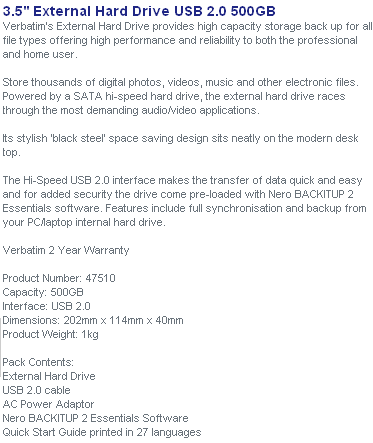
Features and Specifications
What’s inside the box
Now it’s time to take a look at the drive itself and what the drive came shipped with.
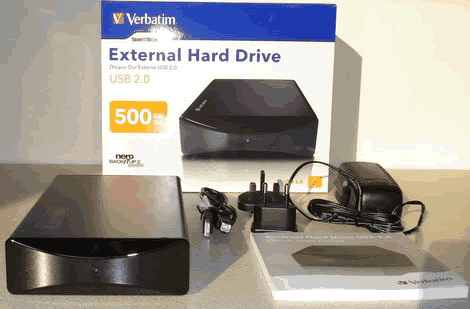
Our package was the retail version and contained the drive, power supply (with UK and Europe adaptor), USB lead and manual.
Let’s first take a look at the packaging.
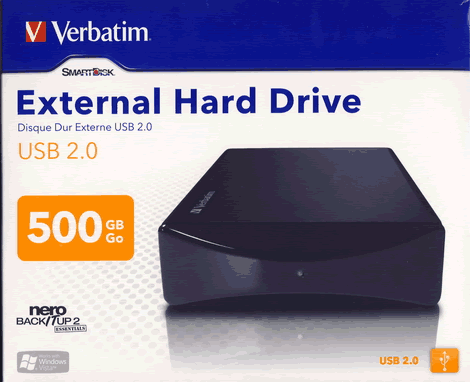
Box front
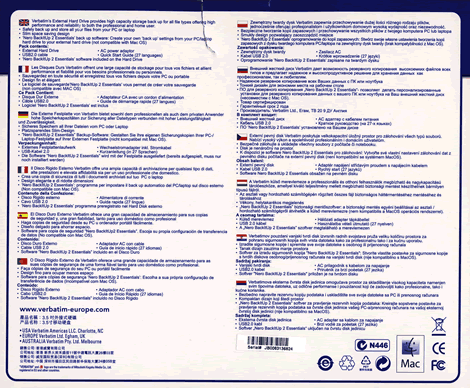
Box rear

Box top
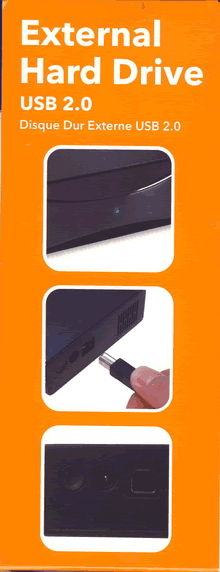
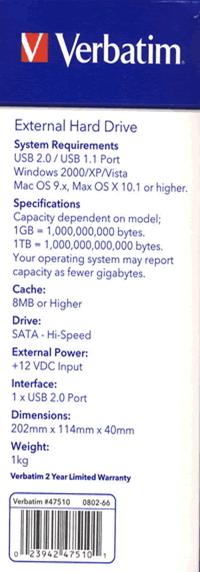
Box left and right sides
Now let’s take a look at the drive.
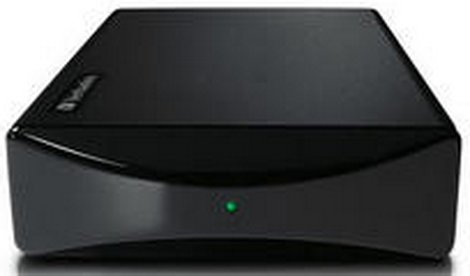
The drive is very nicely styled and housed in a strong casing. The front has a high gloss finish and looks very classy indeed. We can also see a single drive activity LED.
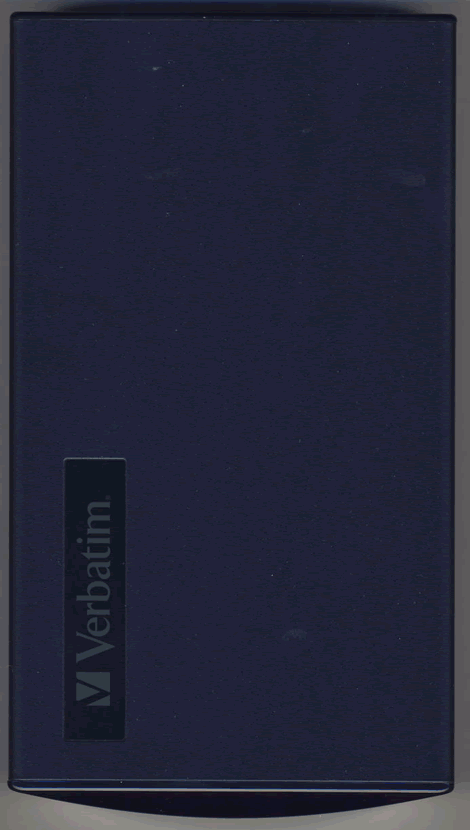
Drive top
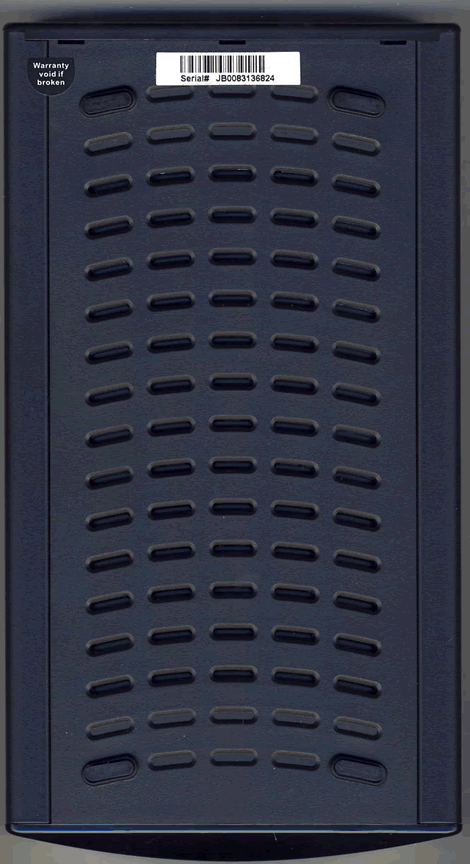
Drive bottom
On the drive bottom we can see support feet and ventilation holes.
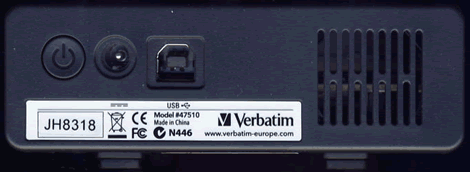
On the rear of the drive we can see from left to right, a power on/off button, power supply connector, USB connector and silent cooling fan.

On the rear of the drive we found one label and, we can see the drive has the model designation 47510 and the drive was manufactured in China.
Now let’s head on to the next page were we can take a look at the features of the drive….
Test machine
For this review we will be using a computer with the following configuration:
Hardware:
- Motherboard: ASUSTeK P5K (Intel P35 chipset)
- Processor: Intel Core 2 Quad Q6600
- RAM: 4 GB OCZ Platinum dual channel kit DDR2 800
- GFX: BFG nVidia 8800GTS (640 Megabytes GDDR3 HDCP compliant)
- Sound: Onboard Realtek ALC882 HD audio controller
- Hard disk: 2X 500GB Seagate Barracuda 7200.10 (SATA 2)
- Case: ThermalTake Armor (silver)
- PSU: Enermax Liberty 620W
- Display: Samsung Syncmaster 245B 24” widescreen LCD (HDCP compliant)
- Operating System: Windows Vista Home Premium (64 bit) with SP1
System setup:

The Verbatim 47510 drive was connected to one of the motherboard’s USB2 connectors and was immediately found by the operating system and assigned as (drive P).

As we can see, the drive has a capacity of 500GB and a formatted capacity of around 466GB (FAT32). 115 MB was already used to store the supplied backup software (Nero BackitUp Essentials 2).

From HD Tune Pro3, we were able to find out the drive fitted in the casing was in fact a Western Digital WD5000AAVS-00ZTB0.
Installed software:
For conducting our various tests, we will be using the following applications.
Our review PC has Windows Vista Home Premium 64 bit installed with Service Pack 1.
Nero BackitUp Essentials 2

Main install screen

Admin tools

Backup screen

Restore screen

Jobs screen
Nero BackitUp Essentials should provide enough flexibility to manage your backup and restore requirements and is a nice inclusion.
Move to the next page for some benchmarks....
Benchmarks
For these tests, we first reformatted the Verbatim 47510. To conduct these tests we will use HD Tune Pro 3 and will conduct both read and write benchmarks.
Reading test


Nothing bad to report here, the Verbatim 47510 performed well, the only limiting factor being the speed of the host USB 2 interface.
Writing speed


Writing performance was a little down on the results obtained with the reading tests, but again, nothing to worry about.
On the next page we test the reading performance of the Verbatim 47510....
Reading tests
To test the reading performance of the Verbatim 47510, we copied and moved files of various size and also complete file folders, from the Verbatim 47510 to our test PC’s main hard drive.
Copy a single file:

File size 700MB
Time taken 0m:19s

File size 1GB
Time taken 0m:34s
Copy a folder:

Folder size 700MB (157 files)
Time taken 0m:26s

Folder size 1GB (356 files)
Time taken 0m:37s

Folder size 10GB (2,554 files)
Time taken 5m:59s
Move a single file:

File size 700MB
Time taken 0m:28s

File size 1GB
Time taken 0m:41s
Move a folder:

Folder size 700MB (157 files)
Time taken 0m:38s

Folder size 1GB (356 files)
Time taken 0m:54s

Folder size 10GB (2,554 files)
Time taken 6m:22s
Summary:
The Verbatim 47510 reading performance is pretty good; again the raw speed of the drive is unrealised, as the bandwidth available on the USB 2 interface restricts bandwidth.
Let’s move on to the next page where we test writing performance...
Writing tests
To test the writing performance of the Verbatim 47510, we copied files of various size and also complete file folders, from our review PC’s hard drive to the Verbatim 47510.
Write a single file:

File size 434MB
Writing time 0m:22s

File size 726MB
Writing time 0m:36s

File size .97GB
Writing time 0m:43s
Write a folder:

Folder size 700MB (8,434 files)
Writing time 4m:17s

Folder size 10GB (2,554 files)
Writing time 9m:34s
Summary:
We through some pretty tough writing tests at the Verbatim 47510 and, once again the drive performed well.
Let’s round off this review with backup and restore tests, on the next page....
Backing up and Restore
Backup:
We will now take a brief look at the backup and restore features of Nero BackitUp Essentials 2 and the Verbatim 47510.

Using Nero BackitUp Essentials 2, it is possible to backup a complete hard drive or partition by simply selecting the hard drive or partition, as seen in the screenshot above.

Using the files and folders backup feature, it is possible to backup complete folders or single files.

In the above screenshot, we can see that we selected to backup a complete folder from Drive G: on our review PC.

In the above screenshot, we can see the backup has completed and the backup archive has been verified. The total time taken to make the backup and then verify the backed up files was 1 hour 2 minutes and 20 seconds. We can also see the backed up files was 22.14GB in size.
Restore:
Now let’s restore our files. For this test we used another hard drive on our review PC to restore to (drive E: on our review PC).

Choosing the restore path is a simple matter of browsing and then selecting the restore path.

In the above screenshot we can see the restore in progress. Restoring was much faster than the backup process and completed in just less than 18 minutes.
Summary:
The backup and restore process was pretty uneventful and, that is exactly how it should be. Nero BackitUp Essentials 2 and the Verbatim 47510 performed flawlessly and had no problems in backing up or file set and then restoring it.
This concludes our Verbatim 47510 review. Click the link below to read the conclusion...
Conclusion
Positive:
- Large storage capacity.
- Very stylish and classy looking drive.
- Almost silent operation.
- Good backup and restore package.
- 2 year warranty.
Negative:
- Performance held back by the USB 2 interface.
Conclusion:
Let us summarize the most important positive and negative points below:
The main positive points:
The Verbatim 47510 offers a large capacity drive in an stylish enclosure and also adds everything you need to get the drive connected and working and, the supplied Nero BackitUp Essentials makes the package complete.
Noise levels are very low indeed, the drive is almost silent in operation, one can barely hear the drive rotating and the only noise you are likely to hear is the slight clicking sound the read/write heads make as they access the files.
During our review, the Verbatim 47510 performed flawlessly and passed all our tests with flying colours.
The main negative points:
It seems very unfair to say anything negative about this external hard drive. But like all modern external USB hard drives, performance is held back by the bandwidth of the USB interface itself.
To sum up, this is what we would say:
“The Verbatim 47510 500GB external USB hard drive is stylish, quiet and performs flawlessly”.
We were unable to find a price on the drive at the time of writing this review.
You may comment on this review below or in this forum thread.















