
 |
Review: Crucial Adrenaline SSD |
Crucial was kind
enough to send me the Adrenaline 50GB SSD drive for a review. The Crucial Adrenaline
is designed by and manufactured by Micron Technology, it uses the Micron's 25nm
NAND technology and it also has a SATA3 controller from Marvell. The Crucial
Adrenaline is a Hybrid solution, which means that the drive is used to cache
frequently used files, therefore improving the overall performance of your
system, without losing the benefit of the extra capacity that a mechanical
drive offers.
Company Information
I’m sure most MyCE
members will be familiar with the Crucial brand name. Crucial has been
manufacturing high performance, high quality PC memory, SSDs, and other PC related
hardware for many years.
If you would like
to find out more about Crucial, you can visit the Crucial website
Packaging
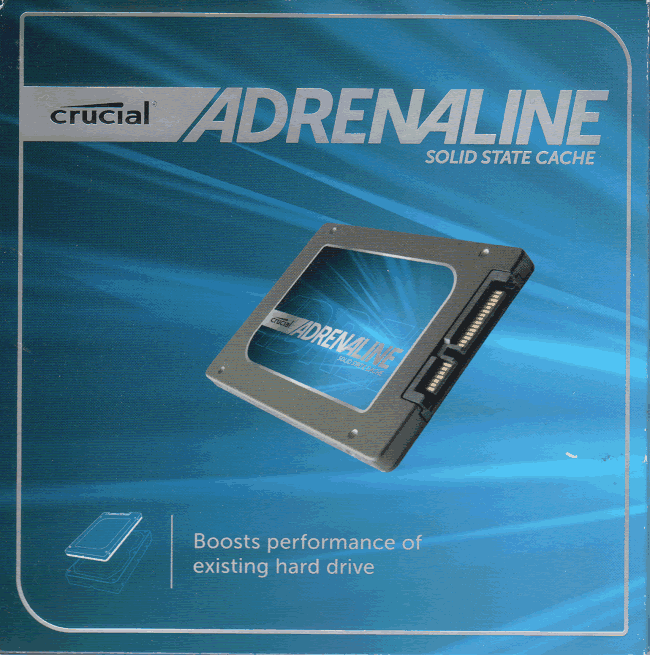
Front

Back
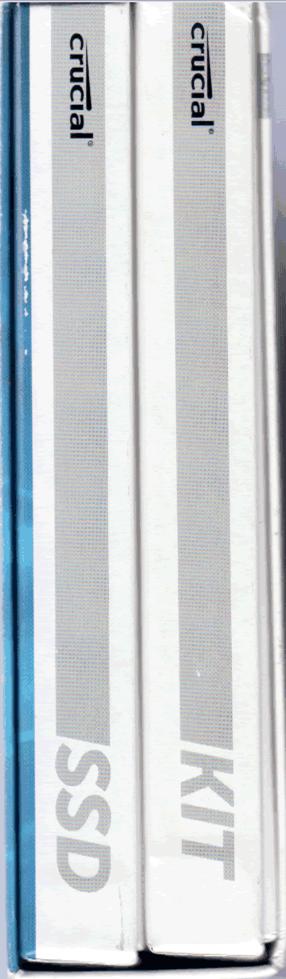
Left and right side

Top side
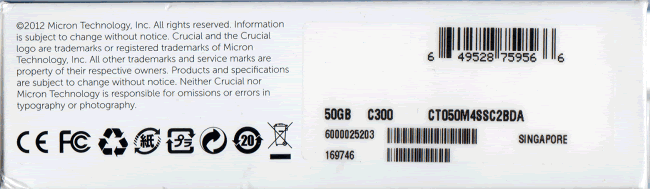
Bottom side
As we can see,
Crucial has done a very good job with the packaging of the Adrenaline drive. Now
let’s take a closer look at what you can find inside the SSD & KIT boxes.
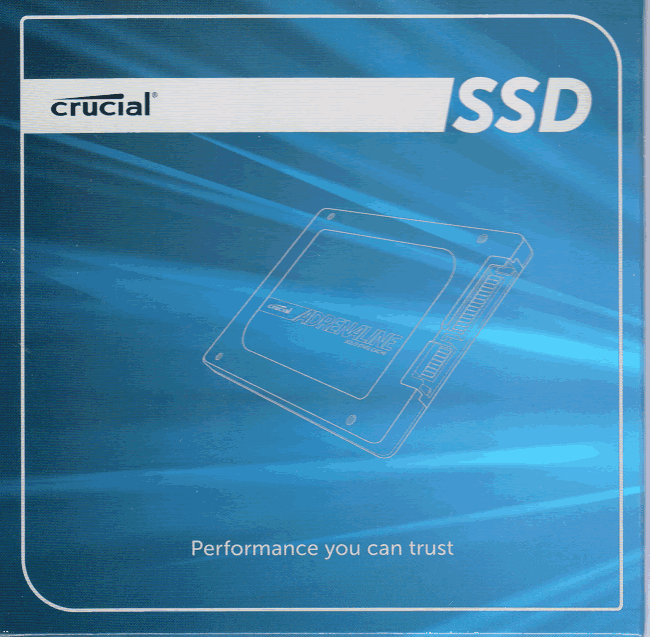
Here's the front of the SSD box, and inside you will
find the drive and the serial number for the DataplexTM software
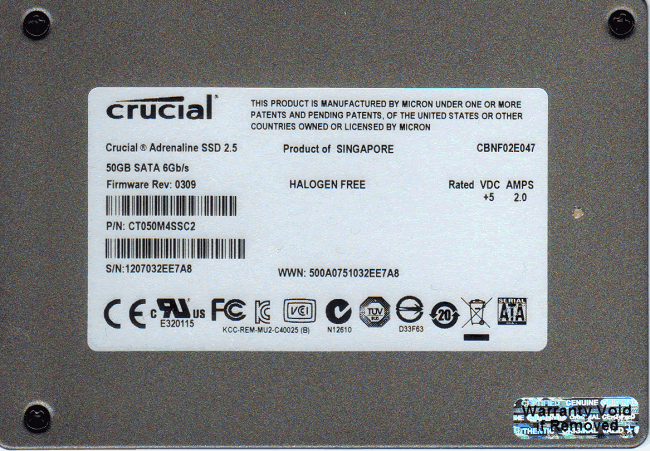
Rear side of the Crucial Adrenaline SSD
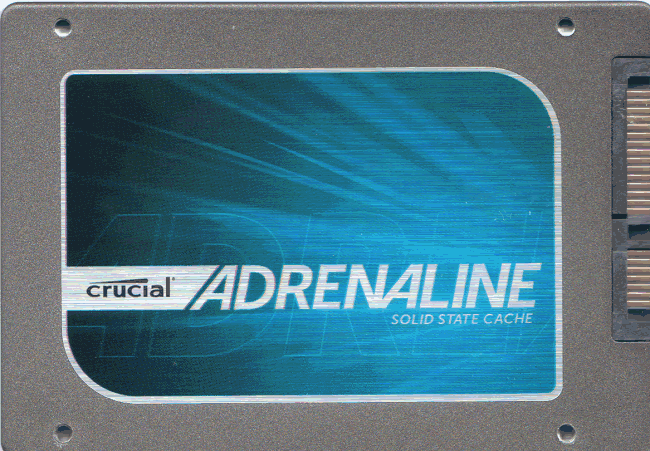
Front side of the Crucial Adrenaline.
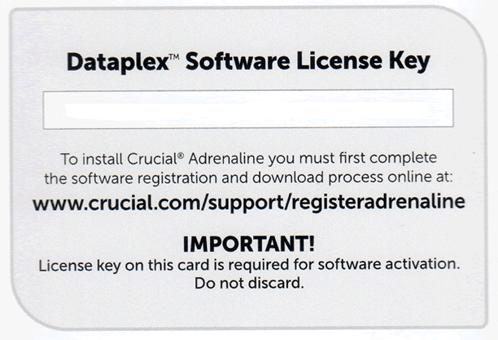
This is the card that has the link for you to register
your drive and then download the Dataplex software.
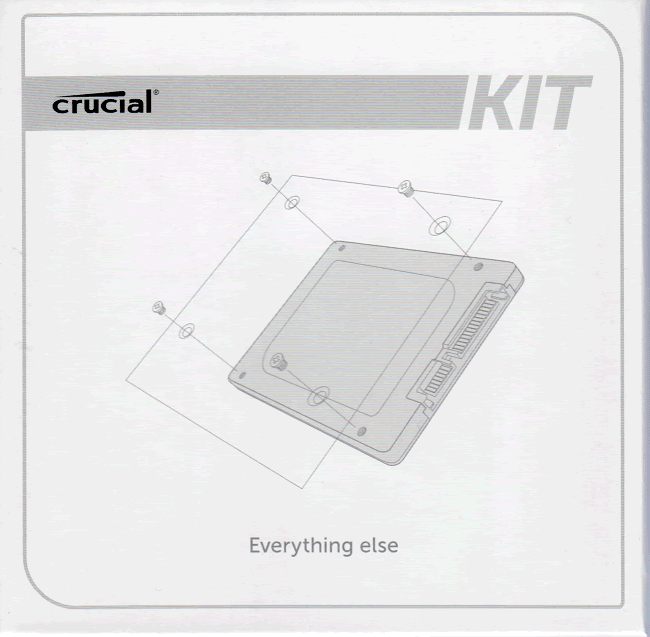
Front of the box, inside you can find four screws, an SATA
cable, a 3.5” bracket and the three year warrant card.
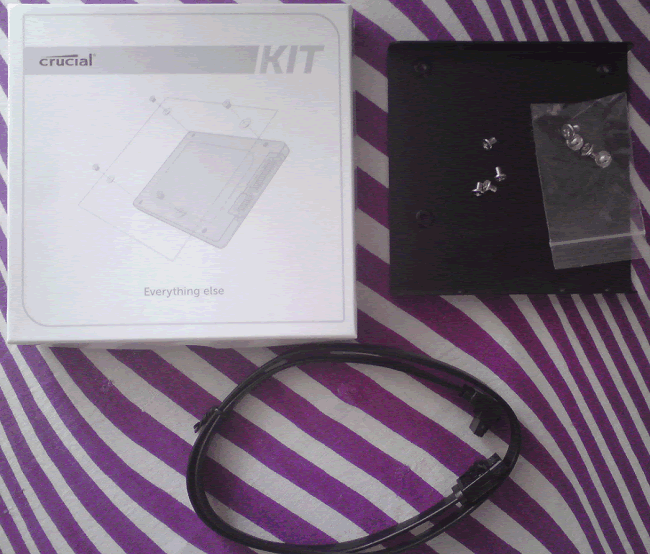
You can see all the accessories the picture above.
Inside the Crucial Adrenaline
The time has come
to take a closer look at the Crucial Adrenaline SSD.
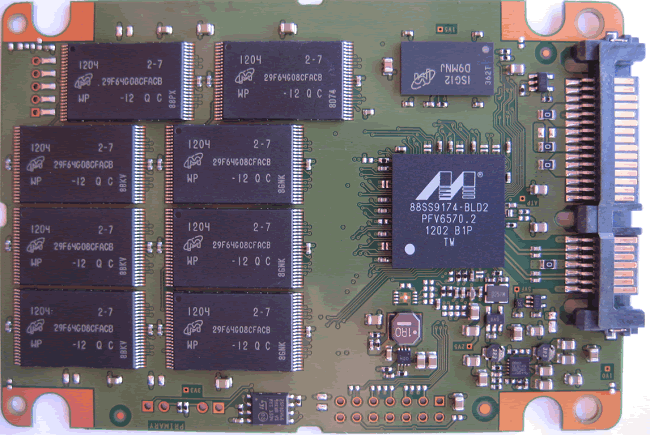
Front side of the PCB
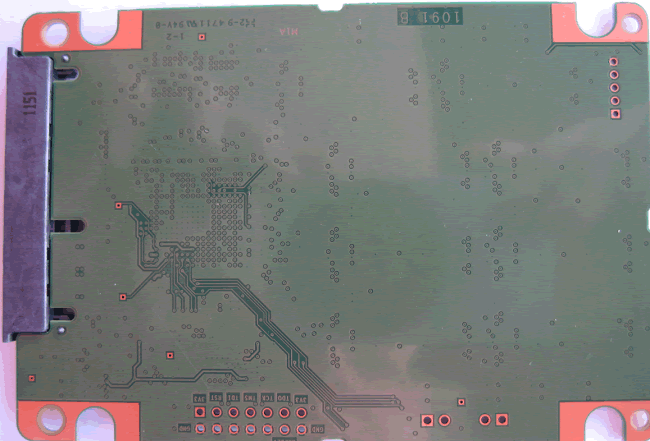
Rear of the PCB
On the top of the
PCB we can see the Marvell 88SS9174-BLD2 SATA3 controller and eight 25nm NAND's
manufactured by Micron, on the reverse side the PCB is empty, and also there is
the buffer for the drive.
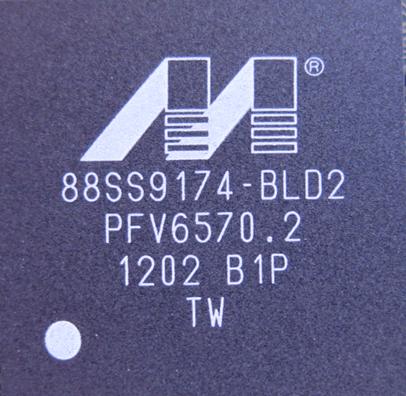
A close look at the
Marvell 88SS9174-BLD2 SATA3 controller. The Marvell controller can deliver a
very high performance with excellent TRIM support.
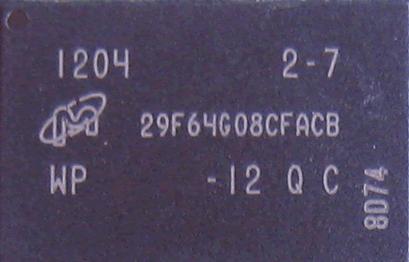
Micron's 25nm NAND.
Now let's move
on to the Dataplex software....
The Crucial
Adrenaline requires the Dataplex software to work as a cache drive. What does
that mean? Well after you download and install the Dataplex software the drive
will be caching your most frequently used data on your SSD and improve the
performance compared to your mechanical drive, without you having to sacrifice
those extra GB that a spinning drive can give.
So first we need
to go to the Crucial website, register our Adrenaline SSD and download the
Dataplex software. After that we then extract the files, run the install.exe
file as administrator, and the first screen will appear. Simply click next to
continue.

The first welcome screen

You can spend a
few seconds reading the Licence Agreement, then check the box and click next.
After that you will be asked to enter the Serial number that was provided with
the drive.

Now all you need
to do is to select your OS drive and the Adrenaline drive as your cache drive,
make sure that you have selected the correct drives then again click next.

The software will
show you your product key, and the OS drive along with the cache drive. If you
have everything setup correctly you can then click install and wait for the
process to complete. After a the software is installed and you will be asked to
reboot your system. After the reboot you will need to check if the Dataplex
software is enabled. Simply follow the instructions that are in the PDF document,
and if all goes well you should see the following screen.

System and Software requirements.


Now let’s start
with some “slow” benchmarks, kindly provided by my mechanical hard drive...
Test PC and test procedures
For this review I will
be using the following hardware and software.
Hardware:
Motherboard: ASRock Z68 Extreme4
CPU: Intel 2500K
RAM: 2x4GB DDR3 Kingston
Hard Drive: Western Digital Blue 500Gb (OS)
Hard Drive: Crucial Adrenaline SSD (Cache drive)
GFX: Onboard Intel HD3000
Sound: Onboard Realtek HD
PSU: Corsair CX430 430Watt
Display: Fujitsu Siemens 22" LCD
OS: Windows 7 ultimate (all the updates up to
April 27, 2012)
Software:
To test the
performance of the Crucial Adrenaline Solid State Cache drive, I will be using
the following test applications in this review.
- HD Tune Pro
- ATTO
- AS SSD
Benchmark - CrystalDiskMark
Test procedures
I will start off
our testing procedures explanation by stating that all my tests have been carried
out while the drive was running the OS, the reason that I did that was because firstly
I wanted to remind you how a mechanical drive works with the OS, and secondly
because I wanted to see how much improvement you can get with Crucial’s cache
solution. You may ask why I have run so few synthetic benchmarks?
The reality of SSD performance
While I can easily show you which SSD is
technically the faster, when you use one of these modern SSDs as an operating
system drive it becomes very difficult to tell them apart as far as performance
is concerned.
A typical use of a small capacity SSD at
the moment is to have your operating system and applications installed onto the
SSD. The performance difference compared to a traditional HDD is enormous,
however when you start to compare SSD to SSD the difference becomes almost
impossible to detect.
Let’s look at why this is the case.
Drive A can boot to the desktop in 8.11
seconds, and drive B can boot to the desktop in 8.12 seconds, the difference in
time is milliseconds, and can one really tell the difference?
The fact is, all modern SSDs are only
ticking over when they are only running the OS and launching applications, it’s
only when you get to some of the larger capacity SSDs, with enough free space
to be able to hold the actual data that you’re going to be working with, be
that video, audio or pictures, for example, that you actually get a tangible
difference in performance. This is where the SSDs with the better sequential
performance start to pull well ahead of the SSDs which have lower sequential
read/write performance.
Small file random IOPS vs
sequential performance
IOPS
This is a fairly
complex subject, but I will do my best to explain things in a manner that is
easy to understand.
The term IOPS is
the amount of input or output transactions that can take place in a one second
interval, so for example, if an SSD is quoted as being able to cope with 20,000
4K random write IOPS, then the SSD should be able to cope with 20,000 input
transactions in a period of one second. If the same SSD is said to be able to
produce 20,000 4K random read IOPS, then the same SSD should be able to produce
20,000 4K random read output transactions in a one second interval.
Ok, now we have
some figures to work with, the next question is how many IOPS are actually
required?
This will depend
on your usage pattern. If you are a typical desktop user who browses the
internet, does some word processing or perhaps some audio or video editing, and
perhaps plays a few games, then in actual fact, you don’t need to have massive
4K random read/write performance. The actual amount of 4K random performance
that is required for a fast and smooth running system for a desktop user with a
usage pattern similar to the above will be well under 1,000 4K IOPS.
On the other hand,
if the SSD is being used for running a large and complex database server, then
4K random performance is the absolute measurement of how fast that server will
run, as this type of application does most of its input and output transactions
in the 4K domain.
So why would I
need an SSD with 60,000 4K IOPS for a desktop?
In fact you don’t
need this type of performance for a desktop, but an SSD which is capable of
coping with 60,000 4K IOPS will be faster than an SSD which can only cope with
20,000 4K IOPS.
OK, I just said if
under 1,000 4K IOPS are actually required for typical desktop usage, why is an
SSD with 60,000 4K IOPS faster than an SSD with only 20,000 4K IOPS, confused?
You may ask, if I
only require 1,000 4K IOPS surely the rest is wasted?
While you may
never need 60,000 4K IOPS, IOPS is all about latency. The reason that an SSD
can cope with as much as 60,000 4K IOPS is because latency in this domain is
very low. With 4K files, even if you require to process 500 of them at the same
time, you are not talking about a huge amount of data, it has far more to do
with how long it takes the SSD to process a single file, and the amount of time
required to process a single 4K is all about how long it takes for the SSD to
access or store that data before it can move on to the next transaction.
In other words an
SSD with 60,000 4K IOPS performance will handle those 500 files faster than the
SSD with 20,000 IOPS.
So how will a
desktop user even notice this faster speed if so little 4K random IOPS and data
are actually used?
Multitasking is a
good example. The more tasks you run at the same time, you more you will notice
the speed difference.
Sequential performance
I have always
maintained that sequential performance was every bit as important as small
random file performance for a desktop SSD. Some highly regarded people on other
sites found this statement quite funny a couple of years ago when I made it,
but my, how times have changed in the world of SSD reviewing.
To me this was
always so obvious for a desktop user. For example, let’s say you want to launch
an application or game. Both have some fairly large files to load, and also a
great many small files, but the point is, even the smaller files are sequential
in nature. Now let’s say you’re into audio or video editing. Video files tend
to be huge, and the files are written or read sequentially. Isn’t this how many
users are using their PCs these days?
Summary
So how does this
shape up in the real world? Which is better, massive 4K IOPS or massive
sequential performance?
In an ideal world
you want both, as an SSD with massive random 4K IOPS and sequential performance
will always be faster than an SSD that has high sequential performance and
moderate 4K random IOPS performance, and the same applies to an SSD that has
massive 4K random performance and moderate sequential performance. The SSD
which has high performance in both patterns will always be the faster SSD.
However, you can
still have an SSD that is very fast for desktop use that has moderate random 4K
performance and massive sequential performance, the same can be said about a
drive having massive random 4K performance and moderate sequential performance,
as it is about getting the balance right if you have to compromise on one or
the other.
A big thanks to
Dee for allowing me to use some of her text to explain the some of the test
procedures.
HD Tune Pro

Not much to expect from a mechanical drive.
ATTO Disk benchmark

Again the slow performance continues.
CrystalDiskMark 3.01x64
Crystal Disk Mark
will give us an idea of how the drive will perform with uncompressed data.

When it comes to reading and writing small files a
traditional spinning drive's performance is simply tragic.
AS SSD Benchmark
AS SSD benchmark
is a tool that was designed to test Solid State Drives by emulating how a PC
works and at the end gives an overall score.

Again the slow read/write is the main limiting factor.
Summary:
The 4K performance
of a consumer HDD is simply disappointing for an OS drive. Let’s see how much
closer to an SSD you can get with the Crucial Adrenaline drive.
Now let’s move into
the fast lane ...
HD Tune Pro
My first stop is again the HD Tune program,
and as we can see after 3 runs the performance has increased, however I wasn’t
able to get the maximum out of the drive using HD Tune. Overall the first signs
are very impressive.
ATTO Disk Benchmark

ATTO is the
default program that every manufacturer uses to measure the performance of
their SSD. As we can see on the second run ATTO was able to reach speeds of
530MB/Sec. An outstanding result.
CrystalDiskMark 3.01x64

This time on the
first run CrystalDiskMark showed some swiftnessand by looking at the 4K numbers
you can immediately realise how much the Crucial Adrenaline improves the
performance. Running the test two more times, I didn’t see any increase in speed,
not that it’s needed.
AS SSD Benchmark

Remember the score
when the HDD was measured? Let me help you, it was 31 and now AS SSD shows an
impressive 659. I will also remind you that the Crucial M4 on the same test got
681 points. At this point I have to say that the Crucial Adrenaline can make
the difference on your old system.
Now let’s see
how the drive performs with Anvil’s storage utilites ...
Anvil’s storage utilities
As well
as performing SSD endurance tests. Anvil’s Storage Utilities has a very nice
SSD benchmarking application. The SSD benchmark tests many different aspects of
SSD performance, including 4K random at different queue depths, and also
sequential performance, but more importantly than this, all using real test
data.
Another
very nice feature of Anvil’s SSD benchmark is the fact that you can change the
compression levels of the test data. The compression levels of the data sets
used for the tests can be varied from 0% compression right up to 100%
compressed data, and there are even a few data profiles already included, such
as database (8%) compression, and also an application profile (46%)
compression, which is designed to simulate real application data being read and
written to the SSD.
Anvil’s
Storage Utilities is still in beta at the moment, but the application is
currently solid enough to use in this article, and I have already verified the
results obtained using an SATA analyser.
I will include a screenshot of
the HDD drive alone and also with Crucial’s Adrenal line Cache SSD.
I will
also be testing three different compression profiles, which are as follows.
·
;
0 fill (100% compressible
data)
·
;
Application simulation
profile (46% compressed)
·
;
100% (non compressible
data)
So
let’s begin start with our tests.
0 – Fill test

HDD

HDD with the Crucial Adrenaline Cache drive
Excellent
performance from the Crucial Adrenaline drive.
46% Application
HDD
HDD with the Crucial Adrenaline Cache drive
Again the crucial drive shows and
outstanding performance, a huge improvement over an HDD.
100% Incompressible
HDD
HDD with the Crucial Adrenaline Cache drive
Again, on
the final test the Crucial Adrenaline Cache drive show and excellent
performance.
Summarize:
The Crucial Adrenaline cache drive show how
much performance you can gain with this solution. As you can see the difference
between your HDD and the combination of HDD and the Crucial Adrenaline is
simply astounding.
Now let’s see
how the drive performs in everyday use ...
Real world tests
It has become
clear recently that simply conducting endless benchmarks on SSD drives is
pointless. Real users may run a few benchmarks when they first fit their SSD
drive, but most users just want a drive that performs well in the real world.
They want their drive to work "out of the box" and work fast and
smoothly.
Most of the latest
SSD drives can deliver very fast sustained reading and writing speeds, but
these alone tell you very little about how the drive will perform in the real
world.
If you intend to
use your SSD as your primary system drive, with an operating system and
applications installed and running from the drive, real world performance
becomes much more important than just fast sequential read and write speeds.
Startup and Shutdown performance
Most of the times
I use a stopwatch to measure the time, however this method isn’t very accurate
and things get more complicated when it comes to mechanical drives. Even if you
see the desktop you still can’t use the drive, mainly because of the slow
performance of the drive and the poor access times. Therefore in this test I
will be using the times that are logged in the Windows Event Viewer and I won’t
compare them with any drives that I might have tested in the past.
So let’s see how
much improvement you can get from the Crucial Adrenaline cache drive.

As we can see
after a few start-ups Windows Event Viewer shows an impressive result. From
almost 82 seconds the Crucial Adrenaline decreases that to 23 seconds.

After a few
shutdowns we can see that there is also an improvement in performance, but this
time it’s not as big as the start-up times.
Applications
As it was expected
the performance when loading applications was also very impressive. In this
test I used a stopwatch to measure the start up times. For games and
applications I have only measured the time between the first click and the
first welcome screen.
Below you can see
the difference between the HDD and the HDD with the Crucial Adrenaline cache
solution.
|
|
HDD |
HDD+SSD |
|
Far |
14 Seconds |
9.94 Seconds |
|
NFS |
13 Seconds |
7.46 Seconds |
|
Adobe |
10.05 Seconds |
1.93 Seconds |
|
Adobe |
3.11 Seconds |
1.10 Seconds |
|
MS |
6.58 Seconds |
Less than one second |
|
Firefox |
6.90 Seconds |
Less than one second |
Extra notes.
I now that some will wonder what is going
to happen if you have a BSOD or an improper shutdown. The answer is simple,
absolutely nothing.
However, I wanted to see what happens if
the drive fails, so I went ahead, and disconnected the SATA cable. Boot the
system, and here is the message that I got.
As we can see the software finds out that
the drive isn’t present, or it assumes that it failed, and prompts you to press
D to make your HDD available again. As we can see what ever happens you
will have your system running, with or without the Crucial Adrenaline cache
solution.
After that I plugged the SATA cable back to
the drive, started the system, and everything was working fine.
Summary
As we can see the
overall performance of the Crucial Adrenaline is excellent, after the first
three start-ups you have the same performance that you can get with and Solid
State Drive.
Let’s now move
to the conclusion ...
After a week of
daily use, the Crucial Adrenaline made me forget that there was a mechanical
drive installed. Starting with the impressive performance that you get, the
simple installation of the software and the hardware, and after a week I have
found something else that this solution was able to provide, a silent
operation. After a week all my frequently used files were cached on the Crucial
Adrenaline SSD and after that my old mechanical drive was silent.
The Crucial
Adrenaline comes in a very well designed box, and it has all the accessories
that you will need. The three year warranty, along with the build quality and
the very impressive work that has been done on the firmware are factors that
you need to take into consideration.
The last thing,
which unfortunately I wasn’t able to test, is the fact that you can use this
drive on all kinds of solutions Intel RAID and AHCI, and AHCI with AMD. Most
impressive is that fact that Crucial says that the Adrenaline drive will work
with the default Microsoft drivers and also on Compatibility/legacy IDE mode,
so if for some reason you don’t want to update your hardware, this solution
should work for almost everyone.
The only negative
that I can see is the low write speed, but that's something that you won’t
notice, unless you benchmark your drive.
Positive
- SATA 6Gbps
- Excellent read
performance - Firmware support
so far was excellent - 3 Years Warranty
- Low price for a
SATA 6Gbps - Easy
installation for both software and hardware
Negative
- Sequential write
speeds
Conclusion
Finishing the
review of the Crucial Adrenaline cache drive I can say that this drive has performed
excellently. "The Crucial Adrenaline drive is working in the background
and after a few starts it will cache your most frequently used data and give
you a true SSD performance without any compromise". I therefore give this
drive the "Excellent" and "Editor choice" awards.
You may comment on this review below.
Thanks to:
|
|
EFD |
|
|
Alex Schepeljanski for |
|
|















