
|
|
Product: Crucial Reviewed by: Antonis Provided by: Crucial.eu
|
|
|
|

There are some people out there that don’t
want to compromise, and are willing to pay extra to get the best that they can,
not only for performance, but also for aesthetics. The Crucial Ballistix Elite
is the top of the line DDR4 memory that Crucial currently has to offer to those
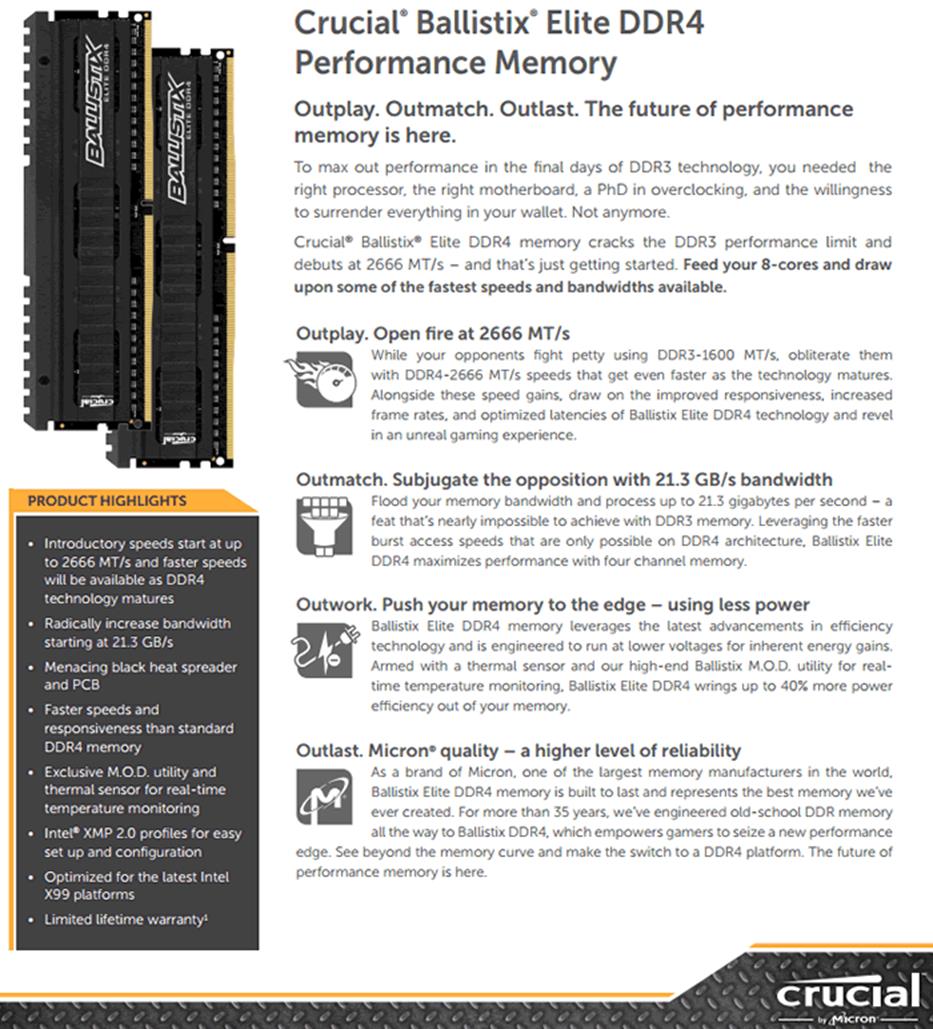
that seek the maximum out of their system. As we can see in the picture below
the Crucial Ballistix Elite has a very interesting design, and performance
should be there for those that want it. This memory kit is able to work at
2666MHz at 1.2V with the XPM2 profile enabled, so the main question that needs
to be answered here is how it can compare against the other DDR4 RAM that I
tested.
But before we move on to the pricing and
also before I start this review there is one extra thing that Crucial offers with
this RAM, this is the M.O.D. software. You can get it here, and
below you can see a picture that displays the capabilities of the software.
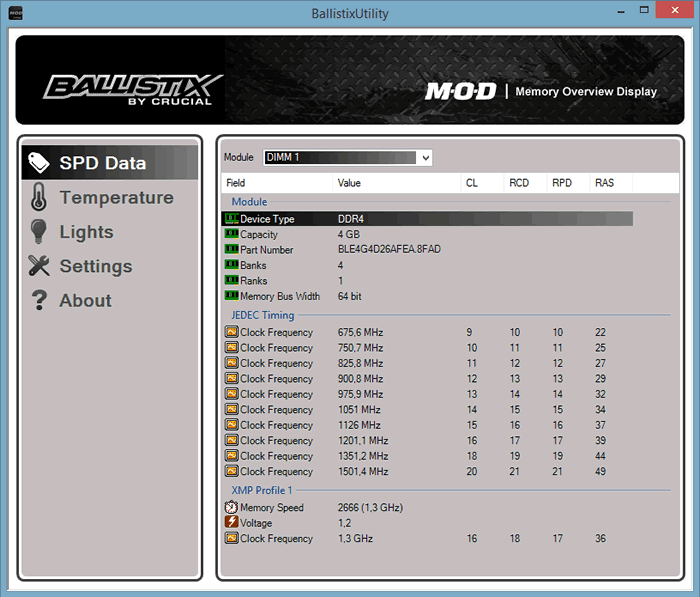
There are five major options on the left
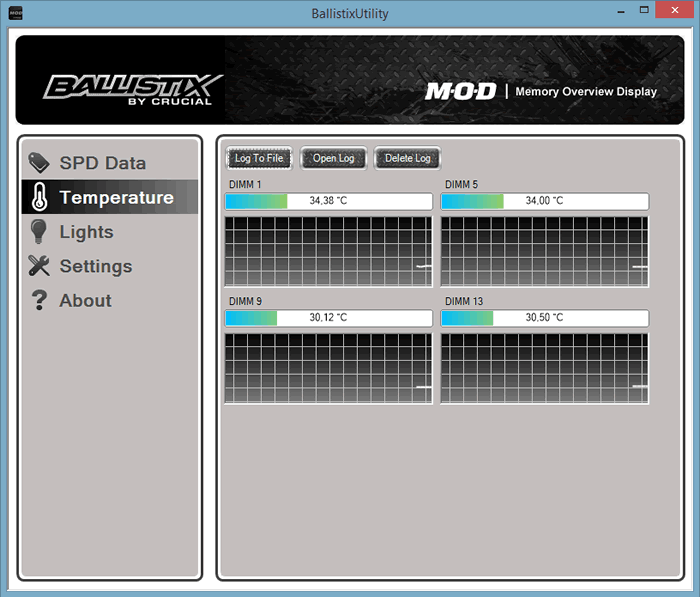
side of the M.O.D. software. We can have a quick look at the SPD data, and the
temperature as seen in the picture below.
The 'Lights' tab has no function since this
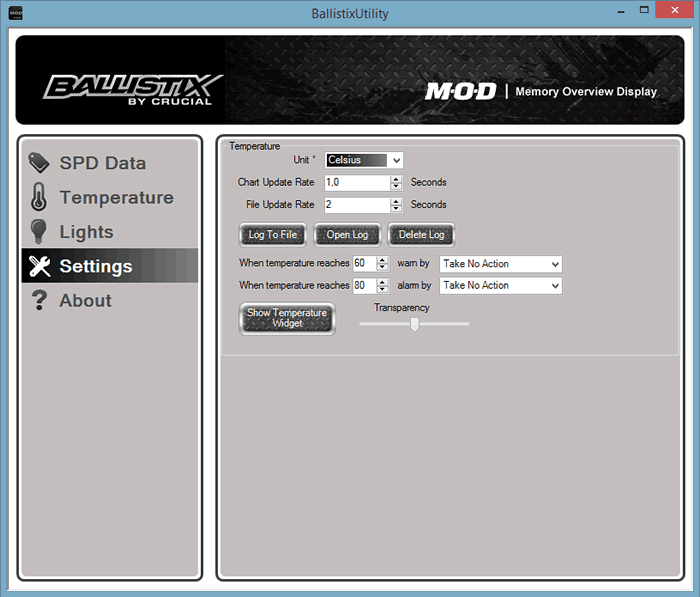
kit doesn’t have any LED, so we move on to the 'Settings' tab, and as expected
you are given the option to change some major settings and also to change some
warnings, as shown in the picture below.
Now let's take a quick look at the pricing
of the Crucial Ballistix Elite RAM. On the Crucial EU site a 4GB stick starts
at €87.59 including VAT ($76.99 US Dollars) as always though you can expect to
get better prices from your local retailer. I can say that the Crucial
Ballistix Elite also has an elite price, and comes with a lifetime warranty.
We'll start by taking a look at the
packaging, the RAM, and then move forwards to the tests.
Company info.
It's hard not have heard of the name
Crucial, but if you don’t know anything about them, or you want to learn more
about Crucial, you only need to click the link here.
Now let’s start this review by taking a
close look at the packaging of the Crucial Ballistix Elite 2666MHz DDR4 RAM.
Crucial Ballistix Elite 2666MHz 4x4GB DDR4 RAM
Let’s start by taking a closer look at the
package and what it comes shipped with.
Packaging
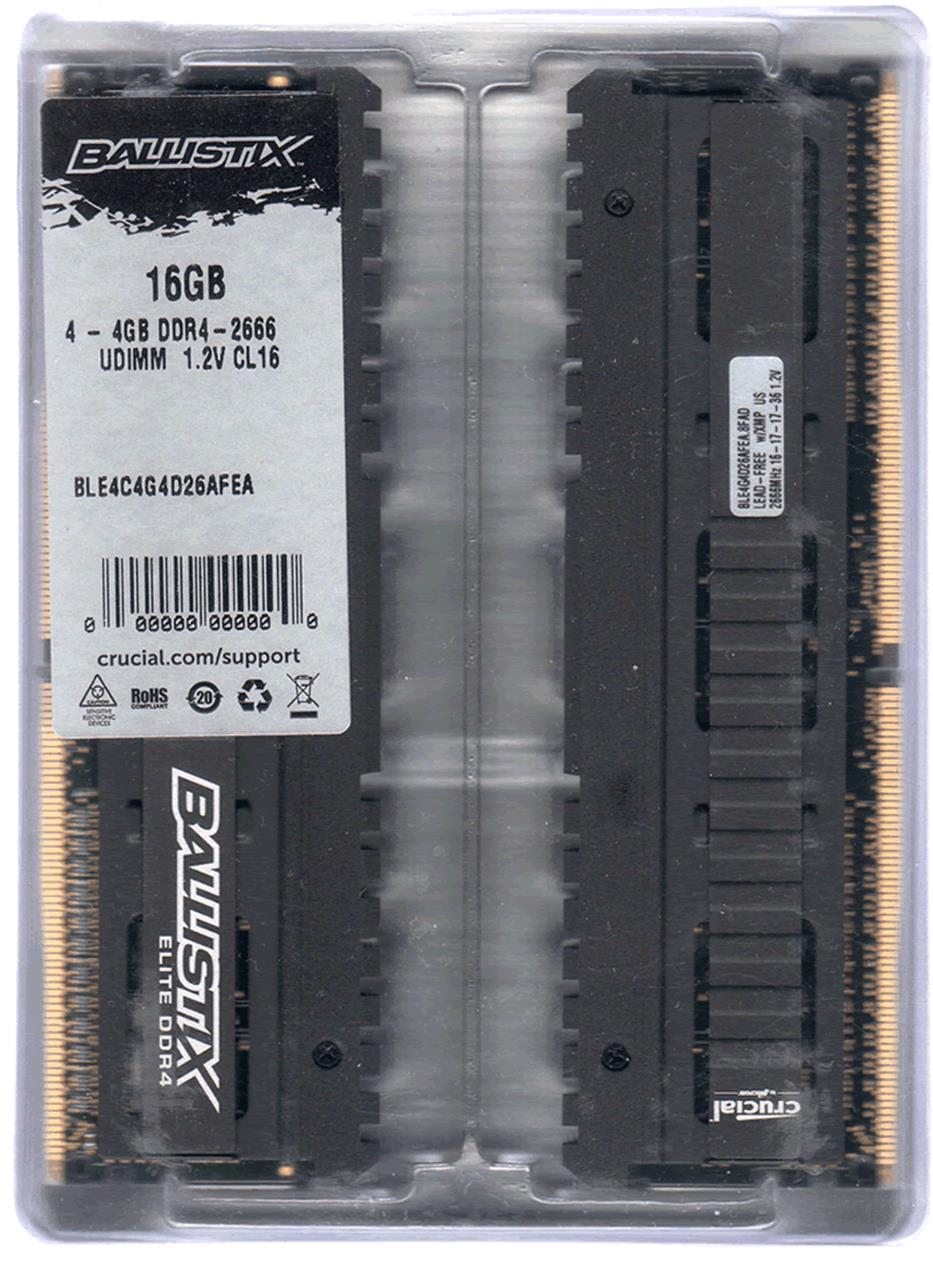
As we have already seen with the Ballistix
Sport RAM the packaging continues to have the very basic information about the
RAM kit and their operating voltages. You can see the timing on the sticker and
the box contains all four modules.
A look at both sides of the Crucial Ballistix
Elite 2666MHz DDR4 RAM.
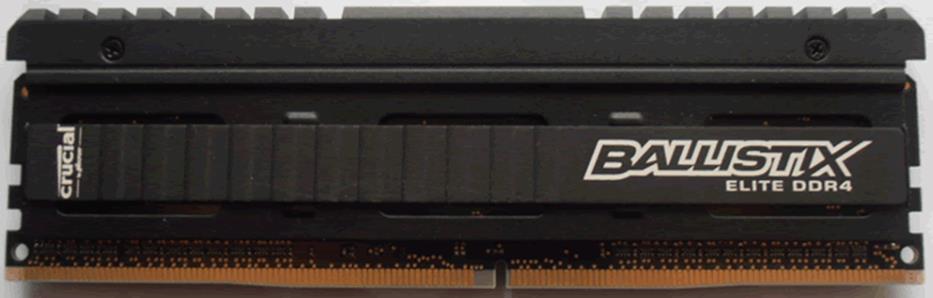
The front side of the Crucial Ballistix Elite
DDR4.
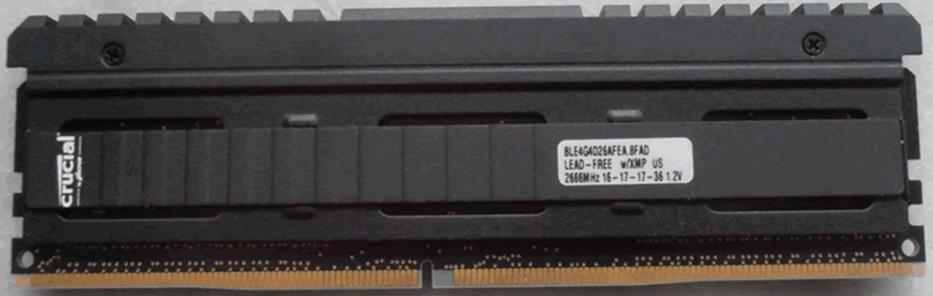
The reverse side of the Crucial Ballistix Elite,
and towards the right side there is a small sticker that has all the basic
information.
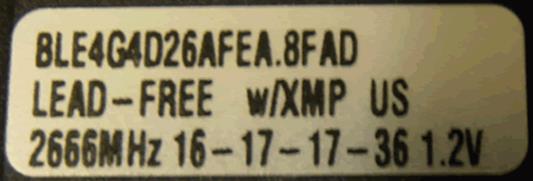
We can see the timings, the voltages, the
fact that the RAM is lead free, and that it has an XMP profile.
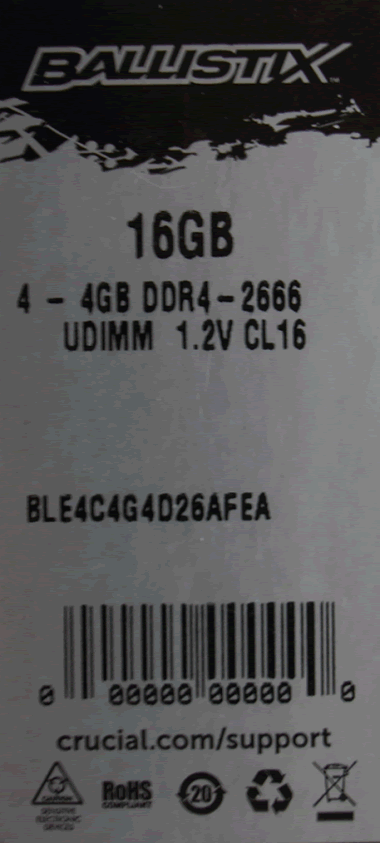
Also
a quick look at the sticker that is located on the top left of the plastic
case.
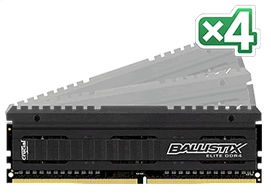
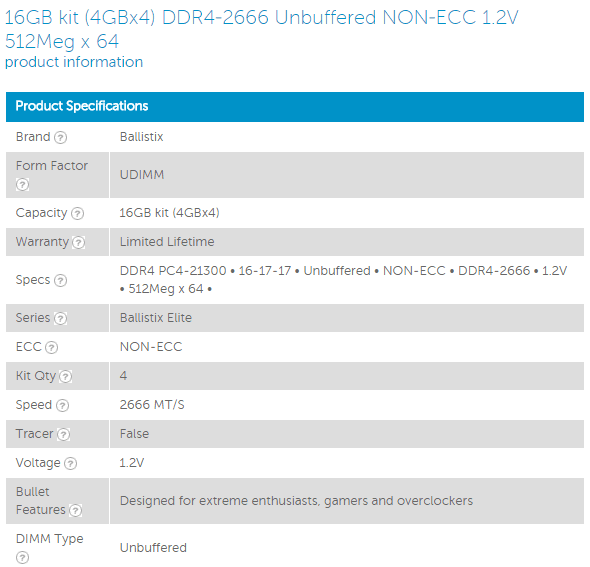
Here is a more detailed look at the Crucial
Ballistix Elite RAM, as we can see it’s a 4x4GB kit at 1.2V with default
timings of 16-17-17-36 at 2666Mhz.
Let’s move on and see what the Crucial shop
has to offer when it comes to RAM.
Selecting RAM
There are many ways to find out which RAM
you need, you can look up the device manufacturer's website, in my case it
would be Dell, there are also free tools that will display all the information
about your RAM, and CPU-Z is one example.
However this might be confusing to some, so
the easiest thing to do is to visit Crucial’s website and on the first page you
will find a grey box saying "Two ways to find compatible upgrades",
just like the picture below. Keep in mind that this is an example and in real
life the website will also be giving you option on latest RAM that might be
available in the future.

You can choose whatever option you like,
but the easiest is to choose the scan your system option. Once you click,
it will redirect you to a page that will ask you to download the scanner,
but prior to that you need to read the terms and conditions and select
the agree box before you can get the small exe file.

Then you only need to run the Crucial
executable file, which after a few seconds will open a new window in your web
browser, and after a few more seconds, will give you the info on the machine prompting
you with a possible combination of RAM and also an SSD.

As it was expected the Crucial tool did
find the RAM that I was currently using, and it was able to give me a list of
Crucial supported RAM for my ASUS X99-A motherboard.
Let’s head to the next page where we
take a look at our testing methods and the review PC.
Test machine
For this presentation I will be using a
computer with the following configuration:
Hardware:
- Motherboard: ASUS X99-A
- CPU: Intel
i7-5820K @ 4.37Ghz* - CPU cooler: Cooler Master 212evo
- RAM:
Crucial Ballistix Sport 4x4GB 2400MHz DDR4 - VGA: AMD
6670 1GB - PSU:
Seasonic M12II 750W - HDD1: Kingston
V300
(OS Drive) - OS:
Windows 8.1
*The XPM
profile set the bus speed at 125MHz so 125*35 will give you 4.37GHz, however if
you want you can manually set the speed of the RAM to 2666MHz and leave XMP
off, but in this test I decided to have XMP on.
Test applications
To test the performance of the Crucial Ballistix
Elite DDR4 RAM, I will be using the following test applications in this quick
first look.
- WinRAR
- MaxxMEM2
- AIDA 64
- Cinebench
- CrystalDiskMark
- SoftPerfect RAM Disk
WinRAR
We all know and use WinRAR, as it's one of
the best compression programs, but it also has a build in benchmark feature, so
I let it run for two minutes and here are the results for the Crucial Ballistix
Elite 2666MHz DDR4 RAM. You can compare the results with other RAM that have
tested.

We can see that the Crucial Ballistix Elite
stays ahead of the other tested RAM.
MaxxMEM2
Unfortunately
MaxxMEM2 didn’t want to work, so there aren’t any test results to be displayed
here.
AIDA 64
AIDA 64 is great software. It can help you
identify your hardware, it can test your system for stability, and you can also
use it to do benchmarks. For this test I will be using the memory benchmarking
features of AIDA 64. Below are the results for memory read/write/copy and also
latency.

The Crucial Ballistix Elite 2666MHz RAM was
able to stay ahead in the Memory copy and memory read test, but was a little
behind in the memory write test. Overall the result for the Ballistix Elite is
excellent.

The Crucial Ballistix Elite was also able
to give a very impressive result of 63.8ns.
Cinebench 11.5
Cinebench is a real-world cross platform
test suite that evaluates your computer's performance capabilities, and with
this test we can see if there is a difference in performance.

The test that the Ballistix Elite didn’t do
so well in was Cinebench, and I don’t think that this difference has that much
to do with the few MHz that I lost from the previous overclock.
CrystalDiskMark
Crystal Disk Mark doesn't need an
introduction, it's a benchmark tool that I have used in all my reviews from SSDs
to USB flash drives, in this case it will be used to benchmark the virtual disk
that is created in the system memory. The size of the virtual disk is set to
10GB using Softperfect RAM Disk, you can get it here.
Let me start by comparing the read results
with other RAM that I have tested so far.

The Crucial Ballistix Elite RAM was able to
display some impressive results.

The same impressive result for the write
part of this test, again the Crucial Ballistix Elite was able to continue to
impress.
Let’s head to the next page and see what
happens when you play with timings and the memory speed.
Adjusting timings and speed
I will admit that I am not a fan when it
comes to overclocking memory, as from personal experience I learnt that in many
cases it creates more problems to be solved, and the difference most of the
time will be insignificant for the amount of time that you have invested trying
to overclock your RAM. I have however decided that I would be interested in
seeing what this DDR4 RAM from Crucial can do.
So I began testing this RAM at 2666MHz with
various timings starting at 14-14-14-35 anything lower than that and the system
was very unstable. Overclocking this RAM was another story that took some extra
time from me to achieve 3000MHz with timings 15-17-17-37 but with a huge bump
in volts, it needed 1.4volts, something that I wasn’t very happy to use, and
also the end result wasn’t as good as I would have like, plus the system didn’t
feel very solid, even thou I didn’t get any blue screens.
Below are the results, and as you can see
the default speed with tighter timings is the way to go.

Not much to be gained when you push the
Crucial Ballistix Elite to 3000MHz.

Again we can see that having tighter
timings is the way to go with this RAM.
As I said in the beginning, I am not a fan
when it comes to overclocking the memory and the Ballistix Elite reminded my
why, too much effort and not that much to be gained. But if you want you can
always try to get some tighter timings that will give you better results.
Let’s head to the final page of this DDR4
RAM presentation.
Closing thoughts
It’s not an easy task to finish any review,
but it's something that has to be done, and certainly closing this review
leaves me with a lot to think about. My first and main thought goes to one
simple question, is the Ballistix Elite worth it? I can say yes, not only because
it’s faster out of the box, but also because you can get some very good results
if you decide to play a little more with the memory timings. The looks are also
another positive, and I have to say that I am a sucker when it comes to black
and white. You can push this RAM kit up to 3000MHz, for those that want to find
their limits and are also happy living with a little danger in their life.
The Crucial Ballistix Elite has excellent build
quality, the M.O.D. software is another welcomed addition that can provide some
useful information, and the final touch is the lifetime warranty that Crucial
provides for their RAM.
The only thing that someone could possibly complain
about is the price, but on the other hand if you are willing to move forward to
a more enthusiast category of RAM then money should not be an issue.
Finishing this review for the Crucial Ballistix
Elite RAM, I can say that “The Crucial Ballistix Elite has excellent build quality,
excellent, performance and they also look great. Very few people would ask for
more.”
The Crucial Ballistix Elite DDR4 RAM takes
the excellent award.
















