
|
|
Review: |

It's almost a year since I reviewed the
Lexar Lexar
Triton Jumpdrive, and I was amazed by its performance, as a matter of fact I
still find the Triton to be one of the best USB3 flash drives that you can get.
We all know that when it comes to technology changes happen very quickly, and
the Lexar P10 JumpDrive is here to validate this rule.
On the outside it might look identical to
the Triton, but this time Lexar has taken one big step forward, and almost doubled
the read and write speeds of the P10 JumpDrive. The Lexar P10 is available in
three sizes, starting with the 16GB, the 32GB that I will be reviewing, and the
maximum size that you will be able to get the P10 is 64GB.
You can find out more about Lexar simply by
clicking here.
So let's move forwards, and start his review
by taking a first look at the package and its contents.
A first look at the drive and its specifications
The simple packaging the shows the P10 and also
displays the information that you need to know about the P10 Jumpdrive's size
and performance.
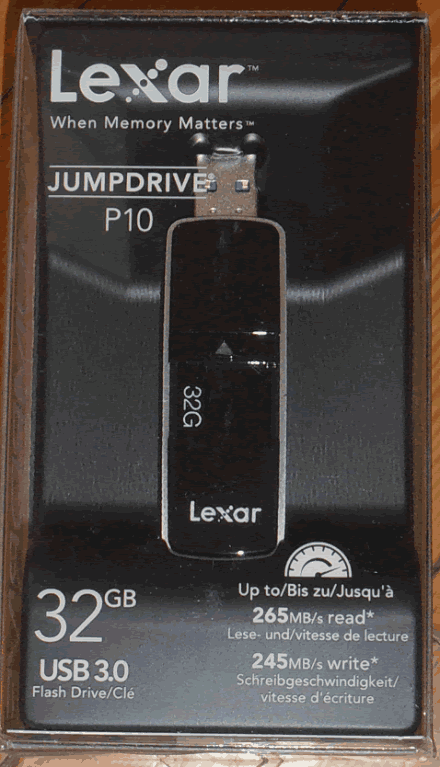
The
front side,
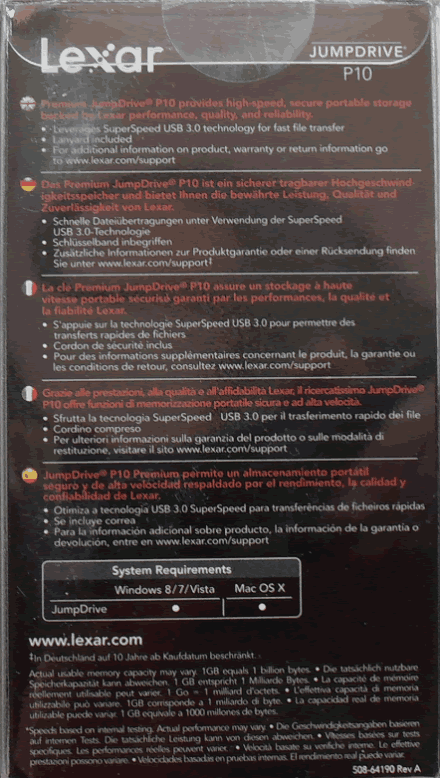
and
here is the back of the package.

and
also the two sides of the box.
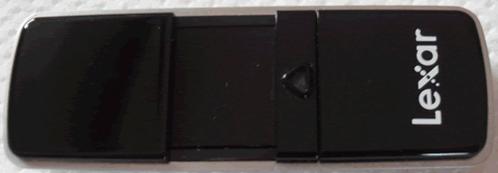

The
top side of the drive The little triangle in the middle has an indication LED,
this time it's a red LED.
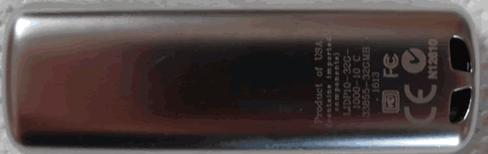
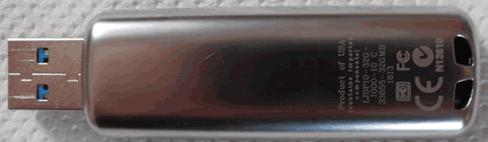
The
back of the Lexar P10 is the metal chassis, also we can see that it's made in
the USA, once again outstanding build quality.
Specifications
Here is a look at the specifications of the
Lexar P10 Jump Drive as they appear on the official website.
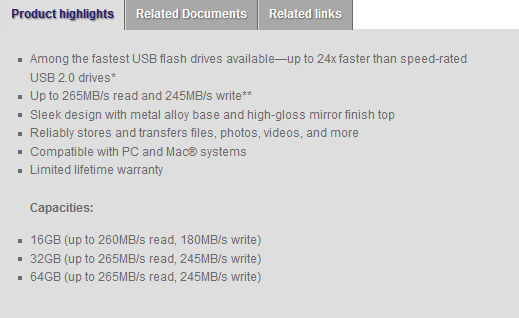
From the above picture we can see that the
P10 is able to achieve a maximum read speed of 265MB/Sec and also 245MB/Sec
when it comes to write speed, all this for the 32GB drive.
Now let's start our tests with the FAT32
file-system...
Test system and test procedures
For this review I will be using a PC with
the following configuration.
PC
- MOTHERBOARD: ASRock extreme4 Z77
- CPU: Intel
2500K - CPU COOLER: Corsair A70
- RAM: 8GB Kingston
HyperX - VGA: Intel
3000HD - HDD1: Corsair
Nova 60GB (OS) - HDD2:
Samsung Spinpoint 1TB (storage)
Testing methods
I will try to keep my testing methods as
simple as possible and repeatable on various systems. I will run two simple
benchmarks, ATTO and CrystalDiskMark, as both tools can give a
good impression of how the drive performs. I will also run these benchmarks with
the two most common file systems that most users use, the older and more compatible
file system FAT32, and NTFS which is the current standard that
has a lot of benefits over FAT32. There will also be some real life
tests, simple tasks such as copy/paste and also a compatibility test with a
list of various consumer devices that most people will use in or out of their
homes.
FAT32 Tests
So let’s see how the Lexar P10 Jump Drive performs,
with the FAT32 file-system.
ATTO
My first test will be running ATTO to give
an idea of the sequential performance of the flash drive.

Outstanding performance, the Lexar P10 was
able to reach a max read speed of 265MB/Sec and also a maximum write speed of
210MB/Sec, a perfect result to start my tests.
CrystalDiskMark

With this test we can see the overall performance of the Lexar P10,
as it was expected the write numbers on 4K are very low, but we will see how
much this will affect the performance in the real world tests.
You can see how the Lexar P10 compares to some other USB3 flash
drives I have tested in the following graph.

Here you can see the read
results,

and here are the write results.
Conclusion
The performance of the Lexar P10 is simply
outstanding.
Let’s move to the next page and test the
drive with the NTFS file system...
NTFS Tests
Again I will be starting my tests with
ATTO, so let’s see how the Jump Drive performs with the NTFS file-system.
ATTO

Again the Lexar P10 gives an outstanding
performance, reaching speeds of 240MB/Sec when it come to read and 210MB/Sec
when it comes to write. Yes it's a little lower than what Lexar states on the
box but still the drive is extremely fast for a USB3 flash drive.
CrystalDiskMark

The trend for performance continues. The
numbers are again outstanding, and to help you note the difference in
performance, you can have a look at the graphs below..

Again
I present first the read speeds,

and then
the write speeds.
Conclusion
Not much to say, the Lexar P10 delivers insanely
good performance.
Let’s move to the next page for some
real world tests ...
Real world tests
Benchmarks are great, as they can give a
very good view of how the drive can perform when it’s pushed to the maximum.
Unfortunately they only tell part of the story, the rest you have to find out
when you're using the drive for everyday tasks.
I've therefore decided to perform three
simple tests that almost everyone does, so that I can get a better view of the
performance of the drive.
For this test I will be moving all the test
files from a RAM disk to the tested USB drive, and vice versa, below you can see
the results.
MP3
I will start my tests by performing a
simple copy of 1.36GB of MP3s. You can see the results for the Lexar P10
Jumpdrive in the graph below.

An outstanding result for the Lexar P10, so
far it's the fastest drive that I have tested.
Pictures
For the next test I will copy 3377 assorted
picture files with a total size of 2.56GB.

Even small files aren't a problem for the
Lexar P10, and as we can see the P10 is the winner of this test.
Movie
I finished my tests by copying an MKV file
and an SRT file. The two files have a total size of 3.46GB

At this point I didn't expect anything else
other than a total domination, and the Lexar P10 did that very easily.
Compatibility
This is a simple test, in which I will
simply plug the Lexar P10 into various devices, two PCs, a laptop, a netbook,
one mini Hi-Fi, a media player, and two TVs, to check the compatibility.
So let’s see if the Lexar P10 Jumpdrive works
on all these machines.

As it was expected the Lexar P10 Jumpdrive had
no issues with any of my equipment.
Performance on older systems.
Just for fun I will post the results of the
Lexar P10 JumpDrive when it's connected to a much older PC that has no native Intel
USB3 support. The P55 chipset uses an NEC chipset to provide two USB3 ports, so
let's see how the Lexar P10 performs on this old system, and how much would you
lose compared to the Z77 which has native USB3 support from Intel.

It's clear that the NEC chipset tries very
hard and it's able to give a very good result, achieving a read speed of 190MB/Sec
and also a write speed of close to 150MB/Sec.

Again it's clear that the old chipset isn't
able to reach the performance levels of the newer Intel one, but overall the
result is very good.
Is it worth having the Lexar P10 on an very
old USB3 chipset? I would simply say YES, and I will leave the final decision
to you.
Anvils Benchmark (100% incompressible)
Below you will find a graph showing the
performance of the Lexar P10 JumpDrive against all the other USB3 flash drives
that I have tested.

Conclusion.
Positive:
- Outstanding build quality
- Outstanding read/write performance.
- Great looks.
Negative:
- High price
Summarize:
Not much to say about the Lexar P10, it's
an outstanding drive. Starting with the build quality, and moving on to the
outstanding performance, the Lexar P10 is a step forward compared to the Lexar
Triton, and can also be found for almost the same price as the Lexar Triton
JumpDrive.
Speaking about prices, in Greece you will
find he 32GB flash drive for 65 euro, I know it's not cheap but you have to
remember that you are not only paying all this extra money for the top performance,
but for the outstanding build quality as well. On amazon.co.uk you will find
the Lexar P10 for £59.95.
The final sentence is:
“The king is dead, long live the king!"
For the outstanding build quality, and the
very high read/write speeds, I give the Lexar JumpDrive P10 the 'Outstanding' rating
and the 'Editor's Choice' award.

















