
 |
Review: OCZ Agility 4 - 256GB SSD |
Here at MyCE.com we try to bring you not only in-depth SSD
reviews, but also cover products that are affordable. In the second of my
series of reviews on budget SSDs, I was lucky enough to get hold of OCZ Technologies
latest mainstream SSD, the OCZ Agility 4.
The Agility 4 is available in four capacities, 64GB, 128GB,
256GB, and 512GB, all with slightly varying performance (see the specifications
later in this article).
OCZ was kind enough to send me the 256GB version of the
Agility 4, and in this review I will be taking a look at the performance and
stability of this new SSD.
OCZ Technology company information
OCZ Technology should need no introduction, but for those of
you who would like to find out more about OCZ, you can do so at their website.
The OCZ Technology Agility 4 - 256GB SSD
Now it’s time to take a look at the drive itself and what it
came shipped with.
Packaging
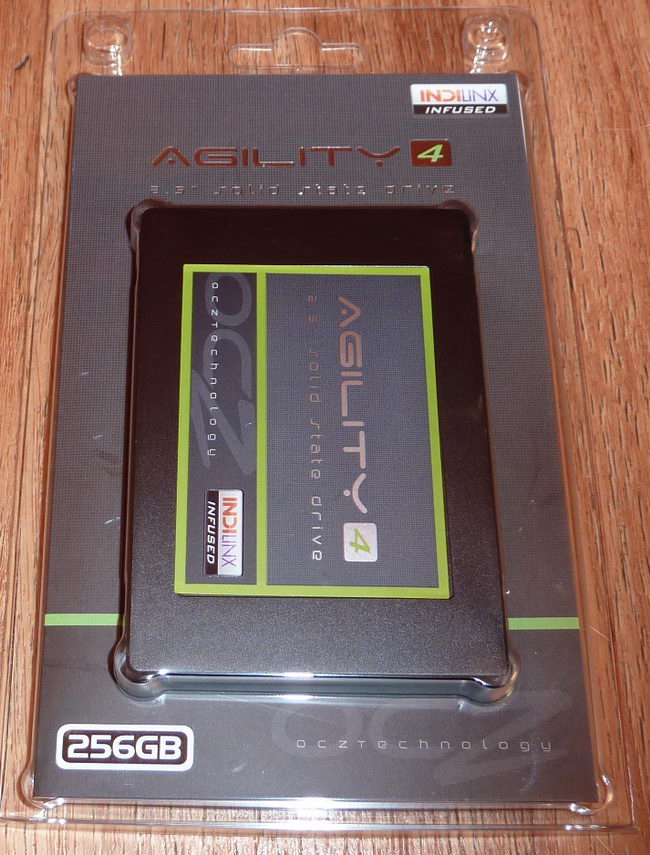
Complete package
The OCZ Agility 4 ships in a snap-open/close plastic
package. The packaging is adequate enough to protect the SSD, and is obviously
packaged in this way to help keep the costs down.
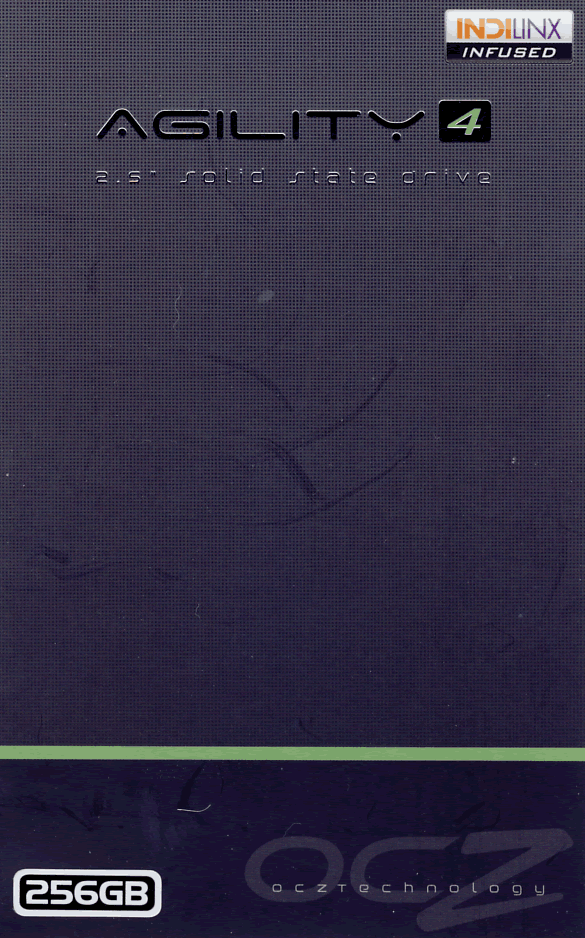
Package front
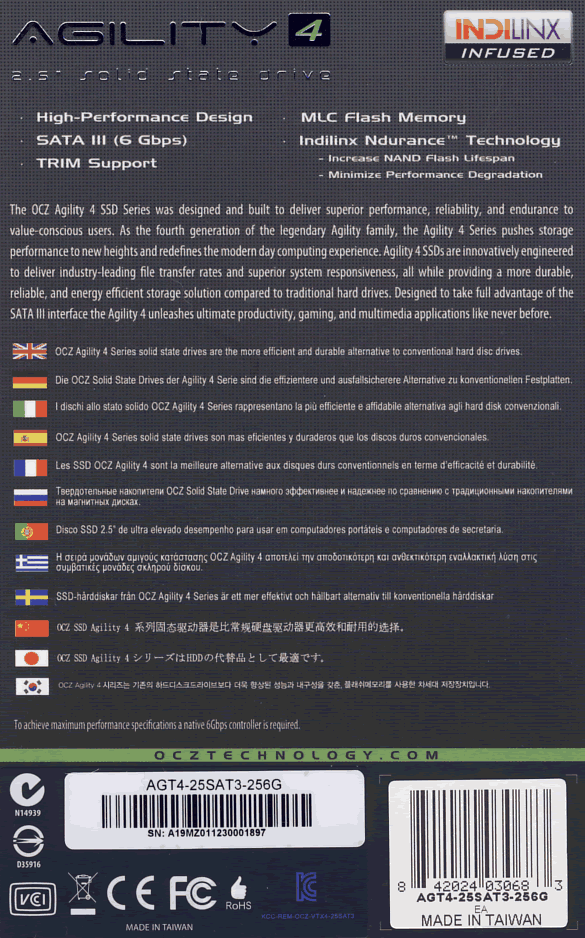
Package rear
Inside the box
The package contained the OCZ Agility 4 256GB SSD, and that
is basically all you get. There is no 2.5 inch to 3.5 inch converter bracket,
although you do get an installation guide, go faster bragging sticker, and
warranty information (not shown).
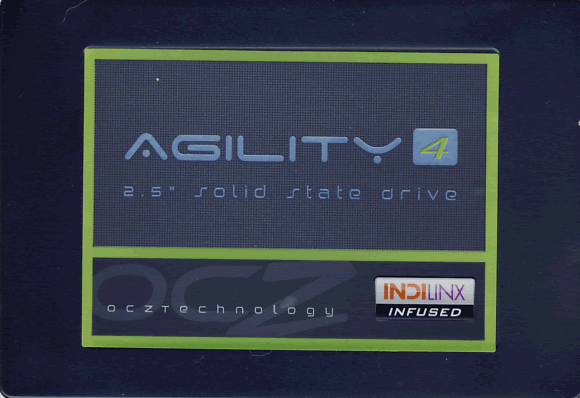
OCZ Agility 4 256GB SSD
The top of the OCZ Agility 4 case is made from strong
plastic.
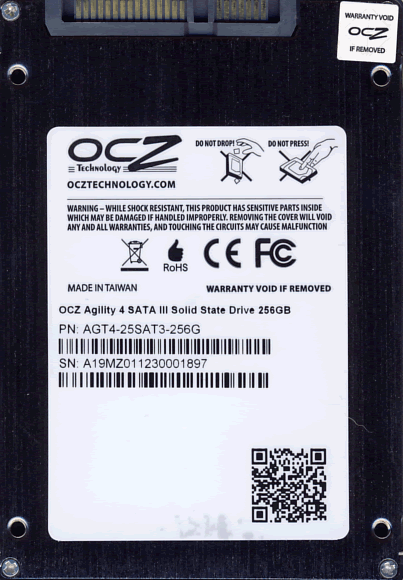
Drive underside
On the underside of the drive we can see the SATA power and
data connectors, and four drive mounting holes. We can also see the drive's
model and serial number, and that the drive was manufactured in Taiwan. The
bottom of the case is made from strong metal, which also acts as a heat sink
for the Everest 2 SSD processor.
Now let's head to the next page, where we look in more
detail at the OCZ Agility 4 SSD.....
A closer look at the OCZ Agility 4 hardware.
Let's take a look at the hardware found inside the OCZ
Agility 4 SSD.
PCB

PCB topside
On the top side of the PCB, we can see eight MLC NAND chip
packages, and the first of two 512MB of SDRAM cache packages.

PCB underside
On the underside of the PCB we can see another eight NAND
chips, the Indilinx Everest 2 controller, and the second 512MB of cache. Note
the strange orientation of the Everest 2 controller. OCZ didn’t place it that
way just to be different, and there are sound engineering principles why the
controller is orientated in this fashion.
Placing the controller in the centre of the PCB and placing
it at an offset angle allows the distance to each of the NAND chips to be
minimised. The shorter the distance a signal has to travel, then the faster it
will travel and will be less prone to picking up noise which then degrades the
signal, as a degraded signal will then require greater error correction. So
orientating the controller in this fashion has technical advantages.

Indilinx Everest 2 SSD platform controller.
Above we can see the 400 series Indilinx Everest 2 SSD
processor, designated IDX400M00-BC, which is the same SSD processor in the OCZ
Vertex 4 series of SSDs, and as we know, this processor uses Marvell silicon
with Indilinx firmware.
The NAND on the review sample was OCZ's own branded 25nm
ONFI 1 (asynchronous) MLC NAND.

OCZ branded ONFI 1 (asynchronous) MLC NAND
The NAND wafer is manufactured by Micron. OCZ then build
this into NAND packages in their own fab.
There are a total of 16 NAND packages on the 256GB Agility
4, with each NAND package having a capacity of 16GB, giving a formatted
capacity in Windows of approximately 238GB.
Specifications

As we can see from the specifications, the 256GB. and 512GB
models are the fastest.
Drive maintenance features
For Windows 7 users and some distributions of Linux, the OCZ
Agility 4 SSD supports ATA TRIM to keep the NAND clean. The OCZ Agility 4 also
has advanced garbage collection to clean the NAND during drive idle periods.
OCZ SSD Toolbox

From the toolkit the user is able to monitor the SSD health
status via SMART, and update the drive's firmware. The user is also able to
secure erase the OCZ Agility 4 from the Toolbox.
Let’s head to the next page where we take a look at our
testing methods and the review PC.
Test machine
For this review I will be using a computer with the
following configuration:
Hardware:
- Motherboard: Asus P8Z77 V Deluxe (Intel Z77 chipset)
- Processor: Intel 3nd generation Core i7 3770K
- RAM: 16GB Samsung Green DDR3 1600MHz (dual channel)
- GFX: Onboard Intel HD 4000
- Sound: Onboard Realtek ALC898 HD audio controller
- Hard disk OS: OCZ Octane 512GB SSD
- Hard disk storage: 1X 500GB Samsung Spinpoint F3, and 1X 1TB
Samsung Spinpoint F1. - Case: Antec Performance One P280
- PSU: Antec True Power modular 550W
- Display: Dell UltraSharp U2412M 24” widescreen IPS LCD (HDCP
compliant) - Operating System: Windows 7 Home Premium 64bit with Service Pack 1
The OCZ Agility 4 SSD was connected to the Intel native SATA
6Gbps (port 0) on the Z77 motherboard of our review PC and all tests on the drive
were carried out with the drive connected to this port.
AHCI mode was also selected for all drives in the UEFI of our
test PC, and all tests were carried out in this mode. The SATA 6Gbps drivers
used on our review PC were the Intel Rapid Storage Technology (RST) Version
11.1.0.1006
Test applications
To test the performance of the OCZ Agility 4 120GB SSD, I
will be using the following test applications in this review.
- ATTO
- Iometer
- AS SSD
Benchmark - CrystalDiskMark
- MyCE Reality Suite
- Anvil’s
Storage Utilities
Test procedures
I will start off our testing procedures explanation by
stating that I did not run many synthetic benchmarks on the OCZ Agility 4 SSD.
You may ask why I have run so few synthetic benchmarks?
SSD technology has moved so fast in the last couple of years,
that basic synthetic benchmarks alone are now of very limited use, as they don't
really tell us much about performance and how the drive will behave in the real
world. I have therefore decided to show some basic benchmarks of the OCZ
Agility 4 SSD, and will complement this with advanced benchmarks using IOMeter
and AS SSD benchmark. I will also show how the OCZ Agility 4 SSD performs in
the real world with our MyCE Reality Suite test.
The reality of SSD performance
While I can easily show you which SSD is technically the
faster, when you use one of these modern SSDs as an operating system drive it
becomes very difficult to tell them apart as far as performance is concerned.
A typical use of a small capacity SSD at the moment is to
have your operating system and applications installed onto the SSD. The
performance difference compared to a traditional HDD is enormous, however when
you start to compare SSD to SSD the difference becomes almost impossible to
detect.
Let’s look at why this is the case.
Drive A can boot to the desktop in 8.11 seconds, and drive B
can boot to the desktop in 8.12 seconds, the difference in time is
milliseconds, and can one really tell the difference?
The fact is, all modern SSDs are only ticking over when they
are only running the OS and launching applications, it’s only when you get to
some of the larger capacity SSDs, with enough free space to be able to hold the
actual data that you’re going to be working with, be that video, audio or
pictures, for example, that you actually get a tangible difference in
performance. This is where the SSDs with the better sequential performance start
to pull well ahead of the SSDs which have lower sequential read/write
performance.
Small file random IOPS vs sequential performance
IOPS
This is a fairly complex subject, but I will do my best to
explain things in a manner that is easy to understand.
The term IOPS is the amount of input or output transactions
that can take place in a one second interval, so for example, if an SSD is
quoted as being able to cope with 20,000 4K random write IOPS, then the SSD
should be able to cope with 20,000 input transactions in a period of one
second. If the same SSD is said to be able to produce 20,000 4K random read
IOPS, then the same SSD should be able to produce 20,000 4K random read output
transactions in a one second interval.
Ok, now we have some figures to work with, the next question
is how many IOPS are actually required?
This will depend on your usage pattern. If you are a typical
desktop user who browses the internet, does some word processing or perhaps
some audio or video editing, and perhaps plays a few games, then in actual
fact, you don’t need to have massive 4K random read/write performance. The
actual amount of 4K random performance that is required for a fast and smooth
running system for a desktop user with a usage pattern similar to the above
will be well under 1,000 4K IOPS.
On the other hand, if the SSD is being used for running a
large and complex database server, then 4K random performance is the absolute
measurement of how fast that server will run, as this type of application does
most of its input and output transactions in the 4K domain.
So why would I need an SSD with 80,000 4K IOPS for a
desktop?
In fact you don’t need this type of performance for a
desktop, but an SSD which is capable of coping with 80,000 4K IOPS will be
faster than an SSD which can only cope with 20,000 4K IOPS.
OK, I just said if under 1,000 4K IOPS are actually required
for typical desktop usage, why is an SSD with 80,000 4K IOPS faster than an SSD
with only 20,000 4K IOPS, confused?
You may ask, if I only require 1,000 4K IOPS surely the rest
is wasted?
While you may never need 80,000 4K IOPS, IOPS is all about
latency. The reason that an SSD can cope with as much as 80,000 4K IOPS is
because latency in this domain is very low. With 4K files, even if you require
to process 500 of them at the same time, you are not talking about a huge
amount of data, it has far more to do with how long it takes the SSD to process
a single file, and the amount of time required to process a single 4K is all
about how long it takes for the SSD to access or store that data before it can
move on to the next transaction.
In other words an SSD with 80,000 4K IOPS performance will
handle those 500 files faster than the SSD with 20,000 IOPS.
So how will a desktop user even notice this faster speed if
so little 4K random IOPS and data are actually used?
Multitasking is a good example. The more tasks you run at
the same time, you more you will notice the speed difference.
Sequential performance
I have always maintained that sequential performance was
every bit as important as small random file performance for a desktop SSD. Some
highly regarded people on other sites found this statement quite funny a couple
of years ago when I made it, but my, how times have changed in the world of SSD
reviewing.
To me this was always so obvious for a desktop user. For
example, let’s say you want to launch an application or game. Both have some
fairly large files to load, and also a great many small files, but the point
is, even the smaller files are sequential in nature. Now let’s say you’re into
audio or video editing. Video files tend to be huge, and the files are written
or read sequentially. Isn’t this how many users are using their PCs these days?
Summary
So how does this shape up in the real world? Which is
better, massive 4K IOPS or massive sequential performance?
In an ideal world you want both, as an SSD with massive
random 4K IOPS and sequential performance will always be faster than an SSD
that has high sequential performance and moderate 4K random IOPS performance,
and the same applies to an SSD that has massive 4K random performance and
moderate sequential performance. The SSD which has high performance in both
patterns will always be the faster SSD.
However, you can still have an SSD that is very fast for
desktop use that has moderate random 4K performance and massive sequential
performance, the same can be said about a drive having massive random 4K
performance and moderate sequential performance, as it is about getting the
balance right if you have to compromise on one or the other.
Test drives
- 500GB Samsung SpinPoint F3 (HD502HJ) HDD
- Plextor PX-256M2S SSD
- Crucial RealSSD C300 128GB SSD
- OCZ Vertex 3 240GB SSD
- Intel 510 series 120GB SSD
- Crucial M4 256GB SSD
- OCZ Octane 512GB SSD
- Plextor PX-256M3 256GB SSD
- OCZ Vertex 4 512GB SSD
- Kingston Hyper X 3K 240GB SSD
- SanDisk Extreme 120GB SSD
- OCZ Agility 4 256GB SSD
Drive preparation for running the tests
All the SSDs used in this article were in a clean and fresh
state when the testing period started. From then on, each drive had to rely on
its own NAND cleaning effectiveness for the remainder of the tests.
For the sake of clarity, I now only include SATA 6Gbps SSDs
in these tests, and all were connected to the native Intel SATA 6Gbps (port 0)
of my motherboard for these tests.
- The spinning HDD drive was defragged before the start of
each test.
- All SSD and HDD used in this article had their partitions
aligned to the Windows 7 x64 defaults.
Where I use graphs in this article to display results, I
will use the following colours to make it easier, for our readers to see which drive
we are reviewing.
 OCZ Agility 4 256GB SSD
 Comparison SSD
 Comparison HDD
Now let's head to the next page, where I look at some
basic benchmarks...
Synthetic Benchmarks
ATTO disk benchmark
ATTO has become a standard tool for measuring the data
throughput of HDD and SSD. It measures the performance of reading and writing,
using different file sizes and block sizes.

The reading speed results on the OCZ Agility 4 are fairly
good, topping out at just over 423 MB/s, and writing speed is also good topping
out at over 411MB/s.
CrystalDiskMark 3.0
Crystal Disk Mark is quite a handy benchmarking application,
as it focuses on the file sizes that can cause a problem on a system drive.

As we can see from the above screenshot, sequential reading
and writing speeds are not exceptional by any means. However, random read and
write speeds, especially at higher queue depths are very impressive.
AS SSD Benchmark
AS SSD benchmark is a benchmarking tool specifically
designed to test SSDs. The application tests sequential reading and writing
performance, 4K random reading and writing performance.
AS SSD benchmark also tests 4K threaded performance. This is
very exciting, as this test is the first available test that I am aware of,
that simulates how a PC operating system actually works. A modern PC and OS,
such as Windows Vista/7 does not just run a single thread at a time, it runs
many threads. The AS SSD benchmark "4K 64Thrd" tests run 64 threads
simultaneously throughout the test. If this result is good, then you can be
pretty sure the drive will perform extremely well as a system drive.
After the tests complete, AS SSD benchmark derives a total
score for the drive being tested. This is based on all aspects of the test
results, and gives an indication of how the drive is performing overall.
Now let’s look at the result from the OCZ Agility 4 in the
form of a screenshot. All our other comparison drives’ results are presented in
the form of a graph.


The OCZ Agility 4 is showing good performance in the AS SSD
test run, and is the second fastest SSD in this test.
Summary:
The OCZ Agility 4 has performed well in the basic synthetic
benchmarks. Random reading and writing performance is excellent, however,
sequential reading and writing performance especially at low queue depths weren't
so impressive.
Let's head to the next page for our IOMeter test
results.....
I/O Performance
There is little point of having an SSD drive that has
blazing sustained reading and writing speeds, if the drive can't handle reading
and writing of small random files. If you intend to use your new SSD drive to
store and run your operating system, then the drive must be able to cope with
the many small random files that Windows will write to the drive continually.
So I feel it is very important to test how many of these random files that a
drive can handle in one second. I believe that anything over 1,000 I/O’s per
second would be enough for most users running a consumer grade mainstream PC,
and should provide a smooth running system. But obviously, the more I/O's that
a drive can handle, the faster the drive will feel and leave more headroom for
those huge multitasking sessions that users sometimes engage in.
The things that I will look at are the total I/O per second and
total MB/s.
Partition alignment and sector boundaries
Windows 7 and Vista will automatically align a partition to
4k boundaries during partition creation, Windows XP won’t. It is imperative
that an SSD’s partition is aligned. Windows XP is also restricted to sector boundaries,
while Windows 7 will use 4k boundaries if it can. The OCZ Agility 4 is 4k
boundary aware, and will use these boundaries if possible. Of course it will
also remap LBAs for compatibility with the sector boundaries so that the drive
can be used with Windows XP.
IOMeter allows us to set the sector boundaries for
conducting the tests, and I have therefore set the sector boundaries at 4K,
which means the IOMeter tests are valid for Windows 7 and Windows Vista users.
XP users will not be able to obtain such results.
I will provide a screenshot of the tests on the review drive
for those of you who like to see the actual test result. All the comparison
drive results are represented in the form of graphs.
If any of you would like to see a screenshot from any
IOMeter test on a particular drive, please feel free to request one, and I’ll
post the screenshot in the forum thread.
All the IOMeter tests create a 10GB data set on the target
drive, and each test is run for a duration of 3 minutes.
IOMeter 4K random write test with repeating data.
The first test involves creating continual 4KB random files
on the target drive with IOMeter. I use a 4KB file size, as it is believed that
Windows will create and modify many of this size of file constantly in the
background during a typical Windows session. It is said that most 4K random
writes take place at a queue depth of only one, and I have been requested to
include this test in my reviews.
Queue depth 1

OCZ Agility 4 SSD – 4K random write (QD1)

At 152.17 MB/s the OCZ Agility 4 is showing exceptional
performance at this queue depth, and is the fastest SSD in this test.
Our next test involves creating continual 4KB random files
on the target drive with IOMeter. I use a 4KB file size, as it is believed that
Windows will create and modify many of this size of file constantly in the
background during a typical Windows session. I will use queue depths of 4 and
32 for these tests.
Queue depth 4

OCZ Agility 4 (Queue depth 4)

At a queue depth of 4, the OCZ Agility 4 performance is very
strong indeed, and is just beaten by the OCZ Vertex 4.
Queue depth 32

OCZ Agility 4 (Queue depth 32)

The Agility 4 still hasn't run out of steam, even at this
very high queue depth, and finishes in third place in this test.
IOMeter 4K random write test with fully random data.
This test is exactly the same as the test above except that
the test data is fully random and is therefore much more difficult to compress.
This test was requested as SandForce based SSDs gain a lot of performance by
being able to compress data on the fly. While the above test shows the
SandForce based SSDs in a best case scenario, the following test will show the
SandForce based SSDs in a much more realistic scenario.
Queue depth 4

OCZ Agility 4 SSD – 4K random write (QD4 with fully random data)

The SandForce SF-2281 based SSDs pays a big penalty when
having to deal with data that isn't so easy to compress. The Everest 2
controller onboard the Agility 4 pays no such penalty, and finishes the test in
second place just behind the Vertex 4.
4K random write queue depth profile
For this test I used various queue depths from 1 – 32 to
give you an idea how this SSD performs at different queue depths. For a normal
desktop user for lightweight multitasking, the queue depth will rarely rise
above 2. For heavy multitasking, the queue depth is unlikely to rise above a
value of 8.
The result is below.

The Everest 2 controller is known to reach peak performance
at very low queue depths, and the OCZ Agility 4 is no exception. Even with its
slower asynchronous NAND it is still offering massive performance.
Below I present a table of the results in more detail.

IOMeter 4K random read test.
If there are many 4k files created, then that must also mean
that many 4k files need to be read. This test measures 4k reading performance.
It is said that most 4K random reads take place at a queue
depth of only one, and readers have requested that I include this test in my
reviews.
Queue depth 1

OCZ Agility 4 SSD (Queue depth 1)

This is where the slower asynchronous NAND begins to
struggle a little. Performance is still good, but it's no match for larger
capacity synchronous NAND based SSDs.
Queue depth 4

OCZ Agility 4 SSD (Queue depth 4)

With a higher queue depth the Agility 4 starts to motor, but
it's still a little bit behind some of the other SSDs in this test.
Queue depth 32

OCZ Agility 4 SSD (Queue depth 32)

With a high queue depth the Agility 4 is performing
extremely well, and finishes this test in third place.
4K random read queue depth profile.
This test shows how the review drive scales with increasing
queue depths.

Below I present a table of the results in more detail.

If we look at the OCZ Agility 4 4K random read performance
in detail, it is quite similar to the Vertex 4, albeit quite a bit slower.
IOMeter 512KB write test with repeating data.
Sequential writing performance is also very important; in
this test sequential writing performance is measured.

OCZ Agility 4 512K
Sequential write with repeating data

The OCZ Agility 4 has good sequential writing performance,
but with data that is easily compressed by the SandForce based SSDs, it can't
quite keep pace with them.
IOMeter 512KB write test with fully random data.
This test is exactly the same as the test above except that
the test data is fully random in nature. This test was requested as SandForce
based SSDs gain a lot of performance by being able to compress data on the fly.
While the above test shows the SandForce based SSDs in a best case scenario,
the following test will show the SandForce based SSDs in a more realistic light.
In the real world, the data is neither 100% incompressible nor 100%
compressible, it is somewhere in between. So please keep this in mind.

OCZ Agility 4 SSD – 512K sequential write with fully random data

With data that is not so easy to compress, the SandForce SF-2281
based SSDs take a big hit in performance, and the Agility 4 is well ahead of
all the SandForce based SSDs, but is still quite a bit behind the Vertex 4.
IOMeter 512KB sequential read test QD1.
This test measures 512k sequential reading performance at
very low queue depths.

OCZ Agility 4 SSD – 512K sequential reading test QD1

The OCZ Agility 4 certainly struggles a bit with sequential
reading at low queue depths, and is the slowest SSD in this test by quite some
margin.
IOMeter 512KB sequential read test (dual threaded).
This test measures 512k sequential reading performance QD2.

OCZ Agility 4 SSD – 512K sequential reading test QD2

Once again the Agility 4 is struggling to keep pace, and the
queue depth for sequential read really needs to get above a value of 4 before it
starts to redeem itself.
IOMeter Workstation simulation (outstanding I/Os = 64).
When running applications you will find that there is a
mixture of small random files, and larger sequential files, being created and
read. Not only that, it isn’t just one file at a time. In this test I measure a
simulated workstation pattern, with a queue depth of 64 (threaded).

OCZ Agility 4 SSD – Workstation simulation

The workstation test pattern contains quite a bit of low
queue depth sequential reading, therefore the Agility 4, while still showing
good performance, can't keep pace with quite a few of the SSDs in this test.
Summary
Overall the OCZ Agility 4 SSD has done well in the IOMeter
tests. It has excellent writing performance, in fact in many cases it pushes
the OCZ Vertex 4 quite close in this department. Unfortunately reading
performance, especially at low queue depths is not a strong point of the
Agility 4, and it will be interesting to find out if this has a large impact on
performance in the real world tests that will appear later on in this article.
Now let’s head to the next page where we will look at how
the OCZ Agility 4 SSD performs using a brand new benchmarking application....
Anvil’s Storage Utilities
As well as performing SSD endurance tests. Anvil’s Storage
Utilities has a very nice SSD benchmarking application. The SSD benchmark tests
many different aspects of SSD performance, including 4K random at different
queue depths, and also sequential performance, but more importantly than this,
all using real test data.
Another very nice feature of Anvil’s SSD benchmark is the
fact that you can change the compression levels of the test data. The
compression levels of the data sets used for the tests can be varied from 0%
compression right up to 100% compressed data, and there are even a few data
profiles already included, such as database (8%) compression, and also an
application profile (46%) compression, which is designed to simulate real
application data being read and written to the SSD.
Anvil’s Storage Utilities is still in beta at the moment,
but the application is currently solid enough to use in this article, and I have
already verified the results obtained using an SATA analyser.
I will include a screenshot of the review drive, and all
comparison results will be presented in the form of graphs. If you would like
to see screenshots of the test results obtained on the other SSDs in this
article, you can do so by following the link here.
I will also be testing three different compression profiles,
which are as follows.
- 0 fill (100% compressible data)
- Application simulation profile (46% compressed)
- 100% (non compressible data)
So let’s begin the tests.
0 fill

OCZ Agility 4 120GB (0 fill)

Total score

Writing score

Reading score
With data that is easy to compress, the Agility 4 is still
showing excellent writing performance. Unfortunately reading performance is not
so strong, and overall, the OCZ Agility 4 finishes this test in the middle of
the pack.
Application profile

OCZ Agility 4 120GB SSD (application profile)

Total score

Writing score

Reading score
The application test pattern is much more realistic in terms
of the type of data that real users will use, and this case the Agility 4 does
much better, finishing the test in second place.
100% incompressible

OCZ Agility 4 120GB SSD (100% incompressible)

Total score

Writing score

Read score
With test data that can't be compressed at all, the OCZ
Agility 4 256GB SSD is once again doing very well in this test, finishing in second
place.
Performance vs storage mode
SSDs based on the Indilinx Everest 2 have two modes of
operation, "performance mode" and "storage mode". This may
well be a feature on other SSDs, but OCZ are the first to come out and say that
this is the case.
What is known about SSDs is the following. The more data
that is stored on the SSD then the amount of free clean NAND is reduced,
resulting in reduced performance.
What is different about the Everest 2 platform is the use of
an FTL (Flash Transaction Layer). While OCZ, for obvious reasons will not
disclose how this works, what they have said is the Everest 2 platform does
have two very different modes of operation.
The Everest 2 based SSDs will stay in performance mode until
the SSD reaches 50% full, it will then enter storage mode. During the transition
from performance to storage mode the SSD will become quite sluggish for a few
minutes while a new FTL is organised. Once this transaction is complete the
sluggishness disappears and performance will reach a steady state.
I have run a test, just to show you the difference in
performance between the two states. I have not run a full suite of tests on the
SSD while in storage mode, as there is no way of me knowing if normal users
SSDs will ever have to operate in storage mode rather than performance mode.
I'd say if the SSD is used as a system SSD, then it is unlikely to be in
storage mode for any length of time.
For this test the SSD was filled to approximately 60% of its
stated capacity.

Once the drive was filled it was allowed a period of four hours
to reorganise the FTL and allow for garbage collection to take place, then a
single run of Anvil's Storage Bench was run on the drive using the 100%
incompressible option.

OCZ Agility 4 256GB SSD - Storage mode
So you can compare storage mode to performance mode. I
present the graph below.

In storage mode, the Agility 4 does take a fairly
substantial hit in writing performance, in fact it's down by approximately 20%.
Summary
One should keep in mind that although Anvil’s Storage
Utilities SSD benchmark is a very good benchmark, and tests many aspects of SSD
performance, ultimately it is demonstrating which SSD is technically the
fastest, and this may not be showing (for example) which drive will be fastest
in the real world with a home user's work pattern.
The OCZ Agility 4 has performed well, and it has excellent
writing performance. However, reading performance by today's standards is not
so strong.
Now let's head to the next page for some real world tests....
It has become clear that simply conducting endless
benchmarks on SSD drives is pointless. Real users may run a few benchmarks when
they first fit their SSD drive, but most users just want a drive that performs
well in the real world. They want their drive to work "out of the
box" and work fast and smoothly.
Most of the latest SSD drives can deliver very fast
sustained reading and writing speeds, but these alone tell you very little
about how the drive will perform in the real world.
If you intend to use your SSD as your primary system drive,
with an operating system and applications installed and running from the drive,
real world performance becomes much more important than just fast sequential
read and write speeds.
Real world copy
tests
I will now conduct a few real world copy tests. These tests
simulate what real people do with their drives. I will be conducting writing
tests, using a large single file and a multiple file copy of various file
sizes. Then I will round off the tests by copying a folder of MP3 audio files,
and also a folder of JPG pictures.
I should point out that this is not a scientific way of
measuring performance. These timings were taken with a stop watch; I have
however ensured that the reading drive is well able to supply a data stream to
our writing drive, which is high enough not to be slowing down the performance
of the writing drive.
I will once again be comparing the obtained results with our
comparison drives, and will present the results in the form of graphs.
Multiple file copy writing test
For this test I copied the Nero Burning Rom install folder
from our review PC to the OCZ RevoDrive X2 240GB SSD, and then copied the
contents from the RevoDrive X2 to the OCZ Agility 4 SSD and our other comparison
drives.
Our test copy contained 1,772 files of various sizes with a
combined capacity of 307MB.

The OCZ Agility 4 is showing very good performance, and is
in second place in this test.
Single large file writing test (7.95GB)
For this test I used a single DVD9 ISO file which had been
copied to the OCZ RevoDrive X2 240GB SSD. The file was then copied to the OCZ
Agility 4 SSD and our comparison drives.

The large ISO file contains quite a lot of incompressible
data which is quite a handicap to the SF-2281 based SSDs. Incompressible data
is a strong point of the Indilinx Everest 2 platform, and the Agility 4 is
showing excellent performance.
Write a folder of JPG picture files.
For this test I copied a folder of JPG picture files from
our OCZ Vertex 3 SSD to the OCZ Agility 4 SSD, and our other comparison drives.
The folder contained 3,714 JPG pictures, with a total capacity of 5.16GB.

Once again, the OCZ Agility 4 is showing excellent
performance, and finishes in second place in this test.
Write a folder of MP3 audio files.
For this test I copied a folder of MP3 audio files from our
OCZ Vertex 3 SSD to the OCZ Agility 4 SSD and our other comparison drives. The
folder contained 851 MP3 audio files, with a total capacity of 3.85GB.

Once again, the OCZ Agility 4 finds itself in second place.
Summary
We already know the OCZ Agility 4 has excellent writing
performance, and basically these tests are based on writing performance. What
these tests do show is that even in the real world the Agility 4 maintains this
excellent writing performance.
Single drive copy tests
These tests are to simulate a single drive in a PC or
laptop. In other words, I will copy a series of files from one folder on the
tested drive to another folder on the same drive. This means the drive is simultaneously
reading and writing during the tests. I also want to make this a realistic test,
so I have used a folder of MP3 music files, and then repeated the test with a
folder of JPG picture files.
Single drive copy tests – 851 MP3 song files (3.85GB total)
With the SSD having to read and write in this test, I was a
little surprised to see the Agility 4 doing so well. Nonetheless, it finishes
in second place in this test.
Single drive copy tests – 3,714 JPEG picture files (5.16GB total)

With more data to read in this test, the Agility drops a
place, and finishes third.
Windows start-up and closedown
For these tests, I simply used a stop watch and tested the
amount of time taken for a full installation of Windows 7 to boot to the
desktop, and then timed how long it took for Windows 7 to close down by the
normal start menu method.
The timing was started once the BIOS had initialised and
reached the “loading OS message”.

Windows 7 boot time

Windows 7 closedown
There is very little difference in the time taken to boot
Windows 7 between the modern SATA 6Gbps SSDs, and the same applies to the time
taken to shut the PC down.
Installing applications
Installing applications is possibly something you don't do
that often. But should you replace your system disk, then you will most likely
have to re-install your applications. Most of the SSD drives I have tested up
until now are quite slow at installing applications, most likely because their
I/O performance was quite limited.
For these tests, we picked some popular applications and
copied the entire contents of the CD or DVD media to an OCZ Vertex 3 240GB SSD.
We did this to make sure that the reading speed of our CD/DVD reader would not
hamper the performance of the target drive.
We then installed these applications onto our comparison HDD
drives, which were all running mirror image installations of our Windows 7 Home
Premium 64-bit installation, and timed the amount of time taken to install the
application with a stopwatch on each of the drives.
MS Office 2007 Professional (full install)
MS Office is one of those applications that make you cringe
at the thought of re-installing it.
Let's find out how our drives coped with the MS Office 2007
full install.

The OCZ Agility 4 showed an excellent turn of speed when
installing this large office suite.
Adobe Fireworks CS3
Adobe Fireworks CS3 is another popular package. Let's find
out how our drives coped with installing this application.

There isn’t a huge margin in the amount of time taken to
install this application with our modern SSDs. However, the OCZ Agility 4
finishes in second place in this test.
Summary
Our real world tests, though not scientific in nature, I
feel are more realistic than simply running benchmarks. What is clear from these
tests is that the OCZ Agility 4 256GB SSD has very good performance in the real
world.
Let’s check out application and game loading performance
on the next page of this article.....
These tests are very simple tests, but very important to
some users of SSD drives.
We simply started an application or game, and measured the
time taken for the application or game to fully load and start.
Application loading times
Adobe Fireworks CS3

These types of tests are becoming pretty pointless, as there
is so little difference in tangible performance between the modern SSDs.
Corel PaintShop Pro 12

Again, I doubt anyone could tell difference from the fastest
to the slowest modern SATA 6Gbps SSD, as they are all very close, but for
posterity the OCZ Agility 4 is once again in the middle of the pack.
Games loading times
FAR CRY 2

The OCZ Vertex 4 is the fastest, with the Agility 4
finishing in seventh place in this test.
F.E.A.R. 2

Once again the results are so very close, and once again the
OCZ Agility 4 is showing a very good turn of speed.
Summary
From what we have already seen in this article, the OCZ
Agility 4 doesn't have the strongest reading performance at low queue depths,
and this is reflected in the application and game loading results. It's no
slouch by any means, but just no match for the faster synchronous NAND based
SSDs in some cases.
Now let’s round off this article with the MyCE Reality
Suite tests on the next page.....
MyCE Reality Suite (storage).
So what is the MyCE Reality storage test?
The MyCE Reality Suite of tests is made from real everyday
applications and real data, there are no simulated tests, and everything is in
the real world. The only thing that's synthetic is that everything is automated
to make the tests fair, no matter which drive the tests are run on.
Recorded user sessions, by means of a script, are used to
launch the applications, load data, edit data, and then finally write that data
back to the target drive. The scripts do load the system much more than a human
could with these tests, as the scripts do not make mistakes, or pause to think
about what has to be done next.
Measurement system (revision 2)
The measuring system is part hardware and part software. The
hardware is proprietary and under an NDA, but what I can tell you is: The
measuring system can now accommodate SATA2, SATA3, and USB3.
Testing method.
Once all the test data files were complete, they were then
copied to a single folder. I then fitted an old 80GB HDD into the PC and did a
clean install of Windows 7 Home Premium x64. The latest hardware drivers were
installed and Windows update was run to install any new updates that were
available up to 08/01/2012. At this point the applications that were to be used
in the tests were installed and updated with the latest patches.
The folder containing the application test data files was
then copied over to our fresh Windows 7 HDD. The drive was cleaned up and then
the four test scenarios were recorded, with the scenario playback data file
which will run each test scenario saved to the desktop. A drive snapshot was
then taken of the complete HDD and the drive snapshot image copied to a second
HDD for safe keeping.
The image is then simply restored to each of the drives on
test. In the case of SSDs the partition is then realigned “on the fly” and for
SSDs that support TRIM, the free space is filled and then deleted to force
TRIM. All other HDDs and SSDs in the system are then disconnected to make sure
the complete test can only run on the drive I am testing.
A 20 minute settling time is allowed before the tests are run,
then each of the 4 tests is run and the results gathered. This process is
repeated for each of the drives I am testing.
The test scenarios are as follows.
- Graphics content
- Video editing
- Audio import and compression
- Application multitasking
Let’s begin the tests.
MyCE Reality Suite – Graphics content.
Using ACDSee Pro 3, 100 JPG pictures with an average size of
10MB are imported into the ACDSee library, and then 12 of these JPG files are
then selected for a batch process, of resize, compress the quality to 80%, and
finally write the edited pictures back to the drive. The test is approximately
78% read and 22% write.

The OCZ Agility 4 has done extremely well in this test, and
finishes in fourth place.
MyCE Reality Suite – Video editing.
Using Vegas Pro, a 14GB HD MPEG2 video stream is loaded into
the editor, from which 2 segments are then cut and pasted into new segments. There
is a lot of disc caching going on in this test, and the test is approximately
55% read and 45% write.

Once again the OCZ Agility 4 is right up there with the best
of the rest.
MyCE Reality Suite – Audio import and compression.
Using Sony Sound Forge 10, a batch process is run consisting
of 30 24bit (192000 Hz sample rate) .wav files, and 100 16bit (44100 Hz sample
rate) .wav files are imported and then converted to MP3 audio files with a bit rate
of 128kbps, and the converted files are written back to the drive. The test is
approximately 72% read and 28% write.

Once again, the OCZ Agility 4 is showing very good
performance, and this time finishes in third place.
MyCE Reality Suite – Application multitasking.
For this test I used several popular applications, Microsoft
Word 2007, Microsoft Access 2007, Microsoft Excel 2007, Microsoft Outlook 2007,
Adobe reader, Adobe Photoshop CS3, uTorrent, Windows media player, and Internet
Explorer 9.
This session runs for approximately 12 minutes. The test is
started by downloading a Linux distribution via uTorrent, Windows media player
is then opened, and a 1080p video file is opened and played for the duration of
the test. Microsoft Outlook is opened and any new emails are received, read,
then replied too, a document in Adobe reader is opened and scrolled from start
to finish, 3 Microsoft Word documents with graphics content are opened, browsed
and some sections of the documents are copied and pasted into a forth document
and then saved back to the drive. The same applies to Microsoft Access and
Excel. 100 MP3 files are imported into Windows media library. Six JPG images
are loaded into Adobe Photoshop and some minor editing is done and the files
saved back to the drive.
Finally, Internet Explorer 9 is opened with 10 tabs, and the
contents of the 10 tabs refreshed, and browsed while the other applications are
busy in the background.
I would describe the multitasking pattern as moderate to
heavy.
During this test there is approximately 85% reading and 15%
writing.

With queue depths higher in this test, it is no surprise to
see the OCZ Agility 4 doing well. In fact very well indeed.
Summary
I firmly believe that the MyCE Reality Suite gives a very
good overall picture of how a drive can perform in the real world, and in this
case, the OCZ Agility 4 is clearly a fast SSD in the real world, performing
extremely well.
Now let’s head to the next page, and see how well the
drive performs after heavy use....
Speed degradation after heavy testing
On this page I will test how the SSD performs after heavy
testing and usage.
I now have a new policy as to how I go about testing an SSD.
In the past I would deliberately try and get an SSD into a “used state”, by
filling the drive several times before starting the tests. This seemed to work
quite well up until the SandForce based SSDs appeared, but because of the way
the SandForce controller works, it was near impossible to tell if deliberately
trying to get a SandForce based SSD into a “used state” had actually worked or
not.
A new strategy was required. So now I begin the tests with
the SSD in a clean state and allow it to look after itself during the testing
period. I start off the tests by running AS SSD benchmark. This gives me the
“as new” reading and writing performance of the SSD.
Once all the tests have been completed, the drive is then
tested as a system drive, and just used normally for many days which will also
includes idle time (which is something I have always done with a review
sample). At the end of the period, the drive is filled to capacity and then all
files are deleted from the drive and then a “quick format” is performed.
The last test is a rerun of AS SSD benchmark, and the result
from the final test is compared with the first run when the SSD was in an “as
new” state.
Let's find out.
New state 08/08/2012

Used state 18/08/2012
With 3.66 Terabytes of data already written to the drive
during a testing period of ten days, one would have expected the performance to
have dropped off slightly, and this was certainly the case. It's not a large
drop in performance, and in fact is not noticeable in the real world.
This concludes our review. To read the final thoughts and
conclusion, click the link below....
Final thoughts and the conclusion
User experience
A modern operating system such as Windows 7 rarely does one
thing at time; it processes hundreds of threads at once. Just take a look at
the processes and services that are running in task manager for an idea of how
much is going on, even with the PC idling at the desktop. When you start
running applications on top of this, the workload increases in line with the number
and type of applications you are running. It’s also fair to say that many of
these processes are already loaded into system RAM, but many are also loaded into
and unloaded from RAM from the system drive as and when they are required.
The fact of the matter is this. If you are running a mainstream
or high end modern PC with a powerful CPU and graphics card, and are still
running a traditional HDD as a system drive, regardless of how fast that HDD
is, it is still bogging the system down substantially. It has long since passed
the stage where one can meaningfully debate if an SSD is really faster than a
traditional HDD. The fact is they are, and not just by a little bit: they are
much faster.
If we look at the 4 basic requirements for a really fast
SSD, they are as follows.
- Small file threaded performance needs to be high.
- Small random file performance needs to be high.
- Sequential read and write speeds needs to be high.
- Fast access times.
The OCZ Agility 4 SSD has all of the above attributes, and
feels as snappy as any other SSD I have tested this year.
Stability
I have only had the OCZ Agility 4 SSD for a couple of weeks,
so it’s not possible to comment on the drive's long term reliability. But what
I can tell you now is that during the testing period, the OCZ Agility 4 has
been 100% stable, with not a single issue to report.
The OCZ Agility 4 is as “plug n play” as it gets. There are
no special tweaks needed other than simply making sure that AHCI SATA mode is
enabled in the system UEFI (BIOS), and installing the latest Intel RST SATA
drivers if you want to get the best performance and compatibility out of this
SSD.
Long term testing on the OCZ Agility 4 begins now, and I
will report back if I should encounter any reliability issues with the SSD.
Conclusion:
Let us summarise the most important positive and negative
points below:
Positive:
- Silky smooth operation as a system drive.
- Excellent sequential writing performance.
- Outstanding 4K random writing performance at low and high queue
depths. - Very good 4K random reading performance at high queue depths.
- SATA 6Gbps support.
- TRIM support under Windows 7.
- Ultra fast access times.
- Excellent price.
- Completely silent operation.
- Fast operating system start-up and shutdown times.
- 3 year warranty.
Negative:
- Sequential reading performance at low queue depths, could
be better.
To sum up, this is what I
would say:
Throughout this review, the OCZ Agility 4 has gone head to
head with the best and fastest SATA SSDs currently available. The Agility 4
isn't quite the fastest SSD in this article, however, it is most certainly a
fast SSD, and with very aggressive pricing, it is most certainly one of the
cheapest SSDs I have tested.
It's nice to be able to test an SSD at a price point that
most mainstream users will be able to afford. As mentioned above, the OCZ
Agility 4 isn't the fastest SSD, but it has competed extremely well in these
tests.
The only problem I can see for the Agility 4 comes from its
nearest competitor, which happens to be its hotrod stable mate, the OCZ Vertex
4, which is a good deal faster, comes with a five year warranty, and a 3.5 inch
to 2.5 inch drive converter bracket, and the Vertex 4 is not that much more
expensive at the moment.
Having said that, the Agility 4 breaks the $1 per Gigabyte
price point which is very appealing, I would say.
Price
As I write this article, I found the OCZ Agility 4 256GB SSD
available for £152.70
including VAT, which makes the OCZ Agility 4 an absolute bargain.
For our USA readers, I found the OCZ Agility 4 256GB SSD at
Newegg for $189.99
The prices in Euro are derived from the current UK pound to
Euro exchange rate.
|
Model |
User capacity |
Price |
Cost per GB |
|
|
|
£152.70 |
£0.64 |
The parting sentence is
“The OCZ Agility 4 256GB is an excellent performer, and
with very aggressive pricing it's an absolute bargain”.


You may comment on this review below.
Thanks to:
|
|
Alex |
|
|

















