
 |
Review: |
Plextor was kind enough to
send us the PX-B940SA Blu-ray writer for review. The drive supports Blu-ray writing
and reading, in addition, this drive also supports DVD±R/RW, DVD-RAM and
CD-R/RW writing.
It’s always exciting to get
hold of a new piece of technology, especially when the leap in technology is so
far reaching as Blu-ray offers, with much improved storage capacity, the
possibility of being able to watch movies in High Definition, bringing a
completely new viewing experience.
In this review we will be
testing out the latest Blu-ray burner, the PX-B940SA from Plextor, one of the
world’s most respected electronics manufacturers.
The Plextor PX-B940SA supports
writing at 12x BD-R, 2x BD-RE, 16x DVD±R, 8x/6x DVD+RW/-RW, and 8x DVD+R DL/-R
DL writing technology, allowing Blu-ray discs of 50GB and DVD Double/Dual Layer
discs of 8.5GB to be written. In addition, the Plextor PX-B940SA also
supports DVD-RAM reading and writing at 5x.
Drive Specifications
We found the specifications of
the Plextor PX-B940SA at the Plextor website

Packaging
Let’s take a look at the
packaging.
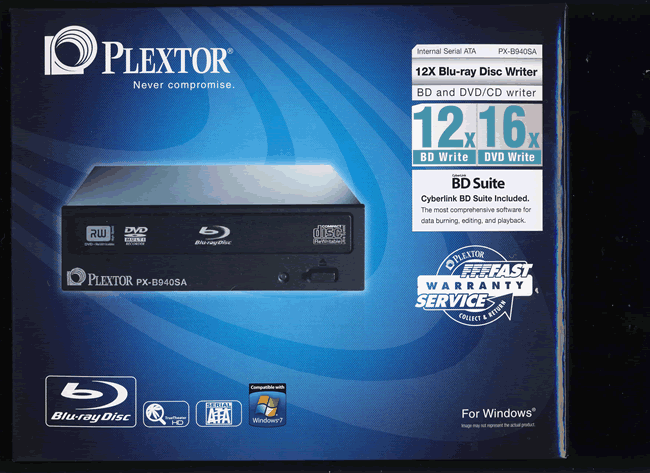
Box front
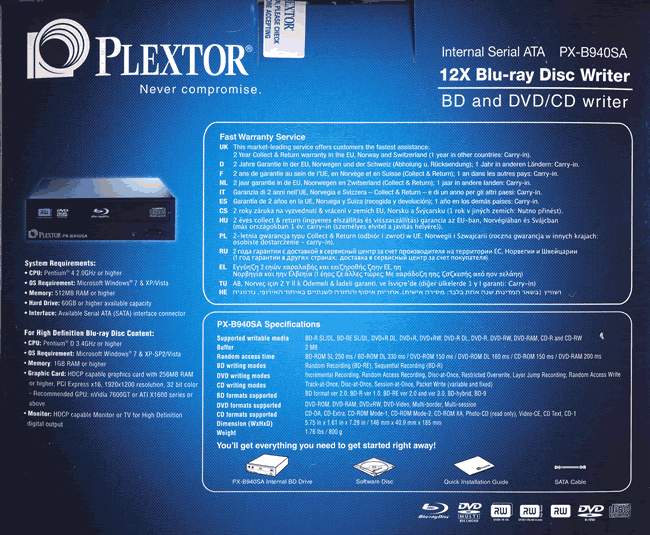
Box rear
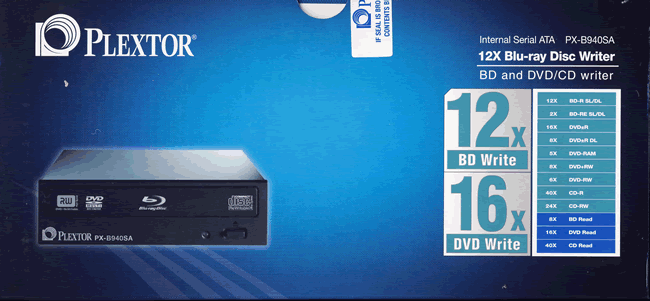
Box top

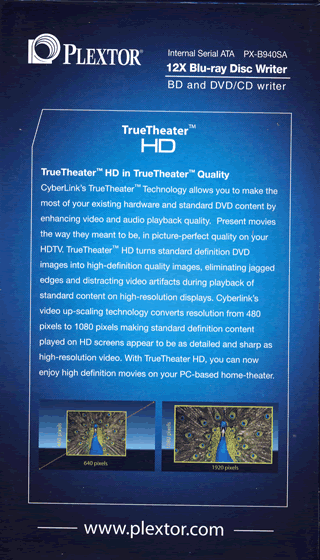
Box left and right sides.
What’s inside the box
Now it’s time to take a look
at the drive itself and what the drive came shipped with.
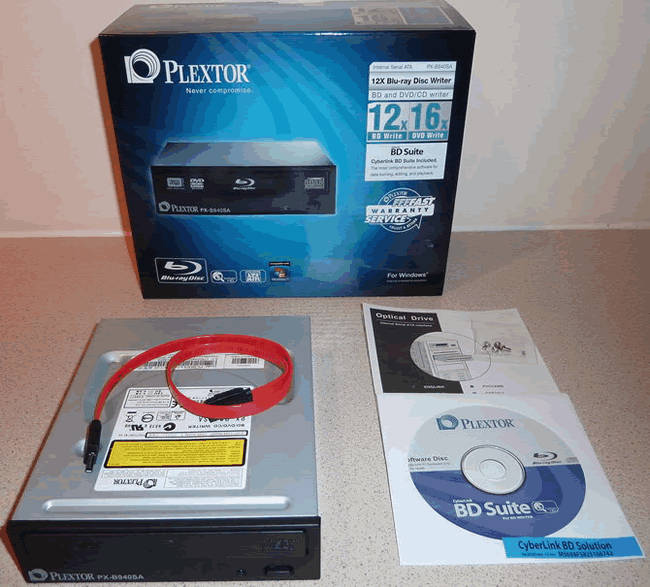
Our retail package contained
the Plextor PX-B940SA drive, SATA data cable, software CD-ROM, instruction
booklet, and mounting screws.
Now
let’s take a look at the drive.
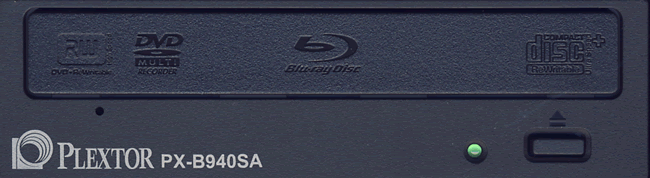
The bezel of the Plextor
PX-B940SA is plainly styled. We can also see various logos, an emergency eject
hole, single green LED and an eject button.

Drive top
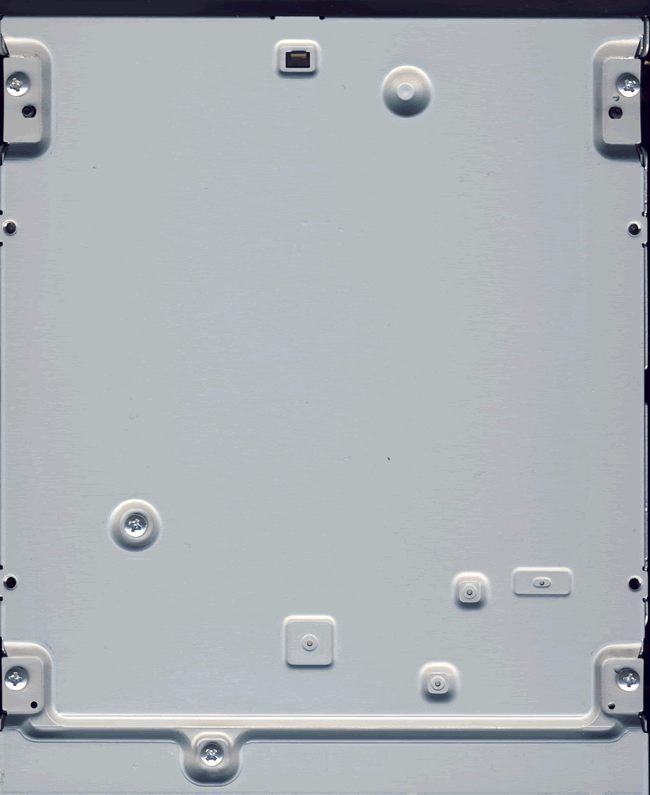
Drive bottom
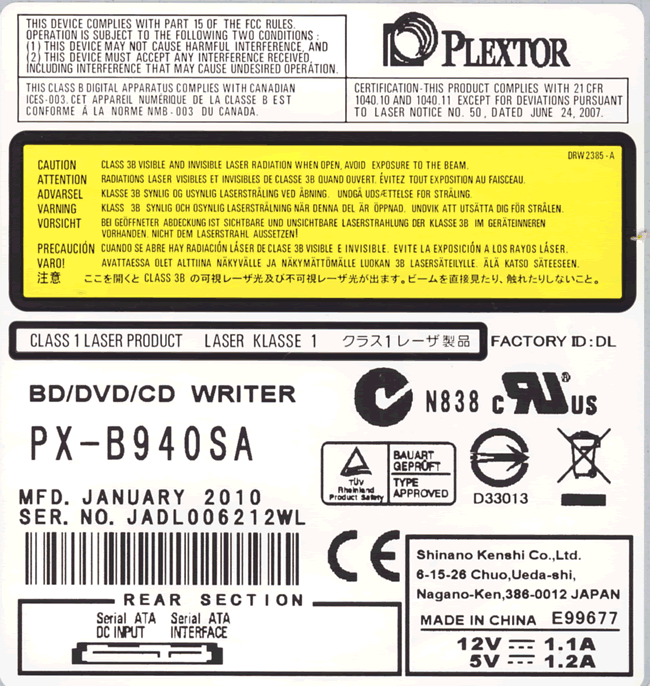
On the top of the drive we
found two labels and we can see the drive was manufactured in China during January 2010.

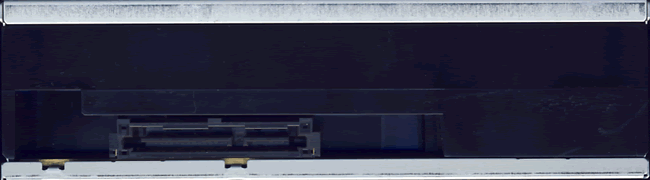
On the rear of the drive we
can see from left to right, SATA power and data connectors.
Now let’s
head on to the next page were we will take a look at the features of the
drive….
Test machine
For this review we will be
using a computer with the following configuration:
Hardware:
- Motherboard: Gigabyte GA-EP45-UD3P (Intel P45 chipset)
- Processor: Intel Core 2 Quad Q9550
- RAM: 8 GB Crucial Balistix Tracer (red) dual channel kit
DDR2 800 - GFX: NVidia 8500GT (256 Megabytes GDDR5 HDCP compliant)
- Sound: Onboard Realtek ALC889 HD audio controller
- Hard disk OS: OCZ Agility series 120GB SSD
- Hard disk storage: 1X 500GB Seagate Barracuda
7200.10 (SATA 2) - 1x 1TB WD green. - Case: Antec 900
- PSU: Antec 480W
- Display: Samsung Syncmaster 226BW 22” widescreen LCD (HDCP
compliant) - Operating System: Windows 7 Home Premium (64 bit)
System setup:

The Plextor PX-B940SA was
connected to one of the main-board's SATA ports and reports as a PLEXTOR BD-R
PX-B940SA.

From the screenshot from Nero
InfoTool above, we can see the Plextor PX-B940SA supports BD-R, BD-RE and
BD-ROM reading. According to Nero InfoTool, it also reports that the drive is
capable of writing BD-R and BD-RE media. The drive came shipped with firmware
version 1.04 and no updates were available at the time of writing this review.
Installed software:
- Nero Burning Rom 9
- Nero CD/DVD Speed
- Nero InfoTool
- DVDFab 6
- Opti drive control
- Exact Audio Copy
Our review PC has Windows 7
Home Premium 64 bit installed.
Features and techniques
Software
Bundle:
Now let’s take a brief look at
the supplied software bundle. Please note, we may not use any of this software
in this review.

The Plextor PX-B940SA is
supplied with CyberLink’s BD Suite and includes the following applications.
- Power Producer
- Power Director
- PowerDVD
- Instant Burn
- Power2Go
- BD Advisor
- Power Backup
- Label print

Software install screen

BD Advisor
BD Advisor reports that
everything is in order for Blu ray playback.
BookType (BitSetting):
The Plextor PX-B940SA supports
automatic BitSetting, and is capable of writing DVD+R DL media with DVD-ROM
book type. However, BitSetting of DVD+R/RW is not supported.
Here is how you could check if
your discs are really written with DVD-ROM book type:
Start Nero CD-DVD Speed and
click the Disc info button and you should get something like this:

DVD+R DL with book type DVD-ROM
Another quick test is to start
Nero CD-Speed and look at the disc information:

Writing technique
Now it’s time to take a closer
look at the write technology used by the Plextor PX-B940SA:
For these tests we used Nero
Disc Speed and Opti Drive Control, and wrote a full disc at the drive’s maximum
speed.
CD Recordable:
According to the
specifications of the Plextor PX-B940SA, it should be able to write CD-R media
at a maximum speed of 40x.

The Plextor PX-B940SA uses
P-CAV, (Partial Constant
Angular Velocity), to write at its maximum speed of 40X. This gives an
average speed of 29.87x and a total writing time of 3 minutes and 4 seconds.
For comparison we have made
the following table:
|
CD-R |
Supported |
Write |
Start |
End |
Average |
Write |
|
Sony |
40x |
Z-CLV |
16.01x |
40.18x |
30.45x |
3m:21s |
|
LG |
16x |
CAV |
16.03x |
16.02x |
15.85x |
5m:30s |
|
LG |
40x |
P-CAV |
20.20x |
40.47x |
33.47x |
2m:52s |
|
LG |
40x |
P-CAV |
20.04x |
40.45x |
33.49x |
2m:50s |
|
LG |
40x |
P-CAV |
20.14x |
40.44x |
33.43x |
2m:49s |
|
LG |
40x |
P-CAV |
20.11x |
40.45x |
33.37x |
2m:51s |
|
ASUS BC-06B1ST |
48X |
CAV |
21.79x |
48.13x |
37.02x |
2m:43s |
|
LG |
48X |
CAV |
21.66x |
48.29x |
36.57x |
2m:40s |
|
Pioneer |
32X |
Z-CLV |
16.01x |
32.05x |
24.86x |
3m:58s |
|
Sony |
48x |
CAV |
17.19x |
47.50x |
35.61x |
2m:42s |
|
Pioneer |
40X |
P-CAV |
19.17x |
32.00x |
30.91x |
3m:07s |
|
Plextor |
40x |
P-CAV |
18.83x |
40.09x |
29.87x |
3m:04s |
As we can see, the Plextor
PX-B940SA was about average when writing CD-R media.
CD Re-writable:
According to the
specifications of the Plextor PX-B940SA, it should be able to write CD-RW media
at a maximum speed of 24x.

The Plextor PX-B940SA uses Z-CLV,
(Zoned Constant Linear Velocity), to write at its maximum speed
of 24X. This gives an average speed of 21.94x and a total writing time of 4
minutes and 3 seconds.
For comparison we have made
the following table:
|
CD-RW |
Supported |
Write |
Start |
End |
Average |
Write |
|
Pioneer |
24x |
Z-CLV |
16.00x |
24,02x |
22.02x |
4m:22s |
|
Asus |
24x |
Z-CLV |
16.03x |
24.06x |
21.96x |
4m:22s |
|
Sony |
24x |
Z-CLV |
16.00x |
23.99x |
23.09x |
3m:35s |
|
LG |
16x |
CLV |
16.03x |
16.03x |
16.03x |
5m:31s |
|
LG GGC-H20L |
24x |
Z-CLV |
16.00x |
24.00x |
22.96 |
3m:41s |
|
LG GGW-H20L |
24x |
Z-CLV |
16.00x |
24.01x |
22.96 |
3m:45s |
|
LG GBW-H20L |
24x |
Z-CLV |
16.00x |
24.01x |
22.96 |
3m:37s |
|
LG GBC-H20L |
24x |
Z-CLV |
16.00x |
24.01x |
22.96 |
3m:39s |
|
ASUS BC-06B1ST |
32x |
Z-CLV |
16.04x |
32.09x |
25.44x |
3m:33s |
|
LG |
24x |
Z-CLV 2 Zones |
16.04x |
24.15x |
23.40x |
3m:46s |
|
Pioneer |
24x |
Z-CLV |
16.01x |
24.02x |
22.60x |
3m:58s |
|
Sony |
24x |
Z-CLV |
16.01x |
24.00x |
23.26x |
3m:51s |
|
Pioneer |
24x |
Z-CLV |
16.00x |
24.01x |
22.50x |
3m:42s |
|
Plextor |
24x |
Z-CLV |
15.99x |
24.05x |
21.94x |
4m:03s |
As we can see, the Plextor
PX-B940SA was about average when compared to our other drives when writing
CD-RW media.
16x DVD+R writing
speed:
According to the
specifications of the Plextor PX-B940SA, it should be able to write DVD+R/-R
media at a maximum speed of 16x.

DVD+R
The Plextor PX-B940SAuses CAV,
(Constant Angular Velocity)
to write at its maximum speed of 16X. This gives an average speed of 11.10x and
a total writing time of 5 minutes and 59 seconds.
|
DVD+R |
Supported |
Write |
Start |
End |
Average |
Write |
|
Sony |
16x |
CAV |
6.64x |
15.94x |
11.21x |
5m:55s |
|
LG |
12x |
P-CAV |
7.19x |
12.02x |
10.84x |
6m:02s |
|
LG |
16x |
P-CAV |
6.98x |
16.06x |
12.11x |
5m:39s |
|
LG |
16x |
P-CAV |
6.99x |
16.08x |
12.10x |
5m:39s |
|
LG |
16x |
P-CAV |
6.95x |
16.12x |
12.08x |
5m:42s |
|
LG |
16x |
P-CAV |
6.94x |
16.09x |
12.08x |
5m:42s |
|
ASUS BC-06B1ST |
16x |
CAV |
6.71x |
16.02x |
11.99x |
5m:19s |
|
LG |
16x |
CAV |
6.81x |
16.32x |
11.89x |
5m:46s |
|
Pioneer |
16x |
CAV |
6.65x |
15.69x |
11.68x |
5m:57s |
|
Sony |
16x |
CAV |
6.63x |
15.97x |
11.32x |
5m:48s |
|
Pioneer |
16x |
CAV |
6.69x |
16.15x |
11.72x |
5m:59s |
|
Plextor |
16x |
CAV |
5.49x |
15.96x |
11.10x |
5m:59s |
16x DVD-R writing
speed:

DVD-R
The Plextor PX-B940SA uses
CAV, (Constant Angular Velocity)
to write at its maximum speed of 16X. This gives an average speed of 11.11x and
a total writing time of 5 minutes and 41 seconds.
For comparison we have made
the following table:
|
DVD-R |
Supported |
Write |
Start |
End |
Average |
Write |
|
Sony |
16x |
P-CAV |
6.67x |
15.95x |
11.71x |
6m:03s |
|
LG |
12x |
P-CAV |
7.19x |
12.02x |
10.84x |
6m:02s |
|
LG |
16x |
P-CAV |
6.99x |
16.07x |
12.10x |
5m:39s |
|
LG |
16x |
P-CAV |
6.96x |
16.11x |
12.08x |
5m:38s |
|
LG |
16x |
P-CAV |
6.92x |
16.11x |
12.06x |
5m:41s |
|
LG |
16x |
P-CAV |
6.95x |
16.09x |
12.08x |
5m:39s |
|
ASUS BC-06B1ST |
16x |
CAV |
6.70x |
16.03x |
11.99x |
5m:38s |
|
LG |
16x |
CAV |
6.82x |
16.35x |
11.91x |
5m:41s |
|
Pioneer |
16x |
CAV |
6.70x |
13.81x |
11.67x |
5m:47s |
|
Sony |
16x |
CAV |
6.63x |
16.00x |
11.36x |
5m:54s |
|
Pioneer |
16x |
CAV |
5.85x |
14.50x |
11.17x |
5m:46s |
|
Plextor |
16x |
CAV |
6.71x |
13.10x |
11.11x |
5m:41s |
As we can see from our tables,
the Plextor PX-B940SA was above average when writing DVD±R media.
8X DVD+RW writing
speed:
According to the
specifications of the Plextor PX-B940SA, it should be able to write DVD+RW at a
maximum speed of 8x.

The Plextor PX-B940SA uses Z-CLV,
(Zoned Constant Linear Velocity), to write at its maximum speed of
8X. This gives an average speed of 7.61x and a total writing time of 7 minutes and
42 seconds.
For comparison we have made
the following table:
|
|
Supported |
Write |
Average |
Write |
|
LG |
8x |
Z-CLV |
7.37x |
9m:06s |
|
LG GGC-H20L |
8x |
Z-CLV |
7.84x |
7m:19s |
|
LG GGW-H20L |
8x |
Z-CLV |
7.84x |
8m:01s |
|
LG GBW-H20L |
8x |
Z-CLV |
7.84x |
7m:19s |
|
LG GBC-H20L |
8x |
Z-CLV |
7.84x |
7m:25s |
|
ASUS BC-06B1ST |
8x |
Z-CLV |
7.51x |
7m:47s |
|
LG |
8x |
Z-CLV |
7.85x |
7m:18s |
|
Pioneer |
8x |
Z-CLV |
7.73x |
7m:55s |
|
Sony |
8x |
Z-CLV |
6.78x |
8m:35s |
|
Pioneer |
8x |
Z-CLV |
7.77x |
7m:26s |
|
Plextor |
8x |
Z-CLV |
7.61x |
7m:42s |
The Plextor PX-B940SA was about
average regarding speed when writing our test DVD+RW media.
6x DVD-RW writing
speed:
According to the
specifications of the Plextor PX-B940SA, it should be able to write DVD-RW at a
maximum speed of 6x.

The Plextor PX-B940SA uses
CLV, (Constant Linear Velocity),
to write at its maximum speed of 6X. This gives an average speed of 6.01x and a
total writing time of 10 minutes and 15 seconds.
For comparison we have made
the following table:
|
|
Supported |
Write |
Average |
Write |
|
LG |
6X |
Z-CLV |
6.00x |
11m:13s |
|
LG GGC-H20L |
6x |
CLV |
6.01x |
9m:55s |
|
LG GGW-H20L |
6x |
CLV |
6.01x |
10m:02s |
|
LG GBW-H20L |
6x |
CLV |
6.01x |
9m:55s |
|
LG GBC-H20L |
6x |
CLV |
6.01x |
9m:55s |
|
ASUS BC-06B1ST |
6x |
Z-CLV |
5.76x |
10m:44s |
|
LG |
6x |
CLV |
6.03x |
10m:04s |
|
Pioneer |
6x |
CLV |
6.00x |
10m:16s |
|
Sony |
6x |
CLV |
5.83x |
10m:29s |
|
Pioneer |
6x |
CLV |
6.00x |
9m:53s |
|
Plextor |
6x |
CLV |
6.01x |
10m:15s |
The Plextor PX-B940SA was about
average when writing DVD-RW media.
8x DVD+R DL writing
speed:
According to the
specifications of the Plextor PX-B940SA, it should be able to write DVD+R DL at
a maximum speed of 8x.

The Plextor PX-B940SA uses Z-CLV,
(Zoned Constant Linear Velocity), to write at its maximum speed of
8X. This gives an average speed of 7.305 and a total writing time of 15 minutes
and 45 seconds.
8x DVD-R DL writing
speed:
According to the
specifications of the Plextor PX-B940SA, it should be able to write DVD-R DL at
a maximum speed of 8x.

The Plextor PX-B940SA uses Z-CLV,
(Zoned Constant Linear Velocity), to write at its maximum speed of
8X, unfortunately Opti Drive Control failed to show the graph, but our write
completed in 15 minutes and 46 seconds.
For comparison we have made
the following table:
|
DVD DL |
Size |
Writing |
Writing |
Book |
|
LG |
8152MB |
DVD+R DL 4x |
27m:39s |
DVD-ROM |
|
LG |
8152MB |
DVD+R DL 4x |
27m:27s |
DVD-ROM |
|
LG |
8152MB |
DVD+R DL 4x |
27m:35s |
DVD-ROM |
|
LG |
8152MB |
DVD+R DL 4x |
27m:28s |
DVD-ROM |
|
LG |
8152MB |
DVD+R DL 4x |
27m:26s |
DVD-ROM |
|
ASUS BC-06B1ST |
8152MB |
DVD+R DL 4x |
26m:34s |
DVD-R DL |
|
LG |
8152MB |
DVD+R DL 4x |
27m:23s |
DVD-ROM |
|
Pioneer |
8152MB |
DVD+R DL 8x |
15m:56s |
DVD-ROM |
|
Sony |
8152MB |
DVD+R DL 8x |
19m:45s |
DVD-ROM |
|
Pioneer |
8152MB |
DVD+R DL 8x |
15m:26s |
DVD-ROM |
|
Plextor |
8152MB |
DVD+R DL 8x |
15m:45s |
DVD-ROM |
The Plextor PX-B940SA was one
of the fastest drives when writing DVD+R DL media.
5x DVD-RAM writing
speed
According to the
specifications of the Plextor PX-B940SA, it should be able to write DVD-RAM at
a maximum speed of 5x.

The Plextor PX-B940SA uses
CLV, (Constant Linear Velocity),
to write at its maximum speed of 5X. This gives an average speed of 4.97x and a
total writing time of 11 minutes and 12 seconds.
Below,
we made a comparison table:
|
DVD-RAM |
Supported |
Write |
Average |
Write |
|
Panasonic |
5x |
CLV |
4.95x |
11m:09s |
|
Plextor |
5x |
CLV |
4.94x |
11m:10s |
|
LG |
5x |
P-CAV |
4.58x |
12m:21s |
|
Pioneer |
5x |
CLV |
4.97x |
11m:07s |
|
LG |
5x |
P-CAV |
4.57x |
12m:21s |
|
Pioneer |
5x |
CLV |
4.97x |
11m:06s |
|
Sony |
5x |
CLV |
4.91x |
11m:20s |
|
Pioneer |
5x |
CLV |
4.97x |
11m:06s |
|
Plextor |
5x |
CLV |
4.97x |
11m:12s |
The Plextor PX-B940SA was
about average when writing our DVD-RAM media.
Summary:
The Plextor PX-B940SA is good
performer across all media groups, returning some fast burns.
Let’s head
on to the next page where we will check reading performance….
Reading
performance
For these tests we will use
Nero CD/DVD-Speed and Opti Drive Control to read various BD’s, CD’s and DVD’s,
including audio discs and DVD-media.
CD reading performance:
CD-ROM:
For this test we used a
pressed CD-ROM disc containing the Roxio Media Creator 7.5 install CD that is
close to 75 minutes in length. Below you will see the produced result:

The Plextor PX-B940SA reached
41.61x read speed. Let’s compare it with some other drives below.
|
CD-ROM |
Average |
Start |
End |
Seek |
Seek |
Seek |
|
LG |
31.61x |
18.09x |
41.99x |
99ms |
111ms |
189ms |
|
LG |
30.70x |
17.84x |
40.70x |
107ms |
130ms |
206ms |
|
LG |
30.28x |
17.78x |
40.36x |
96ms |
114ms |
181ms |
|
LG |
29.97x |
17.83x |
39.43x |
107ms |
132ms |
199ms |
|
LG |
12.06x |
7.04x |
15.69x |
142ms |
179ms |
278ms |
|
ASUS BC-06B1ST |
34.33x |
19.79x |
45.46x |
110ms |
130ms |
211ms |
|
LG |
36.56x |
21.06x |
48.41x |
114ms |
133ms |
205ms |
|
Pioneer |
31.53x |
18.35x |
41.61x |
144ms |
167ms |
309ms |
|
Sony |
34.92x |
20.16x |
46.26x |
143ms |
157ms |
289ms |
|
Pioneer |
31.22x |
18.43x |
41.32x |
149ms |
168ms |
309ms |
|
Plextor |
30.12x |
16.83x |
41.60x |
139ms |
170ms |
316ms |
The Plextor PX-B940SA was
about average when reading our test CD-ROM
CD Recordable discs:
For this test we made a copy
of the original Roxio Media Creator 7.5 install CD. The disc we used was a
Ricoh 52X certified CD-R disc manufactured by Moser Baer India.

The Plextor PX-B940SA reached
43.52x read speed. Let’s compare it with some other drives below.
|
CD-R |
Average |
Start |
End |
Seek |
Seek |
Seek |
|
LG |
25.51x |
14.13x |
33.61x |
196ms |
199ms |
329ms |
|
LG |
30.43x |
17.77x |
40.31x |
117ms |
141ms |
201ms |
|
LG |
30.50x |
17.85x |
39.56x |
98ms |
127ms |
205ms |
|
LG |
29.76x |
17.79x |
39.08x |
112ms |
143ms |
212ms |
|
LG |
11.95x |
7.02x |
15.67x |
142ms |
181ms |
278ms |
|
ASUS BC-06B1ST |
36.52x |
20.85x |
48.39x |
117ms |
130ms |
200ms |
|
LG |
36.74x |
21.17x |
48.68x |
108ms |
130ms |
216ms |
|
Pioneer |
24.92x |
14.66x |
32.87x |
154ms |
178ms |
317ms |
|
Sony |
35.25x |
20.18x |
36.53x |
159ms |
166ms |
300ms |
|
Pioneer |
31.07x |
18.33x |
40.42x |
163ms |
172ms |
363ms |
|
Plextor |
29.74x |
16.44x |
43.52x |
157ms |
172ms |
403ms |
The Plextor PX-B940SA was
about average when reading our test CD-R
CD Re-writable discs:
Again, we made a copy of the
original Roxio Media Creator 7.5 install CD; this time we used a Verbatim Ultra
Speed (32X) CD-RW disc made by Mitsubishi Chemicals Corporation.

The Plextor PX-B940SA reached
25.09x read speed. Let’s compare it with some other drives below.
|
CD-RW |
Average |
Start |
End |
Seek |
Seek |
Seek |
|
LG |
19.39x |
11.02x |
25.71x |
196ms |
238ms |
380ms |
|
LG |
31.15x |
17.87x |
41.47x |
111ms |
138ms |
207ms |
|
LG |
31.51x |
17.82x |
39.53x |
104ms |
119ms |
198ms |
|
LG |
30.44x |
17.90x |
40.09x |
111ms |
140ms |
207ms |
|
LG |
12.24x |
7.05x |
16.13x |
144ms |
189ms |
287ms |
|
ASUS BC-06B1ST |
30.73x |
17.52x |
40.74x |
116ms |
134ms |
199ms |
|
LG |
30.63x |
17.49x |
40.52x |
103ms |
128ms |
203ms |
|
Pioneer |
18.65x |
10.99x |
24.60x |
154ms |
175ms |
314ms |
|
Sony |
24.83x |
14.45x |
32.73x |
154ms |
166ms |
299ms |
|
Pioneer |
18.15x |
11.05x |
24.45x |
160ms |
182ms |
318ms |
|
Plextor |
17.86x |
10.33x |
25.09x |
151ms |
182ms |
321ms |
The Plextor PX-B940SA was one
of the slowest drives when reading our test CD-RW.
100 minute CD-R:

The Plextor PX-B940SA reached
42.94x when reading our test 100 minute CD-R and had no problems reading our
100 minute test CD.
Audio – Digital Audio
Extraction:
To test the digital audio
extraction performance of the Plextor PX-B940SA, again we used Nero
CD/DVD-Speed to measure the transfer rate. The audio disc we used is slightly
larger than the disc used for the other tests, to be exact it’s nearly 79
minutes in length (78:53:31).

The Plextor PX-B940SA reached 46.16x
when reading our test audio disc. Let’s compare it with some drives below.
|
Audio |
Average |
Start |
End |
Seek |
Seek |
Seek |
|
LG |
26.10x |
14.27x |
29.68x |
181ms |
192ms |
347ms |
|
LG |
30.91x |
18.72x |
41.08x |
113ms |
146ms |
225ms |
|
LG |
29.43x |
19.27x |
37.98x |
145ms |
163ms |
274ms |
|
LG |
30.91x |
18.72x |
41.08x |
113ms |
146ms |
225ms |
|
LG |
12.18x |
7.09x |
16.20x |
157ms |
207ms |
316ms |
|
ASUS BC-06B1ST |
35.66x |
22.27x |
46.98x |
116ms |
128ms |
200ms |
|
LG |
29.88x |
19.04x |
39.21x |
131ms |
155ms |
249ms |
|
Pioneer |
25.06x |
15.15x |
33.69x |
181ms |
212ms |
352ms |
|
Sony |
18.95x |
10.91x |
25.08x |
158ms |
175ms |
309ms |
|
Pioneer |
31.03x |
18.22x |
41.90x |
171ms |
194ms |
340ms |
|
Plextor |
29.74x |
15.86x |
46.16x |
178ms |
199ms |
341ms |
The Plextor PX-B940SA was
about average when reading our test CD-Audio disc.
DVD reading
performance:
Again, we will use Nero
CD-Speed and Opti Drive Control to measure the reading performance, this time
for various types of DVD discs. The drive should read pressed single layer
DVD-discs at 16X.
Pressed DVD Video:
For our DVD reading
performance tests we are going to start with Single and Double Layer DVD video
discs. While only 1X speed is required to watch DVD movies, it’s useful to be
able to read the discs at higher speeds if you’re going to extract (rip) the
content of the disc to your hard drive.

DVD Video (single layer)

DVD Video (double layer OTP)

DVD Video (double layer PTP)
The Plextor PX-B940SA is not riplocked
and is able to read our single layer disc at 16x and our double layer test
discs at 12x
We present the table below for
comparison with other Blu-ray drives.
|
DVD |
Average |
Start |
End |
Average |
Start |
End |
|
LG |
9.04x |
4.99x |
12.05x |
6.15x |
3.42x |
8.11x |
|
LG |
7.60x |
4.26x |
10.14x |
6.11x |
3.42x |
8.05x |
|
LG |
6.05x |
3.41x |
8.07x |
6.11x |
3.41x |
8.15x |
|
LG |
6.04x |
3.43x |
8.05x |
6.08x |
3.43x |
8.00x |
|
LG |
6.04x |
3.41x |
8.05x |
6.08x |
3.43x |
8.00x |
|
ASUS BC-06B1ST |
6.14x |
3.44x |
8.20x |
9.17x |
5.08x |
12.25x |
|
LG |
3.67x |
2.05x |
4.90x |
3.69x |
2.05x |
4.93x |
|
Pioneer |
11.95x |
6.71x |
15.98x |
9.36x |
5.30x |
12.46x |
|
Sony |
4.61x |
2.58x |
6.14x |
4.57x |
2.59x |
6.08x |
|
Pioneer |
11.87x |
6.66x |
15.84x |
9.39x |
5.29x |
12.39x |
|
Plextor |
11.32x |
6.38x |
15.91x |
8.85x |
5.15x |
5.25x |
The Plextor PX-B940SA was one
of the fastest drives when reading pressed DVD-Video discs.
DVD – DVD+R/RW:
For this test we used a
Verbatim 16X DVD+R and a Verbatim 8X DVD+RW with about 4.4GB of data. Below are
the results:

DVD+R

DVD+RW
We present the table below for
comparison with other Blu-ray drives.
|
DVD+R |
Average |
Start |
End |
Average |
Start |
End |
|
LG |
7.67x |
4.20x |
10.26x |
6.27x |
3.43x |
8.38x |
|
LG |
9.23x |
5.12x |
12.35x |
7.69x |
4.24x |
10.28x |
|
LG |
9.11x |
5.12x |
12.14x |
7.53x |
4.27x |
10.05x |
|
LG |
9.11x |
5.12x |
12.14x |
7.53x |
4.25x |
10.04x |
|
LG |
9.10x |
5.10x |
12.13x |
7.53x |
4.25x |
9.97x |
|
ASUS BC-06B1ST |
12.07x |
6.70x |
16.15x |
9.18x |
5.11x |
12.27x |
|
LG |
12.40x |
6.86x |
16.62x |
7.73x |
4.30x |
10.34x |
|
Pioneer |
11.96x |
4.87x |
15.99x |
9.39x |
5.23x |
12.55x |
|
Sony |
12.32x |
6.78x |
16.49x |
6.16x |
3.43x |
8.24x |
|
Pioneer |
11.97x |
6.63x |
16.04x |
9.37x |
5.17x |
12.52x |
|
Plextor |
11.32x |
6.28x |
16.16x |
8.88x |
5.02x |
12.57x |
The Plextor PX-B940SA was
above average when reading DVD+RW and DVD+R.
DVD – DVD-R/RW:
For this test we used a
Verbatim 16X DVD-R disc and a Verbatim 6X DVD-RW disc filled with about 4.4GB of
data. Our test results are found below:

DVD-R

DVD-RW
There are hardly any
differences in the speed, compared to reading the DVD+R/RW discs.
We present the table below for
comparison with other Blu-ray drives.
|
DVD-R |
Average |
Start |
End |
Average |
Start |
End |
|
|
LG |
7.67x |
4.21x |
10.25x |
6.27x |
3.42x |
8.39x |
|
|
LG |
9.23x |
5.12x |
12.33x |
7.69x |
4.23x |
10.28x |
|
|
LG |
9.10x |
5.12x |
12.12x |
7.52x |
4.25x |
10.03x |
|
|
LG |
9.10x |
5.12x |
12.12x |
7.52x |
4.25x |
10.02x |
|
|
LG |
9.10x |
5.12x |
12.12x |
7.51x |
4.25x |
10.01x |
|
|
ASUS BC-06B1ST |
12.07x |
6.72x |
16.14x |
9.16x |
5.09x |
12.25x |
|
|
LG |
12.39x |
6.88x |
16.55x |
7.71x |
4.28x |
10.31x |
|
|
Pioneer |
11.97x |
6.64x |
16.02x |
9.37x |
5.17x |
12.52x |
|
|
Sony |
12.30x |
4.85x |
16.46x |
6.15x |
3.40x |
8.22x |
|
|
Pioneer |
11.96x |
6.64x |
16.02x |
9.37x |
5.17x |
12.55x |
|
|
Plextor |
11.33x |
6.31x |
15.88x |
8.86x |
4.19x |
12.53x |
|
The Plextor PX-B940SA was
above average when reading DVD-R and DVD-RW.
DVD±R DL discs:
DVD+R DL:

The Plextor PX-B940SA read our
DVD+R DL test disc at 12x reading speed.
DVD-R DL:

The Plextor PX-B940SA read our
DVD-R DL test disc at 12x reading speed.
We present the table below for
comparison with other Blu-ray drives.
|
DVD+R DL |
Average |
Start |
End |
Average |
Start |
End |
|
LG |
9.26x |
5.15x |
12.35x |
9.27x |
5.16x |
12.35x |
|
LG GGC-H20L |
6.16x |
3.42x |
8.22x |
6.18x |
3.43x |
8.22x |
|
LG GGW-H20L |
6.14x |
3.43x |
8.14x |
6.13x |
3.43x |
8.14x |
|
LG GBW-H20L |
6.13x |
3.43x |
8.14x |
6.13x |
3.43x |
8.14x |
|
LG GBC-H20L |
6.10x |
3.41x |
8.11x |
6.10x |
3.41x |
8.11x |
|
ASUS BC-06B1ST |
6.17x |
3.43x |
8.22x |
6.17x |
3.44x |
8.22x |
|
LG |
6.19x |
3.44x |
8.26x |
6.19x |
3.45x |
8.24x |
|
Pioneer |
9.47x |
5.27x |
12.64x |
9.48x |
5.28x |
12.65x |
|
Sony |
6.17x |
3.43x |
8.73x |
6.17x |
3.43x |
8.23x |
|
Pioneer |
9.48x |
5.28x |
12.64x |
9.47x |
5.29x |
12.62x |
|
Plextor |
8.95x |
5.13x |
5.26x |
8.95x |
5.11x |
5.28x |
The Plextor PX-B940AS was
above average when reading our test DVD±DL media.
DVD-RAM:

We present the table below for
comparison with other Blu-ray drives.
|
DVD-RAM |
Average |
Start |
End |
Seek |
Seek |
Seek |
|
Pioneer |
n/a |
n/a |
n/a |
n/a |
n/a |
n/a |
|
Panasonic |
4.99x |
4.99x |
5.01x |
1234ms |
1519ms |
2189ms |
|
Plextor |
4.99x |
4.90x |
5.00x |
351ms |
531ms |
1126ms |
|
LG |
4.65x |
3.00x |
5.01x |
126ms |
143ms |
195ms |
|
Pioneer |
4.97x |
4.85x |
5.01x |
172ms |
3ms |
1ms |
|
Pioneer |
4.97x |
4.86x |
5.00x |
192ms |
221ms |
342ms |
|
Sony |
4.92x |
0.59x |
5.00x |
323ms |
468ms |
1002ms |
|
Pioneer |
4.96x |
4.68x |
4.94x |
199ms |
3ms |
4ms |
|
Plextor |
4.92x |
1.61x |
5.00x |
212ms |
228ms |
393ms |
The Plextor PX-B940AS was
about average when reading our test DVD-RAM media.
Blu-ray reading
performance:
BD-ROM SL
We selected a BD-ROM SL disc
containing a movie (Planet Earth)

The Plextor PX-B940AS read our
BD-ROM DL media at 8x reading speed.
BD-ROM DL:
We selected a BD-ROM DL disc
containing the movie (Casino Royale)

The Plextor PX-B940SA read our
DL BD-ROM DL media at 8x reading speed.
BD-R:

The Plextor PX-B940SA read our
BD-R disc at 8x reading speed.
BD-R DL:

The Plextor PX-B940SA read our
BD-R DL disc at 8x reading speed.
BD-RE:

The Plextor PX-B940SA read our
BD-RE at 8x reading speed.
BD-RE DL:

The Plextor PX-B940SA read our
BD-RE at 6x reading speed.
Summary:
The Plextor PX-B940SA is a
very fast reader of BD media, currently supporting the fastest reading speeds
available (8x). DVD media reading performance is also very good, and one of the
faster drives in many cases. The Plextor PX-B940SA was also an extremely
reliable reader throughout our tests.
Now let’s
head over to the next page where we will test CD-R/RW writing performance……
The specifications of the Plextor
PX-B940SA state that the drive is able to write CD-R/RW discs at 40x/24x. Let
us find out how the drive really performs in speed and quality.
Writing Data CD-R
discs:
Write quality:
We will test CD-R discs from
many different CD-R manufacturers. To really measure the write speed, we used
the “create data CD” function in Opti Drive Control. The discs were written at
the maximum speed that the drive supports. For the quality test, we used Opti
Drive Control Disc Quality Scan
and combined this with a Transfer Rate Test
to test if the resulting disc was readable. Also note that different drives and
different reading speeds may affect the results obtained when scanning the discs.
We used an Optiarc AD-7200A drive with firmware 4S09 and scanned the discs at
48X speed.
There is more
than one way to handle C1 and C2 error detection/correction, but a simple and
common way is to detect and correct up to two errors per frame in each stage
and detect three or more errors:
- E11:
1 error detected and corrected by C1 layer - E21:
2 errors detected and corrected by C1 layer - E31:
3 or more errors detected but not corrected by C1 layer
The sum of
these (per second) is called the Block Error Rate: BLER=E11+E21+E31
- E32:
3 or more errors detected but not corrected by C2 layer
Any E31 is un-correctable by
the C1 layer and will result in the bytes in that frame being redistributed
into multiple frames which are passed to the C2 layer.
Any E32 is un-correctable by
the C2 layer and will result in interpolation being used for Audio CDs or will
result in third layer error correction being used for Data CDs.
Different drives have
different ways of reporting these errors in a Disc Quality scan.
Here is an
easier way to look at Disc Quality Scanning:
A written CD-R disc will
always have some C1 errors; C1 errors are easily corrected by the drive’s error
correction capabilities. The next level of errors is C2, while C2 errors could
also be corrected by most drive’s error correction capabilities; they are not
wanted on a good quality disc. A good disc should not contain any C2 errors,
and preferably have an average C1 error amount of below 2.0 for the best discs,
or at least below 10.0 averages for good quality discs. After C2 errors, there
are only un-correctable errors that will make a disc unusable.
In short, our analysis will be
based on this guideline to determine the quality of the burned disc:
CD-R/RW quality scans guideline
|
Average C1 errors |
C2 errors |
Quality |
|
2 and lower |
0 |
Excellent |
|
Between 2.1 and 5 |
0 |
Very good |
|
Between 5.1 and 10 |
0 |
Good |
|
Between 10.1 and 50 |
0 |
OK |
|
Above 50 |
Exist |
Poor |
Below are the obtained
results:


|
Brand: |
Unbranded |
|
Manufacturer: |
Taiyo |
|
Country |
Japan |
|
Code: |
97m24s01f |
|
Disc |
CD-R |
|
Recording |
Dye |
|
Capacity: |
79:59.72 |
|
Certified |
48x |
|
Write |
40x |
|
Write |
3m:09s |
|
C1 |
2.30 |
|
C2 |
0.00 |
A very good result to start
our CD-R quality tests.


|
Brand: |
RICOH |
|
Manufacturer: |
Moser |
|
Country |
Taiwan |
|
Code: |
97m17s06f |
|
Disc |
CD-R |
|
Recording |
Dye |
|
Capacity: |
79:59.71 |
|
Certified |
52x |
|
Write |
40x |
|
Write |
3m:07s |
|
C1 |
3.66 |
|
C2 |
0.0 |
Our RICOH media manufactured
by Moser Baer India has burned with very good quality.


|
Brand: |
Infiniti |
|
Manufacturer: |
SKC |
|
Code: |
97m26s26f |
|
Disc |
CD-R |
|
Recording |
Dye |
|
Capacity: |
79:59.09 |
|
Certified |
52x |
|
Write |
40x |
|
Write |
3m:04s |
|
C1 |
3.67 |
|
C2 |
0.00 |
Another very good result.


|
Brand: |
Maxell |
|
Manufacturer: |
RiTec |
|
Code: |
97m15s17f |
|
Disc |
CD-R |
|
Recording |
Dye |
|
Capacity: |
79:59.70 |
|
Certified |
48x |
|
Write |
40x |
|
Write |
3m:07s |
|
C1 |
11.19 |
|
C2 |
0.0 |
The result is ok.
Writing quality with CD-RW
media


|
Brand: |
Verbatim |
|
Manufacturer: |
Mitsubishi |
|
Country |
Taiwan |
|
Code: |
97m34s24f |
|
Disc |
Ultra |
|
Recording |
Phase |
|
Capacity: |
79:59.74 |
|
Certified |
24x |
|
Write |
24x |
|
Write |
4m:02s |
|
C1 |
5.25 |
|
C2 |
0.00 |
The result is good.
Summary:
With the Plextor PX-B940SA
writing CD-R/RW at a maximum speed of only 40x/24x, the drive is not the
fastest at writing CD-R/RW discs. However, the writing quality is very good in
most cases.
Now let’s
head on to the next page where we will test DVD recordable performance….
The specifications of this
drive tell us that it should write DVD±R at 16x and DVD+RW/-RW at 8x/6x. In
this part, we will measure the writing times for various types of DVD+R/RW and
DVD-R/RW discs. We will also focus on write quality and media compatibility.
Write quality:
Disc Quality Scanning - PI/PO:
DVDs use an error detection
and correction system (ECC) which is usually transparent to the end-user, but
we can get an idea of the "quality" of a disc by performing Disc
Quality Scanning, which shows how many errors the drive is detecting and
correcting behind the scenes.
There are two layers or stages
of error detection and correction on all DVD media; these are called Parity
Inner (PI) and Parity Outer (PO). Data is arranged in ECC blocks containing
rows and columns of user data with additional columns of PI error correction
and rows of PO error correction.
An ECC block contains 32 KByte
of user data with some added control data, scrambled and arranged in 192 rows
and 172 columns with an additional 10 columns of PI error correction and 16
rows of PO error correction.
The Parity Inner stage is
performed first, and up to 5 bytes in a row can be corrected. Any row with one
or more errors is counted as a Parity Inner Error (PIE). Any row with more than
5 errors is considered un-correctable and is counted as a Parity Inner Failure
(PIF).
The Parity Outer stage is
performed next and will detect and attempt to correct any errors that are still
left after the PI stage. Any column that has errors is counted as a Parity
Outer Error (POE), and any column that has un-correctable errors is counted as
a Parity Outer Failure (POF). If a POF occurs the drive can sometimes re-read
the problematic spot and correct the problem; this happens only during normal
reading and not during scanning, however.
Disc Quality scanning is
influenced by the drive performing the test, and that's why different drives
report different results and even the same drive will report (slightly)
different results when scanning the same disc again. Please note that PI/PO and
Jitter scans only test some aspects of disc quality and that other important
aspects are not revealed.
But what is a good scan? That
is a discussion that we don’t think will end soon, as different drives report
different amounts of errors, some players are more picky about media than
others, and so on. But as a comparison we present you with scans from two
pressed DVD discs:

The scan above shows the
results from a pressed, Single Layer DVD-Video disc (Goldeneye).

The above scan shows the
result from a pressed Double Layer DVD-Video disc (The Green Mile).
The Lite-On
DVD burners used in this review report errors as follows:
- PIE per 8 ECC blocks
(rows with 1 or more bytes in error) - PIF per 1 ECC block (rows
with 6 or more bytes in error)
We want to see as low error
numbers as possible.
PIE per 8 ECC blocks should be no higher than 280.
PIF per 1 ECC block should be no higher than 4.
Both the pressed DVD-discs
above are well within the standards if we ignore the single PIF spike in the DL
scan.
If you want to look at the
standards for yourself, download the ECMA 267 Standard for DVD-ROM, the ECMA
337 Standard for DVD+R/RW and the ECMA 338 Standard for DVD-R/RW at http://www.ecma-international.org.
Notice that there are
other aspects such as disc reflectivity, tracking errors and so on that also
will affect the readability of a DVD disc – but for this we do not have
measuring equipment available.
Also, another note is that we
have scanned the discs at 4X speed, by lowering the speed to 2X (DVD-R/RW)/2.4X
(DVD+R/RW) or 1X the amount of reported errors may drop on some discs. We
scanned at 4X CLV due to lower speeds taking too much time.
To see if there is a
connection between the reported amount of errors and readability of the discs
we also include the reading curve from an Optiarc AD-7200A DVD-Writer which by
default is able to read DVD±R media at 16x speed. A small speed reduction near
the end is still accepted on good discs, but serious reading problems or
reading failures is a bad sign.
Jitter:
Jitter
is a very complex subject and even more difficult to explain when we start to
use optical drives designed for the home market to measure jitter values.
Let’s
first look at the DVD specification for pressed DVD discs (in the bold part courtesy
of Pioneer Electronics).
“The DVD design
target is that when the worst-case disc allowed by the specification,
considering the economics of production, is played using the worst-case pickup
that can be produced in volume economically, the byte error rate after error
correction will still be 1 x 10--20, which is good enough to be
acceptable for computer applications.
Since the above
target is for "after error correction," the error correction capability
must be calculated. Considering the trade-off between error correction
capability and the overhead of the added redundancy, the DVD format was set to
one ECC block per 32 KB. This requires a byte error rate before correction of 1
x 10-2.
In order to achieve good economy on both the part of the discs and the playback
mechanisms. The current disc tilt specification was determined as a result of
the efforts on both sides.
As will be explained
hereafter, it is difficult to make the error rate a specification of the disc
itself. Therefore, a jitter standard is set by the DVD specifications. A simple
calculation based on a normal distribution requires that the jitter rate be
under 15.4%, and experimental results indicate that jitter must be under 16%,
to achieve the required error rate. Since the disc tilt varies within a
revolution, it was decided to adopt the design concept that jitter must remain
within 16% at the instantaneous peak value of tilt. Since it is actually very
difficult to measure the peak value, the concept became to measure the average
jitter at under 15%, and the byte error rate at under 5 x 10⁻³.”
What is Jitter?
In basic terms, we could say jitter is a product of “pit and
land distortion” In other words, the drive reading the disc has to compensate
by means of a “tilt servo” which constantly tries to move and refocus the PUH
lens for optimum tracking and tries to compensate for the imperfections of pits
and lands on the pressed or recordable media. This is further compounded by the
hardware used for recording and playback. Not only is the record and replay process limited by the resolution of
the optical pickup, it is also horribly non-linear. In addition, the playback
of the pits is subject to non-linear crosstalk from nearby pits in the same
track, and also from pits in nearby tracks.
The things
that causes jitter divide into three main types.
- Variation in pit length and width.
- Crosstalk from nearby pits in the same track.
- Crosstalk from pits in adjacent tracks.
Variation in pit length and width.
The recorded
pits themselves are not perfectly accurate. Anything which causes variations in
the sizes of the pits will produce jitter. A prime culprit of this is sudden
variations in laser power (laser noise). If laser power varies, then the laser
beam itself changes and will vary in intensity and possibly focus. This will
cause the pit length and width to also vary and we now have jitter.
Crosstalk from nearby pits in the same track.
If the pits
are not totally accurate, then the laser beam spot may overrun a pit and gather
data from the adjacent pit in the same track, or if the “land” is to short,
then the laser beam spot can be influenced by the adjacent pit and this is
called inter-symbol interference. Inter-symbol interference is worse at low recording
velocities, because the pits are shorter and closer together. And it is the
cause of "deviation" of the pit lengths.
Crosstalk from pits in adjacent tracks.
Crosstalk
between pits in adjacent tracks is caused by the laser beam spot being larger than
the width of the track. It is a largely random contribution and is worse at
lower recorded velocities, because the highest frequency components of the
readout signal in the wanted track, with which the crosstalk is competing, are
weaker.
Some other factors to consider
There
are many aspects to consider when we add Recordable DVD media into the mix. We
are now dealing with an organic dye, which is inherently unstable. We must also
consider the equipment we are using to measure jitter is aimed at the home
market. So we must also take into account variations between drives that we are
unable to calibrate for such tests.
Now
let’s look at some of the hardware limitations of the drives we are using to
measure jitter.
If
there is no tilt, then the jitter value includes components from light source
noise, circuit noise, disc noise, standard interference between symbols (inter
-symbol interference), and some small amount of crosstalk from the neighbouring
tracks.
Next
we consider manufacturing variation in the circuitry.
Variation due to the circuitry have noise-like characteristics, and increase
the minimum jitter level, but are thought to have a very small effect on tilt
margin. Factors such as offset in the servo circuit, however, both increase the
jitter level and decrease tilt margin.
How we will measure jitter.
We
will be using a Lite-On DVD writer to conduct these tests along with Nero
CD-Speed at
4x scanning speed. In the screen
shot below we can see a PI/PIF scan including a jitter test (the purple graph
in the lower window) we carried out on a single layer DVD+R media.

Now,
let's find a reasonable average jitter level. Experimental results indicate
that 8% average value or less is a desirable figure, based on the DVD
specification. That does not mean that jitter average values above 8% are bad.
In fact, many optical drives will quite happily read recordable DVD media with
jitter values of more than 14% average without any problems. Other drives,
including standalone DVD players may begin to struggle reading discs with
average jitter values above 10%. So there is a fairly wide range of acceptable
values. One must test their own playback devices to see what they can cope
with.
However,
for the purpose of having a basic guideline we can use in our reviews, we
present a rating system for average jitter values.
·
Less
than 8% (average) = Very good
·
8% -
9% (average) = good
·
9% -
12% (average) = average
·
Above
12% (average) = poor
Here is an easier
explanation on how to read the test results
Maybe this got too technical,
and you are wondering what to look for in your Nero DiscSpeed/CD-Speed Quality
Scans?
Use this as a guideline
for good discs:
·
PI (Parity Inner): No larger areas on the disc
should exceed 280 PI-8 errors, do not worry too much about high single spikes
that exceed 280.
·
PIF (Parity Inner Failures): No larger areas on the
disc should exceed 4 PIF-1 errors, do not worry too much about high single
spikes that exceed 4.
·
Jitter: An average jitter value of 8% or less is
considered very good. You should not worry too much if the average value is
slightly above this figure.
And as always; lower is better

DVD+R media
compatibility and write quality:
In these tests we will be
using a Lite-On iHAS422 with firmware 4L18 along with Opti Drive Control to
measure the disc quality. We will also be using the Optiarc AD-7200A with
firmware 1.09 along with Opti Drive Control for our read-back tests.


|
Brand: |
Verbatim |
|
Manufacturer: |
Mitsubishi |
|
Code: |
MCC |
|
Disc |
DVD+R |
|
Capacity: |
4483MB |
|
Certified |
16x |
|
Write |
16x |
|
Write |
6m:01s |
|
PI-8 |
0.73 |
|
PI-1 |
0.00 |
|
Jitter |
7.5% |
An excellent result to start
off our tests.


|
Brand: |
Verbatim |
|
Manufacturer: |
Taiyo |
|
Code: |
YUDEN000T03 |
|
Disc |
DVD+R |
|
Capacity: |
4483MB |
|
Certified |
16x |
|
Write |
16x |
|
Write |
6m:01s |
|
PI-8 |
1.01 |
|
PI-1 |
0.01 |
|
Jitter |
7.9% |
Once again, the result is excellent.


|
Brand: |
Unbranded |
|
Manufacturer: |
Taiyo |
|
Code: |
YUDEN000T02 |
|
Disc |
DVD+R |
|
Capacity: |
4483MB |
|
Certified |
8x |
|
Write |
8x |
|
Write |
8m:06s |
|
PI-8 |
0.94 |
|
PI-1 |
0.00 |
|
Jitter |
8% |
No surprises here, an
excellent result from the Verbatim 8x media manufactured by Taiyo Yuden.


|
Brand: |
Pleomax |
|
Manufacturer: |
OPTODISC |
|
Code: |
OPTODISC |
|
Disc |
DVD+R |
|
Capacity: |
4483MB |
|
Certified |
16x |
|
Write |
16x |
|
Write |
6m:01s |
|
PI-8 |
2.00 |
|
PI-1 |
0.01 |
|
Jitter |
8.2% |
The result is very good.


|
Brand: |
Fujifilm |
|
Manufacturer: |
RiTEK |
|
Code: |
RITEKF16 |
|
Disc |
DVD+R |
|
Capacity: |
4483MB |
|
Certified |
16x |
|
Write |
16x |
|
Write |
5m:59s |
|
PI-8 |
1.76 |
|
PI-1 |
0.03 |
|
Jitter |
7.9% |
The result is very good.
DVD+RW media
compatibility and write quality:
We used the same test
procedures as in our DVD+R tests.
Below are our obtained
results.


|
Brand: |
Verbatim |
|
Manufacturer: |
Mitsubishi |
|
Code: |
MKM |
|
Disc |
DVD+RW |
|
Capacity: |
4483MB |
|
Certified |
8x |
|
Write |
8x |
|
Write |
7m:42s |
|
PI-8 |
1.01 |
|
PI-1 |
0.01 |
|
Jitter |
8.1% |
The result is very good.
Summary:
The Plextor PX-B940SA writes
DVD+R with excellent/very good quality. DVD+RW writing with our tested media
was also very good.
Now let’s
look at DVD-R/RW performance and quality on the next page…..
DVD-R media
compatibility and write quality:
In these tests we will be using
a Lite-On iHAS422 with firmware 4L18 along with Opti Drive Control to measure
the disc quality. We will also be using the Optiarc AD-7200A with firmware 1.09
along with Opti Drive Control for our read-back tests.


|
Brand: |
Taiyo |
|
Manufacturer: |
Taiyo |
|
Code: |
TYG03 |
|
Disc |
DVD-R |
|
Capacity: |
4483MB |
|
Certified |
16x |
|
Write |
16x |
|
Write |
5m:41s |
|
PI-8 |
1.32 |
|
PI-1 |
0.00 |
|
Jitter |
7.1% |
The result is excellent.


|
Brand: |
Verbatim |
|
Manufacturer: |
Mitsubishi |
|
Code: |
MCC |
|
Disc |
DVD-R |
|
Capacity: |
4483MB |
|
Certified |
16x |
|
Write |
16x |
|
Write |
5m:41s |
|
PI-8 |
1.35 |
|
PI-1 |
0.00 |
|
Jitter |
6.7% |
The result is excellent.


|
Brand: |
Fujifilm (thanks to SVP (UK) for sending us this media. |
|
Manufacturer: |
Prodisc (made in Taiwan) |
|
Code: |
PRODISCF02 |
|
Disc Type: |
DVD-R |
|
Capacity: |
4483MB |
|
Certified Speed: |
16x |
|
Write Speed: |
16x (CAV) |
|
Write Time: |
5m:52s |
|
PI-8 errors Average/Sec: |
4.09 |
|
PI-1 failures (PIF) Avg/Sec: |
0.02 |
|
Jitter average: |
7.3% |
The result is good.


|
Brand: |
BenQ |
|
Manufacturer: |
CMC |
|
Code: |
CMC |
|
Disc |
DVD-R |
|
Capacity: |
4483MB |
|
Certified |
16x |
|
Write |
16x |
|
Write |
5m:45s |
|
PI-8 |
2.45 |
|
PI-1 |
0.00 |
|
Jitter |
7.5% |
The result is very good.


|
Brand: |
Pleomax |
|
Manufacturer: |
OPTODISC |
|
Code: |
OPTODISC |
|
Disc |
DVD-R |
|
Capacity: |
4483MB |
|
Certified |
16x |
|
Write |
16x |
|
Write |
5m:44s |
|
PI-8 |
3.97 |
|
PI-1 |
0.00 |
|
Jitter |
8.2% |
There are a few PIF spikes and PI is quite high at the start
of the burn but, the result is good.
DVD-RW media
compatibility and write quality:
For this test we used the same
testing procedures as in our DVD-R tests.


|
Brand: |
Verbatim |
|
Manufacturer: |
Mitsubishi |
|
Code: |
MKM01RW6X01 |
|
Disc |
DVD-RW |
|
Capacity: |
4483MB |
|
Certified |
6x |
|
Write |
6x |
|
Write |
10m:41s |
|
PI-8 |
2.05 |
|
PI-1 |
0.00 |
|
Jitter |
7.6% |
The result is excellent.
Summary:
The Plextor PX-B940SA has
written our DVD-R media with excellent/very good quality. DVD-RW writing quality
was simply excellent.
Let’s head
on to the next page where we will test DVD R DL writing performance and
quality……
DVD+R/-R Double Layer
writing performance and quality:
The Plextor PX-B940SA supports
the DVD+R DL/-R DL standard for writing Double Layer/Dual Layer discs with a
size around 8.5 GB at a writing speed of 8x.
For these tests we wrote an
image file of a DVD-Video compilation of as near full capacity as possible with
Optic Drive Control and CD-Speed. We then used the Lite-On iHAS422 along with Opti
Drive Control and CD-Speed to test the disc’s quality; we then finally ran a
read-back test on our Optiarc AD-7200A using Nero CD-Speed.
DVD+R DL:


|
Brand: |
Verbatim |
|
Manufacturer: |
Mitsubishi |
|
Code: |
MKM |
|
Disc |
DVD+R |
|
Capacity: |
8103MB |
|
Certified |
8x |
|
Write |
8x |
|
Write |
15m:54s |
|
PI-8 |
6.49 |
|
PI-1 failures (PIF) Avg/Sec: |
0.01 |
|
Jitter |
8.9% |
|
BookType |
DVD-ROM |
Apart from the spike at the
layer break, the result is very good.
DVD-R DL:


|
Brand: |
Verbatim – Thanks to Verbatim (UK) |
|
Manufacturer: |
Mitsubishi Kagaku Media |
|
Code: |
MKM 03RD30 (made in Singapore) |
|
Disc Type: |
DVD-R DL |
|
Capacity: |
8103MB |
|
Certified Speed: |
8x |
|
Write Speed: |
8x (Z-CLV) |
|
Write Time: |
15m:46s |
|
PI-8 errors Average/Sec: |
7.35 |
|
PI-1 failures (PIF) Avg/Sec: |
0.01 |
|
Jitter |
8.4% |
|
BookType |
DVD-R |
The result is good.
Summary:
The Plextor PX-B940SA burned
our test DVD±DL media with good writing quality.
Let’s check
out DVD-RAM reading and writing on the next page....
DVD-RAM writing
performance:
The Plextor PX-B940SA is a
so-called Multi drive, meaning it also supports the DVD-RAM format.
This drive is one of few
drives that also supports the DVD-RAM format. Let us look at the recording
side of the disc, and as you can see it has differences from the other
DVD+R/W/R9 DL and DVD-R/W discs.

We can see a very fascinating
pattern of darker spots. These tick marks are "address information"
("Pre-mastered Pit Header Field") which are embedded onto the disc.
This is header information in front of data sector area, and is the same format
as HDD and MO.
A DVD-RAM’s disc can be
formatted in the following formats:
- FAT32
- UDF 1.02
- UDF 1.50
- UDF 2.00
- UDF 2.01
- UDF 2.50

By formatting a DVD-RAM disc
with FAT32 it will act like a removable hard drive and all writing will be done
as “background processes”. Meaning you do not have to wait for it to finish,
you can start or work with other applications while the DVD-RAM is working
without noticing any “hangs” or CPU slowdowns.
DVD-RAM has error correction,
but also has error replacement to spare sectors as a "defect
management" function. This gives higher reliability than other DVD formats.
Another advantage with DVD-RAM
is that the discs can be formatted/erased/written at over 100,000 times before
it will/can cause/report any errors.
Now let’s burn a test disc.

The Plextor PX-B940SA wrote
our test Verbatim 5x DVD-RAM media in 11 minutes and 12 seconds.
Now let’s try and read back
our test disc.

The Plextor PX-B940SA had no
problems in reading back our test DVD-RAM media using a 5x CLV reading method.
We then used CD-Speed to run a
Scan Disc test using the Plextor PX-B940SA on our burned media.

As we can see from the above
screenshot, there are no errors on our disc.
Summary:
The Plextor PX-B940SA had no
problems in reading and writing our test DVD-RAM media.
Let’s head
on to the next page, where we test BD-R/RE writing performance....
An Introduction to
Blu-Ray
Until recently, optical disc
technologies such as DVD, DVD±R, DVD±RW and DVD-RAM relied on a red laser to
read and write data, the Blu-Ray format uses a blue-violet laser, which
explains the name Blu-ray.
A blue-violet laser (405nm) has
a shorter wavelength than a red laser (650nm); this makes it possible to focus
the laser with even greater accuracy. This will allow data to be packed more tightly,
so it's possible to squeeze more data on the disc even though it's the same
size as a CD/DVD. This together with the change of numerical aperture to 0.85
enables Blu-ray discs to hold 25GB/50GB.
Blu-ray drives can also be
made backwards compatible with CDs and DVDs through the use of a BD/DVD/CD
compatible optical pickup unit.
Now let’s take a look at the
track pitch and compare them with that of DVD


As we can see in the above
screenshots, the storage density of Blu-ray is much higher than DVD. The Blu-ray
laser beam spot is also much narrower than that of DVD.
Blu-Ray Error
specification:

In
the above table we present some of the specifications for reported errors on
Blu-ray media. At present we have no equipment or software available for
measuring these errors.
BD-R writing tests
The specifications of the Plextor
PX-B940SA state that the drive is able to write BD-R at 12x. Let us find out
how the drive really performs.
Reviewers note: We had no
media that was supported at 12x by the Plextor PX-B940SA, we were however able to
burn at 10x with our Verbatim test media.
BD-R 25GB
For this test we used Nero
Disc Speed to create our test disc.


As we can see from the above
screenshot, Opti Drive Control failed to complete the burn. We tried again two
more times with the same result. In the end I found the problem was with Opti
Drive Control, strangely each media was closed at the time of the error, and
the discs were readable.
Now let’s see if the Plextor
PX-B940SA can read back our test disc.

BD-RE:
The specifications of the Plextor
PX-B940SA state that the drive is able to write BD-RE discs at 2x. Let us find
out how the drive really performs.
BD-RE 25GB


The Plextor PX-B940SA burned
our test BD-RE media from TDK in 45 minutes and 18 seconds.
Now let’s see if the Plextor
PX-B940SA can read back our test disc.

The Plextor PX-B940SA had no
problems in reading back our test disc. Now let’s try a Nero CD-Speed Scandisc
test.

As we can see, there are no
errors on our test disc.
BD-RE 50GB


The Plextor PX-B940SA burned
our test BD-RE 50GB media from TDK in 1 hour, 30 minutes and 39 seconds.
Now let’s see if the Plextor
PX-B940SA can read back our test disc.

The Plextor PX-B940SA had no
problems in reading back our test disc. Now let’s try a Nero CD-Speed Scandisc
test.

As we can see, there are no
errors on our test disc.
Summary:
Apart from our adventures with
Opti Drive Control, the Plextor PX-B940SA had no problems in creating and
reading back our test discs.
Let’s round
off this review with the Authors page, with some real world and advanced
tests....
Author’s page:
Introduction:
On this page, the author of
the review has the freedom to run tests that she/he thinks will enhance the
review. These tests are unlike our standard tests, which we try to keep
consistent throughout the whole review team, so that our reviews are as
consistent as possible. This page gives the reviewer the opportunity to show
some advanced and real world tests that other review team members may not be
able to run.
Real World tests:
Real world tests are designed
to simulate what normal users might use their drives for in everyday use. For
example, writing discs with a burning application.
Audio Extraction:
For this test we used EAC
(Exact Audio Copy) to test the drive’s Audio extraction performance. As we can
see from the screenshot below, the drive supports accurate stream.

Below is the results produced
by EAC:

Burst mode

Secure mode
The Plextor PX-B940SA
performed well in burst mode, but was much slower in secure mode.
Nero Disc Speed
(Advanced audio test)

Audio ripping quality is
excellent, and speed is fairly good as well.
Nero Burning Rom:
In the following tests we will
burn discs from the main media groups with Nero Burning Rom.
CD-R:
For our data writing tests, we
simply set up a new compilation of 703MB using Nero Burning ROM software.
Writing method used is DAO (Disc At Once), and the disc is set up as a
non-multisession disc with “finalize disc” enabled. The screenshot below shows
how long it takes to write a disc at the highest speed. (32x)

The Plextor PX-B940SA burned
our test CD-R at 40x in 3 minutes and 9 seconds.
Let’s compare with other
drives in our table below. Note, the other drives in our table are DVD burners,
therefore, it is perhaps not fair to directly compare them.
|
Write CD-R data discs |
CD-R |
|
Pioneer |
3m:10s |
|
Plextor |
3m:09s |
The Plextor PX-B940SA was the
fastest drive when writing our test CD-R.
DVD R:
In this test we will measure
the time for writing to DVD R discs. We used Nero Burning Rom to burn an ISO
compilation containing 4483MB of data. We used the Disc-At-Once write method.

The Plextor PX-B940SA burned
our test DVD R at 16x in 6 minutes and 13 seconds.
Let’s compare with other
drives in our table below. Please note, that the Plextor PX-B940SA is primarily
a Blu-ray writer.
|
Write DVD R data discs |
DVD+R |
|
Pioneer |
6m:08s |
|
Plextor |
6m:13s |
The Plextor PX-B940SA was
marginally slower than the Pioneer BDR-205, but we do not have a large database
of results to draw on.
DVD DL:
In this test we will measure
the time for writing to DVD R DL discs. We used Nero Burning Rom to burn an ISO
DVD-Video compilation containing 8103MB of data. We used the Disc-At-Once write
method.

The Plextor PX-B940SA burned
our test DVD R DL at 8x in 16 minutes and 2 seconds.
Standalone DVD-Player
compatibility test:
We only have 3 standalone
DVD-Players available and 1 standalone DVD-RAM DVD-R recorder to test the DVD+R
DL media (Book Type: DVD-ROM) and the DVD-R DL media (Book Type: DVD-R):
- Panasonic DVD-RV32
- Panasonic SA-HT520
- Proline DVDP350
- Panasonic DMR-E50
recorder - Sony PS3
Compatibility results,
DVD Video:

All our DVD Standalone devices
played the DVD+R DL media burned by the Plextor PX-B940SA without any problems.
Only two of our DVD Standalone
devices would play the Plextor PX-B940SA burned DVD-R DL media without any
problems.
We would like to mention, that
the compatibility issue with standalone DVD Players/Recorders and the DVD-R DL
media format is caused by incompatibilities with the standalone devices used in
this review, and not the Plextor PX-B940SA or media format used.
Standalone Blu-ray Player
compatibility test:
We decided to check that our
resulting Blu-ray discs could play on a Blu-ray player. For this test, we used
a Sony PS3.
Verbatim BD-R 50GB


No problems
Verbatim BD-R 50GB

No problems
CSS Encrypted DVD-Video
ripping tests:
Most modern DVD burners don’t
have Video riplock and in most cases will read a pressed DVD-Video SL disc at
16x speed. However, some drives use a CSS riplock when it comes to extracting
data from the disc. If you attempt to rip a pressed DVD-Video with CSS
encryption to your hard drive, then the ripping speed may be locked at a much
lower speed than 16x.
To test this feature, we
needed a reference from a drive that we know does not employ CSS riplock. We
choose the Optiarc AD-7240S as a reference drive for this purpose and ripped a
SL and DL pressed DVD-Video to our hard drive using DVDFab Platinum (full disc
option).
We should point out, that
ripping and compressing a DL DVD-Video disc to DVD 5 format is quite CPU
intensive. The more power your system has, the less likely your system power
will affect the results. The PC used in this review is equipped with a fast
Intel Quad Core processor and fast hard drives, in our case an OCZ Agility SSD.
We checked to make sure our review PC was not having an impact on the results.
For this test we will use
Fengtao software DVDFab. Thanks to Fengtao
software – For providing a full DVDFab license.
Below we can see our reference
results.
DVD-Video Single layer

SL CSS encrypted DVD Video disc “Goldeneye” (Optiarc
AD-7240S reference result)
Time taken = 4m:34s
DVD-Video double layer

DL CSS encrypted DVD Video disc “The Green Mile”
(Optiarc AD-7240S reference result)
Time taken = 11m:36s
Now let’s test the Plextor
PX-B940SA using the same testing procedures.
SL CSS encrypted
DVD-Video (Goldeneye):

The Plextor PX-B940SA is not
CSS riplocked and ripped our test DVD-Video SL disc in 4 minutes and 36 second.
DL CSS encrypted
DVD-Video (The Green Mile):

The Plextor PX-B940SA is not
CSS riplocked and ripped our test DVD-Video DL disc in 11 minutes.
The Plextor PX-B940SA was fast
when ripping our tested DVD-Video media. In fact, the Plextor PX-B940SA was
faster than many DVD burners.
BD-Video 50GB (AVP)

Excellent ripping performance
from the Plextor PX-B940SA, which ripped our test BD video in 21 minutes and 25
seconds.
VCD read test
For a final test, let’s read a
VCD disc.

The Plextor PX-B949SA reached
40.54x reading speed and had no problems in reading our test VCD.
This
concludes our Plextor PX-B940SA review. To read the conclusion, click on the
link below.
Positive:
- Excellent and fast Blu-ray
reading performance at 8x max. - Very good DVD burning
performance. - Excellent DVD±R DL
writing performance for a Blu-ray burner. - Excellent/very good DVD±R
writing quality. - Excellent/very good
CD-R/RW writing quality. - Supports DVD-RAM read and
write at 5x. - Supports BitSetting
(BookType DVD-ROM) on DVD+R DL. - Excellent Blu ray and
DVD-Video ripping performance. - Excellent build quality.
- Good software package.
- Near silent operation
when playing back BD and DVD movies.
Negative:
- Doesn’t support
BitSetting for DVD+R/RW
Conclusion:
Let us summarise the most
important positive and negative points below:
The main positive
points:
The Plextor PX-B940SA performed
extremely well in our tests. Reading performance with BD media was very strong,
offering the fastest reading speeds and performance currently available.
The Plextor PX-B940SA was able
to burn all our tested CD-R/RW media with excellent/very good quality.
DVD±R/RW writing quality was
also of a very high standard and on most media very good/excellent.
DVD-R DL writing quality was
good with our tested media and bitsetting was also supported on DVD+R DL media
with BookType set to DVD-ROM. DVD±R DL writing performance was also excellent,
considering the Plextor PX-B940SA is a Blu-ray burner.
The CyberLink BD Suite
software bundle should provide a good starting point for owners of the Plextor
PX-B940SA for playing and creating BD content. Blu-ray movie playback via
PowerDVD using an HDCP compliant screen was excellent.
The Plextor PX-B940SA’s build
quality is also excellent. The drive has a solid feel and is fairly heavy. The
eject tray has a nice firm feel to it. The drive is also quiet and almost
completely silent when playing back Blu-ray or DVD movies.
Blu ray movie ripping
performance was excellent, making short work of our BD 50GB movie test disc.
DVD-Video ripping performance
was also of a very high standard, in fact it beat quite a few of the dedicated
DVD burners we have tested here on MyCE.com.
The main negative
points:
There really are none worth
mentioning. It was annoying that I didn’t find the problem with Opti Drive
Control sooner, then I would have been able to test BD-R media to a greater
extent.
To sum up, this is what we would say:
“The Plextor
PX-B940SA is a very strong performer, and has very few weak points. It's very
good drive from Plextor”.
You may comment on this review
below or in this forum thread.
The performance and usability
of the Plextor PX-B940SA Blu-ray drive was so good, that we decided to award
the drive our MyCE.com “Editor’s choice”
award.


Thanks to:
 |
SVP Communication – The United Kingdom for providing the media used in this review. |
 |
Medea International – United Kingdom for providing the media used in this review. |
 |
Verbatim |
 |
Daxon Technology Inc – Taiwan for providing the BenQ media used in this review. |
 |
Pleomax for providing the media used |
 |
Ricoh Europe – For providing the media |
 |
Fengtao software – For providing a full DVD Fab |















