
 |
Review: Toshiba NFC 32GB SDHC Memory Card |
Introduction and Specification
Welcome to Myce’s review of the Toshiba NFC 32GB SD Memory
Card.
This is another first for Toshiba as this is the first NFC
card to come to market. NFC stands for ‘Near Field Communication’, which is a
clever bit of technology that allows one to preview the contents of a card
using an NFC enabled smart phone without having to plug it into a camera or
card reader.
We also provide a quick update on the latest generation of
Toshiba Flashair SD Memory Card, that we have previously reviewed. Please click
here
to see the review
Specification
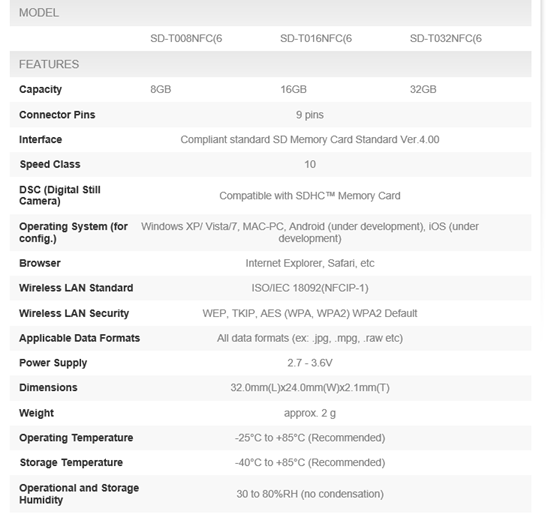
Here is Toshiba’s summary specification for their NFC SD
memory card -
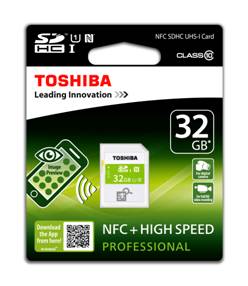
Product Image
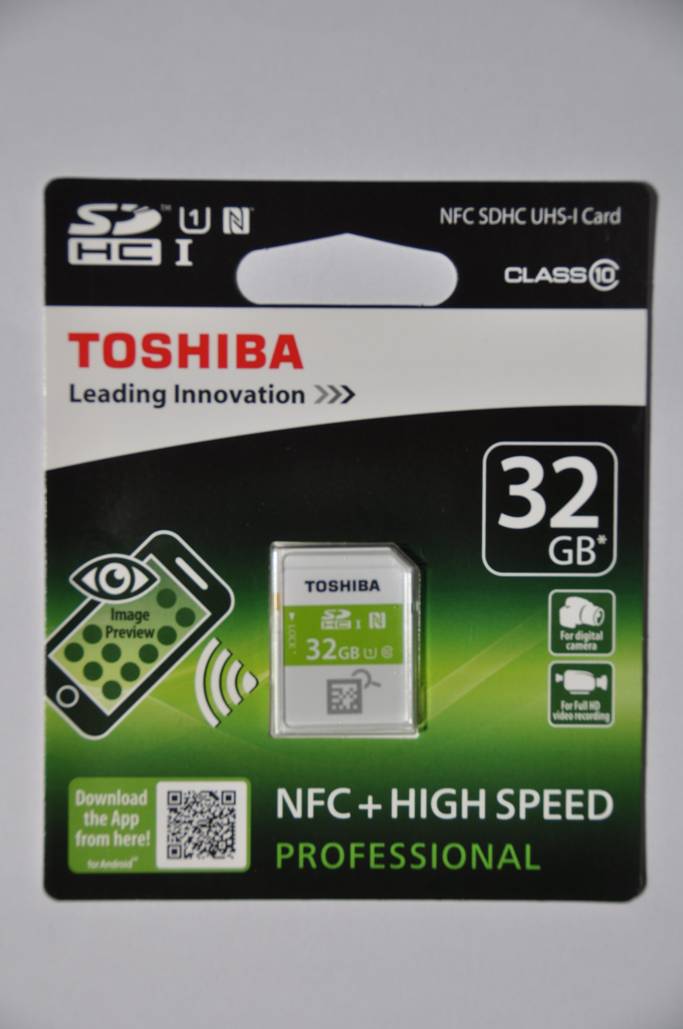
Here is a picture of the card that I tested still in its
packaging –
NFC allows one to preview the contents of the card and to
see the amount of spare capacity using an Android or IOS based smart phone (or
android/IOS device that supports NFC). All you have to do is download Toshiba’s
‘Memory Card Preview’ app, enable NFC, and bring your phone close to the card.
Now let's head to the next page, to look at Myce’s Testing
of the NFC card.....
For testing I used my Samsung Galaxy S5 smart phone. I
downloaded the Memory Card Preview app, enabled NFC in ‘Settings’, and then
started the app.
The app automatically searches for an NFC card and makes a
connection. I followed the apps' instructions and was soon connected.
I was then presented with a screen, as follows –

The screen shows thumbnails for the first 16 images on the
card (I only had 9 photos on the card at the time I took the screenshot). If
you tap one of the small thumbnails, it zooms in on the selected image. If you
tap on ‘i’ you are presented with another screen, as follows –

The screen shows you a summary of the used and available
space on the card.
So, it’s as simple as that!
The question in my mind was what is powering the card to allow
it to communicate with my smart phone. Is it magic? Well no, I understand it is
electromagnetic induction from the smart phone’s NFC beam.
Now let's head to the next page, to look at the
Conclusions of this brief review.....
So, is it worth paying a small premium for a Toshiba NFC SD card?
I can see it being useful, for example, if you have several
NFC cards and you want to choose which one to put in your camera. In truth
though, it’s a magical bit of technology in search of a ‘killer’ application
but it will definitely impress the kids.
I found the Toshiba NFC 32GB listed on Amazon UK for £17.80
(with free delivery for Prime customers), which makes it around £3-£4 more
expensive than standard Class 10 32GB cards.
We are pleased to
award the Toshiba NFC 32GB SHDC Memory Card the Myce 'Very Good' rating.

Now let's head to the next page for a brief update on
Toshiba’s Flashair SD card.....
Following Myce's review of Toshiba’s Flashair Card, Toshiba
has now released a new, third generation, memory card. This is what Toshiba
said in their announcement -
"Toshiba America Information Systems,
Inc., today introduced the FlashAir™ III Wireless SD Card, a third generation
memory card that serves as its own wireless LAN access point, allowing users to
share images, videos and files wirelessly. Now with enhanced photo sharing and
management features, users can quickly designate which photos to instantly
share and easily manage files from a web browser on a PC.
The FlashAir III delivers speedy data
transfers so users can quickly upload their images and videos. The FlashAir III
Wireless SD Card's Internet pass-through feature allows users to access the
card and Internet (via your separate wireless router) simultaneously—enabling
the ability to upload images in real-time. Using a wireless LAN chip, The
FlashAir III Wireless SD Card is accessible to any wireless capable computers,
smartphones or tablets, and can support simultaneous access from up to seven
devices1. In addition, the built-in Wi-Fi® access point also allows
for transfers without an Internet connection.
'We understand how important it is for
consumers to share their photo and video memories with family and friends,'
said Maciek Brzeski, Vice President, Branded Storage, Toshiba America
Information Systems, Inc., Digital Products Division. 'We have eliminated the
cumbersome task of uploading pictures via a USB cord so users can effortlessly
share and manage their files, leaving more time for what's important.'
Toshiba also offers a free FlashAir mobile
app that makes it easy to share via iOS and Android-based devices. The FlashAir
III Wireless SD Card is backed by a five-year standard limited warranty."
The third generation
of cards have a W-03 label on the front of the card (the card we originally
reviewed had a W-02) label. We understand that the older cards can be upgraded
easily with a firmware update, using the Toshiba Flashair Firmware Update Tool,
which you can find here.
I took a look at the Android app and found it
to be polished and very easy to use.
Here’s a snapshot of the screen that shows a
summary of the pictures on the card –

You can scroll through the contents and if you
tap one of the thumbnails a detailed picture comes up –

From this screen you can download the
individual image to your device, open it in another app, or if you have
internet pass through established, share it to Facebook or like service.
Quite a few digital cameras come with their
own Wi-Fi capability these days, but if yours hasn’t then Toshiba’s Flashair
cards give you the same capability. The new generation is a useful update.















