
 |
Review: Transcend StoreJet 25M3 & 25D3 |
Transcend were kind enough to send us two of their new line of
external 2.5 inch USB3 HDDs for review. The review samples we were sent were
the StoreJet 25M3 and 25D3 series, and our review samples both having a storage
capacity of 640GB.
USB3 devices are slowly gaining ground and becoming ever
more popular, with USB3 offering far more bandwidth compared with USB2 devices.
Let’s find out how these new USB3 external HDDs performs in our range of
benchmarks and real world tests in this review.
Transcend Information Inc company information
Transcend Information Inc, was founded in 1988 and has its
headquarters in Taipei, Taiwan. Their extensive product range includes memory
modules, flash memory cards, SSDs, USB flash drives, MP3 players, digital photo
frames, portable hard drives, multimedia products and accessories.
If you would like to find out more about Transcend
Information Inc, you can visit their website.
Now let’s take a look at the products and packaging.
Packaging - StoreJet 25M3
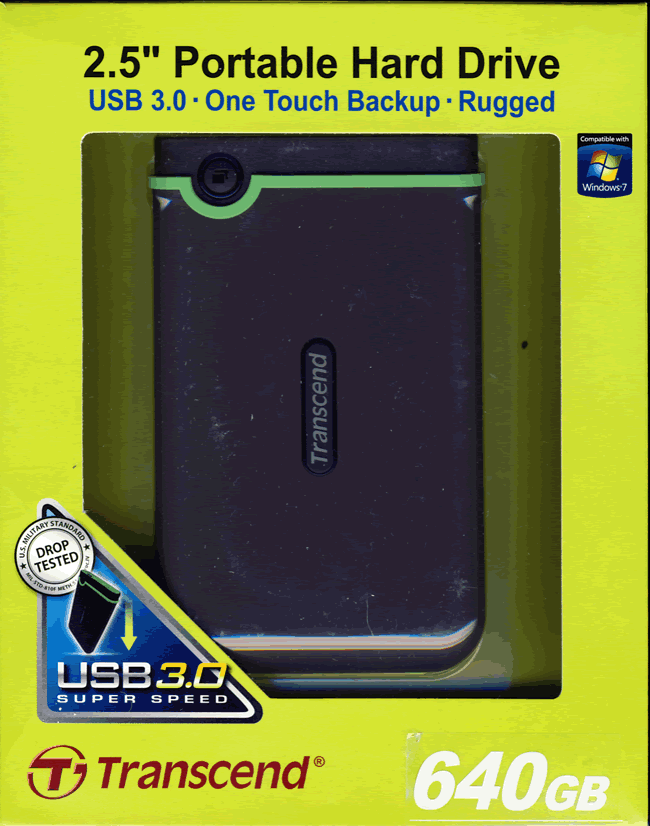
Box front
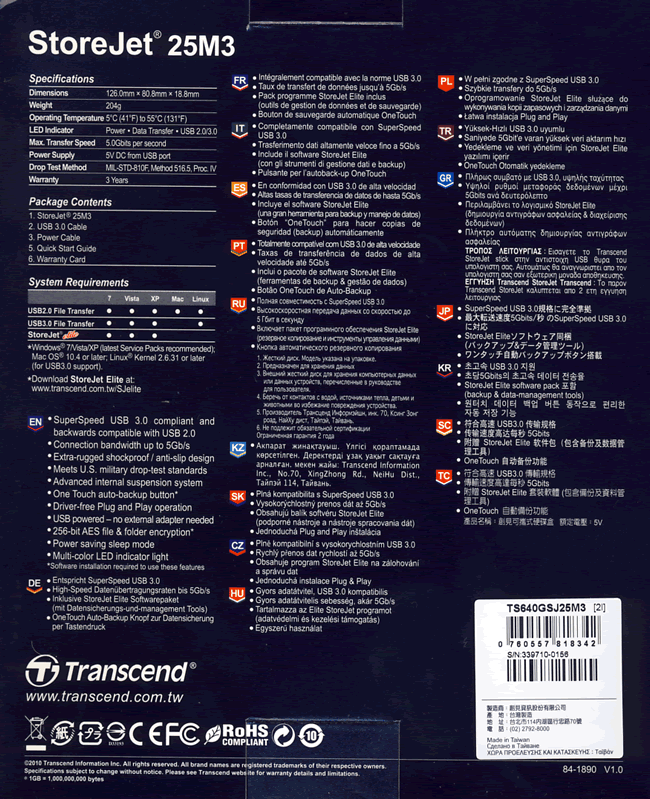
Box rear
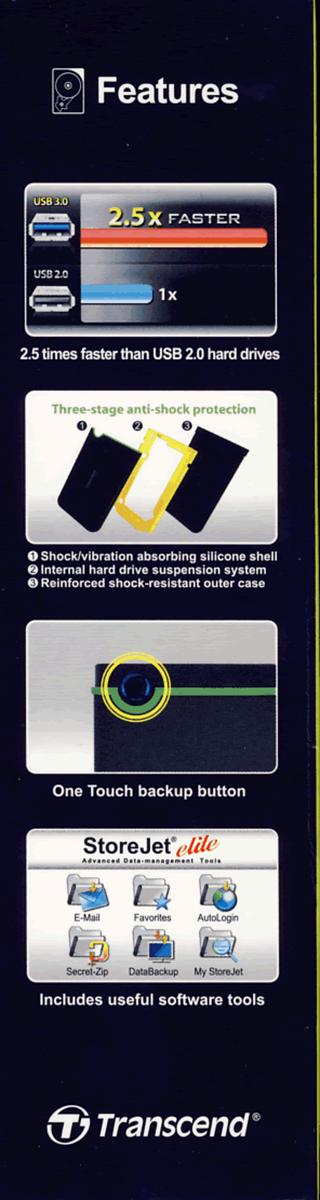

Box left and right
sides
What’s inside the box
Now it’s time to take a look at the drive itself and what
the drive came shipped with.
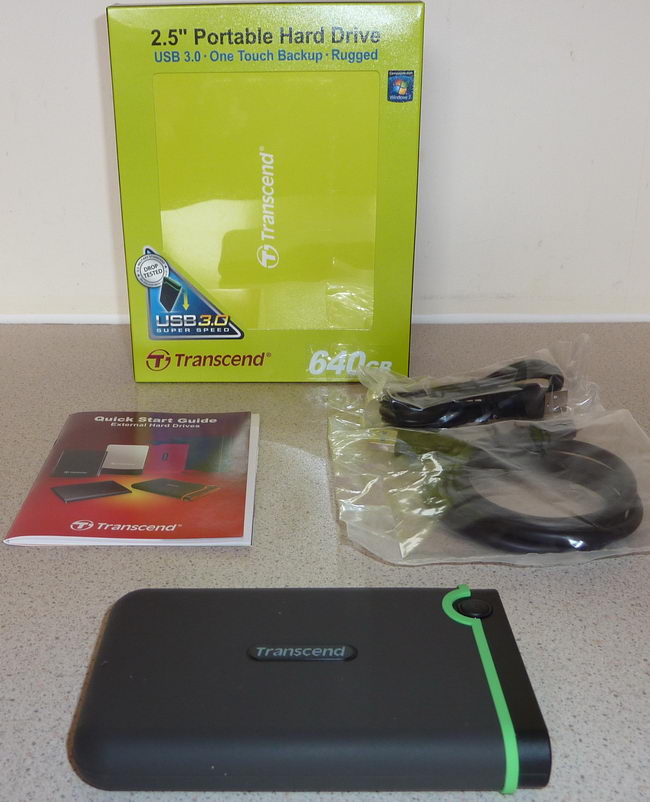
The package contained the StoreJet 25M3 drive itself, a one
meter USB3 to mini USB3 connection lead, USB power lead (if required), and
instruction booklet.
Now let’s take a look at the drive itself.
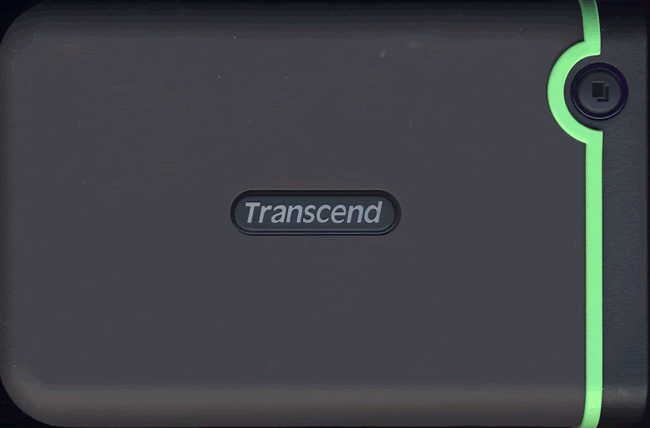
Drive top
On the top of the drive we can see the Transcend logo, a one
push backup button. The drive casing itself is made from a strong and resilient
plastic material with a rubber covering, which is nice to handle and has a very
rugged feel to it. The design of the case is modern and uncluttered.
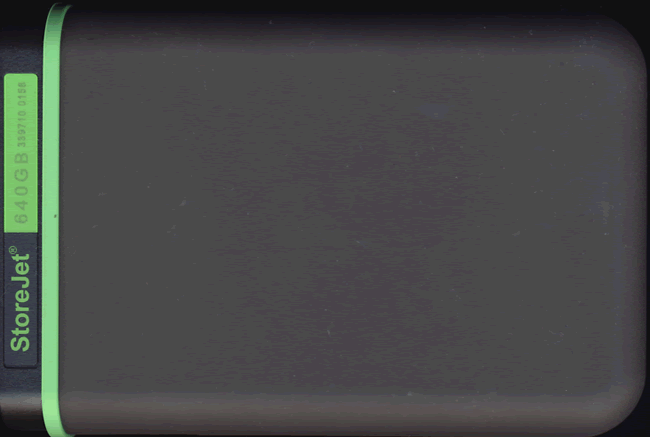
Drive bottom
On the bottom of the drive, we can see a serial number and
the drive’s capacity.
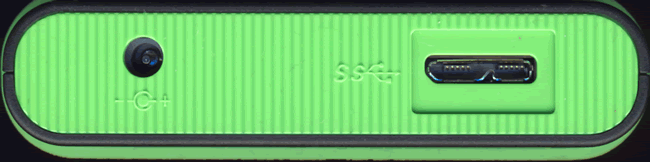
Drive rear
On the rear of the drive we can see from left to right, the
USB power connector and the mini USB3 connector.
Packaging - StoreJet 25D3
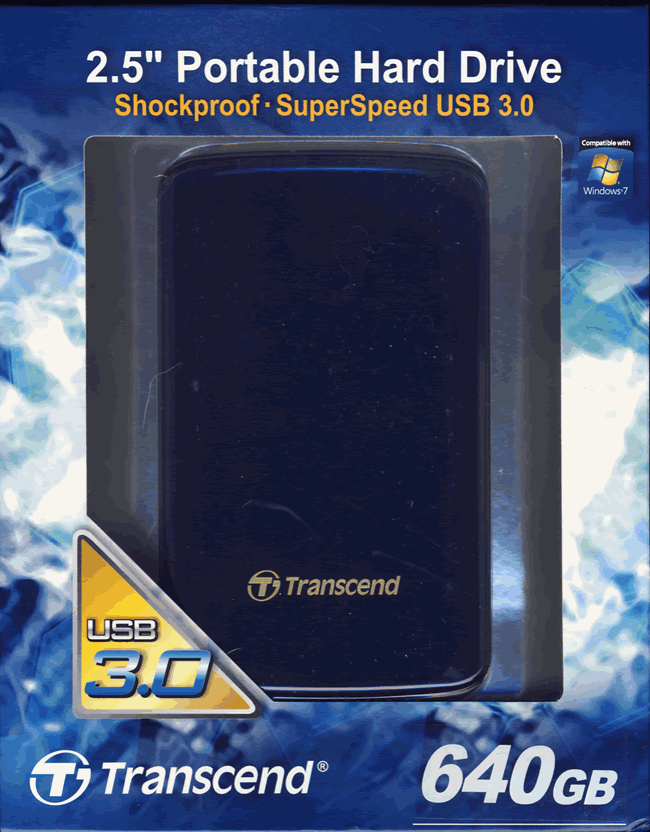
Box front
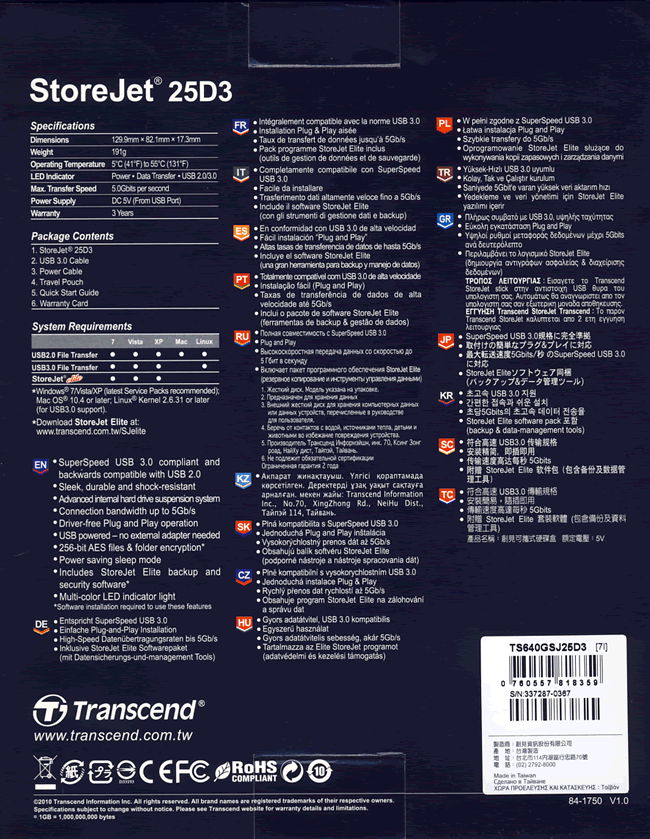
Box rear
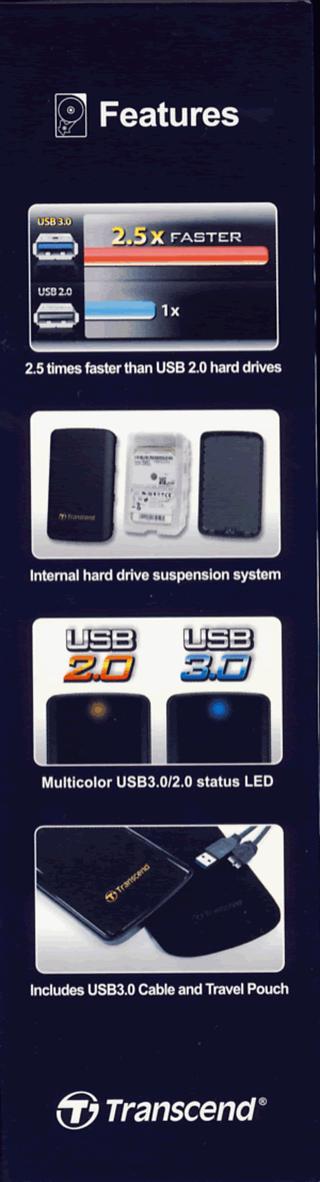
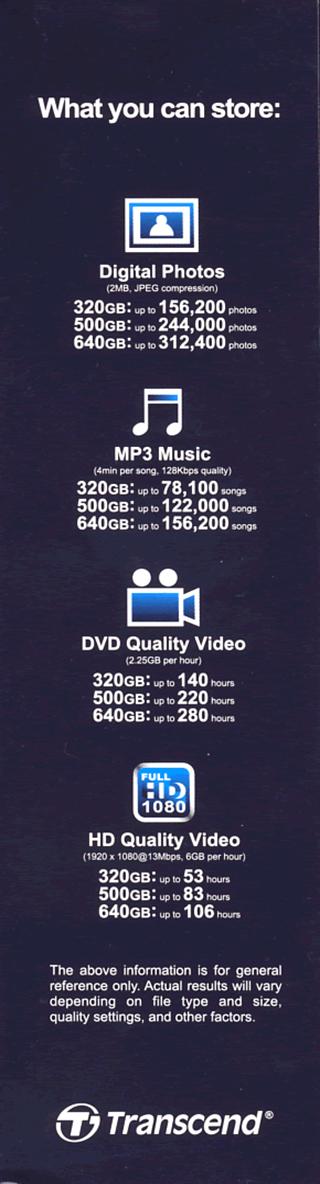
Box left and right
sides
What’s inside the box
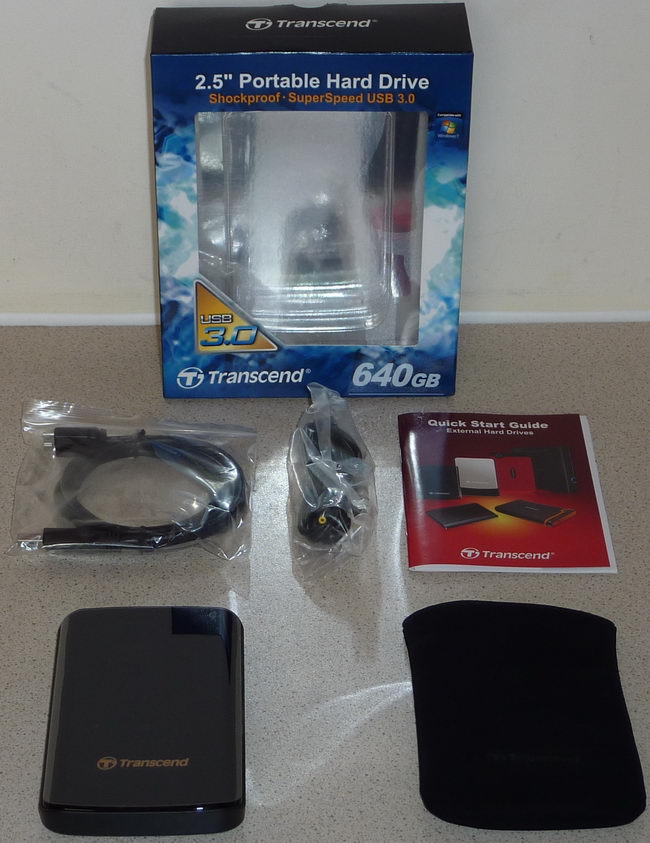
The package contained the StoreJet 25D3 drive itself, a one
meter USB3 to mini USB3 connection lead, USB power lead (if required), soft
carry pouch, and instruction booklet.
Now it’s time to take a look at the drive itself.
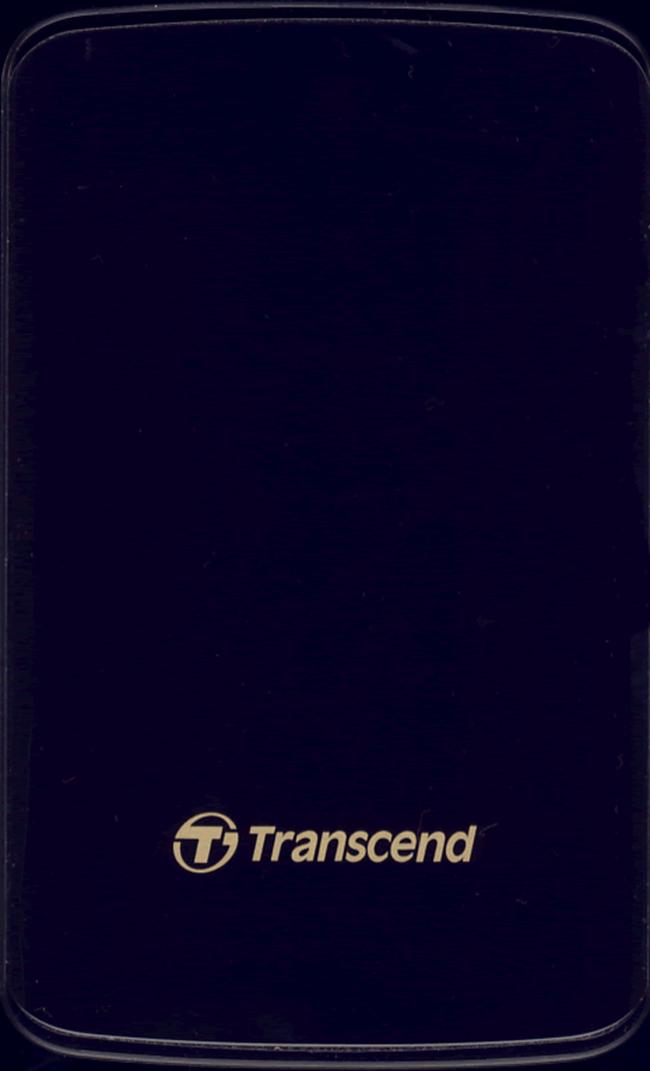
Drive top
The casing on the 25D3 is very stylish, with a high gloss
black finish.
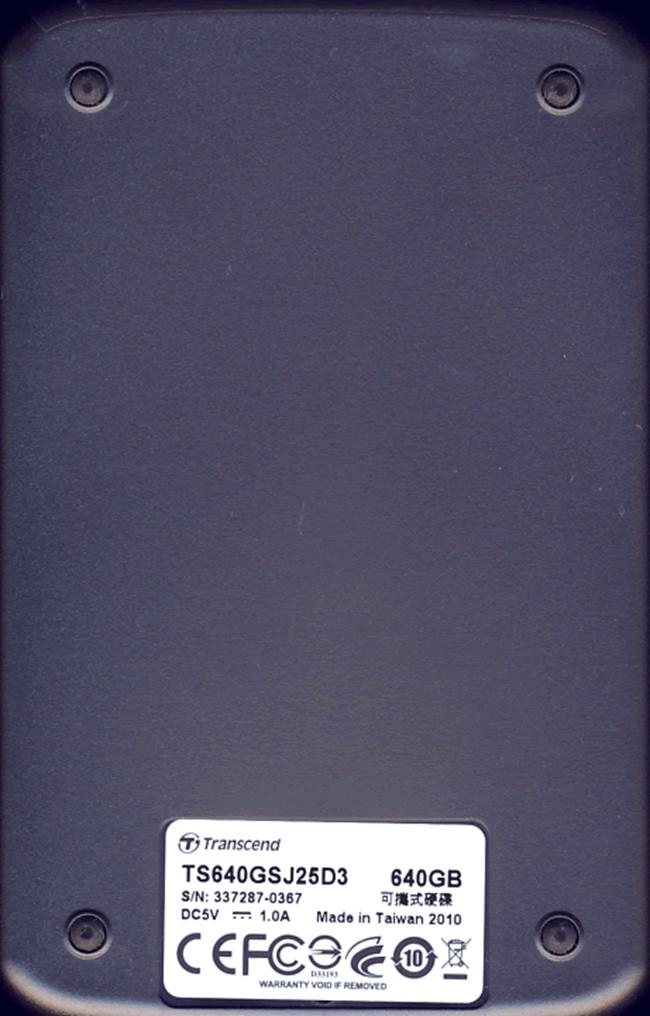
Drive bottom
On the bottom of the drive we can see a label which lists
the model and serial number, the drives capacity, and that the drive was
manufactured in Taiwan during 2010.
Because of the design of the case, we were unable to obtain
an image scan the rear of the drive, but it contains the same USB power
connector, and the same mini USB3 connector that the 25M3 uses.
Fitted HDD
Both the StoreJet 25M3 and 25D3 were fitted with Spinpoint
M7E (HM641JI) 2.5 inch HDD which are manufactured by Samsung, with a capacity
of 640GB.
Now let's head to the next page, where we look at the
features, specifications and the supplied software.
Features and specifications
Now let’s take a look at the special features and
specifications of the Transcend StoreJet 25M3 and 25D3.
StoreJet 25M3


StoreJet 25D3


Supplied software
StoreJet Elite backup software was supplied on each of our
review samples. It’s a simple matter of installing the software onto the host
PC in order to use StoreJet Elite.
We will now take a very brief look at the StoreJet Elite
backup utility.

On first starting the StoreJet Elite software, we are able
to select the package to start as soon as we boot the PC, and we can also
enable the “one touch feature” for drives that support the “one touch backup
button”, such as the StoreJet 25M3.

The main StoreJet
Elite options menu

The data backup and
sync options

Email backup options

The StoreJet Elite
backup software allows you to create a backup of your internet favourites
folder.

The encryption
options, allowing backups to made secure.

The “sync all” feature allows you to selectively change what
you wish to backup, and from this screen you may also setup a backup schedule.
We only very briefly tested StoreJet Elite.
The one touch backup worked flawlessly with the StoreJet
25M3, and the “sync all” feature worked equally well on both drives, with no
problems to report
Now let’s head to the next page where we will recap on
USB3.....
 Computer
technology moves forward at a frightful pace, what is new today becomes old hat
very quickly. USB has been around for a while, the original USB1 specification
being ratified in 1996, and first appearing in PC’s around 1998. The original
specification of USB was to provide a universal high speed peripheral
connection that could be used for anything such as a printer to an optical
drive, and a myriad of other things in between. The original USB specification
was 12Mbps, and was soon found to be too slow for many of the peripherals that
were soon onto the market supporting a USB connection.
In April 2000 the USB2 specification was announced, and
incorporated into motherboards and peripherals alike. The USB2 specification
had a maximum bandwidth of 480Mbps, and at the time, could cope with the speed
of most of the peripherals that were around. Members here at MyCE.com have been
using USB2 enclosures to house their optical drives for years, and up until 16x
DVD burners surfaced could cope quite easily with the transfer rate required
for burning at maximum speed.
16x DVD writers have been around for about 5 years, and HDDs
have been around a bit longer which were faster than the USB2 interface could
cope with. Of course, these devices all worked with USB2. In the case of
optical drives, you just kept the burning speed down to around 12x, and
everything worked quite well. In theory, USB2 had enough bandwidth to cope with
around 20x – 24x writing and reading speeds, but poorly designed host controllers
on both the peripheral and PC host meant that these speeds were very rarely
achieved. There were faster alternatives to USB2, such as Firewire 800 and
eSATA for example, but these connections have never really caught on with the
majority of PC users.
The great hope was in a faster, much faster USB interface,
and we have waited a long time to see this new fast USB interface appear, and
finally it arrived not long ago in the form of USB3 (Superspeed USB). USB 3 has
a maximum bandwidth of 5Gbps, which is over 10x the performance of USB2. So
this is quite an update to the specification.

Motherboard manufacturers didn’t take long to start
incorporating these shiny new Superspeed USB interfaces into their PC
motherboards, and not only at the high end of the market. GigaByte, for example
has USB3 equipped motherboards for their full range of P55/H55/H57/Q57
motherboards, and many of their X58 chipset motherboards.
The USB3 equipped motherboard
For this section of the article we will look at a typical USB3
equipped motherboard, in the shape of the GigaByte GA-P55A-UD4.

The GigaByte GA-P55A-UD4 is a midrange motherboard and
incorporates the powerful Intel P55 chipset, and the usual host of PCIe/PCI
sockets, DDR3 memory sockets, SATA2/3 connectors, IDE connector, Floppy
connector, and various other connectors, and a socket 1156 to house the new
Lynnfield class of Intel Core i5 and i7 CPU’s.
If you look at the top centre of the above screenshot, and
just below the audio connectors on the backplane, we can see the new NEC uPD720200
USB3 host controller IC package. Also worth noting, since this motherboard has
the P55 chipset, GigaByte have come up with an ingenious method of allowing the
USB3 host controller to run in two different modes.
As you may or may not know. The P55 chipset has a limited
amount of PCIe lanes to play with, and 16 of these PCIe lanes are connected
directly and controlled from the Core i5/i7 CPU itself, and is almost
exclusively used for the graphics card. This has two main benefits. Costs can
be kept down, and latency is kept to a minimum.
Another 8 PCIe lanes are provided on the P55 PCH (platform
controller hub) chip package. These are mainly for the ICH10R SATA RAID
controller, Firewire, LAN, USB2, and other integrated peripherals on the
motherboard. Each of these lanes has a maximum bandwidth of 5 Gbps, as they are
PCIe2 specification. The problem with using these PCH lanes is the bandwidth is
shared between other integrated peripherals on the PCH. So to get the best out
of USB3, GigaByte have two ways to configure the USB3 host controller from
within the GA-P55A-UD4 BIOS.
Normal mode
This uses spare capacity on the PCH, this should provide
enough bandwidth for all but the very fastest HDDs. In practice as our tests
will later reveal, this has a cap of around 133MB/s on our test system. Using
normal mode also has the advantage of leaving the graphics card to run at full
PCIe2 x16 speed. See the screenshot below.

Turbo mode
Turbo mode connects directly to the much faster PCIe x16
bus, and should provide quite easily the bandwidth required to run both USB3
ports at its maximum bandwidth of 5Gbps. The down side of this method is it
forces the graphics card down to PCIe2 x8 speeds. In practice this has no
perceived effect on graphics performance, as the bandwidth, even at PCIe2 x8 is
still massive, hardened gamers may not agree, though.

Now let’s take a look at the USB3 connectors themselves.

From our screenshot of the GigaByte GA-P55A-UD4 backplane,
the USB3 sockets are the blue ones which are just to the left of the audio
connectors.
Also interesting in this series of motherboards from
GigaByte is that they have also taken the opportunity to upgrade the power
output from all USB sockets on the backplane. In fact, they have increased the
power output by a factor of 3x.

All the tests in this article were carried out with USB3 in
normal mode.
If you have an older motherboard which doesn’t already have
USB3 onboard, there is no need to panic. You can quite easily add USB3 support
to your existing motherboard by means of a USB3 PCIe card. They are
inexpensive, and a good card can be purchased for under £30.
Now let’s head to the next page where we will look at our
test PC and testing procedures...
Test machine
For this review we will be using a computer with the
following configuration:
Hardware:
- Motherboard: Gigabyte GA-P55A-UD4 (Intel P55 chipset)
- Processor: Intel Core i5 750
- RAM: 4GB GEIL Ultra Line DDR3 2133MHz (dual channel)
- GFX: Sapphire Vapor X HD 5770 (1024 Megabytes GDDR5 HDCP compliant)
- Sound: Onboard Realtek ALC889 HD audio controller
- Hard disk OS: 100GB OCZ Vertex 2 SSD
- Hard disk storage: 1X 500GB Samsung Spinpoint F3, and 1X 1TB
Samsung Spinpoint F1. - Case: Antec 900
- PSU: Enermax Liberty 620W
- Display: Samsung Syncmaster 245B 24” widescreen LCD (HDCP
compliant) - Operating System: Windows 7 Home Premium 64bit
We connected the StoreJet 25M3 and 25D3 to a USB3 connector
on our review PC, and found a problem with the supplied mini USB3 lead. The lead
works perfectly but at only one meter in length it was rather short. Given that
USB3 has only recently become available, USB3 ports tend to be at the back of
the PC case. Our review PC has a rather large case, which meant we couldn’t
really position the StoreJet drives in a place that was suitable for easy
access or quick removal or connection. A 1.5 meter lead would have made all the
difference here.
Test applications
To test the performance of the Transcend StoreJet 25M3 and
25D3, we will be using the following test applications in this review.
- HD Tune Pro
- ATTO
- Iometer
- CrystalDiskMark
Test procedures
We will start off our testing procedures explanation by
stating that we did not run many basic benchmarks on the Transcend StoreJet
series of drives.
You may ask why we have run so few benchmarks.
External drives are generally always used for (a) backing up
files, or (b) moving data from one place to another. They are rarely ever used
as a permanent drive for storage.
I would rather concentrate the tests on real world usage,
such as real data file transfer rates. We therefore will only show a few brief
synthetic benchmarks, basically to show you the raw speeds of the StoreJet 25M3
and 25D3.
Test drives
- Transcend StoreJet 25M3 (USB3)
- Transcend StoreJet 25D3 (USB3)
- 500GB Samsung SpinPoint F3 (HD502HJ)
- Western Digital Scorpio Blue 2.5 inch (USB3)
The Western Digital Scorpio Blue
was docked in an Icy Box IB-110StU3-B USB 3.0 Docking Station.
Drive preparation for running the tests
All the drives used in this article were defragged before
the start of each test
Where we use graphs in this article to display results, we
will use the following colours to make it easier, for our readers to see the
drive which we are reviewing.
 Transcend
StoreJet 25M3
 Transcend
StoreJet 25D3
 Comparison
HDD
Now let's head to the next page, where we look at some
basic benchmarks...
Reading Benchmarks
HD Tune Pro
The first thing we noticed when conducting these tests is
that when these drives are formatted using NTFS, they perform much better than
they do when formatted with FAT32.
We present the graph below for comparison with other recently
tested drives.

The StoreJet 25M3 and 25D3 are both capable of a sustained average
reading speed of 79MB/s providing they are formatted as an NTFS partition. They can’t
compare to the very fast Samsung Spinpoint F3 3.5 inch SATA2 drive.
ATTO disk benchmark
ATTO has become a standard tool for measuring the data
throughput of HDD. It measures the performance of reading and writing, using
different file sizes and block sizes.
We will include a screenshot of one of these drives
formatted with FAT32 and the other with NTFS so you can compare the two. Note,
both the StoreJet 25M3 and 25D3 share identical hardware, including the Samsung
SpinPoint drives found inside.

StoreJet 25M3 (FAT32)

StoreJet 25D3 (NTFS)
The reading and writing speeds are quite impressive, with
reading speeds topping out at over 103MB/s when using an NTFS partition. Writing
speeds are also pretty impressive topping out at 100 MB/s with a NTFS partition.
When using a FAT32 partition, the drives are not quite so fast.
CrystalDiskMark 3.0
Crystal Disk Mark is quite a handy benchmarking application,
as it focuses on the file sizes that can cause a problem on a system drive.
This is most likely not relevant for a backup drive, but it is still
interesting to see the raw performance of these drives.

StoreJet 25M3 (FAT32)

StoreJet 25D3 (NTFS)
Once again we can see that NTFS is faster than FAT32, but
none the less, both these drives have a very decent turn of speed.
Summary:
Both the StoreJet 25M3 and 25D3 have very decent
performance, in fact faster than many 3.5 inch SATA2 drives.
Let's head to the next page for our IOMeter test
results.....
I/O Performance
Once again these tests are just to show the raw performance
of the StoreJet 25M3 and 25D3.
This time we only run the tests with both drives formatted
with NTFS.
Some of these tests will only be relevant if these drives
were used as system drives which is pretty much unlikely. However, IOMeter test
patterns are a great way to see the raw performance of the StoreJet 25M3 and
25D3.
IOMeter 4K random (outstanding I/Os = 4) write test.
Our first test involves creating continual 4KB random files
on the target drive with IOMeter. We use a 4KB file size, as it is believed
that Windows will create and modify many of this size of file constantly in the
background during a typical Windows session.
MB/s
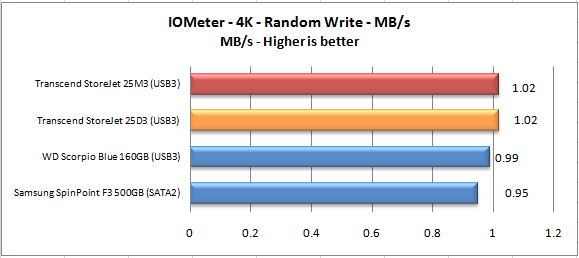
Note that the 2.5 inch drives are faster than the 3.5 inch
SATA2 drive. This is not surprising as the smaller the platter is the less
distance the read/write head needs to travel in order to access the data. This
is why WD used 2.5 inch platters for their VR series of drives.
IOMeter 4K random (outstanding I/Os = 4) Read test.
If there are many 4k files created, then that must also mean
that many 4k files need to be read. This test measures 4k reading performance.
MB/s

Again the 2.5 inch drives are faster with the StoreJet 25M3
and 25D3 returning good performance in this test.
IOMeter 512KB (outstanding I/Os = 4) write test.
Sequential writing performance is very important for
external drives; in this test sequential writing performance is tested.
MB/s

The Samsung Spinpoint F3 is renowned for its sequential
performance, and is good deal faster than the StoreJet 25M3 and 25D3. None the
less, the StoreJet 25M3 and 25D3 are still performing very well in this test.
IOMeter 512KB (outstanding I/Os = 4) read test.
This test measures 512k sequential reading performance.
MB/s

Again the Samsung Spinpoint F3 3.5 inch SATA2 HDD is a good
deal faster than the StoreJet 25M3 and 25D3, but once again, the StoreJet
external drives are performing very well.
IOMeter Workstation 1 simulation (outstanding I/Os = 64).
When running applications you will find that there is a
mixture of small random files, and larger sequential files being created and
read. Not only that, it isn’t just one file at a time. In this test we measure
a simulated workstation pattern, with a queue depth of 64 (threaded).
Once again this test is probably not relevant for external
drives, but interesting at the same time.
MB/s

No real surprises here. The Samsung Spinpoint F3 3.5 inch
SATA2 HDD is faster than all of the 2.5 inch drives, with the StoreJet 25M3 and
25D3 putting in a good showing in this test.
Summary
As we stated at the top of this page, some of these tests
are not really relevant for external drives. However, it does show the raw
performance of these drives and to some extent, the interface they are
connected to. USB3 has shown to be able to keep up with the raw performance of
the HDD that are housed in the Transcend StoreJet series of external HDDs. The
raw performance of these drives is pretty impressive.
Now let's head to the next page for some real world tests....
It has become clear recently that simply conducting endless
benchmarks on HDDs is pointless. Real users may run a few benchmarks when they
first fit their HDD, but most users just want a drive that performs well in the
real world. They want their drive to work "out of the box" and work
fast and smoothly.
Real world copy
tests
We will now conduct a few real world copy tests. These tests
simulate what real people do with their drives. We will be conducting writing
tests, using a large single ISO file, a folder of MP3 audio files, a folder of
JPG picture files, and a multiple file copy of various file sizes.
We should point out that this is not a scientific way of
measuring performance. These timings were taken with a stop watch; we have
however ensured that the reading drive is well able to supply a data stream to
our writing drive, which is high enough not to be slowing down the performance
of the writing drive.
We will once again be comparing the obtained results with
our comparison drive’s results. We will present the results in the form of
graphs.
Multiple file copy writing test
For this test we copied the Nero Burning Rom install folder
from our review PC to the D: drive (OCZ Technology Vertex 120GB) and then
copied the contents to the Transcend StoreJet drives and our other comparison
drives.
We will also test using two types of drive partitions (NTFS
and FAT32), so we can see which partition type offers the best performance.
Our test copy contained 1,772 files of various sizes with a
combined capacity of 307MB.

It isn’t surprising that the StoreJet 25M3 and 25D3 couldn’t
keep pace with the Samsung Spinpoint F3 in this test. However, the StoreJet
25M3 and 25D3 have performed extremely well, and with an NTFS partition, these
drives show a very good turn of speed.
Single large file writing test (7.95GB)
For this test we used a single DVD9 ISO file which had been
copied to the D: drive of our review PC (OCZ Vertex 120GB). The file was then
copied to the StoreJet 25M3 and 25D3, and again to our comparison drives.
With a file size of over 2GB FAT32 was not an option, so
this test was conducted using only an NTFS partition.

Once again the Samsung Spinpoint F3 is the fastest, but also
worth noting that the Transcend StoreJet 25M3 and 25D3 have performed well and
are easily faster than the WD Scorpio Blue.
MP3 audio files
For this test, we copied a folder of Mp3 audio files from
our D: drive (OCZ Vertex 120GB SSD) to our Transcend StoreJet 25M3 and 25D3,
and also our comparison drives. The folder contained 821 files with a total
capacity of 3.85GB.
We tested using a FAT32 partition type and also NTFS.

Once again the StoreJet 25M3 and 25D3 have performed well,
with the NTFS partition type once again showing the best performance.
JPG picture files
For this test we copied a folder of JPG picture files from
our D: drive (OCZ Vertex 120GB SSD) to our Transcend StoreJet 25M3 and 25D3,
and also to our comparison drives. The folder contained 3641 files with a total
capacity of 5.16GB.
We tested using a FAT32 partition type and also NTFS.

Basically it’s the same story again, the Samsung Spinpoint
F3 is fastest and the Transcend StoreJet 25M3 and 25D3 putting in a good
effort. Once again, and NTFS partition type was much faster than FAT32.
Summary
The Transcend StoreJet 25M3 and 25D3 have performed
extremely well. MP3 and JPG copy performance is very good indeed, and this type
of file is in all probability the most common type of file that will be backed
up to an external drive. Also worth noting that using an NTFS partition type
proved to give the best performance on our review rig.
Single drive copy tests
These tests are to simulate a single drive in a PC or
laptop. In other words, we will copy a series of files from one folder on the
tested drive to another folder on the same drive. This means the drive is also
reading and writing in the tests. We also want to make this a realistic test.
So we have used a folder or MP3 music files, and then repeated the test with a
folder of JPG picture files.
Although this test is most likely not relevant for an
external backup drive, it still allows us to show you the raw performance of
the Transcend StoreJet 25M3 and 25D3 external USB3 drives.
For these tests, we once again used a FAT32 partition type
and also an NTFS partition type.
Single drive copy tests – 851 MP3 song files (3.85GB total)

There are no surprises here. The StoreJet 25M3 and 25D3
can’t keep up with the performance of the Samsung Spinpoint F3, but none the
less, the StoreJet 25M3 and 25D3 are much faster than the WD Scorpio Blue.
Single drive copy tests – 3641 JPEG picture files (5.16GB total)

Once again the Transcend StoreJet 25M3 and 25D3 have
performed very well with an NTFS partition.
Summary
Our real world tests, though not scientific in nature, we
feel are more realistic than simply running benchmarks. What is clear from our
tests is that USB3 offers excellent performance for backing up files to an
external HDD, and the Transcend StoreJet 25M3 and 25D3 are very good performers
when used in this scenario.
Miscellaneous tests
We will conduct a few miscellaneous tests on the Transcend
StoreJet 25M3 and 25D3.
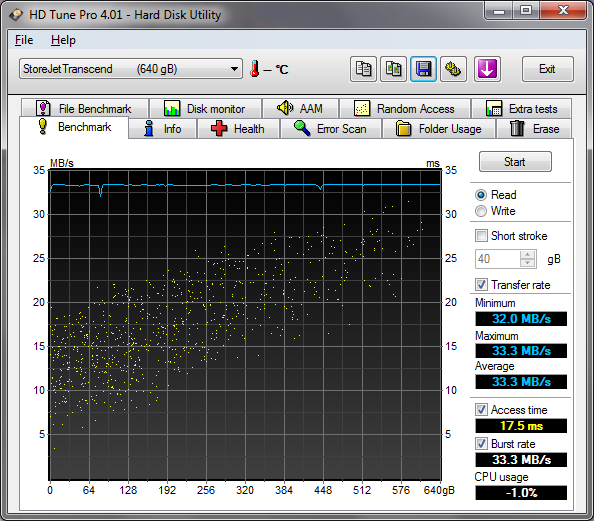
USB2 connected
We simply benchmarked the StoreJet 25M3 and 25D3 using
HD-Tune Pro.
Transcend StoreJet
25M3

Transcend StoreJet
25D3
The tell tale sign here is the almost flat reading graph.
USB2 simply isn’t fast enough for these drives. The good news is, you can add a
USB3 PCIe card to your existing PC providing you have a spare PCIe x1 socket,
for little more than £25.
Below is such a card from Kingwin, it uses the same NEC USB3
controller which is already integrated on many new motherboards.

Power requirements
While we were not able to measure the actual power
consumption of the Transcend StoreJet 25M3 and 25D3 USB3 external HDD. We can
state that the both drives ran perfectly on two PCs and a Fujitsu laptop,
without the need for the additional USB power cable. So I think it would be
safe to say that these drives do not consume a large amount of power.
Noise and vibration levels
Noise levels are extremely low. It is no secret that Samsung
produce some of the quietest drives currently available, and the drives used in
the Transcend StoreJet 25M3 and 25D3 are no exception. You really need to put
your ear against the casing to hear them at all.
Vibration was also very low, even when the drives were
placed on top of a plastic case, vibration levels were almost undetectable.
This concludes our tests. To read the final thoughts and conclusion,
click the link below....
Final thoughts and the conclusion
Positive:
- Fast USB3 connection
- Good file copying performance
- Stylish and rugged construction
- Low noise and vibration levels
- Reasonable backup software included
- Did not require the additional USB power cable
- Good value for money
Negative:
- The supplied 1 meter USB3 cable is rather short.
User experience
PC users have been backing up their data for years, and most
sensible users have used either optical media or an external HDD for this
purpose. An external HDD makes so much sense these days, the capacity is large
and an HDD is certainly more robust than optical media. USB3 is almost perfect
for an external HDD, it’s much faster than USB2 and only requires a single
cable to send and receive data and supply the power to the drive, unlike eSATA
which requires a secondary power source.
The Transcend StoreJet 25M3 and 25D3 performed extremely
well in our tests. They were capable of transferring large files from our host
PC at very nearly 100MB per second, much faster than USB2 and as fast as eSATA.
Small files such as MP3 audio files also proved to be no trouble at all to the
StoreJet 25M3 and 25D3, and small file transfer speeds were also very
impressive for a 2.5 inch HDD.
The Transcend StoreJet 25M3 and 25D3 were also nicely styled
and constructed very robustly. My personal favourite was the StoreJet 25M3, it
was nice to handle as well as looking great.
Noise and vibration levels were extremely low, and this is
something that I personally find important. I just hate background noise, and
the StoreJet 25M3 and 25D3 proved to be extremely quiet in operation.
The only real negative thing we could say about the
Transcend StoreJet 25M3 and 25D3 was, the supplied USB3 cable was rather short
at 1 meter in length. We would like to see the cable length being increased to
1.5 meters.
Price
[field name=iframe]
We found the Transcend StoreJet 25M3 for sale at Amazon UK
for £81.83, which is 98.46 Euros at the current exchange rate. The US price for the Transcend StoreJet 25M3 is $99 at the time of writing. Amazon UK also
stocked the StoreJet 25D3 for a very reasonable £87.36, or 105.11 Euros at the
current exchange rate.
For an external USB3 2.5 inch HDD, the price is attractive.
Conclusion
The Transcend StoreJet 25M3 and 25D3 are attractive,
affordable, fast, and quiet, and make perfect sense for backing up files that
you intend to carry from one place to the next.
With very little negative things to mention and loads of
good things to say, we decided to give the Transcend StoreJet 25M3 and 25D3 our
MyCE.com “Safe Buy” award.


You may comment on this review below.
Thanks to:
|
|
EFD Software for |
















