
|
|
Review: Lexar Reviewed by: Antonis Provided by: Lexar Model: Workflow DD512GB USB3 SSD
|
|
|
|

We all know Lexar, and Myce readers have had
the opportunity to read full reviews of their USB3 flash drives, from value
drives like the S33
and the S23,
to their high end USB flash drives like the P10
and the Triton.
This time it won't be a USB3 flash drive, but a USB3 SSD. Part of their Workflow
series that offers high levels of flexibility and also high read and write
speeds for the professionals, the photographic enthusiasts, and videographers.
Since I am not looking at the whole Workflow series you may wish to visit the
Lexar website to find out more about the workflow
line-up, and also some info about Lexar.
At this point I believe that there is no
need for any further information about Lexar, so let’s move forward and take a closer
look at the Workflow DD512 USB3 SSD that I’ll be reviewing.
Lexar Workflow DD512GB USB3 SSD
Packaging
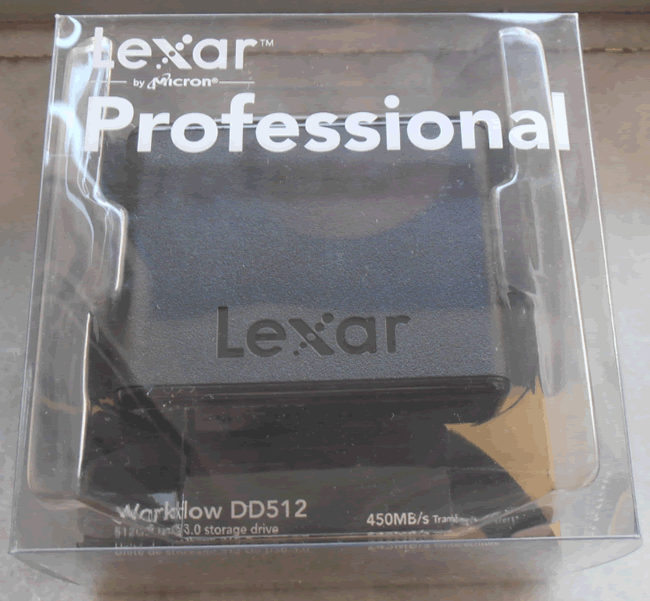
As expected, an elegant presentation from Lexar for the Workflow DD512 USB3
SSD.
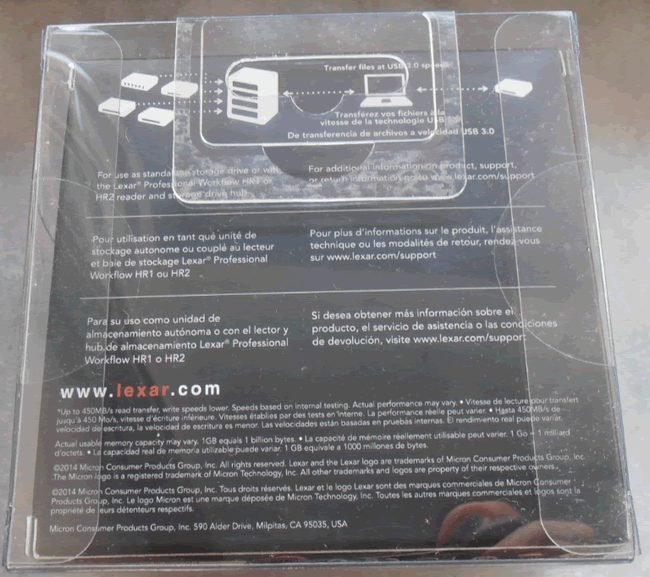
The reverse side of the package for the Workflow DD512.
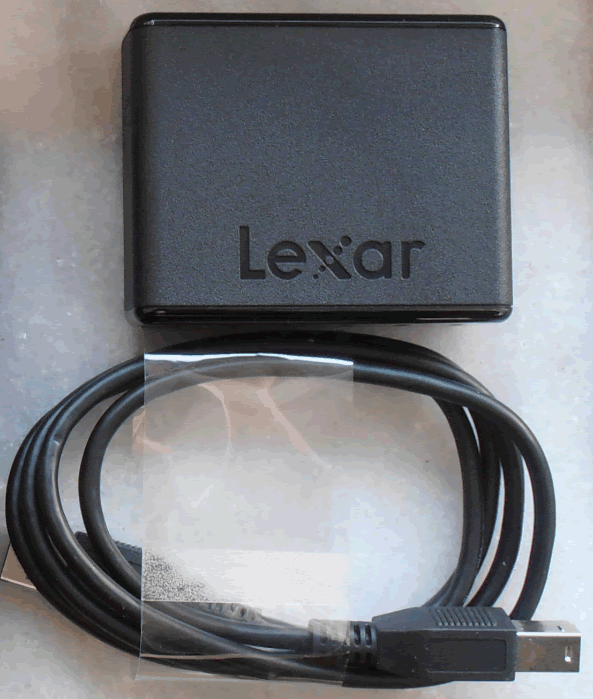
Inside
you will find the Workflow DD512 USB3 SSD and also a USB3 cable.
A closer look at the Lexar Workflow DD512GB USB3 SSD

The top side of the Workflow DD512
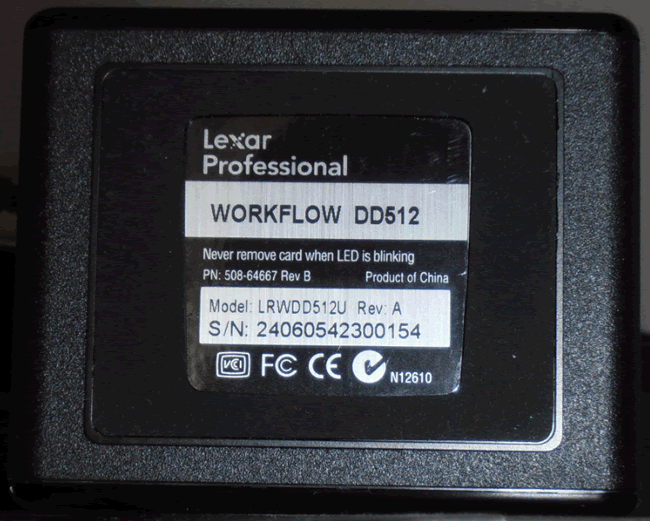
and the underside of the Workflow DD512

The front of the Lexar Workflow DD512 is
the interesting part, as here we find six LEDs. The five first are white ones
that are also used to indicate that used capacity, and the last LED is a blue one
that shows when the drive is powered on and also
flashes when the drive is writing or reading data.

On the
back we see the USB3 port and nothing else.
Test machine
For this review I will be using a Dell
laptop and a PC with the following configuration:
PC hardware:
- Motherboard: AsRock Z77 Extreme 4 (Intel Z68
chipset) - Processor: Intel 2nd generation
Core i5 2500K - RAM: 2x4GB Kingston
- GFX: Onboard Intel HD 3000
- Sound: Onboard Realtek HD audio
controller - Hard disk OS: Corsair Nova 64GB
- PSU: Corsair CX430 430W
- Display: Futsiju Siemens 22”
- Operating System: Windows 7 Ultimate 64bit with
Service Pack 1
Dell Inspiron 3537
- Dell Inspiron
3537 - CPU: Intel
i5-4200U - RAM: Crucial
BallistiX 2x8GB SODIMM DDR3 - VGA: Intel
4400 - HDD1: Corsair
Force LX (OS Drive) - OS:
Windows 8.1
The Lexar Workflow DD512 was connected to
the Intel USB3 ports on the desktop and also on the laptop.
Test applications
To test the performance of the Lexar
Workflow DD512GB USB3 SSD, I will be using the following test applications in
this review.
- ATTO
- Iometer
- AS SSD
Benchmark - CrystalDiskMark
- Anvil’s
Storage Utilities
Let’s head to the next page where we
will start our synthetic benchmarks.
ATTO disk benchmark
ATTO has become a standard tool for measuring
the data throughput of HDD and SSD. It measures the reading and writing performance,
using different file sizes and block sizes.

On
Windows 7

On
Windows 8.1 with UASP
It’s clear that the newer OS takes full
advantage of the UASP and gives a result much closer to the speed that Lexar claims
on the box of the Workflow DD512.
CrystalDiskMark 3.0
CrystalDiskMark is quite a handy
benchmarking application, as it focuses on the file sizes that can cause a
problem on a system drive.

Again we can see that the Lexar Workflow gives
a much slower result on Windows 7 without the UASP support, but also the 4K
numbers are very low for an SSD.

Moving to Windows 8.1, and with the OS
providing support for UASP we can see that the Lexar Workflow has improved on
Sequential and 512K performance but again 4K is very low.
AS SSD Benchmark
AS SSD benchmark is a benchmarking tool
specifically designed to test SSDs. The application tests sequential reading
and writing performance, 4K random reading and writing performance.
AS SSD benchmark also tests 4K threaded
performance. This is very exciting, as this test is the first available test
that I am aware of, that simulates how a PC operating system actually works. A
modern PC and OS, such as Windows Vista/7 does not just run a single thread at
a time, it runs many threads. The AS SSD benchmark "4K 64Thrd" tests
run 64 threads simultaneously throughout the test. If this result is good, then
you can be pretty sure the drive will perform extremely well as a system drive.
After the tests complete, AS SSD benchmark
derives a total score for the drive being tested. This is based on all aspects
of the test results, and gives an indication of how the drive is performing
overall.
Now let’s look at the results for the Lexar
Workflow DD512 USB3 SSD in the form of a screenshot. All our other comparison
drives’ results are presented in the form of a graph.

The story continues to be the same, the
numbers in Windows 7 are simply okay, and again the 4K numbers are very low.

As we have come to expect, in Windows 8.1
the drive is able to give very impressive sequential results, but unfortunately
the 4K numbers are very low.
Let's head to the next page for our
IOMeter test results.....
I/O Performance
There is little point of having an SSD
drive that has blazing sustained reading and writing speeds, if the drive can't
handle reading and writing of small random files. If you intend to use your new
SSD drive to store and run your operating system, then the drive must be able
to cope with the many small random files that Windows will write to the drive
continually. So I feel it is very important to test how many of these random
files that a drive can handle in one second. I believe that anything over 1,000
I/O’s per second would be enough for most users running a consumer grade
mainstream PC, and should provide a smooth running system. But obviously, the
more I/O's that a drive can handle, the faster the drive will feel and leave
more headroom for those huge multitasking sessions that users sometimes engage
in.
The things that I will look at are the
total I/O per second and total MB/s.
All the IOMeter tests create a 10GB data
set on the target drive, and each test is run for a duration of 3 minutes.
IOMeter 4K random write test with repeating data.
The first test involves creating continual
4KB random files on the target drive with IOMeter. I use a 4KB file size, as it
is believed that Windows will create and modify many of this size of file
constantly in the background during a typical Windows session. It is said that
most 4K random writes take place at a queue depth of only one.
4K random write queue depth profile
For this
test I used various queue depths from 1 – 32 to give you an idea how this USB3 SSD
performs at different queue depths. For a normal desktop user, with lightweight
multitasking, the queue depth will rarely rise above 2. For heavy multitasking,
the queue depth is unlikely to rise above a value of 8.

The Lexar Workflow DD512 USB3 SSD doesn’t
like small file sizes, so as we can see the maximum result was only 13 MB/Sec.
IOMeter 4K random read test.
If there are many 4k files created, then
that must also mean that many 4k files need to be read. This test measures 4k
reading performance.
4K random read queue depth profile.
This test
shows how the review drive scales with increasing queue depths.

The same story appears when it comes to
read speed, the drive barely reaches a maximum speed of 10MB/Sec.
IOMeter 512KB write test with repeating data.
Sequential writing performance is also very
important; in this test sequential writing performance is measured.

Lexar Workflow DD512 USB3 SSD - 512K Sequential write test
IOMeter 512KB read test.
This test measures 512k sequential reading
performance.

Lexar Workflow DD512 USB3 SSD – 512K sequential reading test
IOMeter Workstation simulation (outstanding I/Os = 64).
When running applications you will find
that there is a mixture of small random files and larger sequential files,
being created and read. Not only that, it isn’t just one file at a time. In
this test I measure a simulated workstation pattern, with a queue depth of 64
(threaded).

Lexar Workflow DD512 USB3 SSD – Workstation simulation
Summary
A solid performance for the Lexar Workflow
DD512 USB3 SSD when it comes to sequential reading and writing of data, but in the
workstation test, and also in the 4K test, the drive did not deliver an
impressive performance.
Now let’s head to the next page where we
will look at how the Lexar Workflow DD512 USB3 SSD
performs using Anvil's Storage utilities....
Anvil’s Storage Utilities
As well as performing SSD endurance tests.
Anvil’s Storage Utilities has a very nice SSD benchmarking application. The SSD
benchmark tests many different aspects of SSD performance, including 4K random
at different queue depths, and also sequential performance, but more importantly
than this, all using real test data.
Another very nice feature of Anvil’s SSD
benchmark is the fact that you can change the compression levels of the test
data. The compression levels of the data sets used for the tests can be varied
from 0% compression right up to 100% compressed data, and there are even a few
data profiles already included, such as database (8%) compression, and also an
application profile (46%) compression, which is designed to simulate real
application data being read and written to the SSD.
Anvil’s Storage Utilities is still in beta
at the moment, but the application is currently solid enough to use in this
article, and I have already verified the results obtained using an SATA
analyser.
I will include a screenshot of the review
drive, and all comparison results will be presented in the form of graphs. If
you would like to see screenshots of the test results obtained on the other
SSDs in this article, you can do so by following the link here.
I will also be testing three different compression
profiles, which are as follows.
- 0 fill (100% compressible data)
- Application simulation profile (46%
compressed) - 100% (non compressible data)
So let’s begin the tests.
0 fill

Lexar Workflow DD512 USB3 SSD (0 fill) (Windows 7)

Lexar Workflow DD512 USB3 SSD (0 fill) (Windows 8.1)
Starting with the 0-Fill tests we see the
same pattern, the drive is able to shine on sequential data especially in
Windows 8.1, but again the numbers for 4K are very low.
Application profile

Lexar Workflow DD512 USB3 SSD (application profile) (Windows 7)

Lexar Workflow DD512 USB3 SSD (application profile) (Windows 8.1)
Moving forward to the next test we see the
exact same thing, the Lexar Workflow is able to give excellent results with
sequential data but continues to suffer with the 4K test.
100% incompressible

Lexar Workflow DD512 USB3 SSD (100% incompressible) (Windows 7)

Lexar Workflow DD512 USB3 SSD (100% incompressible) (Windows 8.1)
Nothing has really changed, the drive shows
the exact same pattern in Windows 7 and Windows 8.1, both with sequential data
and also with 4K.
Summary
It’s clear that if your motherboard
manufacturer doesn’t support UASP then you have to move to Windows 8.1 to be
able to take full advantage of the speed that the Lexar Workflow DD512 can give.
Now let's head to the next page for some
real world tests....
It has become clear that simply conducting
endless benchmarks on SSD drives is pointless. Real users may run a few
benchmarks when they first fit their SSD drive, but most users just want a
drive that performs well in the real world. They want their drive to work
"out of the box" and work fast and smoothly.
Most of the latest SSD drives can deliver
very fast sustained reading and writing speeds, but these alone tell you very
little about how the drive will perform in the real world.
If you intend to use your SSD as your
primary system drive, with an operating system and applications installed and
running from the drive, real world performance becomes much more important than
just fast sequential read and write speeds, in this case I felt that it was
time to move into a different method of testing.
From now on I will only use the log files
from the Event Viewer to measure the start-up and shutdown of the system, and
also use filecopy to measure all my copy tests from a RAM disk to the selected
storage drive that I will be testing. For these tests I will also enable all
power savings features that are available, since I believe that this is the way
that the majority of the users will have them set on their PC.
Real
world copy tests
I will now conduct some real world copy
tests so that you can have a much better view of how the drive will perform. In
these simple tests I try to simulate what a real user does with their drives. I
will be copying some mp3 files, various picture and MKV files.
As I said earlier from now on all my test
files will be stored in a RAM disk and copied/pasted to the destination drive
using filecopy. The filecopy utility will be used from now on for all my tests,
and I’ll be using it this way to measure the time that it takes to copy the
files.
Before I move on to the test, I want to
give you an idea on how fast your RAM is. Below you can find the results.

As
we can clearly see speed isn’t going to be an issue in these tests.
Copy tests – 259 MP3 song files (1.36GB total)

Comparing the results with the only drive
that I have that has performance close to an SSD, we can see that the Lexar Workflow
is doing an excellent job writing data, but falls a little behind when it comes
to read speed. Overall the result is excellent though.
Copy tests – 3,377 JPEG picture files (2.56GB total)

Once again the Lexar Workflow DD512 USB3
SSD is able to give an excellent write result, but 15.03 seconds it a long time
for a USB3 SSD to send the data back to the RAM.
Copy Tests – 1 MKV and 1 SRT file (3.46GB)

This is the test that enables the Lexar
Workflow to show its true potential, taking only 15.36 seconds to write the
data, and 9.27 seconds to send all the data back to the RAM.
Copy Tests – 1 MKV and 1 SRT file (3.46GB)
In one of my previous reviews I was asked
by a user to do a test with proper small files. So I went ahead and put 48128
files in one folder and ran some tests with a few of the currently testing USB3
device. I personally don’t feel that this kind of abuse will happen on a daily
basis, but it's a good way to separate the men from the boys.
First here is a screenshot to give you an
idea of the actual size of all these files and further below you can view the
results from this test.


From the beginning of my test it was clear
that the Lexar Workflow DD512 didn’t like the smaller files, and in this test
we can clearly see that it struggles to handle them. The drive still is way
faster than any other mechanical drive but unfortunately far away from an
internal SSD.
Speed degradation after heavy testing
On this page I will measure how the Lexar
Workflow DD512 USB3 SSD performs after heavy testing and usage.
This is a simple test, I will fill the
drive with data and leave less than 10GB, to test how it performs, then I will
remove some data and re-test the drive, this time the drive will be filled up
to 50% of its capacity and lastly I will delete all the extra data and run a
final test. Hopefully this will give an idea of how it performs.

When it comes to read speed, the Lexar
Workflow appears to be very solid even if the drive is almost filled with data.

When it comes to write speed, there are
some differences, but again the level that I encountered was within acceptable
limits.
This concludes our review. To read the final
thoughts and conclusion, click the link below....
Conclusion:
Let us summarise the most important
positive and negative points below:
Positives:
- Long USB3 cable.
- Can be used as a standalone USB3 SSD or
as a part of the Workflow HR1 or HR2. - Excellent sequential read speed for a
USB3 drive. - Read speeds are outstanding.
- Two year warranty.
- 5 LED capacity meter.
Negatives:
- Doesn’t like to handle small files.
To sum up, this is what I would say:
Lexar’s Workflow DD5123 USB3 SSD is a very
interesting idea that has been transformed into a very good product. It comes
in a very compact size, and you can find it in 256GB and 512Gb capacities. The
drive has very good read speed and an acceptable write speed for a USB3 SSD.
However I believe that there is a lot of room for improvement, and hope that in
the near future Lexar will be addressing this. Lexar thankfully decided to include
a long USB3 cable and not those small ones that don’t give you any liberty as
to where you want to place your external SSD, and the five white LEDs are a
welcome addtion that will allow you to have a very quickly view the usage of
the Workflow DD512.
The main negative is the performance when
it comes to small files, but if you are moving RAW images and high resolution
videos you probably won't be missing that aspect of the performance.
The Lexar Workflow DD521 comes at a price
of $215 US dollars, according to the Lexar website, but prices can, and probably
will change, so keep your eyes open for better deals.
The parting sentence is:
“The Lexar Workflow is very good when it
comes to sequential data, but with some small tweaks it could have been an even
better USB3 SSD.”
I therefore give the 'Very good' rating to the
Lexar Workflow DD512.

Thanks to:
|
|
EFD |
|
|
Alex Schepeljanski for |
|
|
|
|
|
FutureMark for providing a
|


You may comment on this review below, you
can also post your benchmarks in our forum.















