Don't know how to work with Adobe Illustrator? To try your hand at it, you can use the Adobe Illustrator free trial for seven days before deciding whether or not to pay $20.99 per month.
Adobe Illustrator is software designed to create quality vector graphics. It allows users to design logos, signs, sketches, typography, and illustrations for print and web publications. To produce a wide range of content, many designers and web developers select Illustrator CC. This is great for anything from website logos to book illustrations to packaging and even to billboards.
You're not alone if you want to download Adobe Illustrator CC but aren't sure how. The numerous choices can be quite overwhelming, but don't worry. Here's a guide to a secure method of accessing this software.
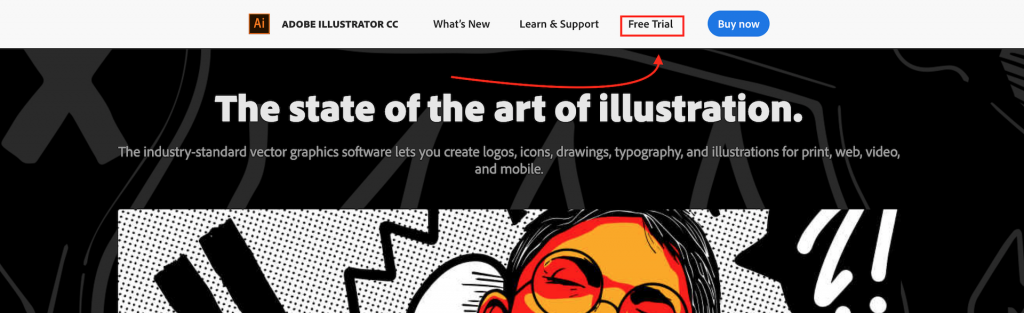
An Easy Guide
This post will explain what you need to know about both the free downloading of Illustrator and getting it through the Adobe Creative Cloud as part of a subscription. You will soon discover the best choice for yourself and what you need to do next.
Download Illustrator for Free
Indeed, a free edition of Illustrator CC can be downloaded. Well, at least an open preview. You will have seven days to check out the drawing software's complete version to find out if it's right for you. A free trial is the only way Illustrator CC can be downloaded for free.
Of course, there are pirated copies found on the Internet, but that would mean breaching the law. You would also put your devices and data at risk from viruses and malware, which could allow individuals to steal your identity, take money from your bank account, or worse. So, we wouldn't really recommend it.
To get a free trial of Illustrator CC, you'll need an Adobe ID first, if you don't already have one. These are quick and absolutely free to set up. You will then have to enter your credit card details.
Don't be afraid; you won't be charged as long as you cancel your account in good time. However, if you decide to continue subscribing, the payments will be automatically deducted.
Steps You Need to Do to Get a Free Trial of Adobe Illustrator
It goes without saying that the free trial of Illustrator is an excellent decision for beginning designers who are eager to study the program but are uncertain as to whether they want it or not. Such a version allows for an absolutely free trial of all features and capabilities.
Afterward, Adobe offers you continued access by choosing and subscribing to one of the plans. If you wish to get a 7-day free trial version of Illustrator, follow the steps below.
- Step 1- Sign in or create an account with Adobe ID.
- Step 2- Open "Creative & Design" and pick "view All items."
- Step 3 - Find Illustrator among all available software options, and press the "Download Trial" button.
- Step 4 - Go to the Downloads browser and double-click the Set Up Illustrator download.
- Step 5 - Sign in to using your Adobe ID in the new window or do it through Google or Facebook.
- Step 6 - Respond to questions by filling out the form. Thanks to this, Adobe will give you the required set of learning materials.
- Step 7 - Next, start installing the Illustrator software on your computer.
- Step 8 - Upon completion of the installation, you can use Adobe Illustrator for free for 7 days.
If you're a student or instructor, you can buy Illustrator at a much lower rate as part of a discounted All Apps package.
However, right now, for the first year, you can get the whole Creative Cloud suite of software, along with 100 GB of cloud storage, Adobe Portfolio, Adobe Fonts, and Adobe Spark, for just $15.99 / £13.15 / AU$21.99 per month. Usually, this package is $29.99 / £25.28 / AU$43.99 per month.
Illustrator, first released in 1987, is a sophisticated vector graphics-based drawing program that is infinitely scalable. That means your work can scale from a billboard-size to mobile screens, and anywhere in between, without losing resolution.
Conclusion
Essentially, your free trial starts when you check out and it lasts for seven days. The trial will automatically convert to a paid Creative Cloud membership when it's complete, unless you cancel before then. Follow these tips to download your free trial now!